Shadowsocks-libev: ubuntu 18.04 手动编译出错
第一步autogen.sh就报错了:
~/source/shadowsocks-libev# ./autogen.sh
libtoolize: putting auxiliary files in AC_CONFIG_AUX_DIR, 'auto'.
libtoolize: copying file 'auto/ltmain.sh'
libtoolize: putting macros in AC_CONFIG_MACRO_DIRS, 'm4'.
libtoolize: copying file 'm4/libtool.m4'
libtoolize: copying file 'm4/ltoptions.m4'
libtoolize: copying file 'm4/ltsugar.m4'
libtoolize: copying file 'm4/ltversion.m4'
libtoolize: copying file 'm4/lt~obsolete.m4'
configure.ac:13: installing 'auto/ar-lib'
configure.ac:10: installing 'auto/compile'
configure.ac:21: installing 'auto/config.guess'
configure.ac:21: installing 'auto/config.sub'
configure.ac:12: installing 'auto/install-sh'
configure.ac:12: installing 'auto/missing'
configure.ac:244: error: required file 'libbloom/Makefile.in' not found
configure.ac:244: error: required file 'libcork/Makefile.in' not found
configure.ac:244: error: required file 'libipset/Makefile.in' not found
src/Makefile.am: installing 'auto/depcomp'
autoreconf: automake failed with exit status: 1
 xcjiang
All 9 comments
这都7年前的一个老脚本啦哈哈
 qwerttvv
on 13 Jan 2020
qwerttvv
on 13 Jan 2020
./autogen.sh之前,先git submodule update --init --recursive
 Aniark
on 15 Jan 2020
Aniark
on 15 Jan 2020
可以编译通过。
 quickhot
on 16 Jan 2020
quickhot
on 16 Jan 2020
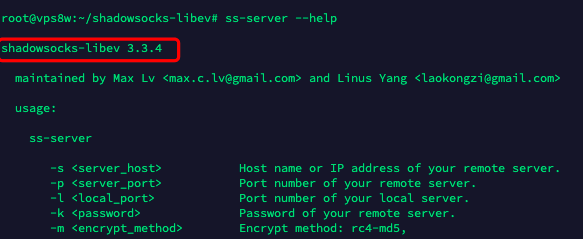
quickhot
on 16 Jan 2020
直接编译安装方法:
apt-get install --no-install-recommends build-essential autoconf libtool libssl-dev gawk debhelper init-system-helpers pkg-config asciidoc xmlto apg libpcre3-dev zlib1g-dev libev-dev libudns-dev libsodium-dev libmbedtls-dev libc-ares-dev libmbedtls-dev libc-ares-dev libsodium-dev automake
git clone https://github.com/shadowsocks/shadowsocks-libev.git
cd shadowsocks-libev/
git submodule update --init
./autogen.sh && ./configure && make
make install
quickhot
on 16 Jan 2020
./autogen.sh之前,先git submodule update --init --recursive
git submodule update --init
quickhot
on 16 Jan 2020
mark 一下!
 twinfishxixi
on 29 Jan 2020
twinfishxixi
on 29 Jan 2020
直接编译安装方法:
apt-get install --no-install-recommends build-essential autoconf libtool libssl-dev gawk debhelper init-system-helpers pkg-config asciidoc xmlto apg libpcre3-dev zlib1g-dev libev-dev libudns-dev libsodium-dev libmbedtls-dev libc-ares-dev libmbedtls-dev libc-ares-dev libsodium-dev automakegit clone https://github.com/shadowsocks/shadowsocks-libev.git
cd shadowsocks-libev/
git submodule update --init
./autogen.sh && ./configure && make
make install
thank you!
 hufhqoiqjdjojdqjd-xx
on 25 Feb 2020
hufhqoiqjdjojdqjd-xx
on 25 Feb 2020
./autogen.sh之前,先git submodule update --init --recursivegit submodule update --init
作者教程中带有--recursive
详见https://github.com/shadowsocks/shadowsocks-libev/commit/3e8a57752a2e196a35cfcc8ac5d25ed7398d041f#diff-04c6e90faac2675aa89e2176d2eec7d8L33
 mlgcpd
on 25 Feb 2020
mlgcpd
on 25 Feb 2020
Related issues
 zhfreal
·
4Comments
zhfreal
·
4Comments
 HenryHo2006
·
3Comments
HenryHo2006
·
3Comments
 blackgear
·
3Comments
blackgear
·
3Comments
 d0u9
·
4Comments
d0u9
·
4Comments
 triaqu
·
4Comments
triaqu
·
4Comments
Most helpful comment
直接编译安装方法:
apt-get install --no-install-recommends build-essential autoconf libtool libssl-dev gawk debhelper init-system-helpers pkg-config asciidoc xmlto apg libpcre3-dev zlib1g-dev libev-dev libudns-dev libsodium-dev libmbedtls-dev libc-ares-dev libmbedtls-dev libc-ares-dev libsodium-dev automake
git clone https://github.com/shadowsocks/shadowsocks-libev.git
cd shadowsocks-libev/
git submodule update --init
./autogen.sh && ./configure && make
make install