Seurat: Setting custom color palettes in FeaturePlot
Hi,guys,
i do need help. i just want to know how to set the color parameter that plot the marker gene figure which gene expression from blue to yellow to red.
thank you so much for your help
 zqyhyunbin
All 8 comments
You can set colors with the cols.use argument, and we provide a CustomPalette function to help generate color palettes for our plots.
 mojaveazure
on 25 Jul 2018
mojaveazure
on 25 Jul 2018
thanks so much, i will try it today.
zqyhyunbin
on 26 Jul 2018
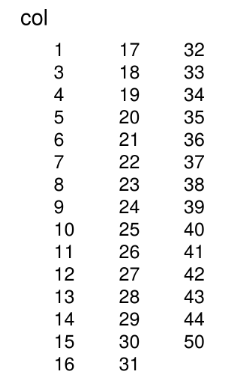
@mojaveazure I tried the CustomPalette function. The plot looks good but the legend does not work well.
It's plotting color values as discrete legends rather than a continuous one:
 yueqiw
on 14 Aug 2018
yueqiw
on 14 Aug 2018
Hi, sorry for jumping in on the question.
Did you find a work around for this @yueqiw?
I think i'm having the same problem where I have used colorRamps to grade the expression levels but the legend is returning as discrete values as opposed to a nice continuous scale.
 smithsl
on 22 Nov 2018
smithsl
on 22 Nov 2018
yes, i did, set the code in tsns_plot(do.return=true), and use the ggplot2 do more work which including change the color via RColorbrewer package
zqyhyunbin
on 23 Nov 2018
Hi @yueqiw and @zqyhyunbin,
Could you please elaborate more on how you modified the ggplot object obtained from the TSNEPlot function to add custom color palettes? That will be awesome!
I am facing the same problem, i.e., I wish to have more control to choose the color gradient in FeaturePlot. The FeaturePlot function doesn't have a lot of options for this, and so I think it's best to get the ggplot object and then modify outside. If you have already figured this out, then any help will be appreciated. Many thanks.
 CodeInTheSkies
on 22 Feb 2019
CodeInTheSkies
on 22 Feb 2019
library(RColorBrewer)
fp <- FeaturePlot(object , features.plot = c("CD68"),
reduction.use = "tsne",
cols.use = c("gray","red"),
pt.size = 1.5,
no.legend = FALSE,
do.return=TRUE)
lapply(fp, function(x){x + scale_colour_gradientn(colours=brewer.pal(11,"RdYlBu")[11:1])+
...+
...+
zqyhyunbin
on 22 Feb 2019
Thank you very much! That works.
The only other thing I would like to add as a comment is that it will be
nice to be able to do this using the ggplot object obtained from the
TSNEPlot function, but then I see that we'll have to change the aes mapping
with respect to color using something like ggplot_build.
Of course, one may say that this is why the FeaturePlot function exists.
Agreed. But at least in my case, I think the above would be useful since
the biologist wants the exact look of the TSNEPlot output but just with the
cells colored by a gene's expression. The output of the Featureplot
function looks a bit different and so I'll have to find other ways to
adjust the plot's look. Anyway, this is not a big problem.
On Fri, Feb 22, 2019, 12:18 AM zqyhyunbin, notifications@github.com wrote:
library(RColorBrewer)
fp <- FeaturePlot(object , features.plot = c("CD68"),
reduction.use = "tsne",
cols.use = c("gray","red"),
pt.size = 1.5,
no.legend = FALSE,
do.return=TRUE)
lapply(fp, function(x){x +
scale_colour_gradientn(colours=brewer.pal(11,"RdYlBu")[11:1])+
...+
...+—
You are receiving this because you commented.
Reply to this email directly, view it on GitHub
https://github.com/satijalab/seurat/issues/653#issuecomment-466277151,
or mute the thread
https://github.com/notifications/unsubscribe-auth/AL_ruF2VmU7ptozRD6N4PkhnvY1rrD5Bks5vP32tgaJpZM4VcnhD
.
CodeInTheSkies
on 22 Feb 2019
Related issues
 fidelram
·
3Comments
fidelram
·
3Comments
 rajasreemenon
·
3Comments
rajasreemenon
·
3Comments
 whitleyo
·
3Comments
whitleyo
·
3Comments
 bio-la
·
3Comments
bio-la
·
3Comments
 akhst7
·
3Comments
akhst7
·
3Comments
Most helpful comment
You can set colors with the
cols.useargument, and we provide a CustomPalette function to help generate color palettes for our plots.