Server: Allow web app settings site to load without requiring upstream (apps.nextcloud.com) to be reachable
How to use GitHub
- Please use the 👍 reaction to show that you are affected by the same issue.
- Please don't comment if you have no relevant information to add. It's just extra noise for everyone subscribed to this issue.
- Subscribe to receive notifications on status change and new comments.
Steps to reproduce
- Visit https://yournextcloud.example.com/settings/apps right now (2020-07-28T05:20:50+00:00)
Expected behaviour
Site should load with app settings. In this instance, I wanted to view and uninstall some installed apps. That should be possible without upstream app repository access.
Actual behaviour
Loading times out. Web log as pasted below. Nginx log reads:
web_1 | 2020-07-28T05:24:11.828709266Z 2020/07/28 07:24:11 [error] 29#29: *519 upstream timed out (110: Operation timed out) while reading response header from upstream, client: <secret IP>, server: , request: "GET /settings/apps/list HTTP/1.1", upstream: "fastcgi://172.29.0.4:9000", host: "<secret URL>"
https://apps.nextcloud.com is down right now:
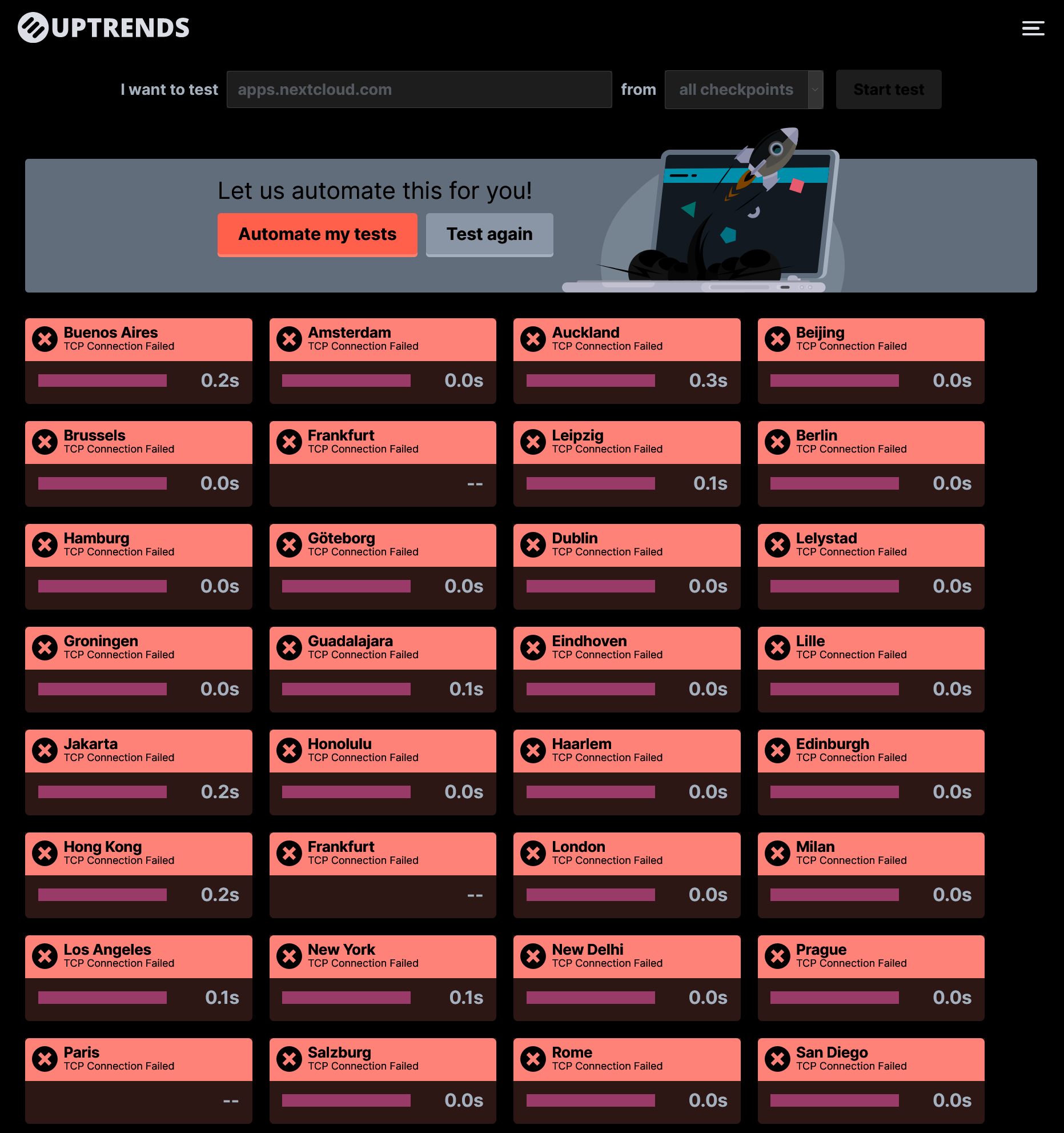
That happens and it's fine, but it should not block operations in the app settings (the app settings site does not load at all) that are (presumably) local.
Rest of the template shouldn't matter
Server configuration
Operating system:
Web server:
Database:
PHP version:
Nextcloud version: (see Nextcloud admin page)
Updated from an older Nextcloud/ownCloud or fresh install:
Where did you install Nextcloud from:
Signing status:
Signing status
Login as admin user into your Nextcloud and access
http://example.com/index.php/settings/integrity/failed
paste the results here.
List of activated apps:
App list
If you have access to your command line run e.g.:
sudo -u www-data php occ app:list
from within your Nextcloud installation folder
Nextcloud configuration:
Config report
If you have access to your command line run e.g.:
sudo -u www-data php occ config:list system
from within your Nextcloud installation folder

or

Insert your config.php content here.
Make sure to remove all sensitive content such as passwords. (e.g. database password, passwordsalt, secret, smtp password, …)
Are you using external storage, if yes which one: local/smb/sftp/...
Are you using encryption: yes/no
Are you using an external user-backend, if yes which one: LDAP/ActiveDirectory/Webdav/...
LDAP configuration (delete this part if not used)
LDAP config
With access to your command line run e.g.:
sudo -u www-data php occ ldap:show-config
from within your Nextcloud installation folder

Without access to your command line download the data/owncloud.db to your local
computer or access your SQL server remotely and run the select query:
SELECT * FROM `oc_appconfig` WHERE `appid` = 'user_ldap';


Eventually replace sensitive data as the name/IP-address of your LDAP server or groups.
Client configuration
Browser:
Operating system:
Logs
Web server error log
Web server error log
Warning: Could not connect to appstore: cURL error 7: Failed to connect to apps.nextcloud.com port 443: Operation timed out (see https://curl.haxx.se/libcurl/c/libcurl-errors.html)
Nextcloud log (data/nextcloud.log)
Nextcloud log
Insert your Nextcloud log here
Browser log
Browser log
Insert your browser log here, this could for example include:

a) The javascript console log
b) The network log
c) ...
 alexpovel
All 2 comments
Being unable to remove or disable an app just because upstream servers are down is a potential security issue as well, in the event that an app is later found to be dangerous or contain a vulnerability. Admins should always be able to enable or disable apps that are already installed.
 t-m-w
on 9 Oct 2020
t-m-w
on 9 Oct 2020
Thanks for reporting :+1:
Closing in favour of #14926. The error message might be different but code (to be changed / refactored) is the same.
 kesselb
on 10 Oct 2020
kesselb
on 10 Oct 2020
Related issues
 juliushaertl
·
3Comments
juliushaertl
·
3Comments
 e-alfred
·
3Comments
e-alfred
·
3Comments
 georgehrke
·
3Comments
georgehrke
·
3Comments
 arno01
·
3Comments
arno01
·
3Comments
 MariusBluem
·
3Comments
MariusBluem
·
3Comments