Server: Public share pages: Footer not at the bottom
Steps to reproduce
- Share a folder with many (for example 100) files and a folder with only 10 files
- Browse on the two shared pages
Expected behaviour
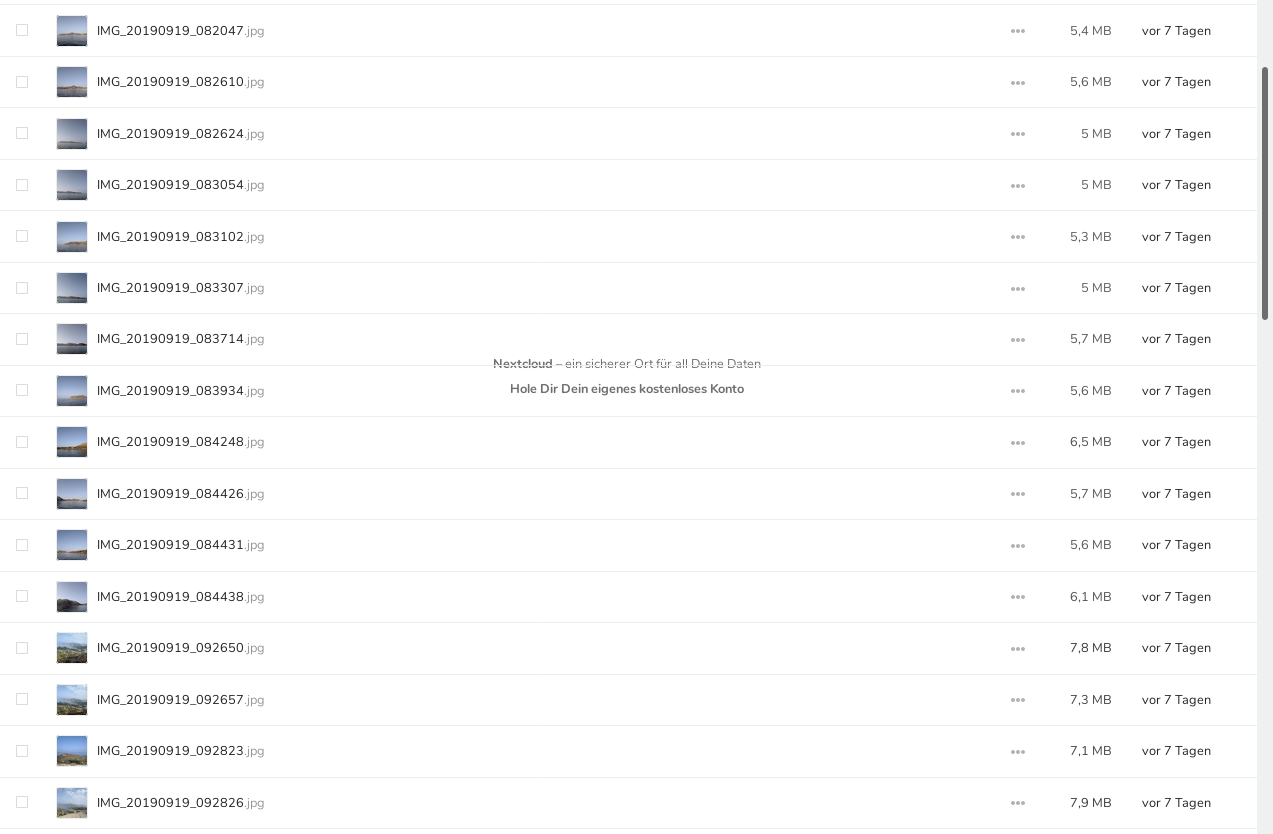
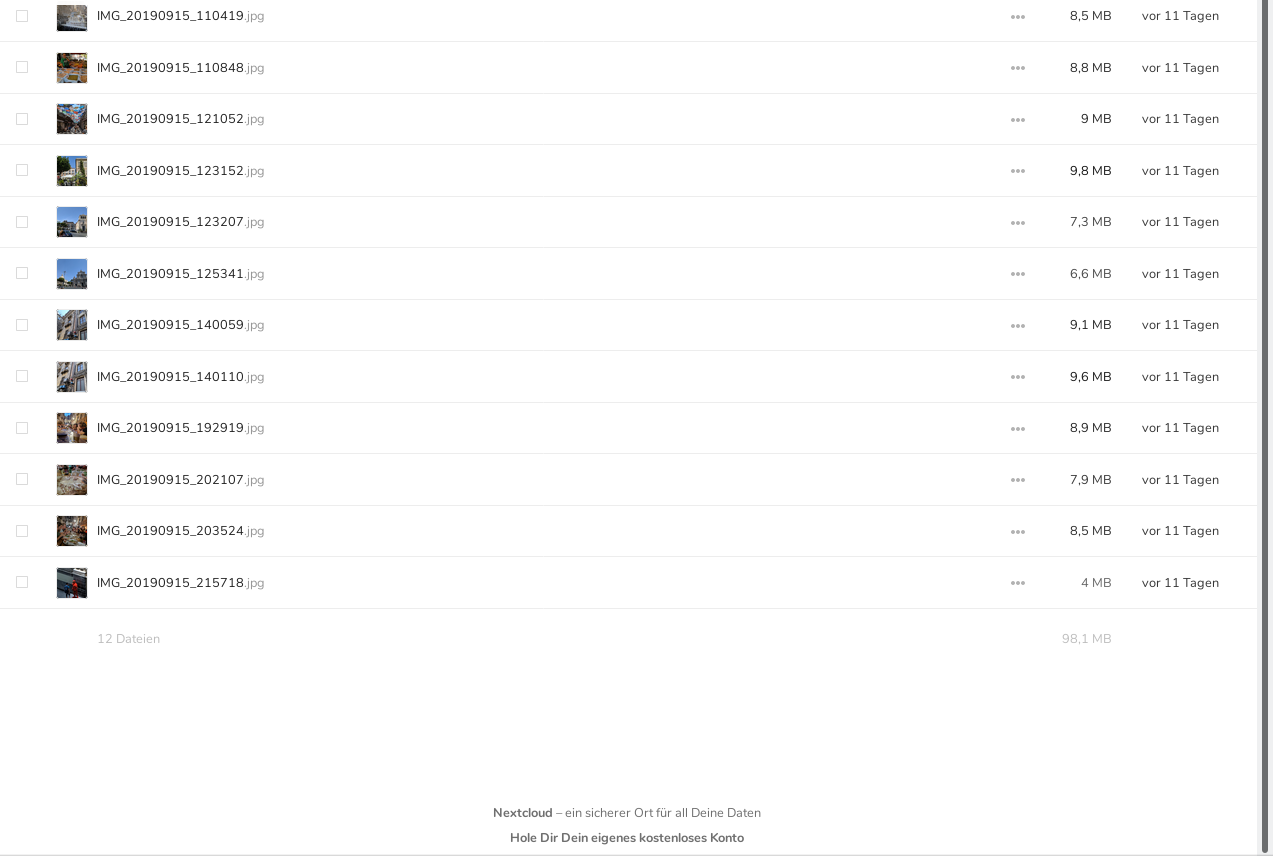
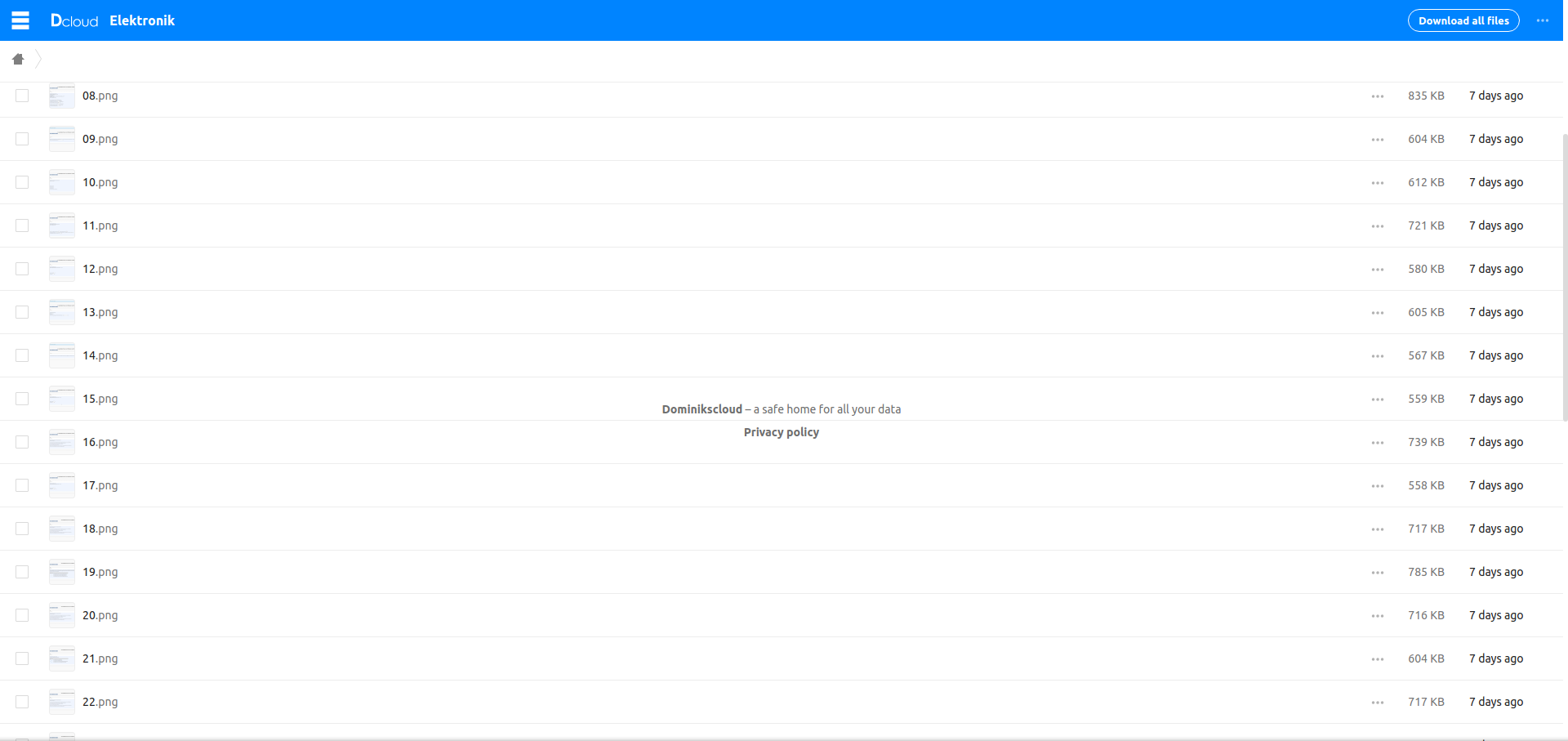
The footer banner "Nextcloud - a secure place for your data" should be on the bottom of both shared pages.
Actual behaviour
Instead on the page with 100 files the footer is somewhere in the middle of the page, not at the bottom (screenshot):
On the page with only 10 files the footer location is right (screenshot):
Server configuration
Operating system: Debian
Web server: Apache
Database: mysql
PHP version: 7.3.9
Nextcloud version: 16.0.4.1
Updated from an older Nextcloud/ownCloud or fresh install: fresh install
Where did you install Nextcloud from: zip from nextcloud.com
Signing status:
No errors have been found.
List of activated apps:
App list
  - accessibility: 1.2.0
  - activity: 2.9.1
  - apporder: 0.7.1
  - bruteforcesettings: 1.4.0
  - calendar: 1.7.1
  - checksum: 0.4.3
  - cloud_federation_api: 0.2.0
  - comments: 1.6.0
  - contacts: 3.1.3
  - dav: 1.9.2
  - encryption: 2.4.0
  - federatedfilesharing: 1.6.0
  - federation: 1.6.0
  - files: 1.11.0
  - files_downloadactivity: 1.5.0
  - files_ebookreader: 0.0.1
  - files_pdfviewer: 1.5.0
  - files_photospheres: 1.0.5
  - files_rightclick: 0.15.1
  - files_sharing: 1.8.0
  - files_trashbin: 1.6.0
  - files_versions: 1.9.0
  - files_videoplayer: 1.5.0
  - firstrunwizard: 2.5.0
  - gallery: 18.3.0
  - logreader: 2.1.0
  - lookup_server_connector: 1.4.0
  - nextcloud_announcements: 1.5.0
  - notes: 3.0.3
  - notifications: 2.4.1
  - oauth2: 1.4.2
  - password_policy: 1.6.0
  - polls: 0.10.2
  - privacy: 1.0.0
  - provisioning_api: 1.6.0
  - richdocuments: 3.4.2
  - serverinfo: 1.6.0
  - sharebymail: 1.6.0
  - systemtags: 1.6.0
  - tasks: 0.11.3
  - text: 1.0.2
  - twofactor_backupcodes: 1.5.0
  - twofactor_totp: 3.0.1
  - updatenotification: 1.6.0
  - viewer: 1.1.0
  - workflowengine: 1.6.0
Nextcloud configuration:
Config report
{
    "system": {
        "instanceid": "***REMOVED SENSITIVE VALUE***",
        "passwordsalt": "***REMOVED SENSITIVE VALUE***",
        "secret": "***REMOVED SENSITIVE VALUE***",
        "datadirectory": "***REMOVED SENSITIVE VALUE***",
        "dbtype": "mysql",
        "version": "16.0.4.1",
        "dbname": "***REMOVED SENSITIVE VALUE***",
        "dbhost": "***REMOVED SENSITIVE VALUE***",
        "dbport": "",
        "dbtableprefix": "oc_",
        "dbuser": "***REMOVED SENSITIVE VALUE***",
        "dbpassword": "***REMOVED SENSITIVE VALUE***",
        "installed": true,
        "htaccess.RewriteBase": "\/",
        "memcache.local": "\\OC\\Memcache\\APCu",
        "loglevel": 2,
        "has_rebuilt_cache": true,
        "updater.release.channel": "production",
        "maintenance": false
    }
}
Are you using external storage, if yes which one: no
Are you using encryption: yes
Are you using an external user-backend, if yes which one: no
Client configuration
Browser: Firefox 69
Operating system: OpenSuse
 MrJohnZoidberg
All 8 comments
cc @skjnldsv @GretaD
 kesselb
on 26 Sep 2019
kesselb
on 26 Sep 2019
Thats interesting, this bug only exist on the 16th version. I tested it on 15th and 17th and everything looks fine. @MrJohnZoidberg maybe upgrade to 17th version?
 GretaD
on 27 Sep 2019
GretaD
on 27 Sep 2019
@GretaD Thank you for the information, I will update to 17th version.
MrJohnZoidberg
on 27 Sep 2019
Hey @MrJohnZoidberg, everything ok with the 17th version? If yes, then we can close this ticket.
GretaD
on 26 Nov 2019
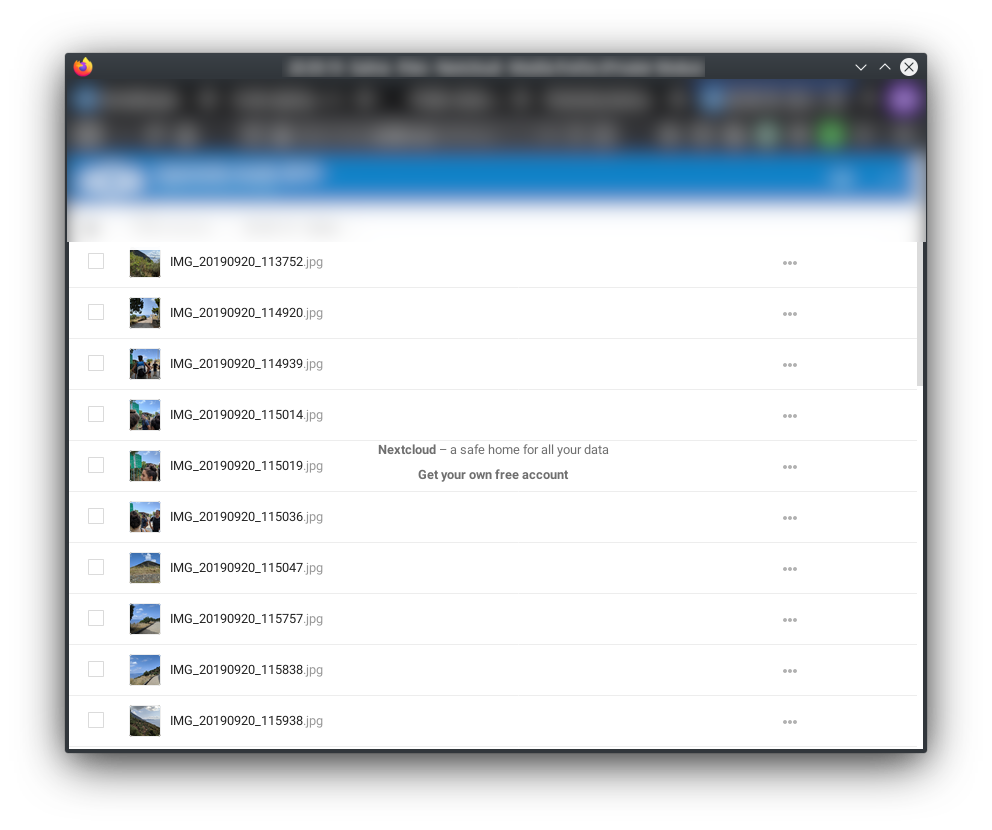
Hi @GretaD, I have now updated my instance to 17.0.1, but the bug still occurs:
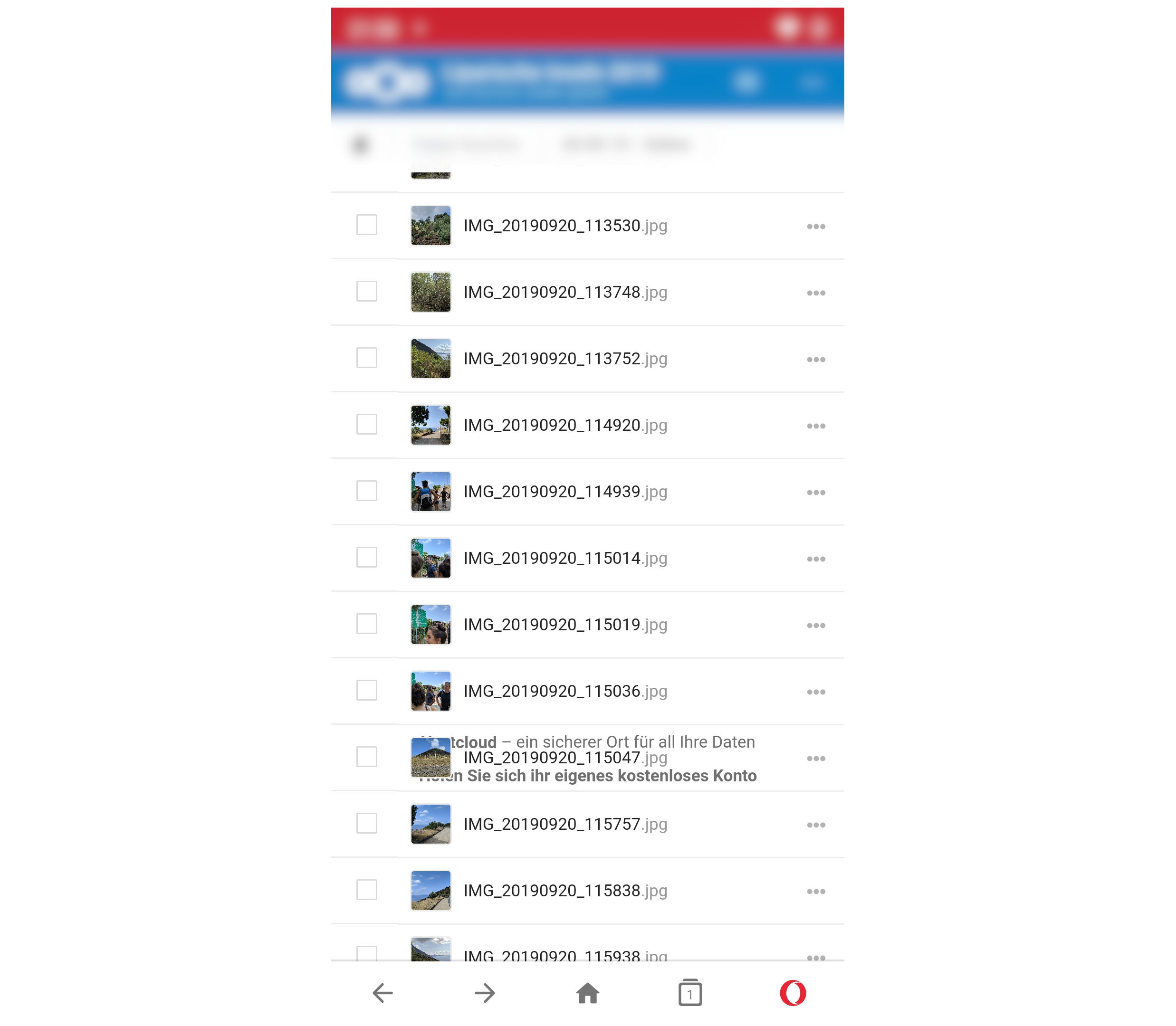
or in the Opera mobile browser (in all the other mobile browsers it's the same):
I tested it on 15th and 17th and everything looks fine.
That's weird, am I the only one where the bug occurs?
Do you need further information from me?
MrJohnZoidberg
on 30 Nov 2019
I think the issue is in the file starting from this line: https://github.com/nextcloud/server/blob/6725a4b746382a7ebc72e7e70539954cd450240a/core/css/public.scss#L61
I tested different position options but I didn't solve it. With
position: fixed;
width: 100%;
the footer is always at the bottom of the screen but I think the footer should be at the end of the file list (after scrolling to bottom). Unfortunately I'm not so good at CSS :)
MrJohnZoidberg
on 30 Nov 2019
I had a setup with Docker and Apache as reverse proxy. This issue came from the Content Security Policy header but I don't know what the problem was.
Now I have an installation directly in the web directory with nginx - it works perfektly.
MrJohnZoidberg
on 25 Mar 2020
Any news on this @GretaD ? I am on 19.0.3 and I still have this issue.
 XXDoMi77
on 28 Sep 2020
XXDoMi77
on 28 Sep 2020
Related issues
 arno01
·
3Comments
arno01
·
3Comments
 ThomasLeister
·
3Comments
ThomasLeister
·
3Comments
 georgehrke
·
3Comments
georgehrke
·
3Comments
 j-ed
·
3Comments
j-ed
·
3Comments
 e-alfred
·
3Comments
e-alfred
·
3Comments
Most helpful comment
I had a setup with Docker and Apache as reverse proxy. This issue came from the Content Security Policy header but I don't know what the problem was.
Now I have an installation directly in the web directory with nginx - it works perfektly.