Server: New Folder input box in move dialog not clickable
12946
Steps to reproduce
- Select one or multiple files
- Click on Actions (top of the page)
- Click on Move or Copy
- navigate to a few subfolders
or:
- Click on the three dots on the right side of a file or folder
- Click on Move or Copy
- navigate to a few subfolders
Expected behaviour
- I want to create a subfolder by clicking on the + button.
- A small input box appears.
- I type the name of the new folder in the input box
- I click on the arrow button and the folder gets created
Actual behaviour
I experienced a unconvenient behavior. The arrow button is outside the dialog / is not visible.
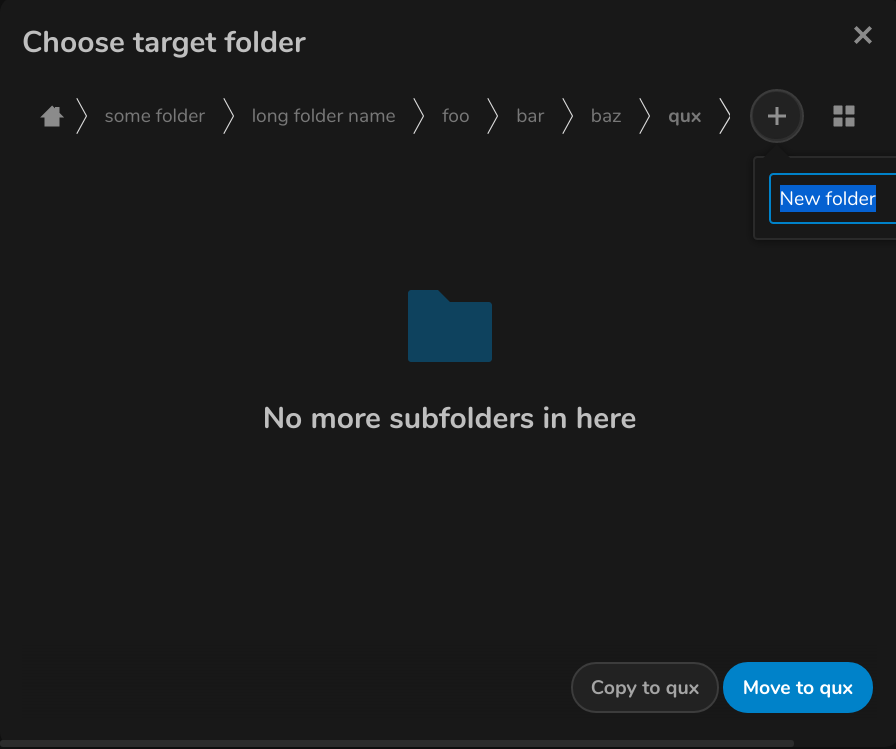
I think the best way to explain why this is a problem (i think) is a video:
https://youtu.be/zQlEq3VLNxY
or if you dont like google: https://nextcloud.fractava.com/index.php/s/github-issue
(is video explanation ok in a github issue ?)
Server configuration (probaly not very important)
Operating system:
Unraid
Web server:
nginx
Database:
mysql
PHP version:
7
Nextcloud version: (see Nextcloud admin page)
16.0.4
Updated from an older Nextcloud/ownCloud or fresh install:
Updated
Where did you install Nextcloud from:
Docker (linuxserver/nextcloud)
Are you using external storage, if yes which one: local/smb/sftp/...
no
Are you using encryption: yes/no
no
Are you using an external user-backend, if yes which one: LDAP/ActiveDirectory/Webdav/...
no
Dark Mode
yes
Different behavior without Dark Mode
no
Client configuration
Browser:
doesnt work on:
-brave (video) (0.66.99 != newest version)
-vivaldi (2.6.1566.44-1 != newest version)
-firefox (newest version)
does work on:
-chromium (newest version) -> different behavior -> + button is on the left side -> enough space
-chrome (newest version) -> different behavior -> + button is on the left side -> enough space
-vivaldi (newest version) -> different behavior -> + button is on the left side -> enough space
-brave (newest version) -> different behavior -> + button is on the left side -> enough space
-> On Chromium based browsers it does only work in the newest version
-> It doesnt seem to work in any firefox version
Operating system:
Kubuntu
Screen Resolution
3840x2160px
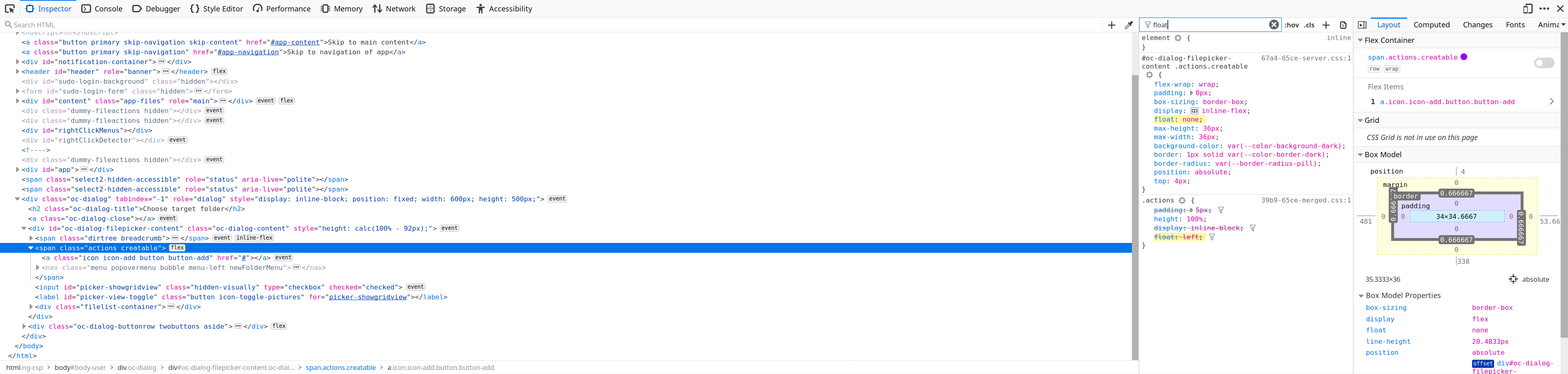
As you can see there is a float (left) applied to the + button but it gets overwritten in some browsers.
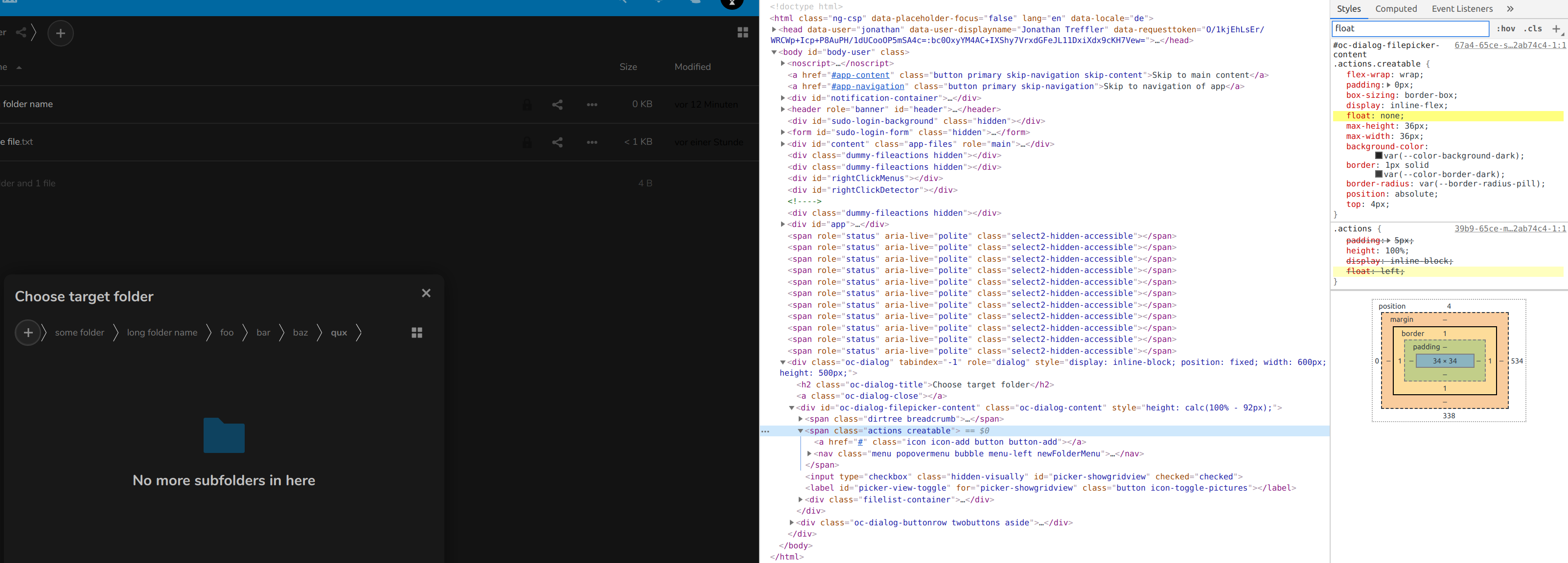
In chrome it gets overwritten but it works
Disclaimer:
I know this is a tiny bug and its maybe just a browser "problem" , but still it bugs me.
If it would work in the newest firefox version i opened have posted this issue.
Maybe everything works fine on another screen resolution or different operating system.
 JonathanTreffler
All 7 comments
I am not able to test it on a different os because i dont use windows / mac at all
JonathanTreffler
on 28 Aug 2019
CC @nextcloud/designers
 wiswedel
on 29 Aug 2019
wiswedel
on 29 Aug 2019
@skjnldsv @juliushaertl this dropdown should be centered by default, right? This could already fix it?
 jancborchardt
on 1 Sep 2019
jancborchardt
on 1 Sep 2019
@jancborchardt we could center it, but then on mobile, on root, the menu would shift on the left when no navigation :)
(ps: the vue component include an auto alignment in case it's out of bounds, but we're not there yet for the breadcrumbs)
 skjnldsv
on 2 Sep 2019
skjnldsv
on 2 Sep 2019
but then on mobile, on root, the menu would shift on the left when no navigation :)
What do you mean by that? When you are in root there’s still the home icon, just like there’s the "Grid/list view" icon on the right.
But yeah anyway – this would be fixed by having it centered by default and then do the auto-alignment once it’s there, as @skjnldsv said. :)
jancborchardt
on 2 Sep 2019
What do you mean by that? When you are in root there’s still the home icon, just like there’s the "Grid/list view" icon on the right.
Ah yes right!
On nc 16-17, the popup is centered btw. :)
skjnldsv
on 2 Sep 2019
On nc 16-17, the popup is centered
I think this issue can now be closed 🙂
JonathanTreffler
on 4 Nov 2019
Related issues
jancborchardt
·
3Comments
 Django-BOfH
·
3Comments
Django-BOfH
·
3Comments
 blackcrack
·
3Comments
blackcrack
·
3Comments
 ThomasLeister
·
3Comments
ThomasLeister
·
3Comments
 arno01
·
3Comments
arno01
·
3Comments