Server: Severe Color Issues with File Consumer and DNxHD
Expected behaviour
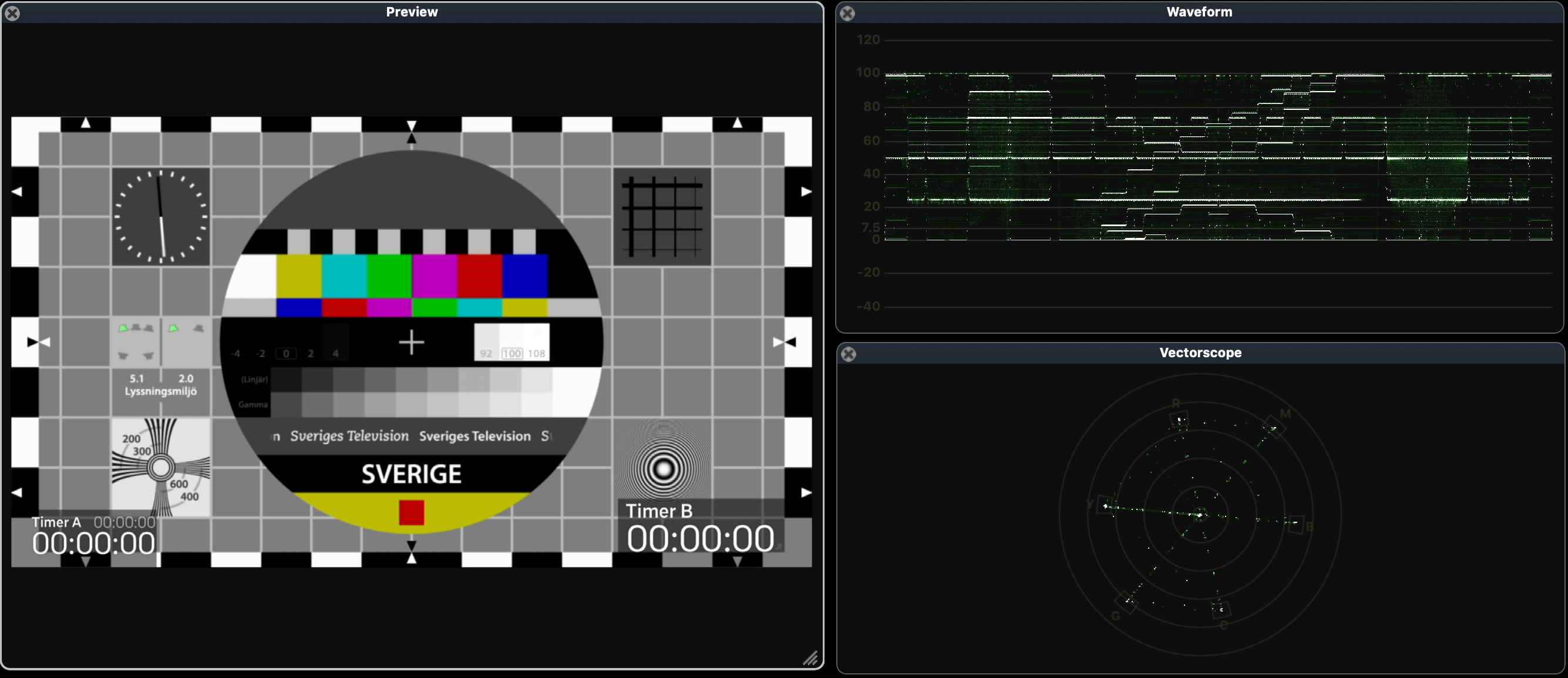
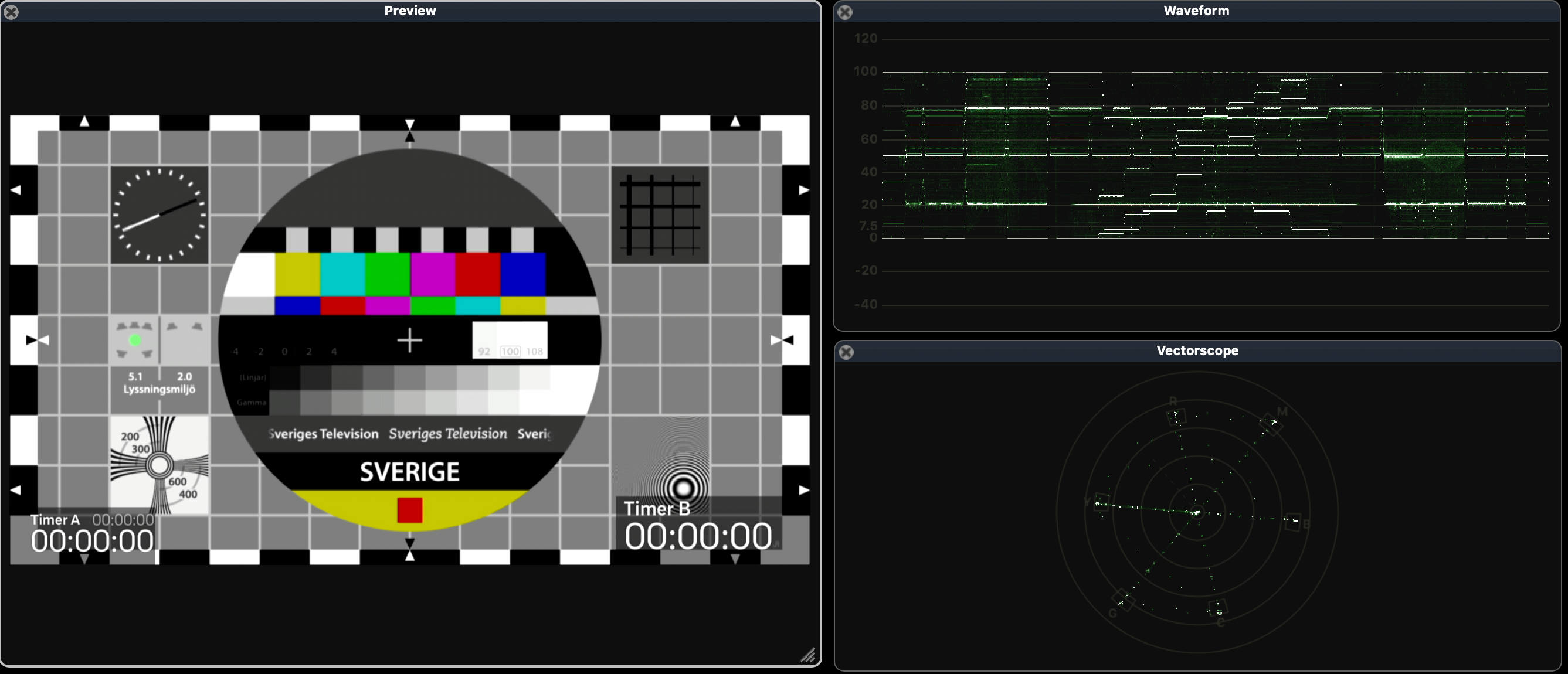
If I record a channel I expect the same colour in the recorded file as the channel I record.
Current behaviour
The recorded file is darker than the channel. (looks like 709->RGB)
See screenshots
Steps to reproduce
- Play something on the channel
ADD 1-3770 FILE AAA_OLLE.mxf -codec:v dnxhd -b:v 120M -flags:v +ilme+ildct -threads:v 4 -filter:v format=yuv422p,interlace- Play the recorded file and compare.
Environment
- Commit: 85066b9a4606ed6692cdf3ea7b58e2d86b76ad33
- Server version: c2.2.x
* Operating system: Windows 7
We have checked:
365
885
884
513
488
Screenshots
Original:
Recorded File:
 5opr4ni
All 13 comments
try with adding -filter:v scale=out_color_matrix=bt709
 sirfnomi
on 3 Jun 2019
sirfnomi
on 3 Jun 2019
Also see if any of: 10.25-10.27 (https://ffmpeg.org/ffmpeg-filters.html) can help
 ronag
on 3 Jun 2019
ronag
on 3 Jun 2019
try with adding -filter:v scale=out_color_matrix=bt709
Sorry, no luck with this! :(
5opr4ni
on 5 Jun 2019
scale=in_range=full:out_range=tv:out_color_matrix=bt709
 premultiply
on 5 Jun 2019
premultiply
on 5 Jun 2019
This is a big issue right now that we will need to fix before we release v2.2.1 or do you think we should wait until v2.2.2?
 dotarmin
on 6 Jun 2019
dotarmin
on 6 Jun 2019
scale=in_range=full,out_range=tv,out_color_matrix=bt709
ADD 1-3770 FILE AAA_OLLE.mxf -codec:v dnxhd -b:v 120M -flags:v +ilme+ildct -threads:v 4 -filter:v interlace,scale=in_range=full,out_range=tv,out_color_matrix=bt709,format=yuv422p
This is the latest, that fails with this.
No such filter: 'out_range'
No such filter: 'out_color_matrix'
5opr4ni
on 6 Jun 2019
Then it is : instead of ,
Its a property of the scale filter.
Just have a look at the ffmpeg documentation.
premultiply
on 6 Jun 2019
From FFmpeg documentation:
out_range
Set in/output YCbCr sample range.This allows the autodetected value to be overridden as well as allows forcing a specific value used for >the output and encoder. If not specified, the range depends on the pixel format. Possible values:
‘auto/unknown’
Choose automatically.‘jpeg/full/pc’
Set full range (0-255 in case of 8-bit luma).‘mpeg/limited/tv’
Set "MPEG" range (16-235 in case of 8-bit luma).
dotarmin
on 6 Jun 2019
Then it is : instead of ,
Its a property of the scale filter.
Just have a look at the ffmpeg documentation.
Nice work @premultiply this looks promising. I will do some more test. A big thanks to you.
This is the working command so far, just need to verify.
ADD 1-3770 FILE AAA_OLLE.mxf -codec:v dnxhd -b:v 120M -flags:v +ilme+ildct -threads:v 4 -filter:v interlace,scale=in_range=full:out_range=tv:out_color_matrix=bt709,format=yuv422p
Thanks again
/Olle
5opr4ni
on 6 Jun 2019
We should set up a wiki for ffmpeg in casparcg. I have heard this before, but I really want to see this happen.
5opr4ni
on 6 Jun 2019
i just want to mention, that ffmpeg by default doesn't set any information about colorspace in it's output.
-filter:v interlace,scale=in_range=full:out_range=tv:out_color_matrix=bt470bg,format=yuv420p
result:
Stream #0:0[0x100]: Video: h264 (Main) ([27][0][0][0] / 0x001B), yuv420p, 720x576 [SAR 64:45 DAR 16:9], 25 fps, 25 tbr, 90k tbn, 50 tbc
Set them manually:
-filter:v interlace,scale=in_range=full:out_range=tv:out_color_matrix=bt470bg,format=yuv420p -colorspace:v bt470bg -color_primaries:v bt470bg -color_trc:v gamma28
result:
Stream #0:0[0x100]: Video: h264 (Main) ([27][0][0][0] / 0x001B), yuv420p(tv, bt470bg), 720x576 [SAR 64:45 DAR 16:9], 25 fps, 25 tbr, 90k tbn, 50 tbc
 ryci-us
on 6 Jun 2019
ryci-us
on 6 Jun 2019
Yes, you have to set all metadata and conversion options manually to create proper files with ffmpeg (and CasparCG).
And its best to specify as much as possible properties in scaler options.
premultiply
on 6 Jun 2019
1067
884
premultiply
on 6 Jun 2019
Related issues
 saltomodules
·
3Comments
saltomodules
·
5Comments
saltomodules
·
3Comments
saltomodules
·
5Comments
 jesperstarkar
·
6Comments
ronag
·
7Comments
jesperstarkar
·
6Comments
ronag
·
7Comments
 luckcfm
·
5Comments
luckcfm
·
5Comments
Most helpful comment
Then it is : instead of ,
Its a property of the scale filter.
Just have a look at the ffmpeg documentation.