Server: Theming app should allow the Slogan color to be changed.
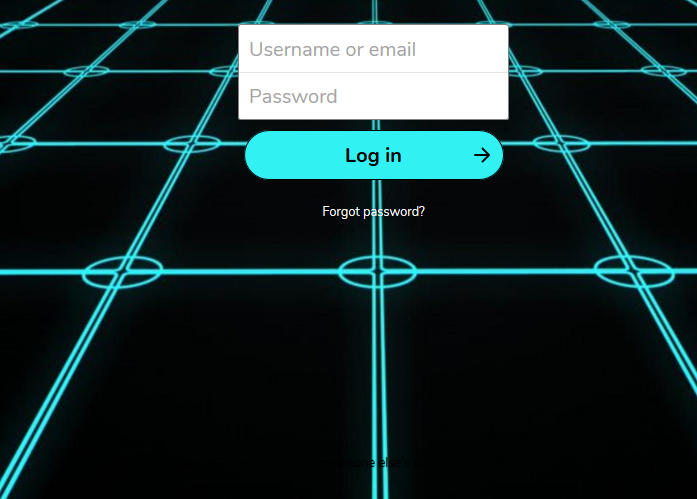
The Theming app (I am running Theming 1.6.0 on Nextcloud 15.0.0) displays a custom Slogan on the login screen, but when a dark Login image is chosen, the black text is unreadable.

 rlitman
All 9 comments
cc @nextcloud/designers
 MorrisJobke
on 7 Feb 2019
MorrisJobke
on 7 Feb 2019
@rlitman what is the primary color of your theming? The text color is based on that, being dark when the primary color is light.
Also, do you have the dark theme enabled?
 jancborchardt
on 11 Feb 2019
jancborchardt
on 11 Feb 2019
That makes some sense. I have the color set to #32F1F2.
At the log in screen, the button shows "Log in" in black text over the primary teal color, but switches to white text (still with a black arrow) when I mouse over. Below, that "Forgot password?" is in white text. I've attached a less cropped capture of my login screen for clarity.
I am not aware of a dark theme. I've been using the same theme since Owncloud 8. I'm currently on Nextcloud 15.0.4, official theming app 1.6.0.
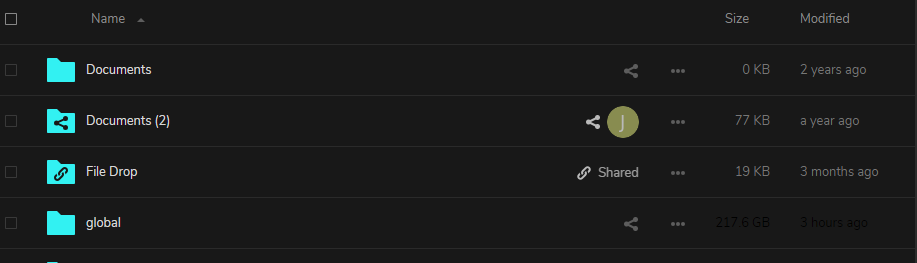
edit: Ok, I found the dark theme. I previously had the Accessibility app disabled, so I never saw it. Switching to the dark theme does not change my login screen (so far as I can see), but it does make some text appear as black on a gray background that makes it very hard to read. I will be switching back now.
rlitman
on 11 Feb 2019
Hm, the slogan should definitely be displayed in the same color (white) as the "Forgot password" element. @juliushaertl @skjnldsv any idea?
jancborchardt
on 13 Feb 2019
Well, it will works ok on dark background, but not on bright ones.
The slogan needs to have something done indeed, but adapting to the primary color does not seems to be the proper thing :thinking: :woman_shrugging:
 skjnldsv
on 20 Mar 2019
skjnldsv
on 20 Mar 2019
Might be too much magic, but is it possible to check what color the background is and change accordingly?
jancborchardt
on 18 Apr 2019
but is it possible to check what color the background is and change accordingly?
No because the background could be white on top but black on the bottom, and we cannot extract the color under the slogan as the bg position depends on your screen resolution :/
skjnldsv
on 18 Apr 2019
I'd say this is actually a good use case for the theming_customcss app, the defaults don't fit well fot every background image and we cannot detect that automatically. Also I don't think we should add another color setting as this will clutter the options got a rather small use case.
 juliushaertl
on 18 Apr 2019
juliushaertl
on 18 Apr 2019
@juliushaertl good call!
jancborchardt
on 18 Apr 2019
Related issues
 dl5rcw
·
3Comments
dl5rcw
·
3Comments
 ghost
·
3Comments
ghost
·
3Comments
 e-alfred
·
3Comments
e-alfred
·
3Comments
 rullzer
·
3Comments
jancborchardt
·
3Comments
rullzer
·
3Comments
jancborchardt
·
3Comments
Most helpful comment
I'd say this is actually a good use case for the theming_customcss app, the defaults don't fit well fot every background image and we cannot detect that automatically. Also I don't think we should add another color setting as this will clutter the options got a rather small use case.