Server: Picture serious degraded 2.2 vs 2.1
yesterday we did a compare with 2.2 vs a other playback medium.
we noticed a "fuzziness" on casparcg
this morning I compared 2.1 vs 2.2 with a screen consumer.
what you see in the pictures is a clip brought back to its native resolution with the mixer command(ARAL)
and a native pixel on pixel testpatern as a PNG not touched by any effect
(click image to see real diffference)
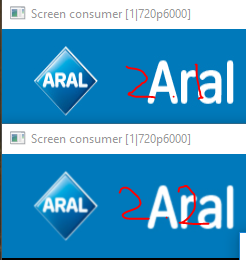
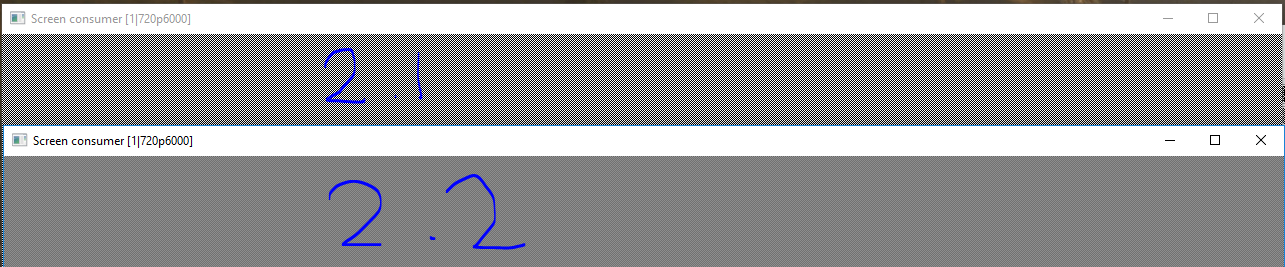
all this tested with the screenconsumer in windowed borderless and bordered mode.
there is a significant difference between 2.1 & 2.2
LS
 MauriceVeraart
All 45 comments
@dotarmin @Julusian related to intel GPU PR?
 ronag
on 18 May 2018
ronag
on 18 May 2018
I don't know, I can compare between two v2.2 versions, one with Intel GPU PR and one without. I will do that in one hour when I'm back.
 dotarmin
on 18 May 2018
dotarmin
on 18 May 2018
tests done with
88171e16d (ARAL = custom build based on this)
and
abdbcc196 (pixel on pixel off test)
MauriceVeraart
on 18 May 2018
@MauriceVeraart can you also do same test as you did with latest v2.2 and version from 2 May available at builds.casparcg.com?
dotarmin
on 18 May 2018
Just did exact same results
MauriceVeraart
on 18 May 2018
Just did exact same results
Thanks.
I have done some quick tests my self and neither can't I see a difference between the Intel GPU PR and the builds before it. I need to run some more tests before I say more but I will do some more tests and upload images from the output.
/Armin
dotarmin
on 18 May 2018
This must have something to do with deinterlacing?
 jesperstarkar
on 18 May 2018
jesperstarkar
on 18 May 2018
@jesperstarkar possible, we always deinterlace now, I don't remember which issue it was discussed. Someone was quite sure that bwdif wouldn't do anything if the content wasn't interlaced.
Could try to remove bwdiff and run again to see if it is still the case.
ronag
on 18 May 2018
That was me.
 premultiply
on 18 May 2018
premultiply
on 18 May 2018
I'm a bit unsure what to do here, I like the always deinterlace method and I can't think of any foolproof alternative. Only alternative is to trust the media meta data in regards to whether it is interlaced or not.
ronag
on 18 May 2018
It is not shure at all that this is caused by the deinterlacer here.
premultiply
on 18 May 2018
Maybe make always deinterlace a option in config ?
like interpret content always as progressive
always like interlaced
or by meta data ??
in my context I am pretty sure I will always get progressive but that's of coarse different per user
MauriceVeraart
on 18 May 2018
@MauriceVeraart It's not verified it's caused by the deinterlacer.
dotarmin
on 18 May 2018
true but what we see it could be.
no clue how easy / hard it is to switch it off just to try
MauriceVeraart
on 18 May 2018
What it interesting here is that it seems to be blurred in H and V direction.
premultiply
on 18 May 2018
and a native pixel on pixel testpatern as a PNG not touched by any effect
If I understand correctly it is also affecting pngs, so I dont think the deinterlacing could be causing this.
@ronag Was the opengl texture sampling mode changed or something like that?
 Julusian
on 18 May 2018
Julusian
on 18 May 2018
@Julusian If I understand correctly it is also affecting pngs
That's correct, or at least what I could se when looking at the difference (in photoshop) of two snapshots with v2.1 respectively v2.2.
dotarmin
on 18 May 2018
yep also on png
see attached grabs with 2.2 and 2.1 with maybe a more usefull testpattern
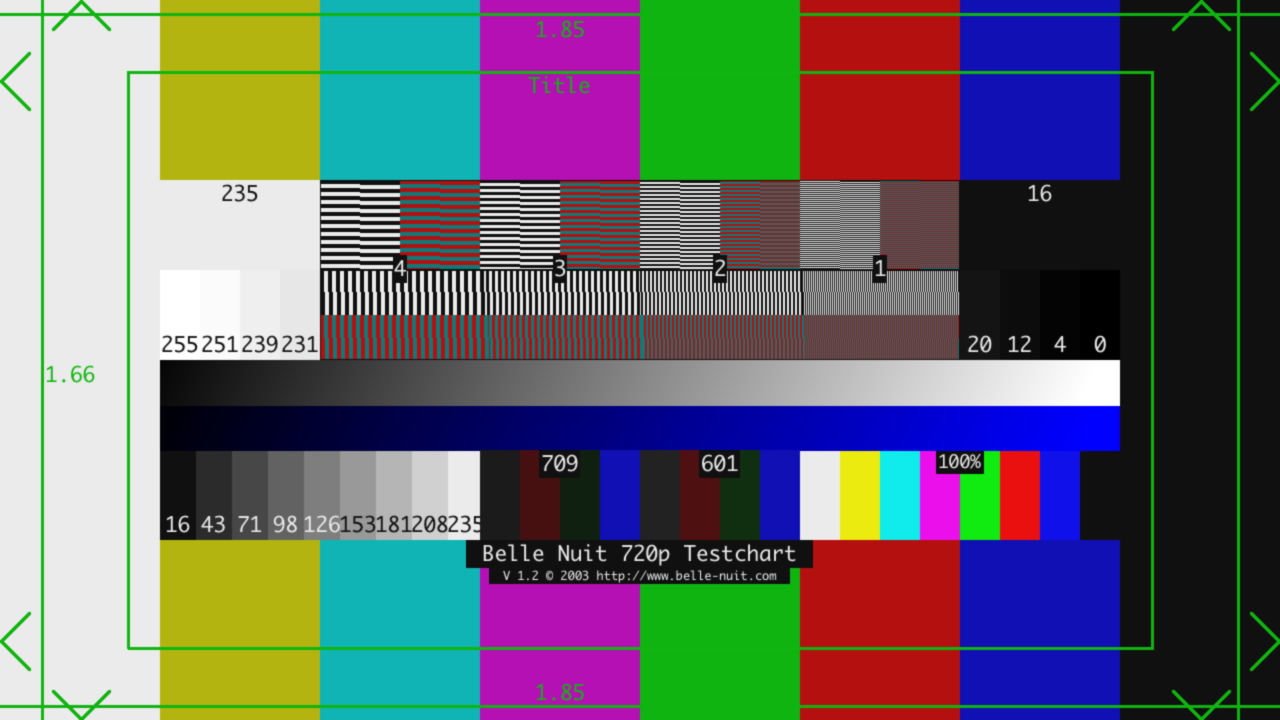
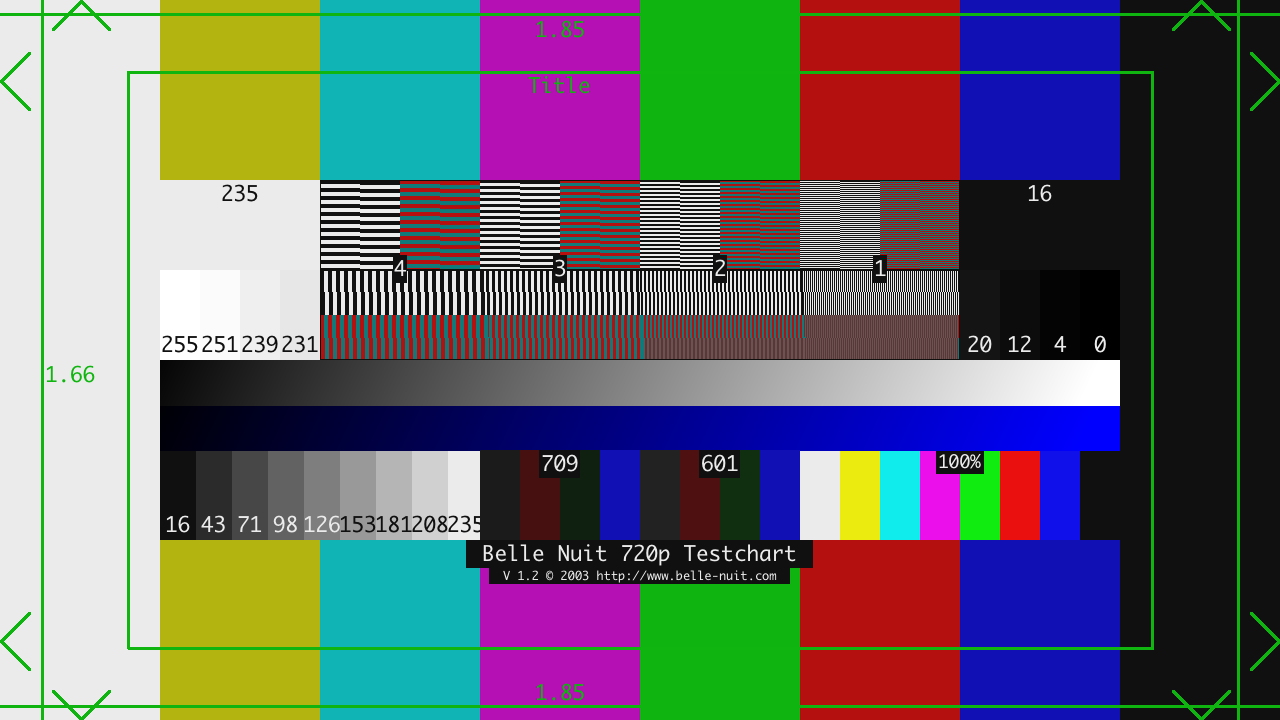
to be clear last one is 2.1
grabs now made with casparcg.
maybe this can clear out the screen consumer to be the victum
MauriceVeraart
on 18 May 2018
If I understand correctly it is also affecting pngs, so I dont think the deinterlacing could be causing this.
I'm not 100% sure pngs are not going through ffmpeg.
ronag
on 18 May 2018
almost same result by playing the last png with the HTML producer
don't know if this helps
MauriceVeraart
on 18 May 2018
Then it is not caused by the deinterlacer.
premultiply
on 18 May 2018
I did some more testing today to confirm the results I got last week. I played AMB and when it stopped on the last frame I did a channel snapshot. I did this first with the latest v2.2 (89ff914) and then with v2.1 Beta 2. When I had the channel snapshots in my hand I did a diff on those in Photoshop.
v2.1.0 Beta 2

v2.2.0 89ff914

Difference
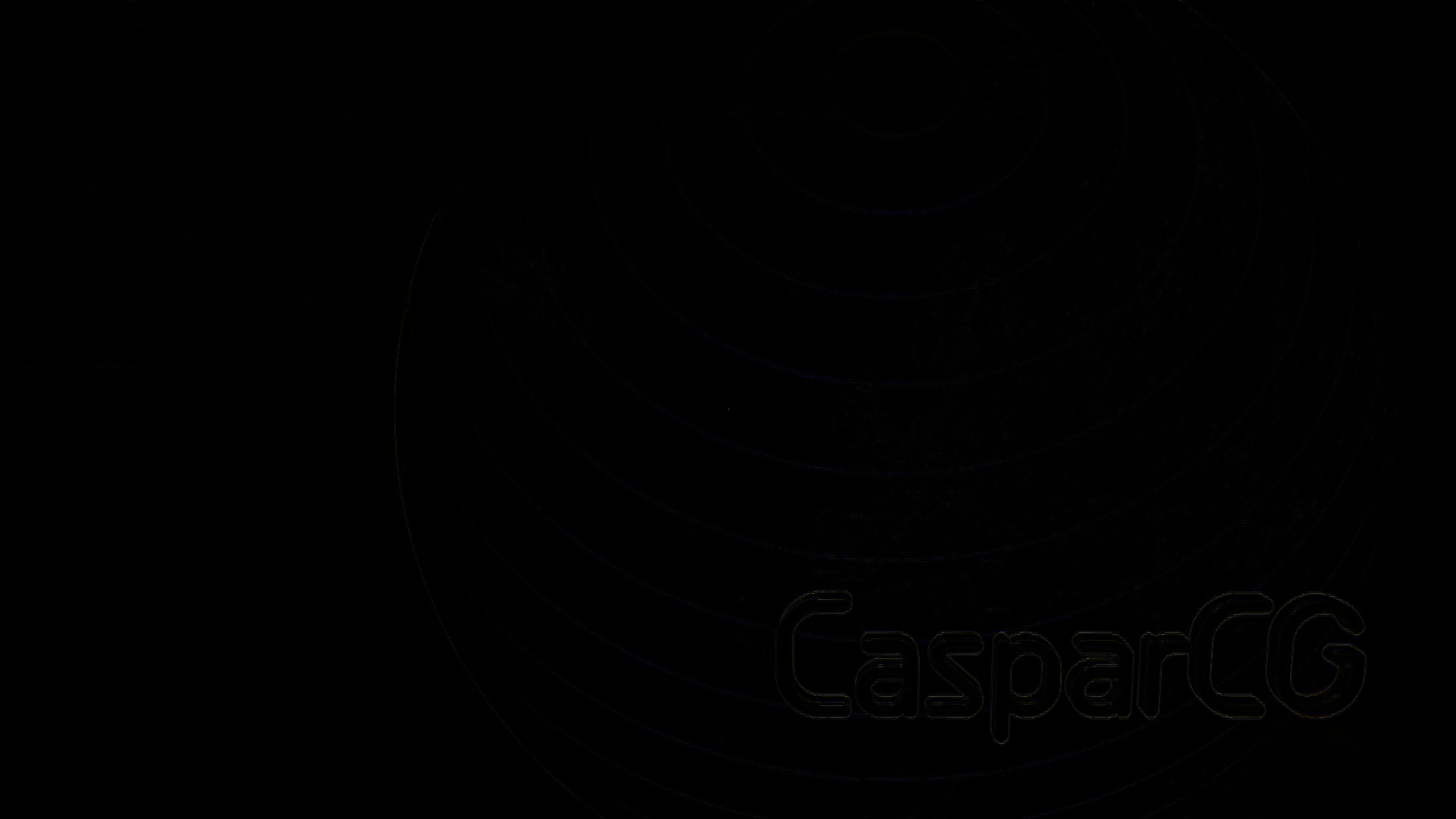
I don't know if this helps. Also, I used decklink consumer instead of screen consumer. Testing done in 1080i50.
dotarmin
on 21 May 2018
Freeze-Frame-Video is not best for comparison here as different deinterlacing and upsampling is used in 2.1 and 2.2. And I am not shure they freezed on the same frame/field. But for me this looks ok (as expected) in this case on the first look.
But again this is not the best test material for this issue.
premultiply
on 21 May 2018
@premultiply Freeze-Frame-Video is not best for comparison here as different deinterlacing and upsampling is used in 2.1 and 2.2
You're right, this maybe wasn't best test material but I did same tests last week but by using a png image instead with a solid background and a large white text on it. Result was the same. I can upload those images instead if it helps? ping @premultiply
Thanks!
dotarmin
on 21 May 2018
ok did the same as you dotarmin but with the testpattern i used earlier
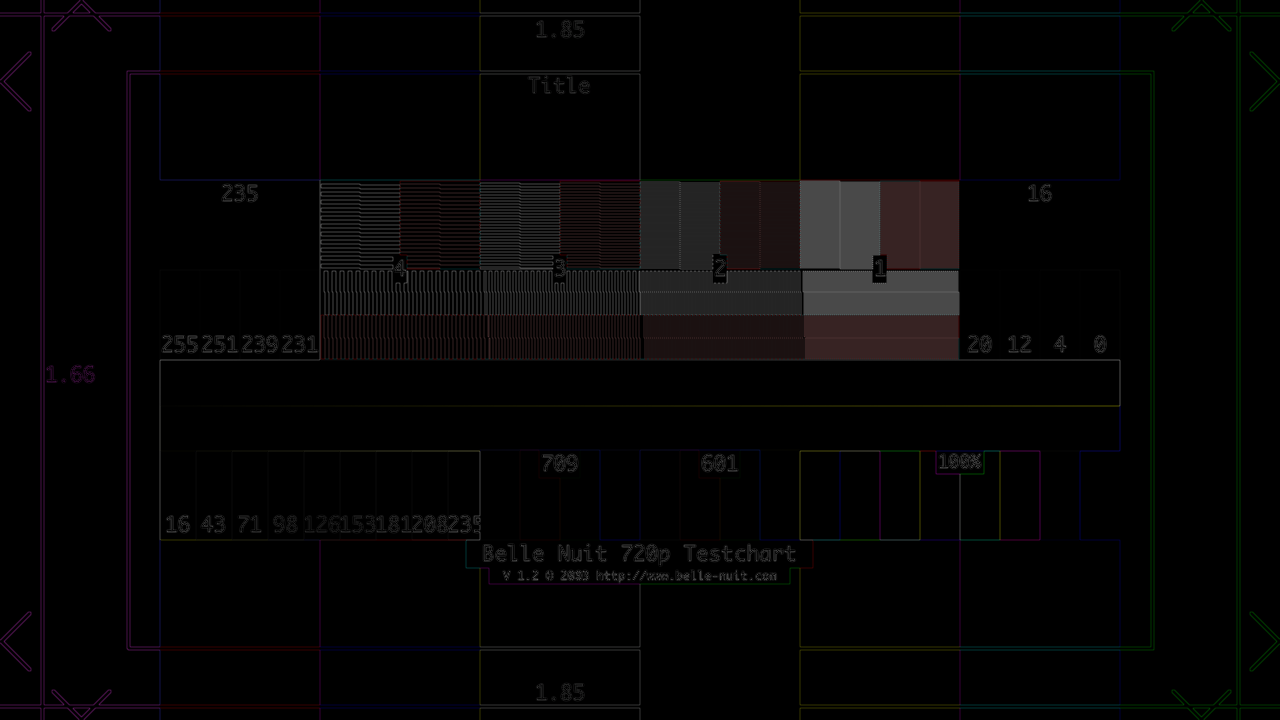
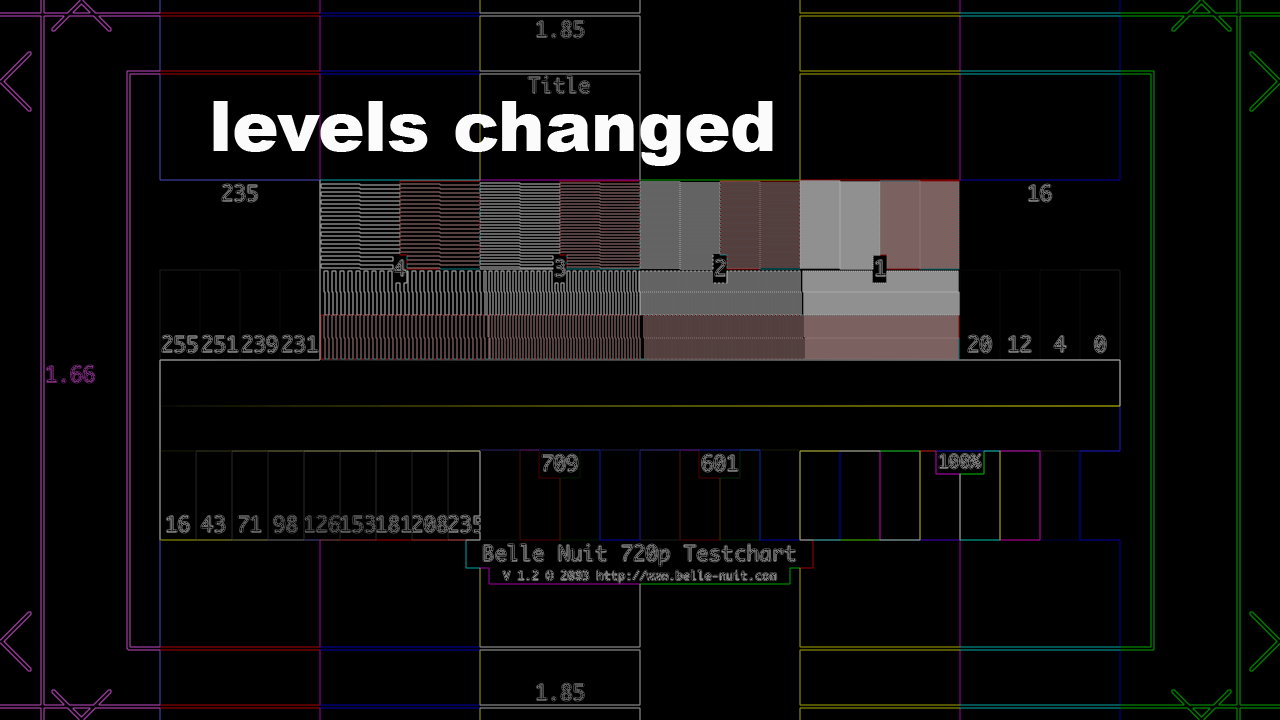
next image with the levels a bit changed to see whats going on more clear
MauriceVeraart
on 21 May 2018
looks like the image is feathered out 1/2 a pixel on each direction a bit like the effect of a low pass filter
MauriceVeraart
on 21 May 2018
@dotarmin these were at the same channel resolution right? At 300% zoomed in, the image from 2.1 looks a lot sharper:
2.2

2.1

Not sure if related to this though.
 baltedewit
on 28 May 2018
baltedewit
on 28 May 2018
You did the zoom externally ??
sorry I have te read first ;)
MauriceVeraart
on 28 May 2018
@baltedewit these were at the same channel resolution right?
That's correct, 1080i5000.
dotarmin
on 28 May 2018
You did the zoom externally ??
Yup. And look at what happens when we boost the brightness on the diff Armin made:
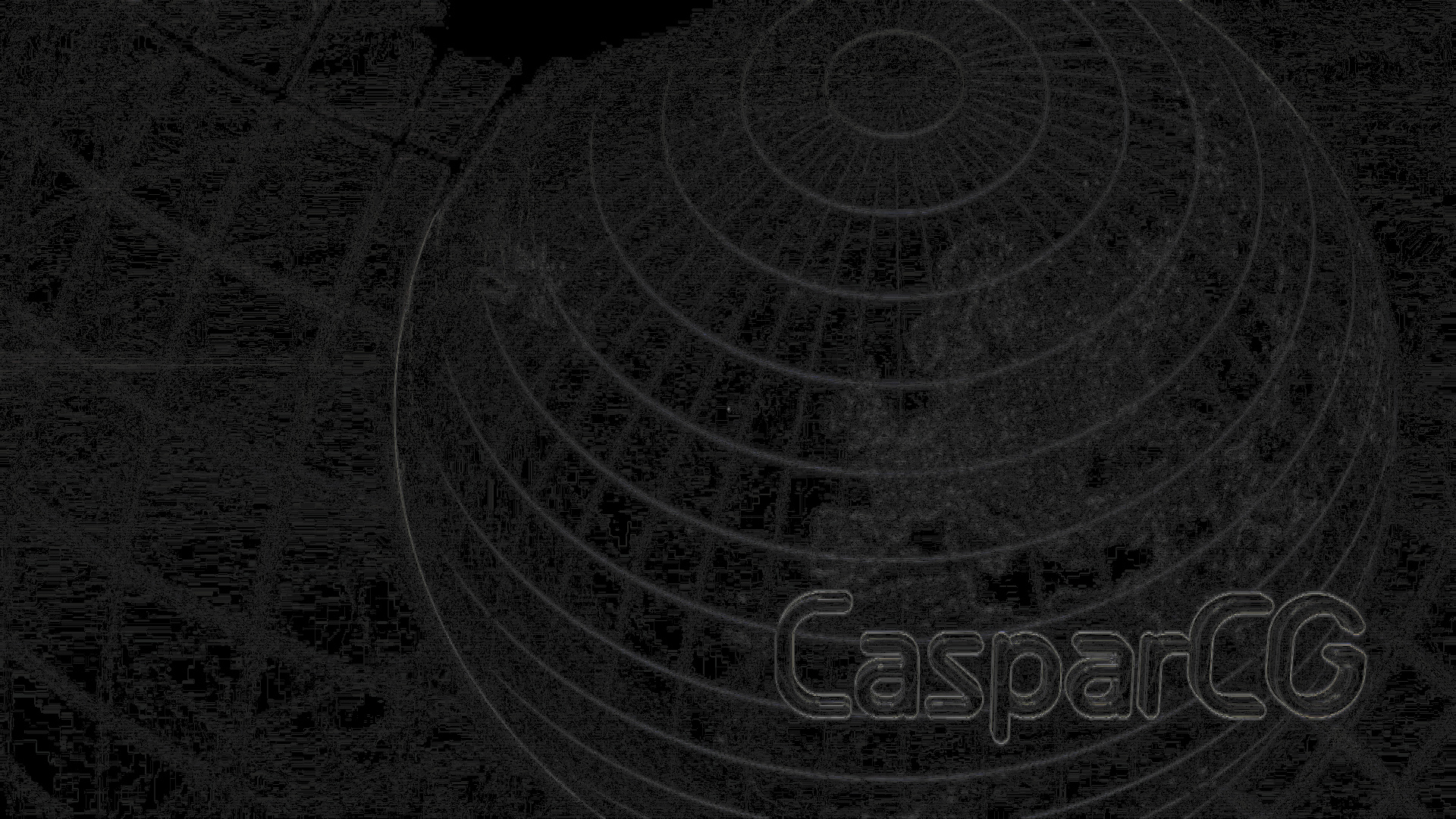
_note: maybe some of the finer noise is caused by encoding on GitHub's side, but that doesn't take away there is still a difference_
That's correct, 1080i5000.
I thought so, just wanted to be sure it didn't occur from a resolution change
baltedewit
on 28 May 2018
@baltedewit, as @premultiply wrote in an earlier post:
Freeze-Frame-Video is not best for comparison here as different deinterlacing and upsampling is used in 2.1 and 2.2. And I am not shure they freezed on the same frame/field.
But I get same results with a full-frame PNG-image with a solid background and a text. The result is similar to the text "CasparCG" from the AMB samples posted.
dotarmin
on 29 May 2018
Looking in to this a bit more
i tried if i could make the picture sharper by shifting it 1/2 1/4 or 1/8 of a pixel
to see if it is a phase problem of some sort
(yep that's a analog approach)
in 2.1 i can make the picture look like 2.2
but unfortunately i could not do the same the otherway around
could it be that the picture is shifted some where in the chain say 1/2 or 1/4 a pixel
(maybe due too colorsampling conversions)
MauriceVeraart
on 29 May 2018
If someone could go back in commits to where this problem starts to occur that would be very helpful.
ronag
on 29 May 2018
@ronag If someone could go back in commits to where this problem starts to occur that would be very helpful.
I'm not at the office this week so if someone else could test the first v2.2 build to compare it would be great. Otherwise I can try to do this when I'm back.
dotarmin
on 31 May 2018
Will do when I find sometime
MauriceVeraart
on 31 May 2018
Ok first test was with the first available version on builds.casparcg.com
casparcg-server-7ba5e475f07ab7b6d1391097b04059b470457095-windows.zip 28-Feb-2018 15:50 142M
Unfortunatly the result is the exact same
MauriceVeraart
on 5 Jun 2018
@ronag This started with the commit https://github.com/CasparCG/server/commit/e018e25acd424cea1ec0b1f2fe784a4ba5850382
In particular this block:
https://github.com/CasparCG/server/blob/3c77a8378fde2384200a6494e2204a3acecd1b99/src/accelerator/ogl/image/image_shader.cpp#L265-L268
By changing that back to return texture2D(sampler, coords); there is no longer any quality loss, so that algorithm needs revisiting.
Julusian
on 5 Jul 2018
Is it a problem to simply change (revert) it to texture2D() again in source to fix it? @ronag Why was it changed to textureBicubic()?
premultiply
on 13 Jul 2018
Why was it changed to textureBicubic()?
Higher quality. But there is no significance. Can easily be reverted.
ronag
on 13 Jul 2018
Try with latest master.
ronag
on 13 Jul 2018
will do later this week
thanks
MauriceVeraart
on 15 Jul 2018
I would love to help testing this but I'm away for a couple weeks on vacation. Please let me know if I can do anything else to help out.
Best regards,
Armin
dotarmin
on 16 Jul 2018
I'm closing this. Please re-open if the problem remains.
ronag
on 17 Jul 2018
Works like a charm now!
dotarmin
on 22 Jul 2018
Indeed problem solved
MauriceVeraart
on 22 Jul 2018
Related issues
 Bernie333
·
47Comments
jesperstarkar
·
27Comments
Bernie333
·
47Comments
jesperstarkar
·
27Comments
 maceyldn
·
24Comments
jesperstarkar
·
51Comments
maceyldn
·
24Comments
jesperstarkar
·
51Comments
 rrebuffo
·
25Comments
rrebuffo
·
25Comments
Most helpful comment
@ronag This started with the commit https://github.com/CasparCG/server/commit/e018e25acd424cea1ec0b1f2fe784a4ba5850382
In particular this block:
https://github.com/CasparCG/server/blob/3c77a8378fde2384200a6494e2204a3acecd1b99/src/accelerator/ogl/image/image_shader.cpp#L265-L268
By changing that back to
return texture2D(sampler, coords);there is no longer any quality loss, so that algorithm needs revisiting.