Serenity: Allow killing not responsive processes using GUI
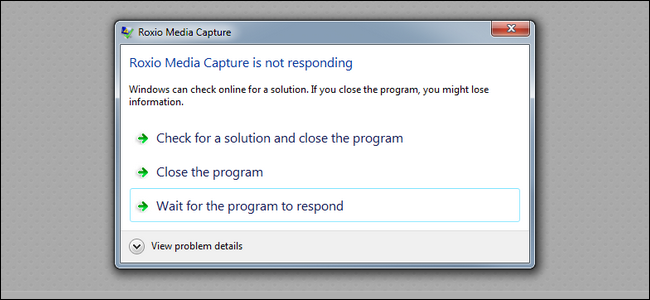
It can be a dialog like "Process xxx is not responding" with buttons "Wait" and "Kill process".
I don't have idea how to implement this since WindowServer can't use LibGUI.
 sppmacd
All 9 comments
you can select the app in System Monitor and hit ctrl-k (or right-click and "terminate")
 nico
on 23 Sep 2020
nico
on 23 Sep 2020
I mean that you can kill that app without entering System Monitor like on other systems.
sppmacd
on 24 Sep 2020
Please don't do that. 90% of these cases are false positives when a program e.g. reads a large file synchronously (which it should not, but that's not the point.) If a program really hangs it should be terminated manually.
Maybe we could make clicking the close button instant instead (only if the program hangs.) So you would not get an "unsaved changes" dialog in that case.
 asynts
on 24 Sep 2020
asynts
on 24 Sep 2020
Please don't do that. 90% of these cases are false positives when a program e.g. reads a large file synchronously (which it should not, but that's not the point.) If a program really hangs it should be terminated manually.
Maybe we could make clicking the close button instant instead (only if the program hangs.) So you would not get an "unsaved changes" dialog in that case.
I disagree. Clicking the close button should only trigger a graceful shutdown, never a forced termination without asking first. This is true on every system I've used, whether it's Linux or Windows. If I click the close button and the window goes away automatically, I know the application exited gracefully (and saved changes). If they're ever stuck for whatever reason, there's always a warning like. If there wasn't I would wrongly assume that the application gracefully terminated and saved my work...
 tomuta
on 24 Sep 2020
tomuta
on 24 Sep 2020
It could mimic how physical power buttons work on laptops. Clicking the button triggers graceful shutdown, but holding it down 5 seconds kills it.
 xTibor
on 24 Sep 2020
xTibor
on 24 Sep 2020
I working on something akin to this a while ago. The idea was to have a daemon sit around and ping pong with processes, and if one of them stops give the user an option to close or wait. Or at least I think it was that. It's been a few months since I last looked at it, I'd have to look at my IRC logs with Kling to remember what it was exactly. Actually I think it was more like a "this process ended abnormally" dialog box pop up.
I'm was also planning on having something like apport that reports what caused the crash to the user in a dialog box instead of strictly requiring the terminal. Going forward it'd be nice to have features like this so we can debug on real machines without the need for a null-modem cable (or a second computer!)
 Quaker762
on 24 Sep 2020
Quaker762
on 24 Sep 2020
I working on something akin to this a while ago. The idea was to have a daemon sit around and ping pong with processes, and if one of them stops give the user an option to close or wait.
The WindowServer already pings its clients, so we don't need a separate service just for that (unless you also want to ping non-GUI processes...). This feature proposal, as I understand it, is about letting you kill a stuck app with ease, without having to open SM and find the app process in there.
 bugaevc
on 26 Sep 2020
bugaevc
on 26 Sep 2020
@bugaevc So I just had a look through my current branch, and looked through the IRC logs from when I was talking to @awesomekling about it. The idea here was to wait until a client of the WindowServer has been unresponsive for quite sometime, and then have the PID of the offending process sent to a daemon that opens up something like an Apport window that either lets you kill it, attach a debugger to it etc.
I'll have to flesh this out a bit more when I have time.
Quaker762
on 27 Oct 2020
I would like to see this feature as long as it doesn't silently trigger killing the application without prompting for confirmation first.
tomuta
on 27 Oct 2020
Related issues
 linusg
·
3Comments
linusg
·
3Comments
 awesomekling
·
6Comments
awesomekling
·
6Comments
 BenWiederhake
·
6Comments
BenWiederhake
·
6Comments
 danboid
·
6Comments
danboid
·
6Comments
 nibblebits
·
4Comments
nibblebits
·
4Comments
Most helpful comment
Please don't do that. 90% of these cases are false positives when a program e.g. reads a large file synchronously (which it should not, but that's not the point.) If a program really hangs it should be terminated manually.
Maybe we could make clicking the close button instant instead (only if the program hangs.) So you would not get an "unsaved changes" dialog in that case.