Serenity: AutocolumnSize problem in secondary Tab
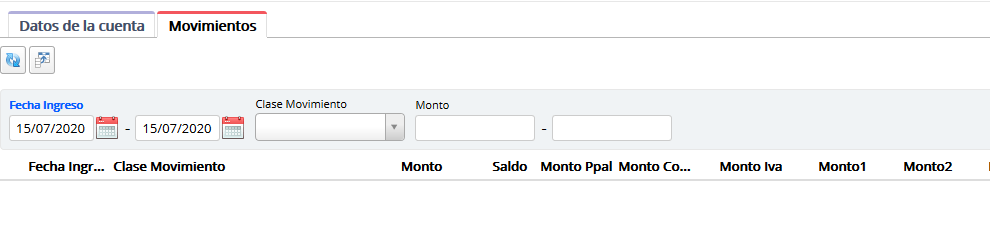
Hello, I also have this problem. Columns do not display correctly when in a secondary tab.

But when you change any of the filters then the columns show fine.

I noticed that when you load the grid and there is no data to display then the columns resize and look good. The problem is when there is data the first time it loads.
Code:
`
private autoSize;
    constructor(container: JQuery) {
        super(container);
    }

    protected createSlickGrid(): Slick.Grid {
        let grid = super.createSlickGrid();
        this.autoSize = new Slick.AutoColumnSize(true);
        grid.registerPlugin(this.autoSize);

        return grid;
    }

    protected markupReady() {
        super.markupReady();
        if (this.autoSize != null) {
            this.autoSize.resizeAllColumns();
        }
    }`
Thank you!
_Originally posted by @ArsenioInojosa in https://github.com/volkanceylan/Serenity/issues/2737#issuecomment-660420243_
 ArsenioInojosa
All 16 comments
Hi @ArsenioInojosa ,
if you test your two tab grid within Chrome and press F12, do you see any errors - particularly script/javascript errors?
With kind regards,
John
 JohnRanger
on 22 Jul 2020
JohnRanger
on 22 Jul 2020
Hmm,
for me it is difficult with the currently given information to fully understand how your GUI is looking over all. Within your screenshots it looks that you mix grid and form.
Are these grids all detail grids within a dialog? (Most probably - otherwise you would have no tabs, correct?)
when I did write the wiki for the integration of the autocolumnsize feature (which was not included within Serenity Framework out of the box) I only tested it with the main grid - not within dialogs / master-detail grids.
Also the autoColumnSize slick plugin is not from me, I only made it work with SF by looking at the error messages within Chrome console and tweaking it until the errors were gone.
But from what I understand from your comment above, there are situations where the autocolumnsize does properly work without you changing any code - e.g. when you set a filter.
For me this looks like it could be a timing issue.
Can you please put an alert('here'); like below within markupReady in order to see if this.autoSize really is != null and the this.autoSize.resizeAllColumns() method is at all called when this problem occurs?
protected markupReady() {
        super.markupReady();
        if (this.autoSize != null) {
            alert('here'); // <<<<<<<<--------------------------------
            this.autoSize.resizeAllColumns();

        }
    }`
With kind regards,
John
JohnRanger
on 23 Jul 2020
Hi @ArsenioInojosa ,
I have just looked up a project (which I could not finish and has been left sit there for over 1 year) of mine with a similar situation: Multiple TABs and Detail grids in them.
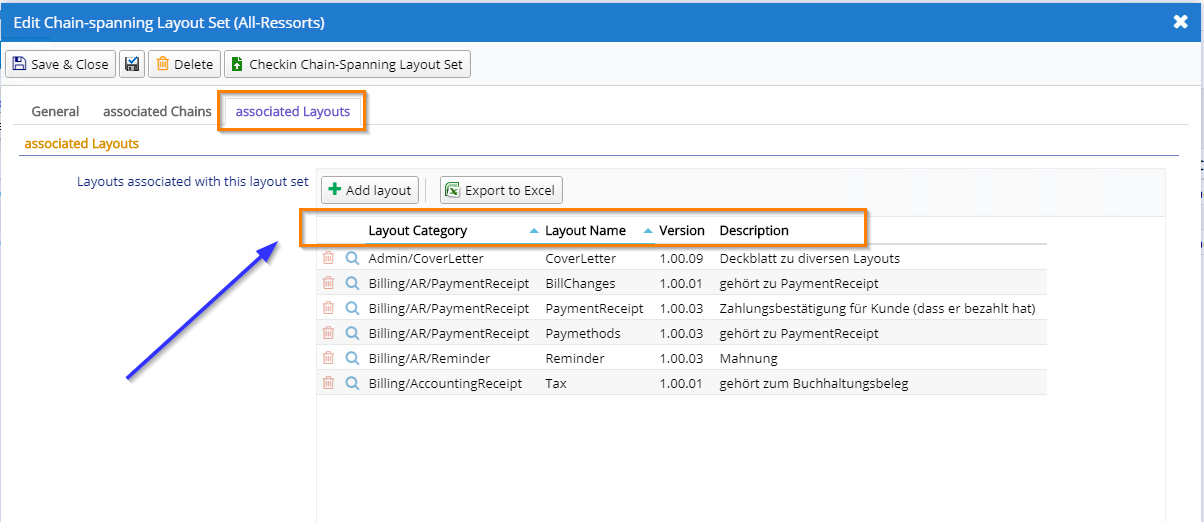
And I have just realized, that I had the same problem there with autoColumnSize and have remarked the following:
            // *** For some strange reason (this is a bug from Chrome - with IE it works), the autoresize plugin does not get correct width info on the column headers in the detail grid - so we comment it out for the moment and set reasonable static values for with within the form ***
            //if (this.autoSize != null) {
            //    this.autoSize.resizeAllColumns();
            //}
I know - this does not help to solve the problem - but may give you a hint in the right direction.
With kind regards,
John
JohnRanger
on 23 Jul 2020
Hi, sorry but I got confused about issue.
In video 01 you can see that when there is no data to show the columns fit well.
In video 02 you can see that when there is data, the size of the columns is not adjusted. But after changing a filter they show fit well.
Very thankful!
ArsenioInojosa
on 23 Jul 2020
Hi @ArsenioInojosa ,
I have just looked up a project (which I could not finish and has been left sit there for over 1 year) of mine with a similar situation: Multiple TABs and Detail grids in them.
And I have just realized, that I had the same problem there with autoColumnSize and have remarked the following:
            // *** For some strange reason (this is a bug from Chrome - with IE it works), the autoresize plugin does not get correct width info on the column headers in the detail grid - so we comment it out for the moment and set reasonable static values for with within the form ***
            //if (this.autoSize != null) {
            //    this.autoSize.resizeAllColumns();
            //}
I know - this does not help to solve the problem - but may give you a hint in the right direction.
With kind regards,
John
@JohnRanger
My situation is more like /Northwind/Customer. In this case I am not using MasterDetailRelation because I want the complete grid in a separate tab.
I do this.setEquality ('field', value); to get the gridded data in the grid. This works perfectly, the problem in this case is the AutocolumnSize
Arsenio
ArsenioInojosa
on 23 Jul 2020
ok - what happens, when you act like in Video 2 and then double-click one of the column separators within such a not auto-resized grid?
Does it then auto-resize that particular column or not?
(Just trying to find out if the auto-resize feature is at all loaded and able to apply to the grid in such a case.)
Regards,
John
JohnRanger
on 23 Jul 2020
Another thought:
I myself have never worked with this.setEquality ('field', value) - but can you make sure that the command sequence is in deed:
1) this.setEquality ('field', value)
2) this.autoSize.resizeAllColumns();
(because when the grid is not yet visibly populated with the data, I don't think that autoColumnSize can measure the neccessary max width of the columns.)
Regards,
John
JohnRanger
on 23 Jul 2020
ok - what happens, when you act like in Video 2 and then double-click one of the column separators within such a not auto-resized grid?
Does it then auto-resize that particular column or not?
(Just trying to find out if the auto-resize feature is at all loaded and able to apply to the grid in such a case.)
Regards,
John
When I double-click on the column separator the grid is not auto-resized. Only this column is auto-resized.
ArsenioInojosa
on 23 Jul 2020
Another thought:
I myself have never worked with this.setEquality ('field', value) - but can you make sure that the command sequence is in deed:
- this.setEquality ('field', value)
- this.autoSize.resizeAllColumns();
(because when the grid is not yet visibly populated with the data, I don't think that autoColumnSize can measure the neccessary max width of the columns.)
Regards,
John
I tried these ways:
this.setEquality('field', value);
this.refresh();
this.autoSize.resizeAllColumns();

this.setEquality('field', value);
this.autoSize.resizeAllColumns();
this.refresh();
It doesn't work either way. It only works when I change a filter :(
Arsenio
ArsenioInojosa
on 23 Jul 2020
Ok - the first test shows that the plugin is loaded and works on the correct grid - because the double-clicked separator resizes the left column. This is also one of the functions of the plugin.
So I still think that we are dealing here with a timing issue at the point in time when this.autoSize.resizeAllColumns() is executed.
Lets do a simple test:
within the markupReady() method, put the autoSize.resizeAllColumns() call within a setTimeout code block and give it a 5 second delay (5000) - like this:
protected markupReady() {
    super.markupReady();
    if (this.autoSize != null) {
        var _mythis = this;  // *** Store "this" in order to use it within the setTimeout callback ***
        setTimeout(function(){
             alert("hello here");
             _mythis.autoSize.resizeAllColumns();

        }, 5000);
    }
}`
Expected result:
After 5 seconds after the grid shows up, an alert dialog shows "hello here" and after confirming the dialog, the columns of the grid should be auto-resized.
Please let me know the result.
Regards,
John
JohnRanger
on 23 Jul 2020
ok - what happens, when you act like in Video 2 and then double-click one of the column separators within such a not auto-resized grid?
Does it then auto-resize that particular column or not?
(Just trying to find out if the auto-resize feature is at all loaded and able to apply to the grid in such a case.)
Regards,
JohnWhen I double-click on the column separator the grid is not auto-resized. Only this column is auto-resized.
--> That's the plugin's expected behavior - which shows that the plugin itself is working fine at this particular moment (after everything is loaded and when you then click on the separator).
JohnRanger
on 23 Jul 2020
After 5 seconds the grid columns are resized correctly but only if I have previously selected the tab that has the grid. If I am waiting on the first tab, then it is not resized.
I think the reason for the problem is that when the data is loaded into the grid the user is still in the other tab. I imagine that the complement needs the focus to work or something like that.
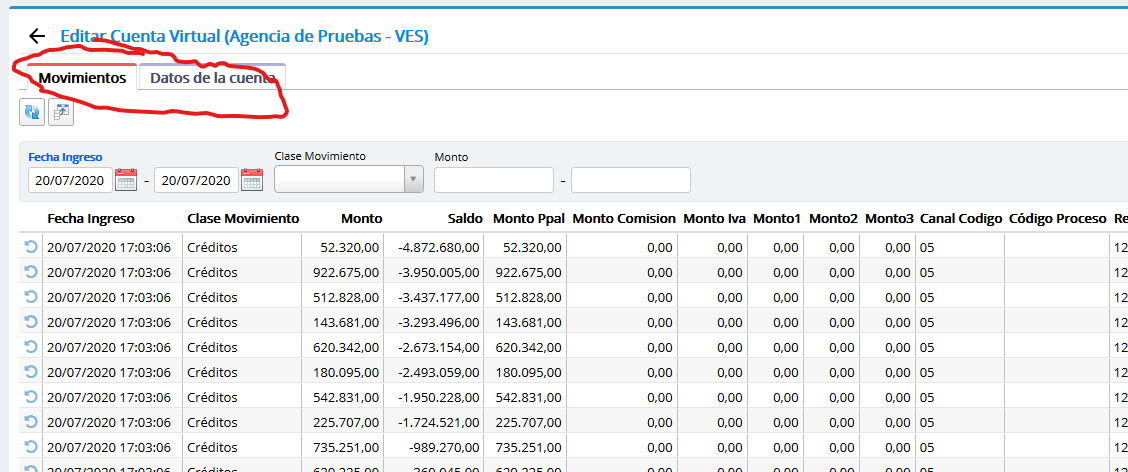
Change the order of the tab (first the grid and then the form) and everything works perfectly. View image
If necessary I can record a video.
ArsenioInojosa
on 24 Jul 2020
Hi @ArsenioInojosa
ok - then may I suggest that you implement the delayed autoColumnResize within the onClick event of the tab - meaning that you auto-resize the desired gid when you click on the corresponding tab - with a slight delay (try out which delay time works for you - but bring it as much down as possible for a good user experience - but not too much so that it still works on slower / more loaded machines)?
As I am only a user of SF and by the way a sysadmin and no real developer I unfortunately do not have the skills to dig more deep into the root problem of this and am not able to make a pull request to Volkan to fix this - but if you find it out (you seem to be a real profi dev) please don't hesitate to contribute to SF here :-)
Hope this helps.
With kind regards,
John
JohnRanger
on 24 Jul 2020
@ArsenioInojosa ,
in order to get the TAB click event, see https://github.com/volkanceylan/Serenity/issues/5073
With kind regards,
John
JohnRanger
on 24 Jul 2020
Thank you very much @JohnRanger for your invaluable collaboration.
I'm going to study the slick.autocolumnsize.js file to determine what the differences are when running it on the main and secondary tabs. So far I have discovered a couple of interesting things, when I finish I will tell you the results.
Update:
The problem is that when the grid is not visible to the user then "var headerWidth = getElementWidth (el);" The function resizeAllColumns () returns 0.
Very thankful!
ArsenioInojosa
on 24 Jul 2020
Hi @ArsenioInojosa ,
thanks for your feedback. Very interesting your finding.
After all the info now, I believe the behavior that the column widths are 0 in the 2nd tab is a result of an optimized presentation of the content of the 2nd tab by Serenity Framework. Maybe it renders the content of a 2nd, 3rd, etc tab only when you click on that specific tab in order to save resources when the dialog is first presented.
So I think the most logical "fix" (or workaround) for this problem would be to trigger the autoColumnResize on the click of the tabs - with a slight delay.
Was a professional collaboration with you - apreciated it ;-)
With kind regards,
John
JohnRanger
on 24 Jul 2020
Related issues
 Shraddha996
·
3Comments
Shraddha996
·
3Comments
 StefanTheiner
·
3Comments
StefanTheiner
·
3Comments
 Amitloh
·
3Comments
Amitloh
·
3Comments
 gfo2007
·
3Comments
gfo2007
·
3Comments
 stixoffire
·
3Comments
stixoffire
·
3Comments