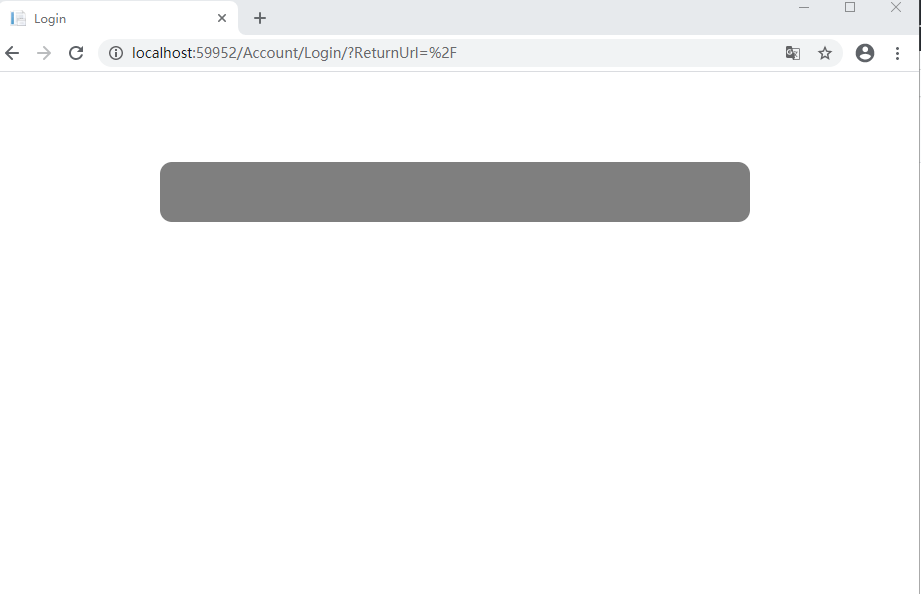
Serenity: AccountLogin page didn't show corrently
Hi, when i used a serenity template, the AccountLogin page didn't show corrently , but within any exceptions.
how can i do to check that ?
 hepe00
All 6 comments
@hepe00 ,
if this is an .net core app, this is a known and documented issue.
Directly after you have deployed a new project from template, do a dotnet restore, followed by a dotnet sergen restore.
Then all components (including the missing content stuff) is restored into your new project.
Hope, this helps.
With kind regards,
John
 JohnRanger
on 15 Jul 2020
JohnRanger
on 15 Jul 2020
Hi , @John.
It works for me , thank for your kindesssly.
Best wishes.
Hepe00
hepe00
on 20 Jul 2020
This should be done automatically while creating project, not sure what causes this, maybe an error in Visual Studio or environment problem
 volkanceylan
on 27 Jul 2020
volkanceylan
on 27 Jul 2020
Hi @volkanceylan ,
I am regularly having this problem - whenever I deploy a fresh .net core serene project from the VS gallery (I am doing this every few weeks when I am testing something or so). I am always on newest VS 2019 community revision (not preview) and newest serene template.
I am on Windows 10 x64.
Not one of these deployments worked without doing a manual dotnet sergen restore. - But as long as I remember doing this, everything works pretty fine 👍
Update: Just to be sure I tried this now on a clean installed Win10 VM, fully upgraded VS 2019 community and fresh deployment of a Serene project. Then did immediately an upgrade to the latest serenity "modules" before hitting F5 the first time.
After starting the project, the project worked without any problems and I didn't had to do neither dotnet restore nor dotnet sergen restore.
So this seems to be a problem within existing development environments where maybe already previous Serene projects have been done and have left some artifacts.
Conclusion: On absolutely clean Windows10 and fresh VS 2019 (newest non-preview as of 2020-07-30) and fresh deployed Serene project from up-to-date Serene template this works as described by @volkanceylan - On older (longer used) dev environments at least the dotnet sergen restore command seems to be helpful to get the full template deployed.
Regards,
John
JohnRanger
on 28 Jul 2020
Hi,
I am new to Serenity and I struggled for quite some hours with this issue as well. Maybe you could add this tip to the 'Getting started' manual.
Bye,
Jacco
 Jaccoky
on 30 Jul 2020
Jaccoky
on 30 Jul 2020
Closed due inactivity
Also check the issue guidelines.
If you still need help, you can ask this on stackoverflow with our new tag.
https://stackoverflow.com/tags/serenity-platform
 VictorTomaili
on 12 Oct 2020
VictorTomaili
on 12 Oct 2020
Related issues
 ahsansolution
·
3Comments
ahsansolution
·
3Comments
 john20xdoe
·
3Comments
john20xdoe
·
3Comments
 dkontod
·
3Comments
dkontod
·
3Comments
 GitHubOrim
·
3Comments
GitHubOrim
·
3Comments
 Akarsh03
·
3Comments
Akarsh03
·
3Comments
Most helpful comment
Hi,
I am new to Serenity and I struggled for quite some hours with this issue as well. Maybe you could add this tip to the 'Getting started' manual.
Bye,
Jacco