Serenity: Unable to create quick search on memory-grid
Hello everyone!
am trying to create quick search option on the editor and because of this code I get the search box
protected createToolbarExtensions(): void {
            super.createToolbarExtensions();
            Serenity.GridUtils.addQuickSearchInputCustom(this.toolbar.element, (field, text) => {
                this.searchText = Select2.util.stripDiacritics(Q.trimToNull(text) || '').toLowerCase();
                var itemcode = Premier.TblItemRow.getLookup().items.filter(x => x.Material_Number === this.searchText);
                this.view.setItems(this.view.getItems(), true);
            });
        }
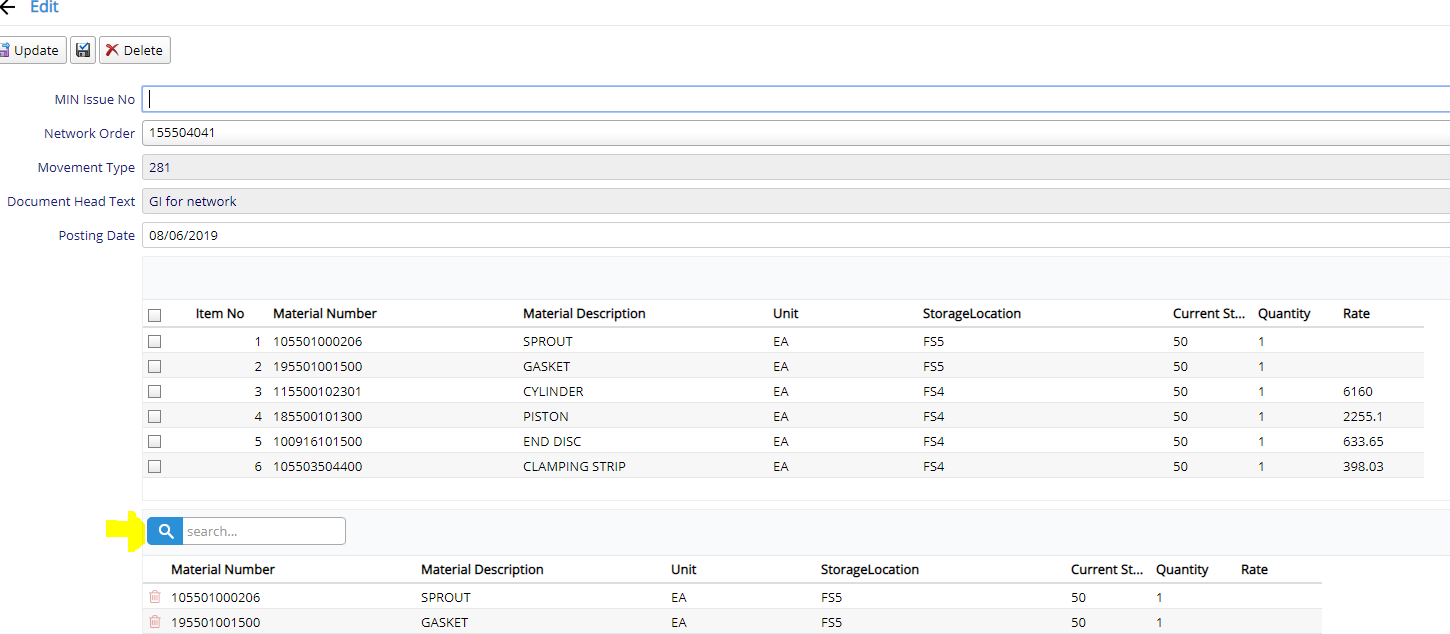
But It cant search items for searched string
I know the above code is not enough but as I new to typescript and serenity framework am unable to find any solution for this
Please help!
Thanks in advance
 Shraddha996
All 2 comments
Client side filtering is not (yet) directly supported by serenity (it's on the roadmap though).
In one of my projects, I implemented client side filtering like this:
this.view.setFilter((item, view) => { return <insert your filter criteria here>; });
this.view.refresh();
 hannesb
on 8 Aug 2019
hannesb
on 8 Aug 2019
@hannesb thanx for the response but it didn't work for me
So I used some code from PermissionCheckEditor.ts and modify it a bit and now my searchbox works perfectly fine like grid serachbox
If anyone needs help regarding this then let me know and for now am closing this issue
Shraddha996
on 7 Nov 2019
Related issues
 newyearsoft
·
3Comments
newyearsoft
·
3Comments
 moostafaa
·
3Comments
moostafaa
·
3Comments
 kilroyFR
·
3Comments
kilroyFR
·
3Comments
 gfo2007
·
3Comments
gfo2007
·
3Comments
 dudeman972
·
3Comments
dudeman972
·
3Comments
Most helpful comment
Client side filtering is not (yet) directly supported by serenity (it's on the roadmap though).
In one of my projects, I implemented client side filtering like this:
this.view.setFilter((item, view) => { return <insert your filter criteria here>; });
this.view.refresh();