Hey Volkan, on my applications i noticed we could save space to display more items in the grid.
ex : from your demo, we can notice the part in the black rectangle could be displayed/hide to display more rows (in our modern displays width is no longer the problem but height is sometimes).
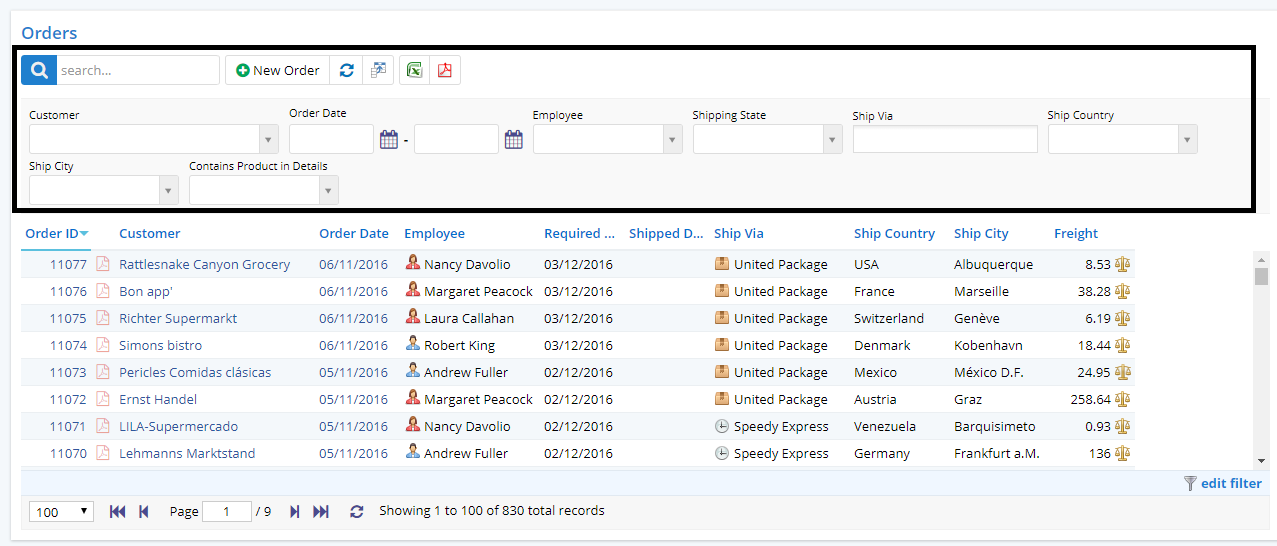
Could we imagine we could get such a feature to allow display or hide this pane (using a button for example). In the sample it's 40% more space we could add for the grid data
Most of the time when scrolling the grid the top part could be reused for grid display.
What do you think ?
 kilroyFR
All 4 comments
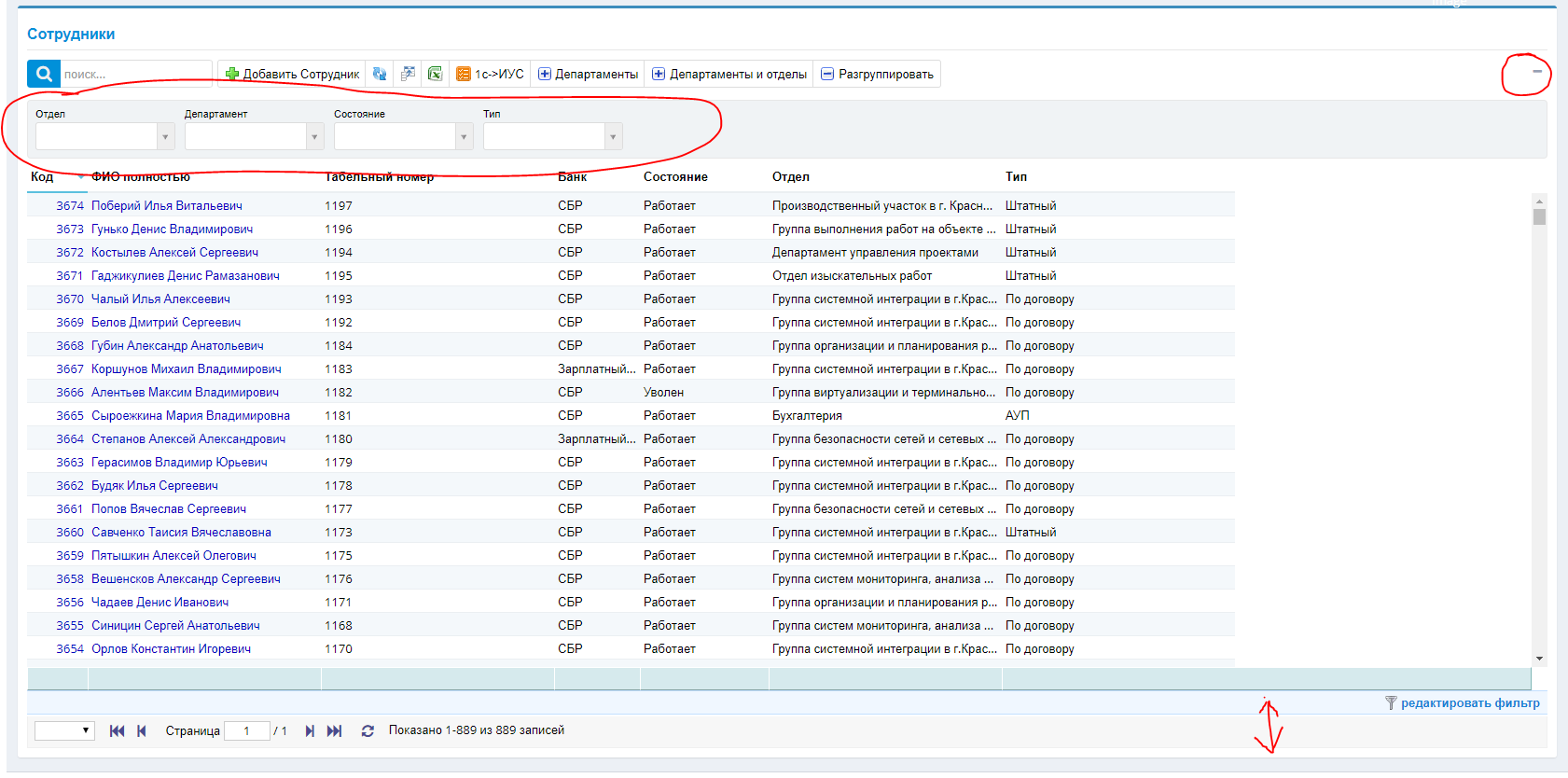
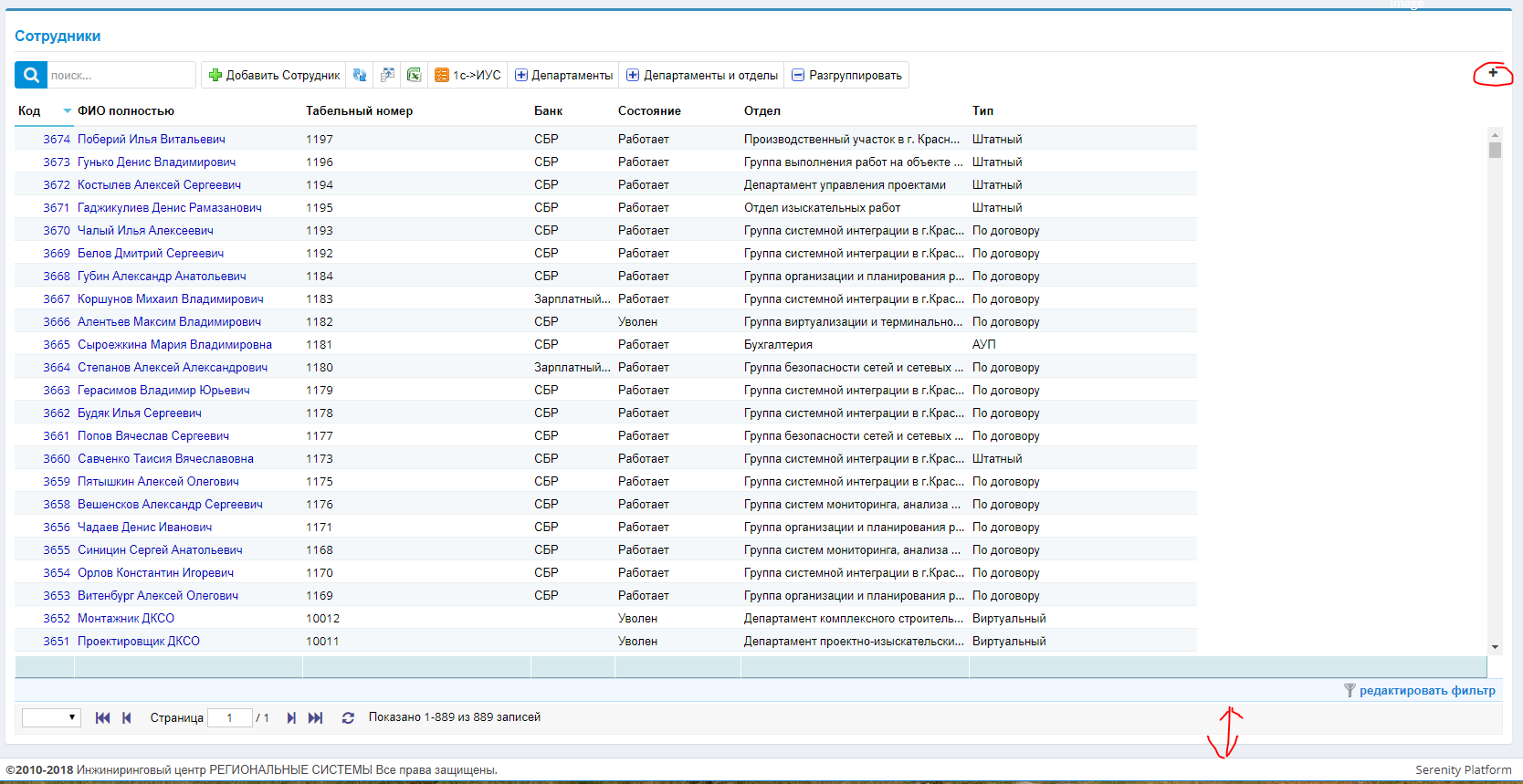
@kilroyFR I liked the idea, and I practiced writing the plugin.
create file in
\Modules\Common\Helpers\HiddenQuickFilter.ts
namespace MyProject.Common {
export class HiddenQuickFilter<TItem> {
private dataGrid: Serenity.DataGrid<TItem, any>;
constructor(private options: HiddenQuickFilterOptions<TItem>) {
this.options = options;
var t = this;
var i: any = this.dataGrid = options.grid;
var gt = i.element.find(".grid-toolbar");
var icon = "fa fa-minus";
var qf = i.element.find(".quick-filters-bar")
var hq = t.getHiddenQuickFilter(options.hidden);
if (hq=="true") {
icon = "fa fa-plus";
qf.hide();
}
var a = $('<button class="btn btn-box-tool" style="float: right"><i class="' + icon + '"></i></button>').prependTo(gt);
a.click(function () {
if (qf.css('display') == 'none') {
qf.show();
a.children().removeClass().addClass("fa fa-minus");
t.setHiddenQuickFilter("false");
}
else{
qf.hide();
a.children().removeClass().addClass("fa fa-plus");
t.setHiddenQuickFilter("true");
}
Q.layoutFillHeight(i.element.find(".grid-container"));
t.dataGrid.slickGrid.resizeCanvas();
});
}
private getHiddenQuickFilter(b) {
var i: any = this.dataGrid;
var e = i.getPersistanceStorage();
var t = "HiddenQuickFilter:" + i.getPersistanceKey();
return e.getItem(t) || b;
}
private setHiddenQuickFilter(e) {
var i: any = this.dataGrid;
var t = i.getPersistanceStorage();
var y = "HiddenQuickFilter:" + i.getPersistanceKey();
t.setItem(y, e);
}
}
export interface HiddenQuickFilterOptions<TItem> {
grid: Serenity.DataGrid<TItem, any>;
hidden?: string;
}
}
replase MyProject in namespace
after add in abcGrid.ts
constructor(container: JQuery) {
super(container);
new Common.HiddenQuickFilter({
grid: this
})
}
 Zahar661
on 1 Mar 2019
Zahar661
on 1 Mar 2019
Personalization for each user is also saved.
and opnions hidden: "true"
constructor(container: JQuery) {
            super(container);
            new Common.HiddenQuickFilter({
                grid: this,
                hidden: "true"
            })
        }
@dfaruque You can add to Extra if you like)
Zahar661
on 1 Mar 2019
more simpler
buttons.push({
    title: '',
    icon: 'fa fa-filter text-blue',
    onClick: () => {
        this.quickFiltersDiv.slideToggle();
    }
});
but use slideToggle cause a display issue for pager
 minhhungit
on 1 Mar 2019
minhhungit
on 1 Mar 2019
Related issues
 Shraddha996
·
3Comments
Shraddha996
·
3Comments
 StefanTheiner
·
3Comments
StefanTheiner
·
3Comments
 AmuthaKondusamy
·
3Comments
AmuthaKondusamy
·
3Comments
 JohnRanger
·
3Comments
kilroyFR
·
3Comments
JohnRanger
·
3Comments
kilroyFR
·
3Comments
Most helpful comment
Personalization for each user is also saved.
and opnions hidden: "true"