Serenity: How to add / remove a grid column only in the extended dialog grid?
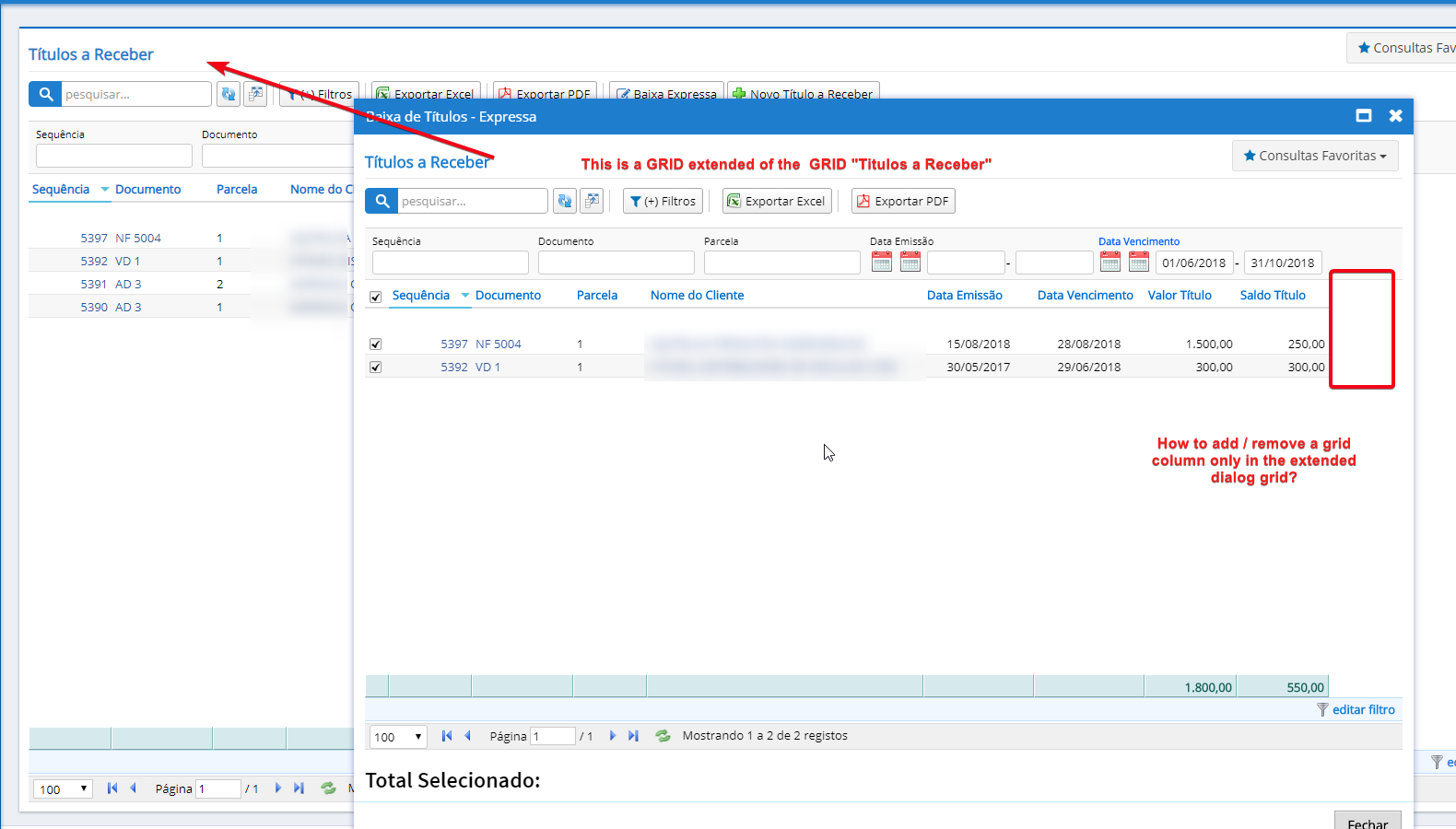
I have an extended grid screen of a standard GRID of Serenity.
I would like to add / hide new columns only on the extended screen.
 controllernet
All 4 comments
well u either make two Column files, or you add all the fields into parent's Columns.cs, and hide them in parent's Grid.ts
 ga5tan
on 5 Oct 2018
ga5tan
on 5 Oct 2018
Thanks @ga5tan , but my question is which command to hide the columns of the extended grid. This I have not found yet.
controllernet
on 5 Oct 2018
getColumns() {
return super.getColumns().filter(x => x.field != "SomeField")
}
 volkanceylan
on 5 Oct 2018
volkanceylan
on 5 Oct 2018
👍3
Thanks @volkanceylan , worked properly.
controllernet
on 5 Oct 2018
Was this page helpful?
0 / 5 - 0 ratings
Related issues
 dkontod
·
3Comments
dkontod
·
3Comments
 newyearsoft
·
3Comments
newyearsoft
·
3Comments
 Shraddha996
·
3Comments
Shraddha996
·
3Comments
 stixoffire
·
3Comments
stixoffire
·
3Comments
 Akarsh03
·
3Comments
Akarsh03
·
3Comments
Most helpful comment
getColumns() {
return super.getColumns().filter(x => x.field != "SomeField")
}