Serenity: Blank Attachment file (0 kb) gives warning
If a user unconsciously uploads a blank file (0 kb) in either Single or Multiple file uploader,
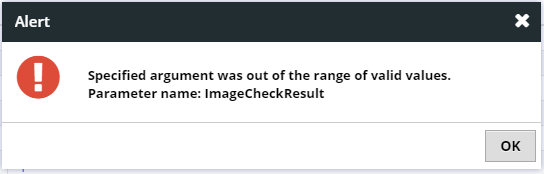
then following warning dialog appears.
Specified argument was out of range of valid values
Parameter name: ImageCheckResult
 mijaved
All 5 comments
Do you have try to add MinSize = 1kb to Attribute MultipleFileUploadEditor?
 hairangsua
on 12 Mar 2018
hairangsua
on 12 Mar 2018
👍2
Thanks, @hairangsua , it works for me...
 dfaruque
on 12 Mar 2018
dfaruque
on 12 Mar 2018
after applying MinSize it prevents me to upload empty files But it does not allow to upload non-image files larger than 1kd, why? any idea.
[FileUploadEditor(AllowNonImage = true, MinSize = 64]
dfaruque
on 12 Mar 2018
We have MaxSize in Attribute MultipleFileUploadEditor too. U have not try it. If it not work. u can try this.
This function help me upload to Mongo DB. hope it work.
 private bool Upload(MyRow row)
    {
        var temporyPath = UploadHelper.TemporaryPath;
        var json = row.Images;
        var lstImage = JsonHelper.Parse<List<ImageUploadInfo>>(json);

        int len = lstImage.Count;
        if (len > 3)
        {
            throw new BaseException(Texts.AssetManagement.ItemMaxImageCountReached);
        }
        var count = 0;
        foreach (var i in lstImage)
        {
            count++;
            var f = FileHelper.GetFileFolderName(i.Filename);
            var cfgPath = Path.Combine(temporyPath, f);
            var fData = FileHelper.LoadFile(cfgPath);

            //Size of your file
            if (fData.Length > 1024)
            {
                throw new System.Exception("");
            }
        }
        return true;
    }
👍1
Closing due to inactivity.
 AlperanQ
on 13 Apr 2018
AlperanQ
on 13 Apr 2018
Was this page helpful?
0 / 5 - 0 ratings
Related issues
 moostafaa
·
3Comments
moostafaa
·
3Comments
 GitHubOrim
·
3Comments
GitHubOrim
·
3Comments
 newyearsoft
·
3Comments
newyearsoft
·
3Comments
 john20xdoe
·
3Comments
john20xdoe
·
3Comments
 StefanTheiner
·
3Comments
StefanTheiner
·
3Comments
Most helpful comment
Do you have try to add MinSize = 1kb to Attribute MultipleFileUploadEditor?