Sequel-ace: Third-party bundle won't work
- Sequel Ace Version: 2.3.2 (build 2121)
- macOS Version: 10.13.6 (although this is reported with 10.15.7 as well)
- Processor Type (Intel/Apple): Intel
- MySQL Version: 8.0.18
Description
When trying to use my Sequel Pro Laravel Export bundle, the following error message appears:
BASH Error

Error for “Export To Laravel Migration(s)”:
./parse.sh: /usr/bin/env: bad interpreter: Operation not permitted
Steps To Reproduce
- Download latest version of Sequel Pro Laravel Export bundle and install by drag-dropping onto the Sequel Ace application
- Open Sequel Ace, navigate to a database and table, and select Bundles > Export > Export to Laravel Migration(s)
Expected Behaviour
As in Sequel Pro, the bundle should create a ~/Desktop/SequelProLaravelExport folder with one or more Laravel migration files (some_file_name.php) in it, and display a dialog with a success message.
Is Issue Present in Latest Beta?
I'm using the App Store version, so I haven't tested the beta version yet.
Additional Context
See https://github.com/cviebrock/sequel-pro-laravel-export/issues/35
If there are changes I need to make to my bundle to make it compatible with Sequel Ace, just let me know!
Thanks!
 cviebrock
All 32 comments
Unlike Sequel Pro, Sequel Ace is sandboxed. That means it can't access directories and files without specific permission. Try going to the files tab of sequel Ace's preferences and granting the app the desktop (or whatever the export folder location is) directory and see if it works.
 Jason-Morcos
on 26 Nov 2020
Jason-Morcos
on 26 Nov 2020
Could also try enabling full disk access for sequel Ace in macOS privacy settings and see if that works!
Jason-Morcos
on 26 Nov 2020
Is it the export location that it needs access to? Or the location where it installs the bundles?
Also, it looks like the files tab in SA's preferences only lets you select files, not directories (like the desktop or the export folder).
cviebrock
on 26 Nov 2020
Is it the export location that it needs access to? Or the location where it installs the bundles?
Also, it looks like the files tab in SA's preferences only lets you select files, not directories (like the desktop or the export folder).
Export directory. Hmmm I thought we let you select directories. Try full disk access then? We maybe want to allow directories in a future release I guess? @jamesstout I believe is the file access sandbox expert
Jason-Morcos
on 26 Nov 2020
I'm not sure how sandboxing or App Store apps actually work ... but from reading that error message, it looks like the path to bash is wrong. Is there any bash "inside" the app? It looks like the DB Report.spBundle uses Perl, so I'm guessing there is access to some scripting languages available?
cviebrock
on 26 Nov 2020
And I'm stuck on 10.3.6 which doesn't have Full Disk Access as a configurable option, sadly.
@shiroamada ... maybe you can try that on your install, since you are on a later version of OSX?
cviebrock
on 26 Nov 2020
I haven't seen any issues with bundles accessing scripting languages available in /usr/bin/, including bash, perl, and even php. I haven't experimented with any bundles using usr/bin/env, but see no reason why that would be any different.
Jason-Morcos
on 27 Nov 2020
Is it the export location that it needs access to? Or the location where it installs the bundles?
Also, it looks like the files tab in SA's preferences only lets you select files, not directories (like the desktop or the export folder).Export directory. Hmmm I thought we let you select directories. Try full disk access then? We maybe want to allow directories in a future release I guess? @jamesstout I believe is the file access sandbox expert
I thought we allowed dir selection too. Will check. Will also look at this issue.
 jamesstout
on 27 Nov 2020
jamesstout
on 27 Nov 2020
Error for “Export To Laravel Migration(s)”:
./parse.sh: /usr/bin/env: bad interpreter: Operation not permitted
Can you change the command in command.plist to sh parse.sh and try again?
I've tried debugging but I only get as far as the first execute_sql
~/Desktop/SequelProLaravelExport is created fine btw, plus my $TMPDIR logging files.
jamesstout
on 27 Nov 2020
Oh, you need to change
open "sequelpro://$SP_PROCESS_ID@passToDoc/ExecuteQuery"
to
open "sequelace://$SP_PROCESS_ID@passToDoc/ExecuteQuery"
jamesstout
on 27 Nov 2020
Now it works. Popup:
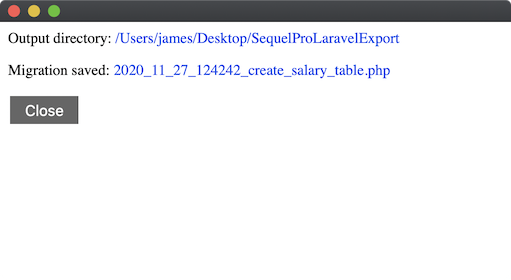
File on desktop:
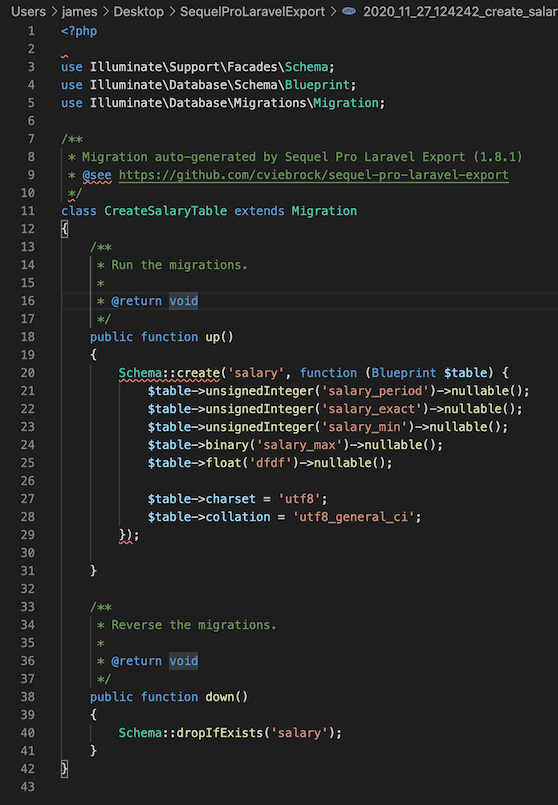
jamesstout
on 27 Nov 2020
OK ... 🤦 for not noticing the sequelpro://... reference. Thanks, @jamesstout .
Currently then, I'm going to need to create two versions of the plugin: one for Sequel Pro and one for Sequel Ace, correct? I would imagine that third-party bundle developers would appreciate there being an easy way to make their bundles work in both apps ... can you think of a way to allow that?
(Not that I think there are too many bundle developers out there, but still 😉 )
cviebrock
on 27 Nov 2020
hmm, we could add some funky pre-processing for the spBundle folder. The spBundle file type is registered to open in Sequel Ace, but could contain directives to open sequelpro.
Sooo, we could process each file, and s/sequelpro/sequelace/.. but that seems like a bit of a hack.
jamesstout
on 27 Nov 2020
hmm, we could add some funky pre-processing for the
spBundlefolder. ThespBundlefile type is registered to open in Sequel Ace, but could contain directives to opensequelpro.Sooo, we could process each file, and
s/sequelpro/sequelace/.. but that seems like a bit of a hack.
Perhaps we could introduce bundle versioning like explored before? Sequel Ace bundles could be version 2 and we could have a migration script for legacy bundles, part of which is replacing sequelpro with sequelace?
Or, I guess we could add the sequelpro url schema to our URL schemas? Then only people who had both pro and Ace installed simultaneously would have issues? Feels like this may behave inconsistently for users with both apps installed.
Jason-Morcos
on 27 Nov 2020
Feels like this may behave inconsistently for users with both apps installed
Yeah, it does. I had to uninstall Sequel Ace while testing this...
jamesstout
on 27 Nov 2020
What about a legacy string check?
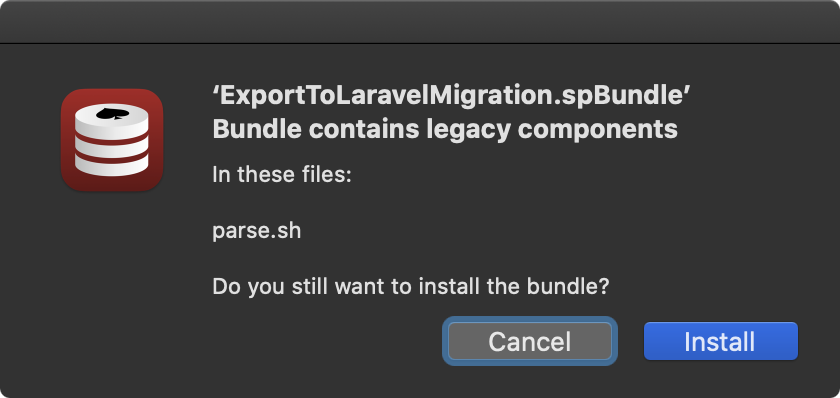
jamesstout
on 27 Nov 2020
What about a legacy string check?
Would the install button on the legacy check have us to migrate the strings in the bundle or install as is?
Jason-Morcos
on 27 Nov 2020
At the mo, just installs, but I could quite easily replace the legacy text...
jamesstout
on 28 Nov 2020
At the mo, just installs, but I could quite easily replace the legacy text...
Maybe we could have two options? One "install anyways" (as is) and another "attempt upgrade" that replaces legacy text and installs?
Jason-Morcos
on 28 Nov 2020
Alternatively we could switch to .sabundle and then all .spbundles would be legacy by convention. Forking further off of Sequel Pro
Jason-Morcos
on 28 Nov 2020
Bundle processing is already _pretty_ complicated. sabundle might be better. Need @Sequel-Ace/all to comment..
jamesstout
on 29 Nov 2020
@cviebrock Version 3.0.0 of Sequel Ace (the next major release) will support a new bundle extension .sabundle (in addition to .spbundle) and will warn users when a bundle containing sequelpro:// is imported. While for now this does mean a separate bundle for Ace and Pro, at least the Ace bundle can have a unique extension differentiating it from the Sequel Pro bundle!
Jason-Morcos
on 30 Nov 2020
@Jason-Morcos thanks for that info. Following along in this thread, it was becoming apparent that the easiest thing for me to do would be to create two versions of my bundle -- one for SA and one for SP -- and make all the internal changes myself via some build script.
Can I ask if it's just the sequelpro:// transport that needs to change to sequelace://? Or do all the environment variables like $SP_PROCESS_ID and $SP_QUERY_RESULT_STATUS_FILE, etc., need to change to their $SA_... equivalents?
cviebrock
on 1 Dec 2020
Can I ask if it's just the
sequelpro://transport that needs to change tosequelace://? Or do all the environment variables like$SP_PROCESS_IDand$SP_QUERY_RESULT_STATUS_FILE, etc., need to change to their$SA_...equivalents?
Currently only the URL is different! All the environment variables are currently the same $SP_ names as they were in Sequel Pro and I can't think of a reason we ought to change them to be $SA_ (unless someone in @Sequel-Ace/all has a good reason to change it).
Jason-Morcos
on 1 Dec 2020
It just occurred to me ... what if Sequel Ace provided some kind of environment variable that I could check to see if the bundle scripts were being run by Sequel Pro or Sequel Ace? I could then do something like:
```bash
if [[ -z "$SEQUEL_ACE" ]]
then
    open "sequelace://$SP_PROCESS_ID@passToDoc/ExecuteQuery"
else
    open "sequelpro://$SP_PROCESS_ID@passToDoc/ExecuteQuery"
fi
cviebrock
on 2 Dec 2020
It just occurred to me ... what if Sequel Ace provided some kind of environment variable that I could check to see if the bundle scripts were being run by Sequel Pro or Sequel Ace? I could then do something like:
if [[ -z "$SEQUEL_ACE" ]] then open "sequelace://$SP_PROCESS_ID@passToDoc/ExecuteQuery" else open "sequelpro://$SP_PROCESS_ID@passToDoc/ExecuteQuery" fi
That's a good idea, @cviebrock! Perhaps an $SP_APP_CALLBACK_URL which could give you the callback url for the app (sequelace://)? What do you think @jamesstout?
Jason-Morcos
on 3 Dec 2020
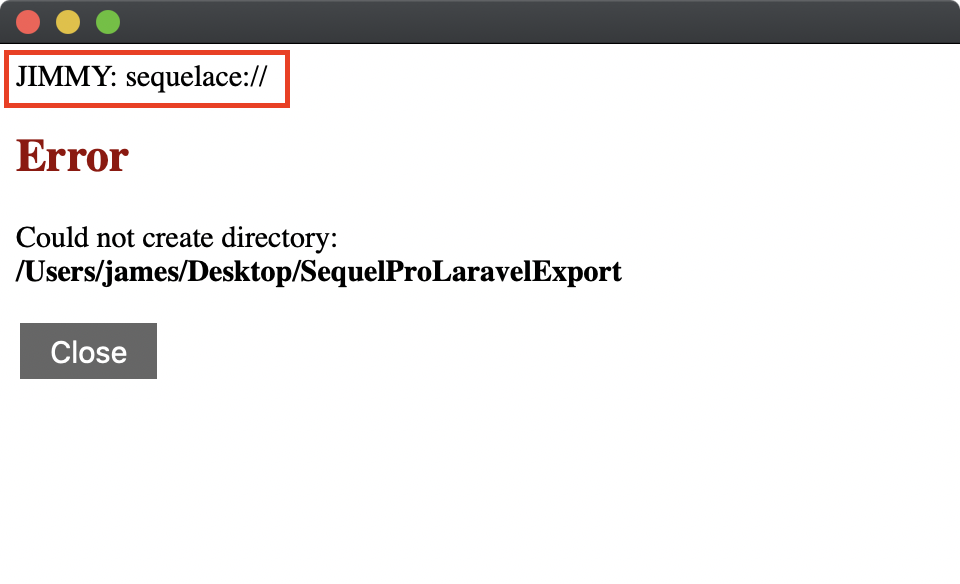
@cviebrock @Jason-Morcos Do you just want an env var or the callback URL?
I've implemented the callback URL:
[theEnv setObject:[NSBundle mainBundle].saURLScheme forKey:SPBundleShellVariableAppCallbackURL];
jamesstout
on 4 Dec 2020
@Jason-Morcos do we still want to replace the legacy text?
jamesstout
on 4 Dec 2020
@Jason-Morcos do we still want to replace the legacy text?
Yeah I think so, at least for .spbundles .sabundles we should probably just import as is!
Jason-Morcos
on 4 Dec 2020
@cviebrock - you ok with this solution?
jamesstout
on 6 Dec 2020
I've updated my bundle's build process to generate a .spbundle and an .sabundle, so I'm pretty easy either way. The only difference between the two bundles is currently that sequelace:// handler ... so if there is a way for me to programatically figure out which I should use (sequelace:// or sequelpro://), and if SA can import .spbundle files ... then I can simplify things further.
(In practice, I'd still need to wrap things in some kind of if statement, since Sequel Pro isn't going to have any value for $SP_APP_CALLBACK_URL, so I can't just use that value without checking it.)
cviebrock
on 7 Dec 2020
I've updated my bundle's build process to generate a .spbundle and an .sabundle, so I'm pretty easy either way. The only difference between the two bundles is currently that
sequelace://handler ... so if there is a way for me to programatically figure out which I should use (sequelace://orsequelpro://), and if SA can import .spbundle files ... then I can simplify things further.(In practice, I'd still need to wrap things in some kind of if statement, since Sequel Pro isn't going to have any value for
$SP_APP_CALLBACK_URL, so I can't just use that value without checking it.)
We will still handle opening .spbundle files, we will just "upgrade" them to .sabundles on import (and offer to replace sequelpro:// links in the upgrade). However, having two separate bundles as you do is definitely the preferred approach - .spbundles will prompt a legacy warning on import.
I like including the callback URL in general - it makes sense for bundle devs to not hardcode the value sequelace://
Jason-Morcos
on 7 Dec 2020
Related issues
 salvor-hardin
·
8Comments
salvor-hardin
·
8Comments
 rafmst
·
4Comments
rafmst
·
4Comments
 advicepyro
·
8Comments
advicepyro
·
8Comments
 augusl
·
6Comments
augusl
·
6Comments
 lipatovroman
·
4Comments
lipatovroman
·
4Comments
Most helpful comment
@cviebrock @Jason-Morcos Do you just want an env var or the callback URL?
I've implemented the callback URL: