Sentry-react-native: React Native - Source Maps
OS:
- [X] Windows
- [ ] MacOS
- [ ] Linux
Platform:
- [ ] iOS
- [X] Android
SDK:
- [X]
@sentry/react-native(>= 1.0.0) - [ ]
react-native-sentry(<= 0.43.2)
SDK version: 1.5.0
react-native version: 0.62.2
Are you using Expo?
- [ ] Yes
- [X] No
Are you using sentry.io or on-premise?
- [X] sentry.io (SaaS)
- [ ] on-premise
If you are using sentry.io, please post a link to your issue so we can take a look:
https://sentry.io/share/issue/ba3a4fc6d6d4470db24203bf7eadc38d/
Configuration:
Sentry.init({
  dsn: '__DSN__',
  environment: __DEV__ ? 'development' : (PROD ? 'production' : 'staging'),
  enableAutoSessionTracking: true,
  release: AppInfo.release,
  dist: AppInfo.dist,
});
I use hermes.
I have following issue:
I have decited to post new issue because I probably have tried everything what I have seen on Internet...
The first problem:
I do not know why, but if i not upload manually source maps, then i will not see them on my project. Now i have everything automated so please help mi with the next one.
The second problem:
Like i wrote, I upload source maps by myself by this command after building release version via gitlab pipeline:
./node_modules/@sentry/cli/bin/sentry-cli releases files $PACKAGE_NAME@$CURRENT_VERSION_NAME+$CURRENT_VERSION_CODE upload-sourcemaps --dist $CURRENT_VERSION_CODE --strip-prefix . --rewrite android/app/build/generated/assets/react/release/android.main.bundle android/app/build/generated/assets/react/release/android.main.bundle.map
and the result in console is
Analyzing 2 sources
Rewriting sources
Adding source map references
Bundled 2 files for upload
Uploaded release files to Sentry
File upload complete
Source Map Upload Report
Minified Scripts
~/android.main.bundle (sourcemap at android.main.bundle.map)
Source Maps
~/android.main.bundle.map
and in the Sentry project:

but when i open any issue connected with the same release name and dist I get:


Can anyone help me with this?
 rafalkowalewski
All 34 comments
Same problem here
 williamgurzoni
on 6 Jul 2020
williamgurzoni
on 6 Jul 2020
Hey guys, so the name of the bundle/sourcemap has to match exactly. In the stack trace it's index.android.bundle while in the artifacts you have it uploaded as android.main.bundle. If you can rename the bundle and source map to index.android.bundle and index.android.bundle.map and reupload them they should work.
 jennmueng
on 6 Jul 2020
jennmueng
on 6 Jul 2020
@jennmueng thank you for your reply!
You are right and now I am one step further, but still not there where I want to be 😄
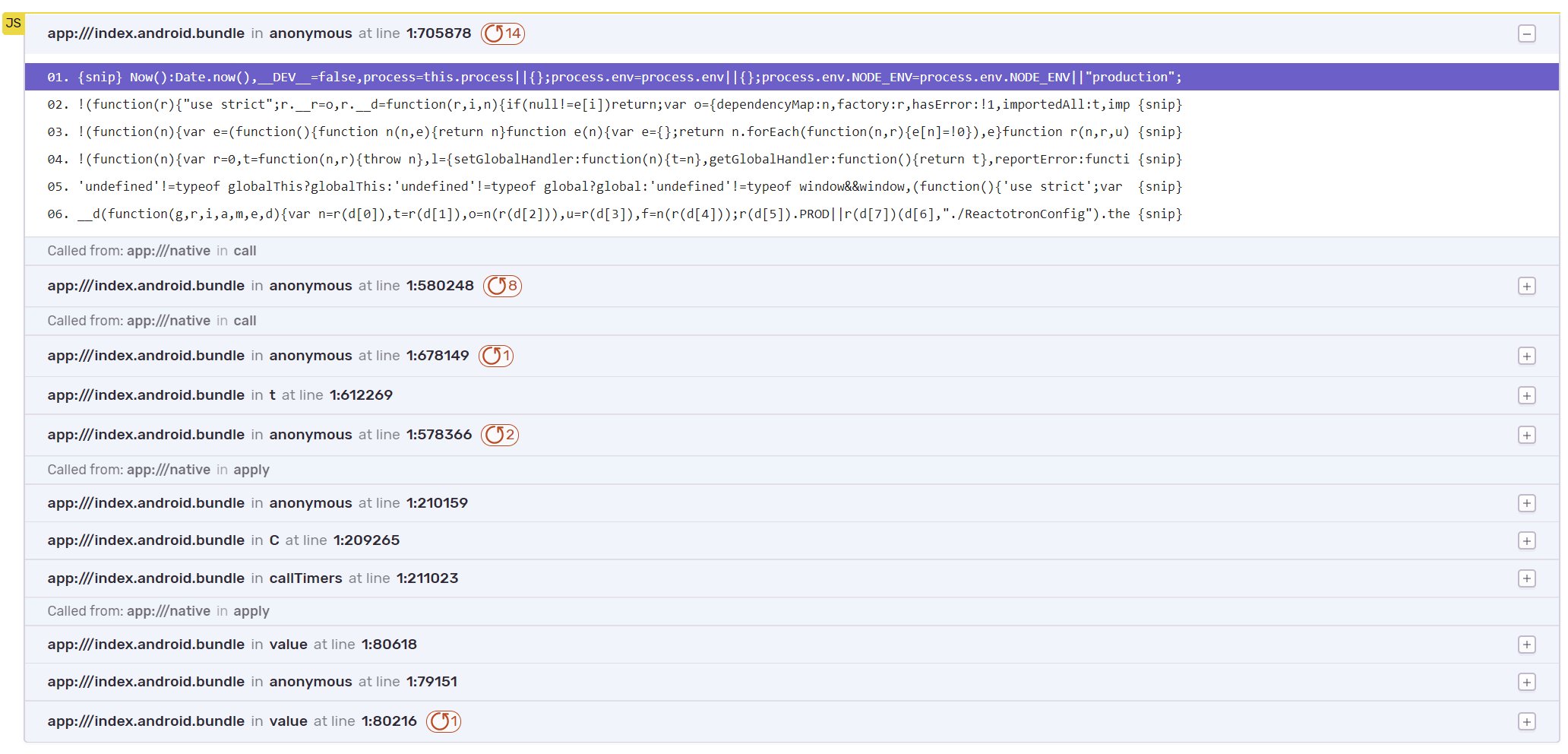
I changed name and now I see more than before, but this is still unreadable 😞
Do you have any idea what else should I change?
rafalkowalewski
on 6 Jul 2020
@jennmueng thank you for your reply!
You are right and now I am one step further, but still not there where I want to be 😄
I changed name and now I see more than before, but this is still unreadable 😞
Do you have any idea what else should I change?
Hmm this looks like a bad source map. Can you try manually bundling the source map with
react-native bundle \
--dev false \
--platform {PLATFORM} \
--entry-file index.js \
--bundle-output ./build/index.android.bundle \
--sourcemap-output ./build/index.android.bundle.map
and uploading that to sentry?
jennmueng
on 7 Jul 2020
I do exactly this:
react-native bundle --dev false --platform android --entry-file index.js --bundle-output index.android.bundle --sourcemap-output index.android.bundle.map
and then:
./node_modules/@sentry/cli/bin/sentry-cli releases files $PACKAGE_NAME@$CURRENT_VERSION_NAME+$CURRENT_VERSION_CODE upload-sourcemaps --dist $CURRENT_VERSION_CODE --strip-prefix . --rewrite ./index.android.bundle ./index.android.bundle.map
rafalkowalewski
on 7 Jul 2020
Same here, only with Android source maps in RN 0.61.5 with Hermes enabled and using Code-Push and @sentry/react-native v1.5.0
 lucianomlima
on 22 Jul 2020
lucianomlima
on 22 Jul 2020
@jennmueng do you have any other idea to fix this issue?
I still have the problem on production and it is very difficult to analyze an errors there
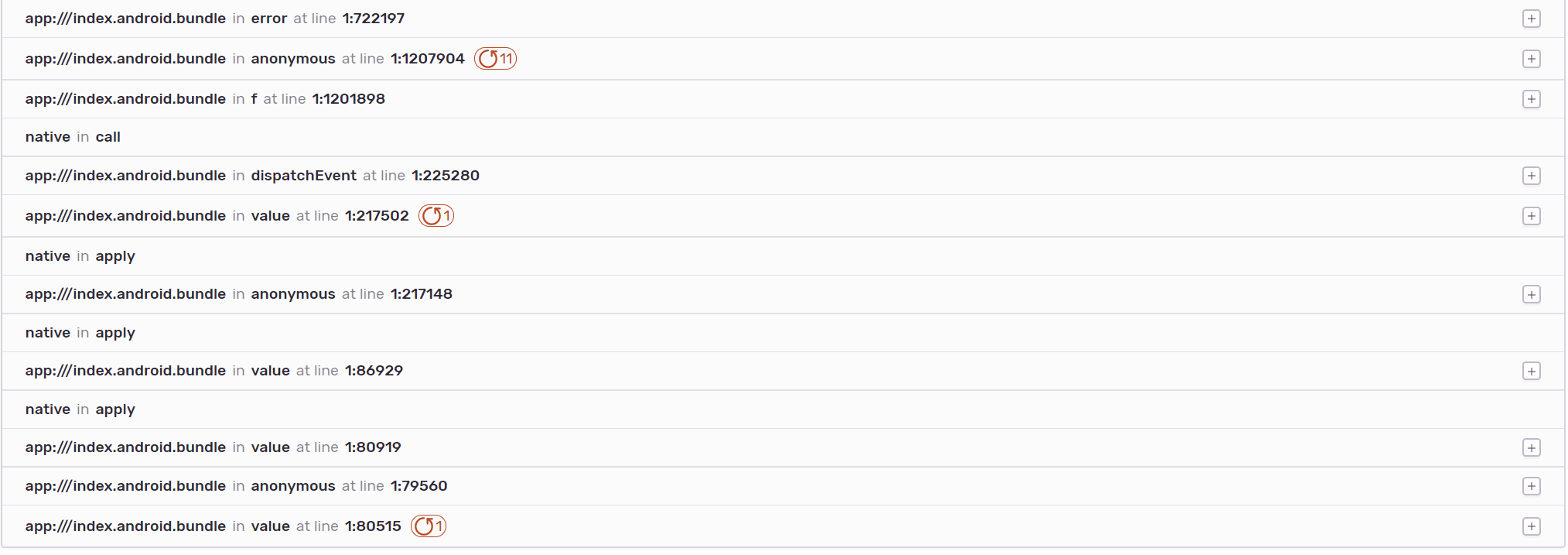
rafalkowalewski
on 22 Jul 2020
@rafalkowalewski From the screenshots it looks like Sentry still isn't correctly detecting the source maps.. does the error "Source code was not found" still showing at the top?
jennmueng
on 23 Jul 2020
There was nothing but I found in the new one something like this - maybe it is connected to that.

rafalkowalewski
on 24 Jul 2020
Sorry for the late reply, we've been looking into the timestamp issue for a past couple of days, and I've made an issue specifically for it. However it shouldn't have any effect on sourcemaps.
jennmueng
on 28 Jul 2020
I am experiencing same thing.
React Native : 0.63.2
Sentry SDK : 1.6.3
Previously, when I upgraded sentry sdk, the source map was uploaded and I could see a well parsed stack trace.
But suddenly, stack trace has been broken.

 mym0404
on 4 Aug 2020
mym0404
on 4 Aug 2020
@mym0404 Do you have any errors displaying at the top of the issue page where the source map doesn't work?
jennmueng
on 7 Aug 2020
@mym0404 Do you have any errors displaying at the top of the issue page where the source map doesn't work?
No just timestamp error is showing
mym0404
on 7 Aug 2020
@mym0404 Can I have the full (not the share) link to the error? I will investigate this.
jennmueng
on 7 Aug 2020
@jennmueng It is weird. In the same release, some errors in the same platform(android), somethings are parsed with the correct source maps but others not.
One question, at that error invocation time, whether the source maps are already uploaded affects source map parsing?
Thank you for your attention.
mym0404
on 7 Aug 2020
@mym0404 Yes the source maps need to be present before the error occurs for them to be parsed. We currently don't support processing events after they've been saved to our backend, they're only processed once when they're received.
jennmueng
on 9 Aug 2020
@rafalkowalewski I just found out about a prior issue for source maps on Android, it was before I joined Sentry so I had no knowledge of this my apologies. Can you try this fix and see if it solves your issue?
jennmueng
on 10 Aug 2020
@jennmueng thank you for your message. I will let you know this/next week if it is work. I am going to release a new production version :)
rafalkowalewski
on 18 Aug 2020
Hey @rafalkowalewski were you able to solve the issue? I'm facing the same problem on my project
 15matias15
on 7 Sep 2020
15matias15
on 7 Sep 2020
this worked for me, producing the full stack trace on android
Create the source maps
react-native bundle --dev false --platform android --entry-file index.js --bundle-output index.android.bundle --sourcemap-output index.android.bundle.map
Upload the created source maps to sentry
./node_modules/@sentry/cli/bin/sentry-cli releases --org <ORG> --project <PROJECT> files <APPLICATIONID>@<VERSION>+<BUILD> upload-sourcemaps --dist<BUILD> --strip-prefix . --rewrite ./index.android.bundle ./index.android.bundle.map
Where VERSION is of format 1.4.6
BUILD is like 123
APPLICATIONID is like uk.co.examplecompany.android
 patelnets
on 7 Sep 2020
patelnets
on 7 Sep 2020
@patelnets do you have Hermes enabled?
15matias15
on 7 Sep 2020
Ah nope. Sorry i didn't read all the comments
patelnets
on 7 Sep 2020
Hey @rafalkowalewski were you able to solve the issue? I'm facing the same problem on my project
No :( i am still facing with it. I will let you know if i find some solution.
rafalkowalewski
on 14 Sep 2020
@rafalkowalewski thanks, I'll let you know too if I found something
15matias15
on 14 Sep 2020
Hey @rafalkowalewski were you able to solve the issue? I'm facing the same problem on my project
No :( i am still facing with it. I will let you know if i find some solution.
@rafalkowalewski Did the solution on prior issue I sent not work?
jennmueng
on 15 Sep 2020
I wanted to tell you it works! :) but I had to modify it a bit and now everything looks pretty good.
Here is my script:
mkdir bundle
npm run react-native -- bundle --dev false --platform android --entry-file index.js --assets-dest bundle --bundle-output bundle/index.android.bundle --sourcemap-output bundle/index.android.bundle.map
node_modules/hermes-engine/win64-bin/hermesc -emit-binary -out bundle/index.android.bundle.hbc bundle/index.android.bundle -output-source-map -w
node node_modules/react-native/scripts/compose-source-maps.js bundle/index.android.bundle.map bundle/index.android.bundle.hbc.map -o bundle/index.android.bundle.map
npm run sentry -- releases files $PACKAGE_NAME@$CURRENT_VERSION_NAME+$CURRENT_VERSION_CODE upload-sourcemaps --dist $CURRENT_VERSION_CODE --strip-prefix . --rewrite ./bundle
IMPORTANT INFO:
select the proper hermes file depending on your system

rafalkowalewski
on 19 Sep 2020
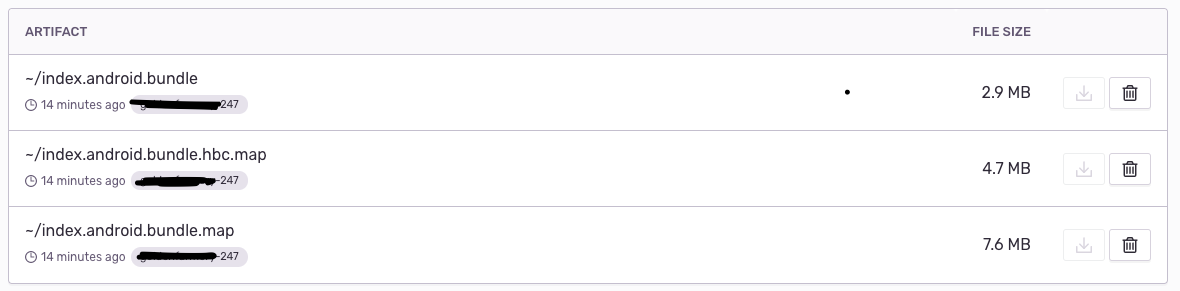
@rafalkowalewski what do you do on npm run sentry ?
Are you getting those files too?
15matias15
on 21 Sep 2020
Oh sorry... i forgot to explain it.
It runs sentry cli. I do not have it globally, so i do it via „npm run” to run it from node_modules.
rafalkowalewski
on 21 Sep 2020
@rafalkowalewski thanks. Do you have the same 3 files on your sentry artifacts?
15matias15
on 21 Sep 2020
@rafalkowalewski thanks. Do you have the same 3 files on your sentry artifacts?
Yes, exactly 😃
rafalkowalewski
on 21 Sep 2020
That's great, looks like we can close this?
jennmueng
on 24 Sep 2020
@jennmueng I still have one issue, but not related to sentry. We use mobx & mobx-react to handle the store with @inject decorator and we have the next component:
@inject (STORE)
<HOC>
--a 2º HOC with another inject--
@inject (STORE)
<2HOC>
<COMPONENT>
</COMPONENT>
</2HOC>
</HOC>
I put a throw new Error() on the component and sentry it's showing me this
Error observable(XXX/XXX/react/main/stores/STORE)
and this as stack trace
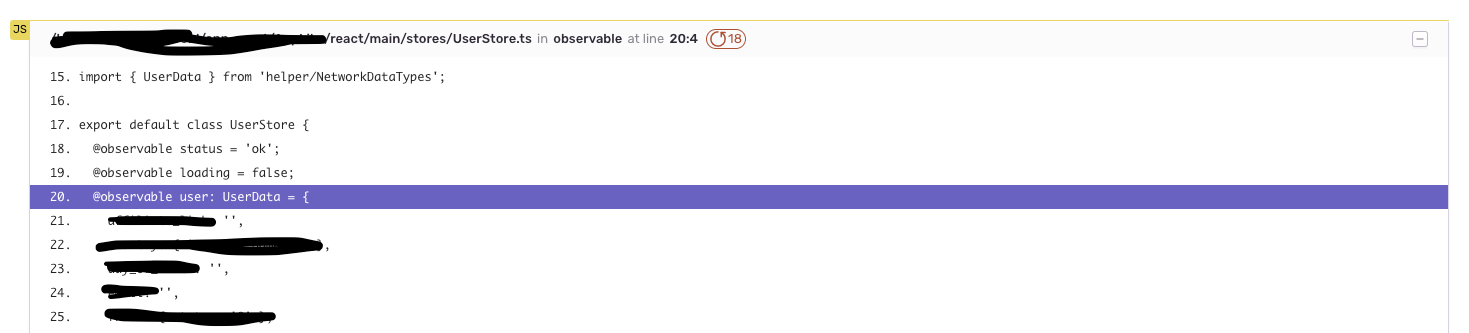
any idea??
15matias15
on 25 Sep 2020
That's great, looks like we can close this?
Yes :)
rafalkowalewski
on 25 Sep 2020
I still have this issue I have tried everything I can find on the internet but no luck
 freemile2ru
on 17 May 2021
freemile2ru
on 17 May 2021
Related issues
 Coci0alex
·
3Comments
Coci0alex
·
3Comments
 kriptonhaz
·
3Comments
kriptonhaz
·
3Comments
 brainbicycle
·
3Comments
brainbicycle
·
3Comments
 hecontreraso
·
3Comments
hecontreraso
·
3Comments
 kenobi91
·
3Comments
kenobi91
·
3Comments
Most helpful comment
I wanted to tell you it works! :) but I had to modify it a bit and now everything looks pretty good.
Here is my script:
IMPORTANT INFO:

select the proper hermes file depending on your system