Sentry-react-native: 1.4.0 crashes if using initSentry from wrapper file
OS:
- [ ] Windows
- [x] MacOS
- [ ] Linux
Platform:
- [x] iOS
- [x] Android
SDK:
- [x]
@sentry/react-native(>= 1.0.0) - [ ]
react-native-sentry(<= 0.43.2)
Sentry version: 1.4.0
SDK version: 5.1.0
react-native version: 0.62.2
Are you using Expo?
- [ ] Yes
- [x] No
Are you using sentry.io or on-premise?
- [x] sentry.io (SaaS)
- [ ] on-premise
TypeError: RNSentry.startWithDsnString is not a function. (In 'RNSentry.startWithDsnString(_options.dsn, _options)', 'RNSentry.startWithDsnString' is undefined)
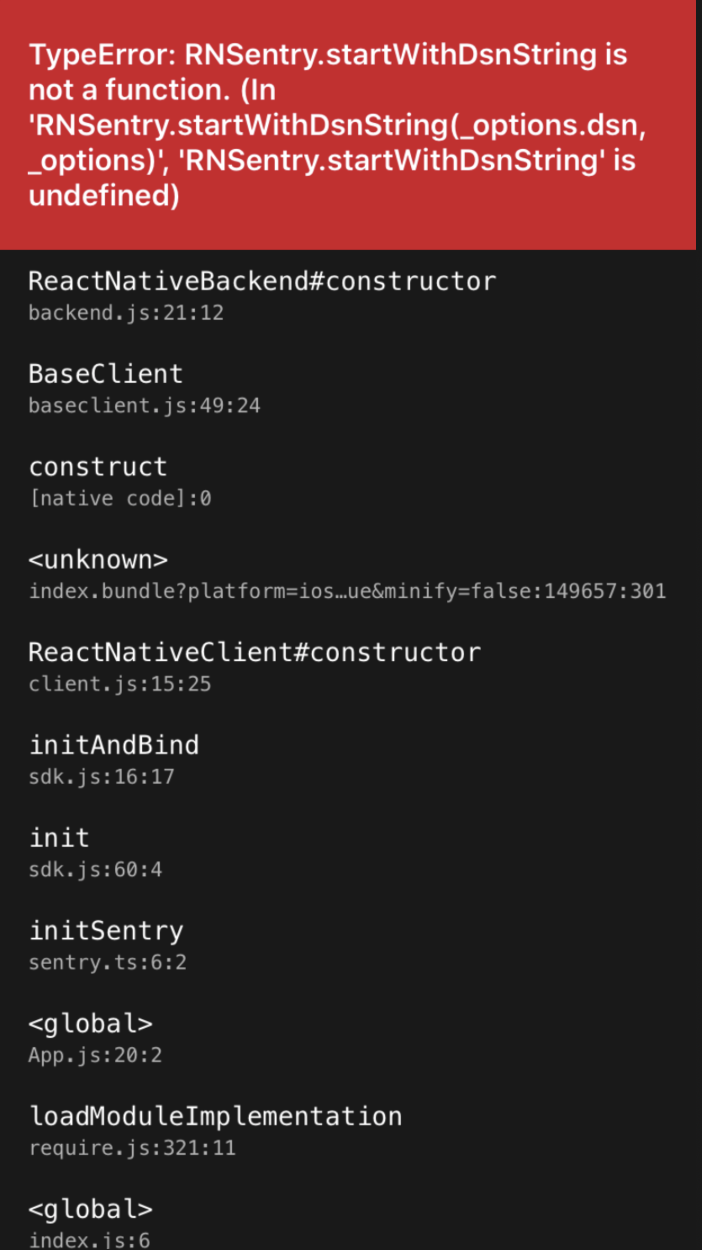
Configuration:
App.js
  require('src/sentryWrapper').initSentry({
    dsn: 'https://[email protected]/3134210',
    enableAutoSessionTracking: true,
  });
sentryWrapper.js
const initSentry = (initOptions: { dsn: string, enableAutoSessionTracking: boolean }) => {
  sentryEnabled = true;
  Sentry.init(initOptions);
};
I have following issue:
Once upgraded to 1.4.0, app crashes if I use my sentry initialization wrapper.
This didn't happen in 1.3.x versions. Doesn't matter if I pass enableAutoSessionTracking or not.
If I'm calling initSentry straight in App.js it doesn't crash. Strange :/
Steps to reproduce:
- Build the app.
- Open the app.
- Observe.
Actual result:
App crashes.
Expected result:
App shouldn't crash as in 1.3.x
 lukebars
All 17 comments
For me I got the error message that Sentry could not connect to native SDK, had to downgrade to 1.3.9
 cesargdm
on 27 May 2020
cesargdm
on 27 May 2020
Turns out I've had a mixup of 1.3.x version and 1.4.0 in my node_modules. Looks like it's working now. Case closed. :shipit:
lukebars
on 27 May 2020
For me I got the error message that Sentry could not connect to native SDK, had to downgrade to
1.3.9
@cesargdm , did you perform the steps mentioned in the Linking section in the installation instructions when you upgraded to 1.4.0?
 jennmueng
on 27 May 2020
jennmueng
on 27 May 2020
I'm still facing the same error... What was the solution?
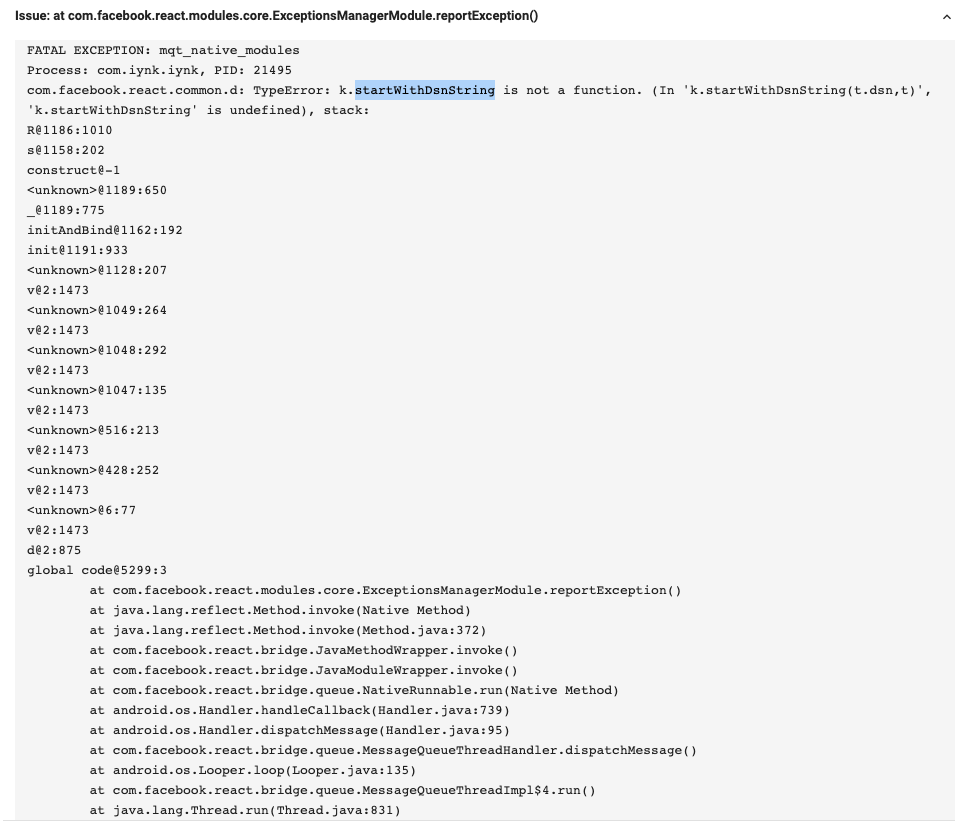
 alexpchin
on 3 Jun 2020
alexpchin
on 3 Jun 2020
I'm still facing the same error... What was the solution?
Looking at the error you sent, try deleting node_modules and doing a fresh install from scratch. Let me know if that works!
jennmueng
on 3 Jun 2020
@jennmueng Fast response! Everything works locally but when I push, this is the report from my Google Play pre-launch report.
I've deleted the node_modules and now just deploying again to see the response...
alexpchin
on 3 Jun 2020
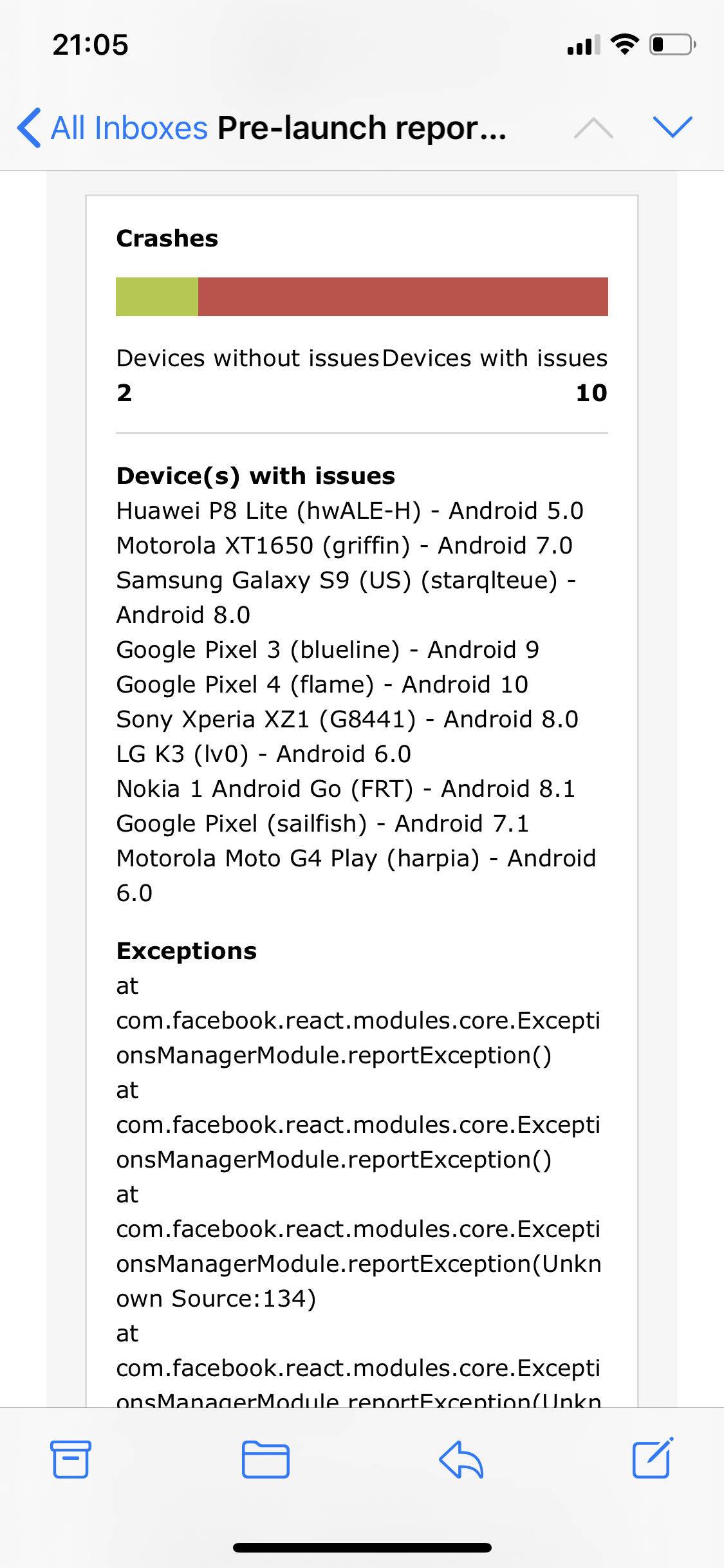

Unfortunately still the same issue...
alexpchin
on 3 Jun 2020
@jennmueng Should I downgrade to 1.3.9 and check that again as a comparison? I did follow the steps to link the package natively for 1.4+ as per the docs, it seems to have occurred when upgrading from 1.3.9.
Is it due to the fact that I 1.4 changed the way that native errors are handled? I am also currently using react-native-config, I wonder whether Sentry is being initialised earlier than the env is being found? Although I have nothing to substantiate that thought... just an idea.
alexpchin
on 3 Jun 2020
Unfortunately still the same issue...
@alexpchin Ok so, we removed .startWithDsnString in version 1.4.0 of the app and migrated it to startWithOptions. I imagine the reason your error is occurring is because for some reason, the Android module is the latest 1.4.0, while the Sentry SDK in javascript is for some reason still using an older version that's calling a function that no longer exists on the native Android code.
I haven't deployed to Google Play before, so I don't know how to solve this for you, but what you should try is to somehow get the JS version to be the correct version, maybe the old version is being cached somewhere and loaded when it is being built?
To put it simply, that error is occurring because the Sentry installation in Javascript is not matching the version on Android.
jennmueng
on 3 Jun 2020
Interesting the old method is present in my index.android.bundle.
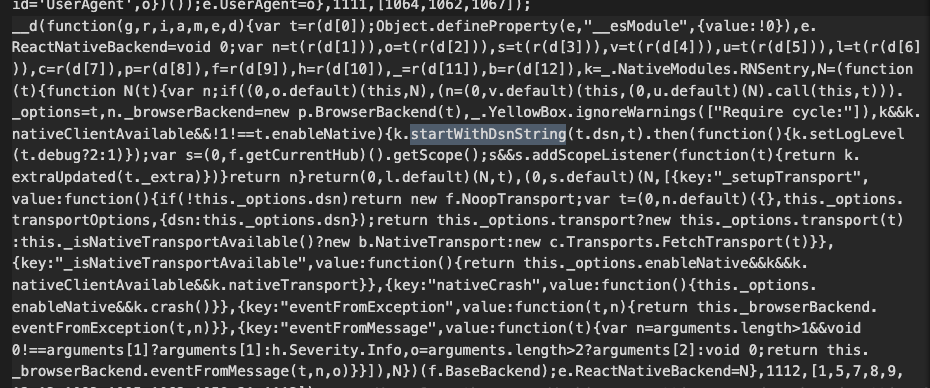
bundleInDebug: false is set to false, I'm going to manually run:
react-native bundle --platform android --dev false --minify true --entry-file index.js --bundle-output android/app/src/main/assets/index.android.bundle --assets-dest android/app/src/main/res/
to see if that clears the error? I'll let you know...
Thanks for the help so far!
alexpchin
on 3 Jun 2020
Unfortunately no luck... Still:
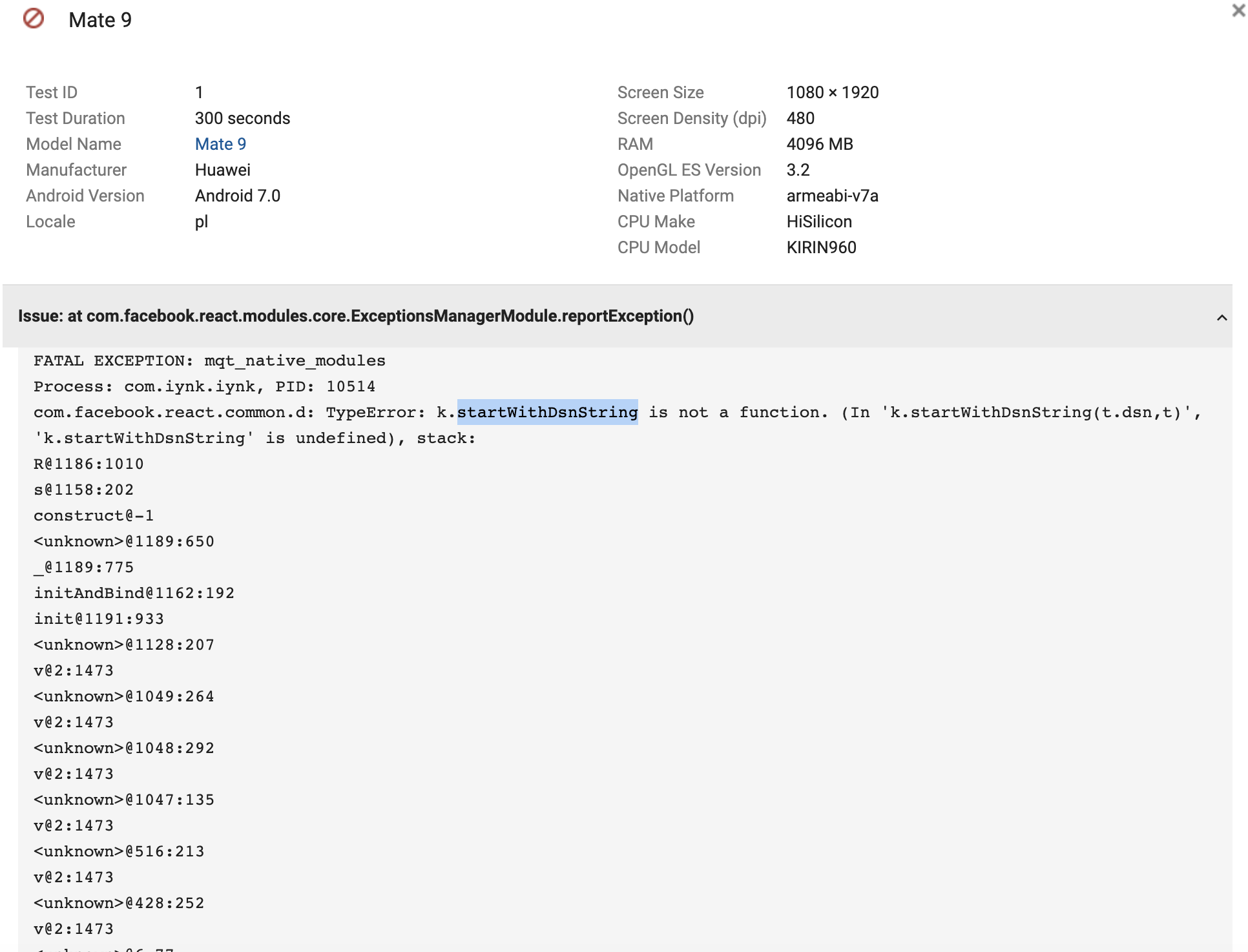
So strange...
alexpchin
on 4 Jun 2020
startWithOptions now showing up in my index.android.bundle and no mention of startWithDsnString...
alexpchin
on 4 Jun 2020
I found the issue. It was a really odd one to debug but ultimately nothing to do with Sentry. I am using Codepush. After uploading the version of sentry and cleaning everything locally, I was deploying. During the deploy testing on Google Pre-launch, CodePush was rolling back the JS portion of my code...
I thought I was going mad as I was 100% sure that the code didn't exist locally. Anyway... I hope it helps anyone else who faces the same issue!
alexpchin
on 4 Jun 2020
Please what did you do to fix the issue?
 vicksEmmanuel
on 16 Jun 2020
vicksEmmanuel
on 16 Jun 2020
Please what did you do to fix the issue?
check if your versions in yarn.lock or package.lock doesn't contain lower versions of sentry than 1.4.0
lukebars
on 16 Jun 2020
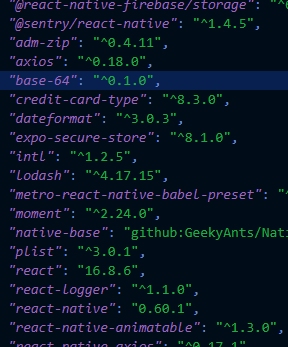
This is the version in package.lock
vicksEmmanuel
on 16 Jun 2020
I found the issue. It was a really odd one to debug but ultimately nothing to do with Sentry. I am using Codepush. After uploading the version of sentry and cleaning everything locally, I was deploying. During the deploy testing on Google Pre-launch, CodePush was rolling back the JS portion of my code...
I thought I was going mad as I was 100% sure that the code didn't exist locally. Anyway... I hope it helps anyone else who faces the same issue!
Thank you @alexpchin! This steered me in the right direction.
I was incrementing the versionCode in app/build.gradle after updating sentry. (E.g. 144 -> 145)
The problem is that code-push does not use versionCode , only versionName (which remained the same), and once the app launched, code-push would install an older JS bundle from code-push (which still has the older version of sentry in the JS bundle).
Code-push issue here: https://github.com/microsoft/react-native-code-push/issues/1521#issuecomment-465371200
I changed my versionName from 0.2.5 to 0.2.6 and since code-push did not have any bundles matching 0.2.6 and did not install an older JS bundle, and.... it worked!
I suspect if would be the same for iOS with CFBundleShortVersionString CFBundleVersion.
 ScholtenSeb
on 26 Aug 2020
ScholtenSeb
on 26 Aug 2020
Related issues
 jamesone
·
3Comments
jamesone
·
3Comments
 deathemperor
·
3Comments
deathemperor
·
3Comments
 bneigher
·
3Comments
bneigher
·
3Comments
 lwmouneyrac
·
3Comments
lwmouneyrac
·
3Comments
 poocart
·
3Comments
poocart
·
3Comments
Most helpful comment
I found the issue. It was a really odd one to debug but ultimately nothing to do with Sentry. I am using Codepush. After uploading the version of sentry and cleaning everything locally, I was deploying. During the deploy testing on Google Pre-launch, CodePush was rolling back the JS portion of my code...
I thought I was going mad as I was 100% sure that the code didn't exist locally. Anyway... I hope it helps anyone else who faces the same issue!