Sentry-react-native: iOS crash on launching the app
OS:
- [ ] Windows
- [X] MacOS
- [ ] Linux
Platform:
- [X] iOS
- [ ] Android
SDK:
- [X]
@sentry/react-native - []
react-native-sentry
SDK version: 1.3.3
react-native version: 0.61.5
Are you using Expo?
- [ ] Yes
- [X] No
Are you using sentry.io or on-premise?
- [x] sentry.io (SaaS)
- [ ] on-premise
The issue is not logged in sentry.
Configuration:
I have this in App.tsx
Sentry.init({
  dsn: 'https://[email protected]/xxxxx'});
I have following issue:
On iOS, when trying to run the app in release mode the app crashes, even if I don't have any issues in debug mode
This is the error that I get:
Started -- Version: 4.4.3
ERROR: SentryCrashReportFixer.c (272): char *sentrycrashcrf_fixupCrashReport(const char *): Could not decode report: Data too long
2020-03-02 13:07:48.610 [error][tid:com.facebook.react.JavaScript] TypeError: g.document.addEventListener is not a function. (In 'g.document.addEventListener('click',O('click',y.bind(null,'dom')),!1)', 'g.document.addEventListener' is undefined)
2020-03-02 13:07:48.612 [fatal][tid:com.facebook.react.ExceptionsManagerQueue] Unhandled JS Exception: TypeError: g.document.addEventListener is not a function. (In 'g.document.addEventListener('click',O('click',y.bind(null,'dom')),!1)', 'g.document.addEventListener' is undefined)
To be mentioned, if I don't initialize Sentry the app is running without any problems.
Followed all the installation steps from: https://docs.sentry.io/platforms/react-native/ and/or here https://github.com/getsentry/sentry-react-native
Steps to reproduce:
- Run app in release mode
Actual result:
- App crashes on run time
Expected result:
- Application should run without a crash
 BologaMarius
All 10 comments
We are seeing the same issue. We are running the latest sentry and latest react native just as above.
When we run the app we get the following.
2020-03-02 12:38:42.742232-0600 MyAppName[12578:7161056] Sentry Started -- Version: 4.4.3
2020-03-02 12:38:42.744 [error][tid:com.facebook.react.JavaScript] TypeError: g.document.addEventListener is not a function. (In 'g.document.addEventListener('click',O('click',y.bind(null,'dom')),!1)', 'g.document.addEventListener' is undefined)
This error is located at:
in Unknown
in RCTView
in RCTView
in h
2020-03-02 12:38:42.745 [fatal][tid:com.facebook.react.ExceptionsManagerQueue] Unhandled JS Exception: TypeError: g.document.addEventListener is not a function. (In 'g.document.addEventListener('click',O('click',y.bind(null,'dom')),!1)', 'g.document.addEventListener' is undefined)
This error is located at:
in Unknown
in RCTView
in RCTView
in h
We then comment out the Sentry.init call and see logs similar to the above comment.
 zsiegel
on 3 Mar 2020
zsiegel
on 3 Mar 2020
Are you setting anything specific in the scope or something?
This error means Data too long something in the event is too long.
We want to fix this issue but we need to know where to get started since just calling init doesn't trigger this error so we need a way to reproduce this.
 HazAT
on 4 Mar 2020
HazAT
on 4 Mar 2020
hey @BologaMarius could you enable debug mode and let us know if you get any more useful logs? thanks.
eg:
Sentry.init({
dsn: 'https://[email protected]/xxxxx',
debug: true
});
 marandaneto
on 4 Mar 2020
marandaneto
on 4 Mar 2020
@HazAT there is no specific setup in the scope.
- iOS Simulator(but it happens in real device as well)/realease mode
- iOS version 13.3/13.2
- Xcode version 11.3.1/11.2.1
I have setup up as iOS Deployment target as 11.0 since is a requirement for one of the other dependencies. Could this affectsentry?
@marandaneto I did that, there is no extra info about the issue. Still the same logs.
But managed to reproduce on android the same error:
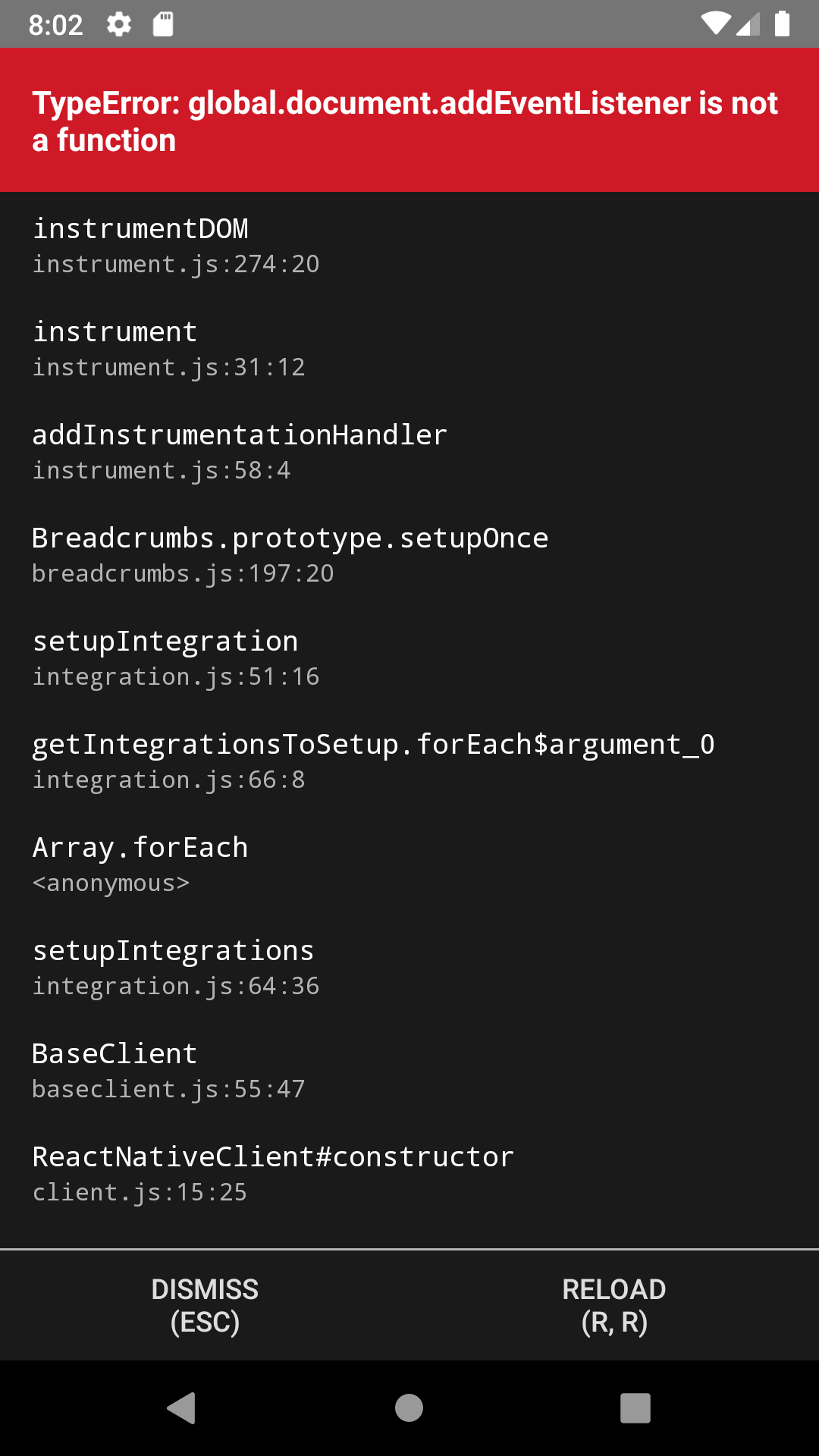
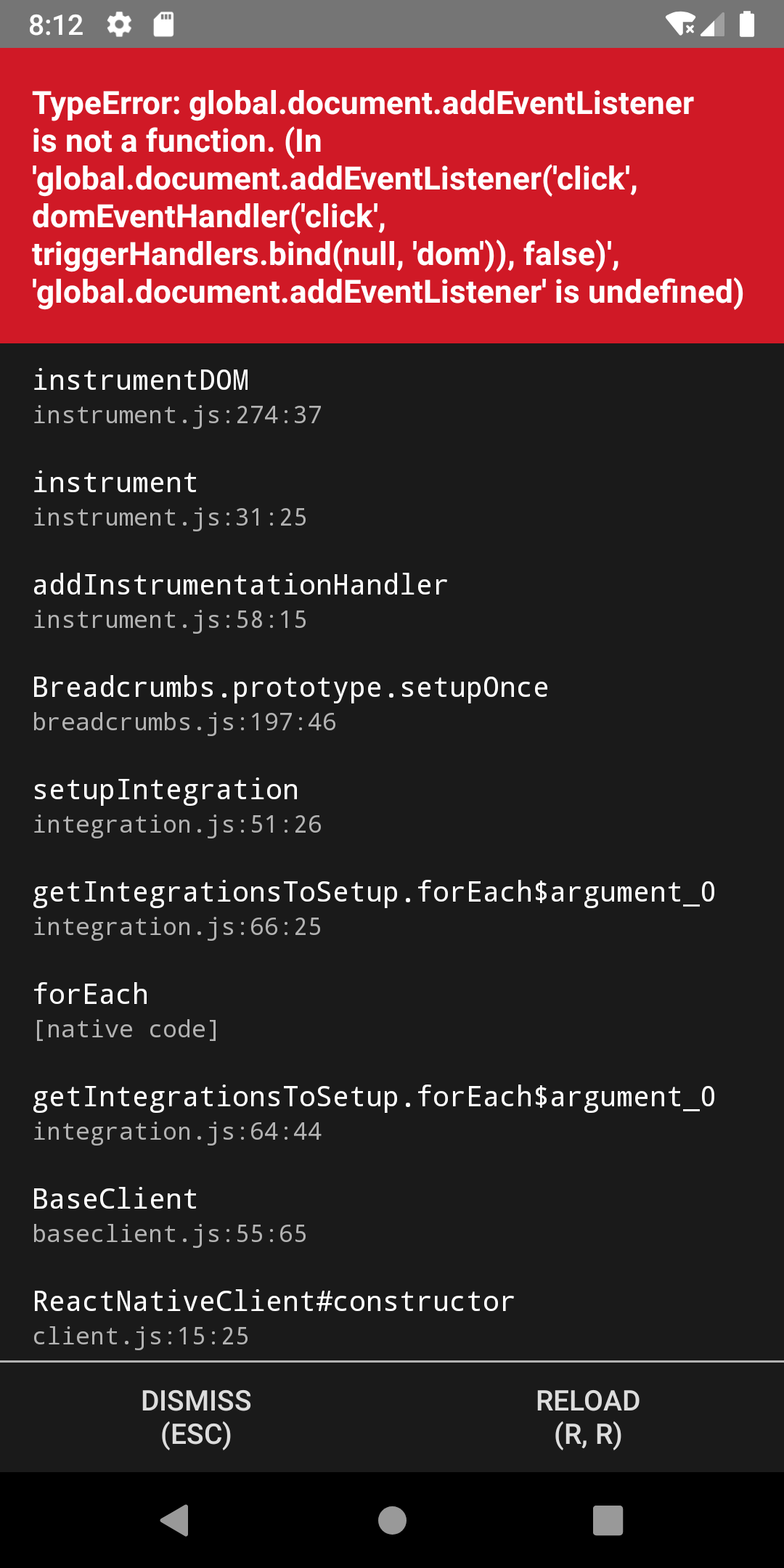
and clicking first item in the error window I am redirected to this:

BologaMarius
on 4 Mar 2020
@BologaMarius I have no idea why this is happening, must be some weird dependency you are using.
Can you try to do this
import * as Sentry from "@sentry/react-native";
Sentry.init({
...
integrations: [
new Sentry.Integrations.Breadcrumbs({
dom: false
}),
]
});
@HazAT no extra info if I use what you mentioned above.
I have found the root cause of the problem, another dependency that has a conflict with sentry: https://www.npmjs.com/package/@okta/okta-react-native.
This happens only in release mode and only in iOS. It seems that these 2 libraries do not work together and I would like to use both.
Steps to reproduce: I have created a new react native project using typescript and added sentry and okta-react-native as dependency:
`import {createConfig, authenticate} from '@okta/okta-react-native';
const App = () => {
Sentry.init({
dsn: 'https://[email protected]/xxxxxx',
});
return(....)
}`
BologaMarius
on 5 Mar 2020
I have the same issue in debug mode on Android. Otherwise the same configuration as @BologaMarius. Adding the following solved the issue for me @HazAT
import * as Sentry from "@sentry/react-native";

Sentry.init({
  ...
  integrations: [
    new Sentry.BrowserIntegrations.Breadcrumbs({
      dom: false
    }),
  ]
});
 Marvedog
on 15 Mar 2020
Marvedog
on 15 Mar 2020
my workaround was to stub in document.addEventListener
global.document = {
  addEventListener: () => {},
}
 rt2zz
on 11 Aug 2020
rt2zz
on 11 Aug 2020
Have the same issue also potentially due to Okta-react-native conflict.
Adding:
integrations: [
    new Sentry.BrowserIntegrations.Breadcrumbs({
      dom: false
    }),
  ]
Does not work and results in:
TypeError: undefined is not an object (evaluating 'new Sentry.BrowserIntegrations.Breadcrumbs')
Adding
global.document = {
  addEventListener: () => {},
}
Results in
Error: Can't attach events for entropy collection
Anyone make any progress with this issue?
 mnekrasov-iss
on 11 Oct 2020
mnekrasov-iss
on 11 Oct 2020
I have the same problem - took an hour to track this down to Sentry as I've been adding okta. Glad I found this issue. Adding
global.document = { addEventListener: () => {}, }
worked to avoid the error.
I cross posted to okta https://github.com/okta/okta-react-native/issues/40
See also, https://github.com/formium/formik/issues/1006
Really would like to have a fix for this.
Update:
Changed hack to use the suggestion by @Marvedog. Perhaps someone at Sentry can shed light on this issue? @HazAT
 ajp8164
on 21 Dec 2020
ajp8164
on 21 Dec 2020
Related issues
 ThomasLarge
·
3Comments
ThomasLarge
·
3Comments
 bneigher
·
3Comments
bneigher
·
3Comments
 Coci0alex
·
3Comments
Coci0alex
·
3Comments
 sercanov
·
3Comments
sercanov
·
3Comments
 JonasBAJ
·
3Comments
JonasBAJ
·
3Comments
Most helpful comment
I have the same issue in debug mode on Android. Otherwise the same configuration as @BologaMarius. Adding the following solved the issue for me @HazAT