Sentry-react-native: Sentry with appcenter/CodePush: source code not found
OS:
- [x] MacOS
_Platform:_
- [x] iOS
SDK:
- [x]
@sentry/react-native
react-native version: 0.61 => 0.61.3
I have following issue:
After released with CodePush, an exception thrown, stack trace is unavailable and I got "Source code was not found".
While in the Release page, tab Artifacts, I can see my source map there.
_Stacktrace works with sentry script hooks in xcode's build phrases._
Stack trace
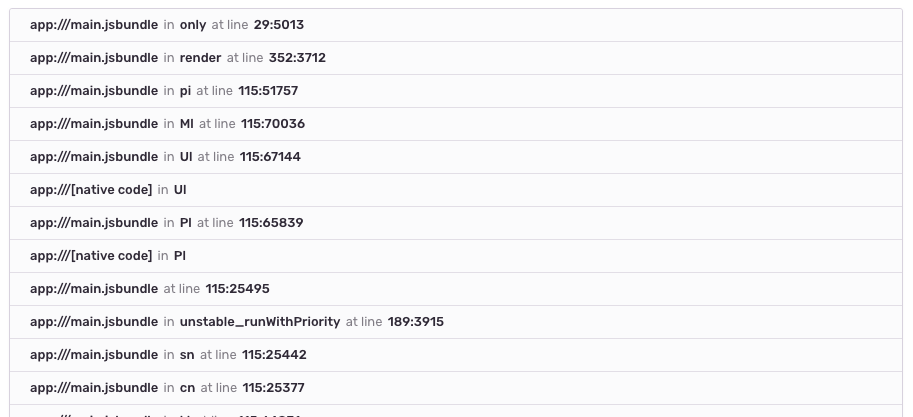
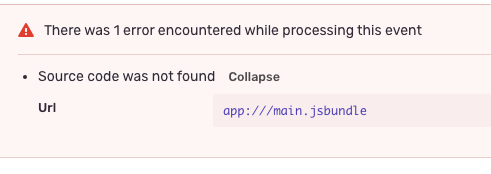
Release page (release name is matched with the issue)

My commands:
appcenter codepush release-react -a MyOrg/MyApp -d Staging -t 1.1.1 -m -p ios/MyApp/Info.plist -o ios/build
sentry-cli react-native appcenter MyOrg/MyApp ios ./ios/build/CodePush --deployment Staging
Link to the issue: https://sentry.io/share/issue/834af343805844809e251ce3c16082b6/
Is this a bug or I'm doing things wrong?
 blueberry6401
All 11 comments
Related #712
Possibly related: #703
 karltaylor
on 6 Nov 2019
karltaylor
on 6 Nov 2019
Hi, is there anyone come with solution? I'm pleased to provide any information if needed.
Additional information: stacktrace works with sentry script hooks in xcode's build phrases.
blueberry6401
on 9 Nov 2019
I switched to Bugsnag, although it's harder to integrate but I find it stable, and support Hermes on Android.
Still wait for the answer.
blueberry6401
on 13 Nov 2019
@blueberry6401 Thanks, I've looked at Bugsnag and might make the switch, but my team is already heavily invested in Sentry. It would be good to get some input from the people at @getsentry.
karltaylor
on 15 Nov 2019
I'm facing the same issue, my source maps used to work, but from a few weeks ago, sourcemap linking has just stopped working.
Anybody can provide more information?
 ospfranco
on 18 Nov 2019
ospfranco
on 18 Nov 2019
I'm debugging the issue further, so on the release tab I see none of the artifacts:
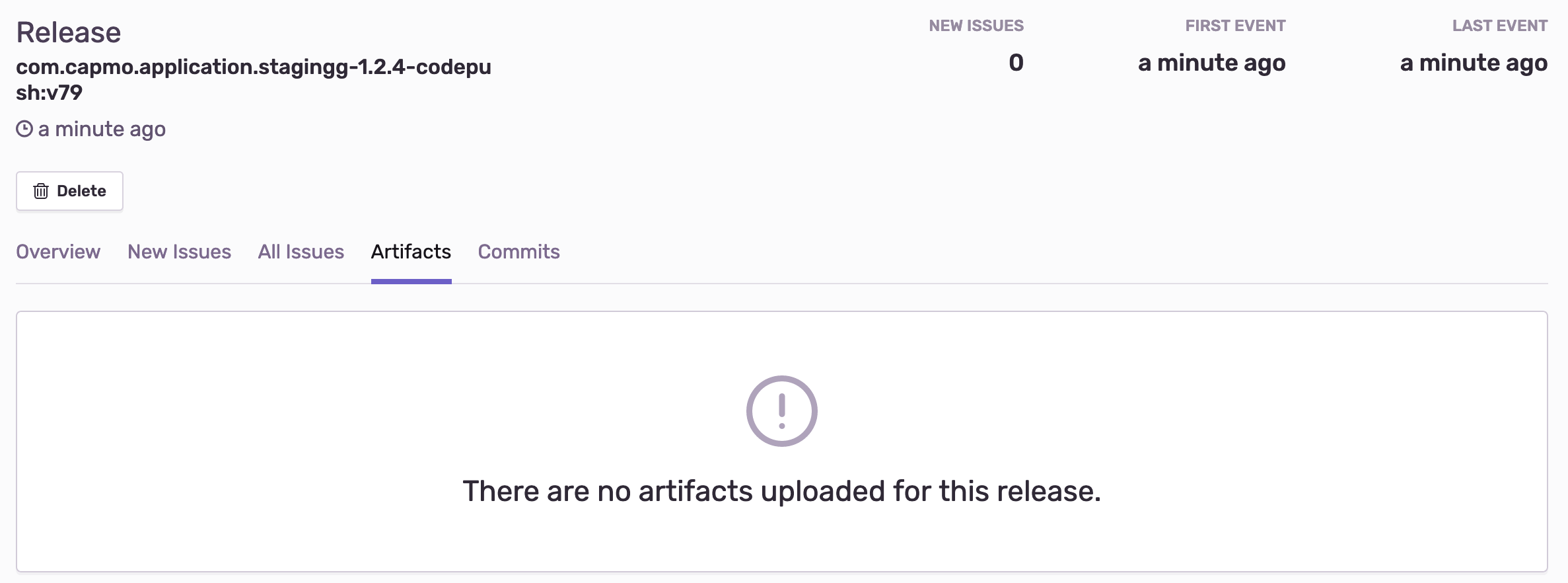
However if you see the release name it is:
com.capmo.application.stagingg-1.2.4-codepush:v79
When I print release name from the console:

It is: com.capmo.app.stagingg-codepush:v79 it is missing the app version (1.2.4), could there have been any internal changes to how the fields are applied to the source maps?
ospfranco
on 18 Nov 2019
I got it working, the problem was the cli version, like I said on my previous comment, the release name was not matching, after updating the cli library to the lastest version I'm able to upload, HOWEVER, there is also a regression bug with the latest versions.... so... kinda out of options here...
ospfranco
on 18 Nov 2019
That's right, I append the version name to setRelease in order to match the release on sentry.
Something like
sentrySetRelease(`${VersionNumber.bundleIdentifier}-${update.appVersion}-codepush:${update.label}`);
blueberry6401
on 18 Nov 2019
ah, right, if you see your sourcemaps in the artifact tab probably you have a different problem, you did help me to find the solution though, sorry I'm not able to help!
ospfranco
on 18 Nov 2019
- Put this just below
Sentry.initin your codebase
codePush.getUpdateMetadata().then((update) => {
      if (update) {
        Sentry.setDist(`codepush_${update.label}`);
      }
    });
- To deploy changes via codepush, run the following command
appcenter codepush release-react --sourcemap-output --app APP_NAME --output-dir ./build -d DEPLOYMENT_NAME
- To upload the sourcemaps of the deployed codebase to sentry, run the following commands
export SENTRY_PROPERTIES=./PLATFORM/sentry.properties
./node_modules/@sentry/cli/bin/sentry-cli react-native appcenter APP_NAME PLATFORM ./build/CodePush --deployment DEPLOYMENT_NAME --release-name RELEASE_NAME --dist DIST_NAME
where,
APP_NAME is ${owner_name}/${codepush_app_name}.
DEPLOYMENT_NAME is the name of the deployment you want to deploy the changes under i.e. Staging/Production/etc. defined in your codepush app settings.
PLATFORM is the platform you want to deploy the changes for i.e. ios/android.
RELEASE_NAME for android is: ${applicationId}@${versionName}+${versionCode} and for iOS is: ${bundleIdentifier}@${version}+${build}.
This naming convention is mandatory for RELEASE_NAME because otherwise sentry's RELEASE Health feature won't work properly. For more details, look at https://github.com/getsentry/sentry-cli/issues/577#issuecomment-610272845
Also, because, when we build our release/staging app via XCode/Android Studio, Sentry always uses that release name (hardcoded by sentry) to upload our sourcemaps and so as not to make a new release on sentry for each codepushed version, we will put them all under one release name, divided by different distribution names i.e. DIST_NAME
DIST_NAME is codepush_${codePushUpdateLabel} where codePushUpdateLabel is the name of your codepush release eg. v21, v22, etc. You can check this out by going into your codepush app webpage on appcenter website and then Distribute -> CodePush -> Select your respective deployment
codePushUpdateLabel will be at the top of of the list since which is the update you just deployed on codepush. eg. codepush_v22
 StarryFire
on 11 Jun 2020
StarryFire
on 11 Jun 2020
Got sourcemap working with appcenter codepush after some trial and failure, as documented on SO
 bjornegil
on 29 Jun 2021
bjornegil
on 29 Jun 2021
Related issues
 jamesone
·
3Comments
jamesone
·
3Comments
 kriptonhaz
·
3Comments
kriptonhaz
·
3Comments
 sercanov
·
3Comments
sercanov
·
3Comments
 hecontreraso
·
3Comments
hecontreraso
·
3Comments
 poocart
·
3Comments
poocart
·
3Comments
Most helpful comment
I'm debugging the issue further, so on the release tab I see none of the artifacts:
However if you see the release name it is:
com.capmo.application.stagingg-1.2.4-codepush:v79When I print release name from the console:

It is:
com.capmo.app.stagingg-codepush:v79it is missing the app version (1.2.4), could there have been any internal changes to how the fields are applied to the source maps?