Sentry-react-native: iOS build fails post linking
I followed the documentation to add sentry to our project. Everything worked fine till linking. Post linking, when all the data regarding token, DSN and slug related info was captured, the iOS build started failing with the following issues:
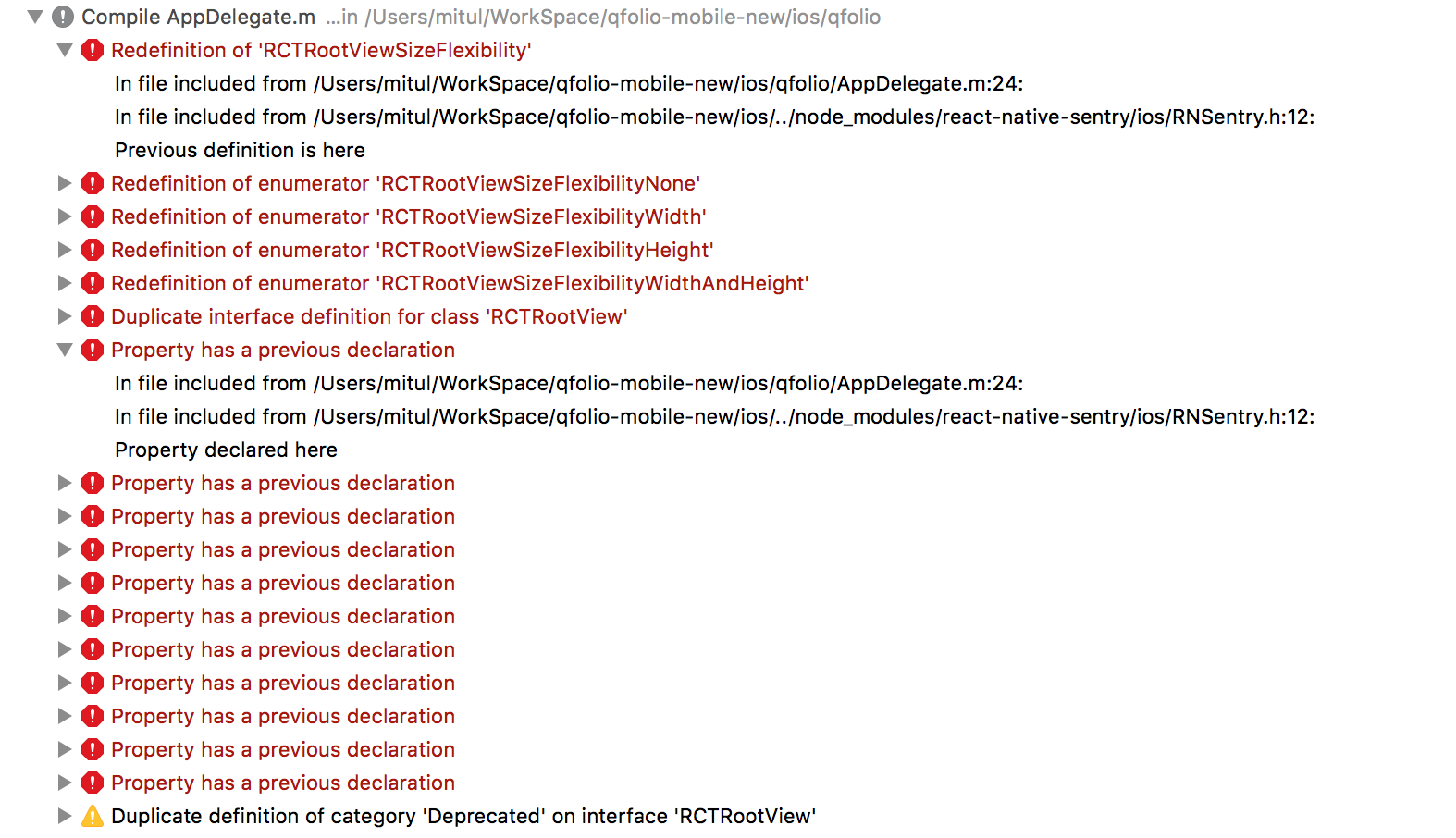

The logs clearly states that RNSentry has issues in imports. I'd like to state that the import for RNSentry in AppDelegate was not added by the linking and had to be added manually.
Upon further investigation, it seems that xcode is trying to import React related files from two different locations:
- from node modules (expected)
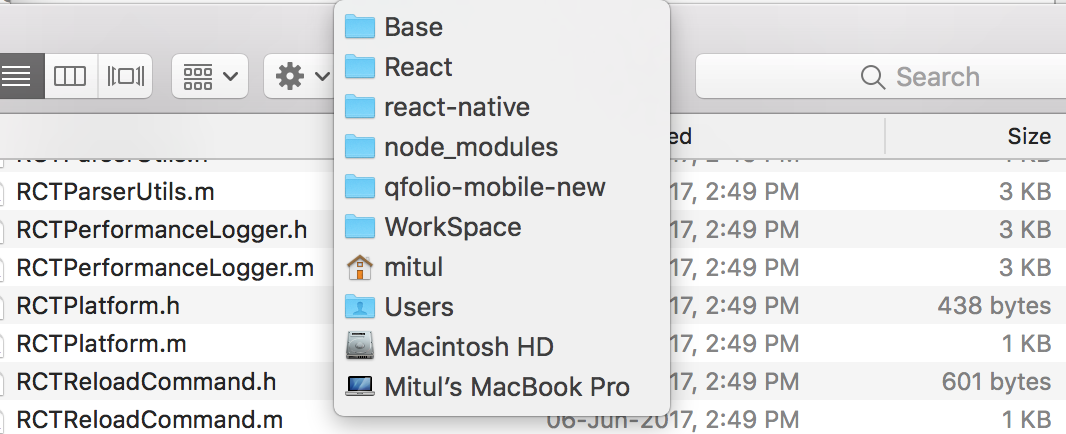
- build directory from the iOS project (unexpected)
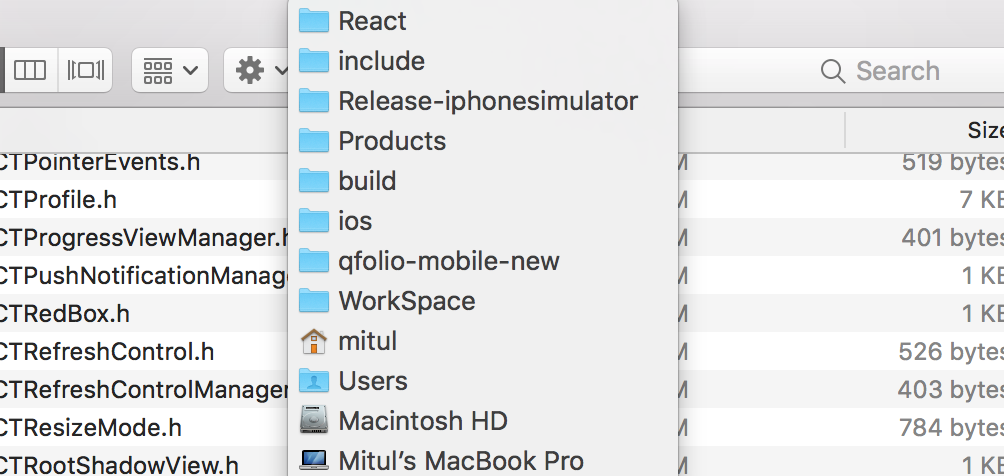
I've tried to tweak the header search paths for both our project as well as RNSentry, but to no avail. Any help or suggestion is appreciated!
 samratshekhar
All 18 comments
Facing the same error. Redefinition of 'RCTRootViewSizeFlexiblity'
RN 0.44.0
@HazAT any ideas?
 prithsharma
on 20 Jun 2017
prithsharma
on 20 Jun 2017
Update.
FWIW, after removing the import for <React/RCTRootView.h> and consecutive method + (void)installWithRootView:(RCTRootView *)rootView;, I was able to build successfully.
samratshekhar
on 20 Jun 2017
I will check that today and keep you posted.
 HazAT
on 21 Jun 2017
HazAT
on 21 Jun 2017
@HazAT I tried to do a dry run with aforementioned hack, but the upload scripts doesn't seem to work. I can't see artifacts being uploaded to the Sentry console, and the crashes mention that Sentry cannot find dsym as well as jsbundle. I tried uploading both manually, after which Sentry stopped complaining about dsym, but the missing jsbundle issue still persists.
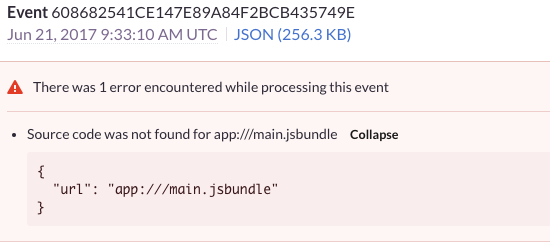
So here are my questions:
- Auto-upload not working while building from xcode - This issue seems unrelated from the hack. Could you point out if I've missed something while setting up, leading to this issue.
- Sentry unable to resolve the path of jsbundle - Can this be anyway related to the hack or because of improper setup and hence related to the first question?
samratshekhar
on 21 Jun 2017
@samratshekhar Your two questions are related since your link step didn't go through, you have to change the react-native run script.
https://docs.sentry.io/clients/react-native/manual-setup/#build-steps
This should then upload the sourcemaps correctly and resolve your issue.
HazAT
on 21 Jun 2017
@HazAT sorry for the miscommunication. react-native link was successful, but the consecutive xcode build was not. Hence I had to remove the imports from RNSentry project and change the methods it exposes to build it successfully in xcode. Here are the results of linking, which looks alright:
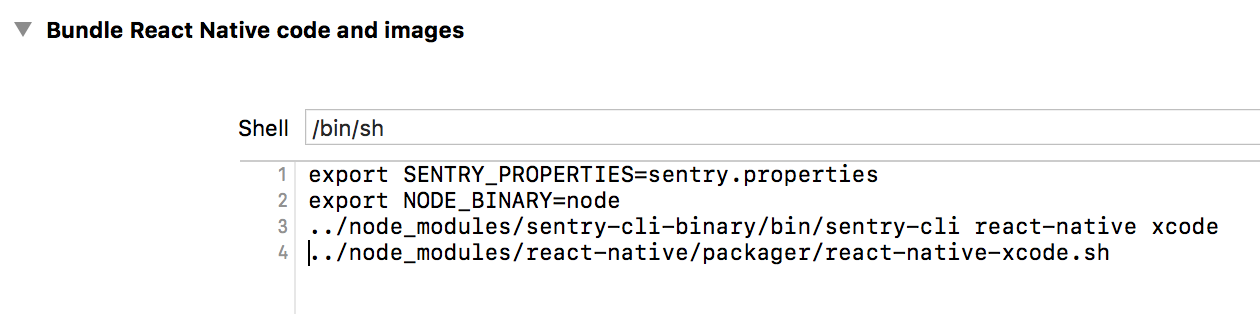

The problem is even with these commands in place, there are no uploads initiated by xcode build.
samratshekhar
on 21 Jun 2017
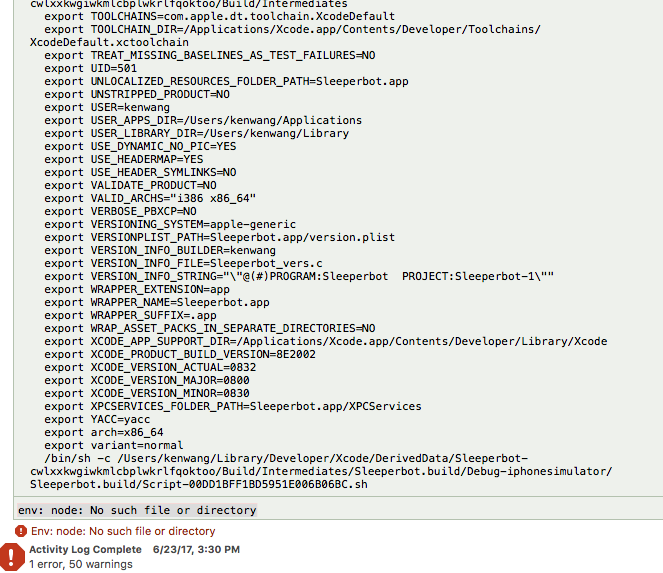
Build is also failing for me, but a different error, it complains about env: node: No such file or directory. Was able to run npm install and react-native link without issues. Fails when building to the iOS simulator.
RN: 0.45.1
Node: 7.10.0
Thanks!
 feiyingx
on 24 Jun 2017
feiyingx
on 24 Jun 2017
@feiyingx Can you check if this is in you PATH?
PATH=$PATH:/usr/local/bin
It seems like Xcode isn't able to call node.
In the run script phase you can change the location of node if necessary
export NODE_BINARY=node
HazAT
on 26 Jun 2017
@HazAT any update on the core issue of error with imports?
Thanks
samratshekhar
on 29 Jun 2017
I am not able to reproduce this,
I've just tried it with a clean project:
react-native init AwesomeProject
cd AwesomeProject
yarn add react-native-sentry
react-native link react-native-sentry
react-native run-ios
Works!
Only thing that is different is your import
#if __has_include(<React/RNSentry.h>)
#import <React/RNSentry.h> // This is used for versions of react >= 0.40
#else
#import "RNSentry.h" // This is used for versions of react < 0.40
#endif
I will close this issue for now, it must be related to either not calling react-native link react-native-sentry or calling it too often.
If you are still having trouble, please post here again.
HazAT
on 2 Aug 2017
Having exactly the same issue. Any updates?
 DanDance
on 14 Aug 2017
DanDance
on 14 Aug 2017
Please make sure to make a clean build, also clear derived data.
And call react-native unlink react-native-sentry and then react-native link react-native-sentry
HazAT
on 15 Aug 2017
It's weird, but after couple links and unlinks (yes, unlink was the last one) it started to work...
DanDance
on 18 Aug 2017
We will look into this, since this should not happen no matter what.
HazAT
on 18 Aug 2017
Same issue as @feiyingx
Node: 6.10.3 (with nvm)
react-native-sentry: "^0.29.0"
I was able to fix it with:
ln -s /Users/{user}/.nvm/versions/node/v6.10.3/bin/node /usr/local/bin/node
Changing export NODE_BINARY={path to node} didn't work for me, I wondering if somewhere is /usr/local/bin hardcoded
update:
Here is more info: https://docs.sentry.io/clients/react-native/manual-setup/#using-node-with-nvm
 binwilly
on 25 Oct 2017
binwilly
on 25 Oct 2017
The link worked:
ln -s $HOME/.nvm/versions/node/<node_version>/bin/node /usr/local/bin/node
But it takes a lot of time to finish the custom shell scripts
 hugomosh
on 6 Jun 2018
hugomosh
on 6 Jun 2018
I'm having this issue as well, seems to be caused by using nvm to manage node versions. The link made it work for me too. Would be great if this could be fixed properly though!
 jsoendermann
on 31 Aug 2018
jsoendermann
on 31 Aug 2018
Related issues
 KevinColemanInc
·
3Comments
KevinColemanInc
·
3Comments
 bneigher
·
3Comments
bneigher
·
3Comments
 kriptonhaz
·
3Comments
kriptonhaz
·
3Comments
 Coci0alex
·
3Comments
Coci0alex
·
3Comments
 ThomasLarge
·
3Comments
ThomasLarge
·
3Comments
Most helpful comment
Same issue as @feiyingx
Node: 6.10.3 (with nvm)
react-native-sentry: "^0.29.0"
I was able to fix it with:
ln -s /Users/{user}/.nvm/versions/node/v6.10.3/bin/node /usr/local/bin/nodeChanging
export NODE_BINARY={path to node}didn't work for me, I wondering if somewhere is /usr/local/bin hardcodedupdate:
Here is more info: https://docs.sentry.io/clients/react-native/manual-setup/#using-node-with-nvm