Sentry-laravel: Add Laravel version to tags
In our project, the application is deployed to several different services with automatic updates.
Therefore, I suggest adding the output of the Laravel version to the tags:
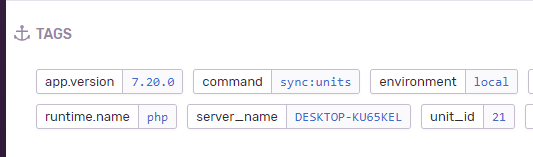
$scope->setTag('app.version', app()->version());
 andrey-helldar
All 6 comments
Hi @andrey-helldar, I don't think that should be something that is advisable to do.
You can do this yourself in your project or use the optional ModulesIntegration which would list all installed composer packages and their versions. I would also suggest not calling it app.version but laravel.version since that is what it's showing you.
For most people I would suggest having a composer.lock and tie that to your release process so you know which Laravel version you are running for your release version (which you can set in config/sentry.php).
 stayallive
on 20 Jul 2020
stayallive
on 20 Jul 2020
Hi @stayallive, I connected the integration module for displaying versions of installed packages, but Sentry does not allow filtering events by them (or I did not find how to do this). Therefore, I suggested adding the version of the application itself to tags.
As for the name "laravel.version" instead of "app.version", this is a moot point. After all, the package "sentry / sentry-laravel" is installed only on Laravel / Lumen and I think it is unnecessary to add this word again.
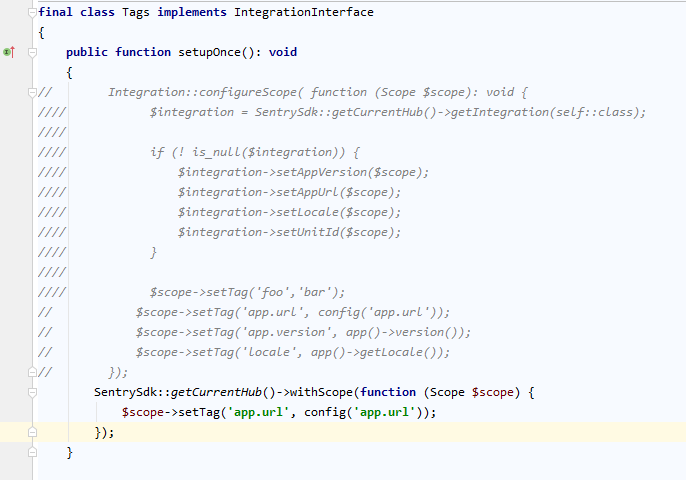
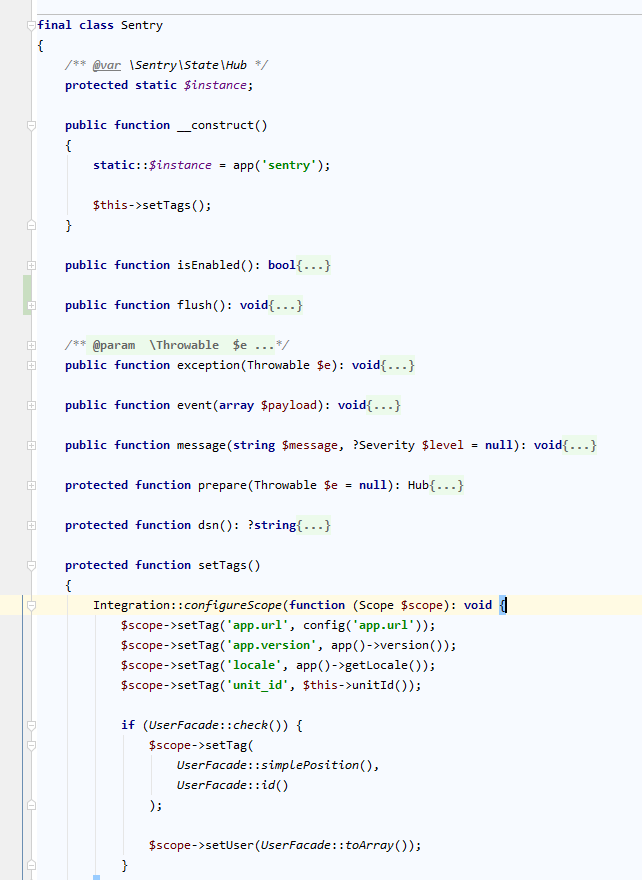
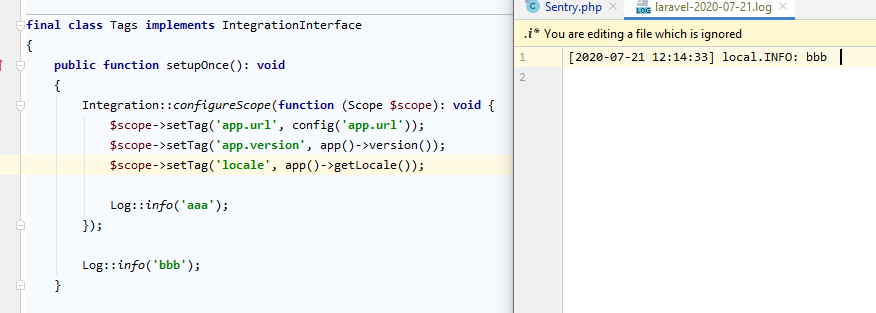
In addition, I did not manage to add tags through integrations.
Doesn't work:
Working:
andrey-helldar
on 21 Jul 2020
Ah, I'm sorry I did not realise you wanted to search for this and that you can't do that inside Sentry.
About setting the tags, you are almost doing it correctly, you are doing:
SentrySdk::getCurrentHub()->withScope(function (Scope $scope) { ... });
However that is wrong, withScope will discard any changes made to the scope after the closure finished running, you should use configureScope.
You want:
SentrySdk::getCurrentHub()->configureScope(function (Scope $scope) { ... });

// or

app('sentry')->configureScope(function (Scope $scope) { ... });

// or

Integration::configureScope(function (Scope $scope) { ... });
See the docs outlining this: https://docs.sentry.io/platforms/php/#tagging-events
As for the name "laravel.version" instead of "app.version", this is a moot point. After all, the package "sentry / sentry-laravel" is installed only on Laravel / Lumen and I think it is unnecessary to add this word again.
You are right, but naming it app.version looks to me you are referring to the version of the application but it's actually the version of the Laravel Framework, so I suggested doing that to prevent this confusion that it's not the application version but the Laravel version.
However you are ofcourse free to do and name it how it's clear for you, it was just a friendly suggestion 👍
stayallive
on 21 Jul 2020
I understood which version of the application you are talking about. I agree with you that it is correct to name "laravel.version".
About tags. Now, to add tags, I created a class in which I define them, and I transfer errors to Sentry through it:
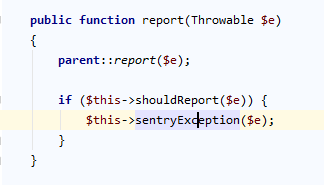
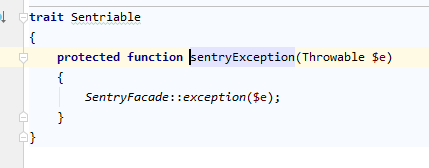
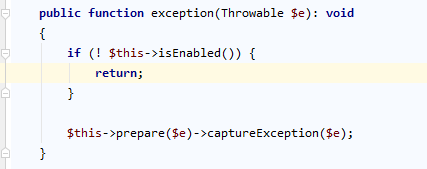
In this case, all tags are successfully attached.
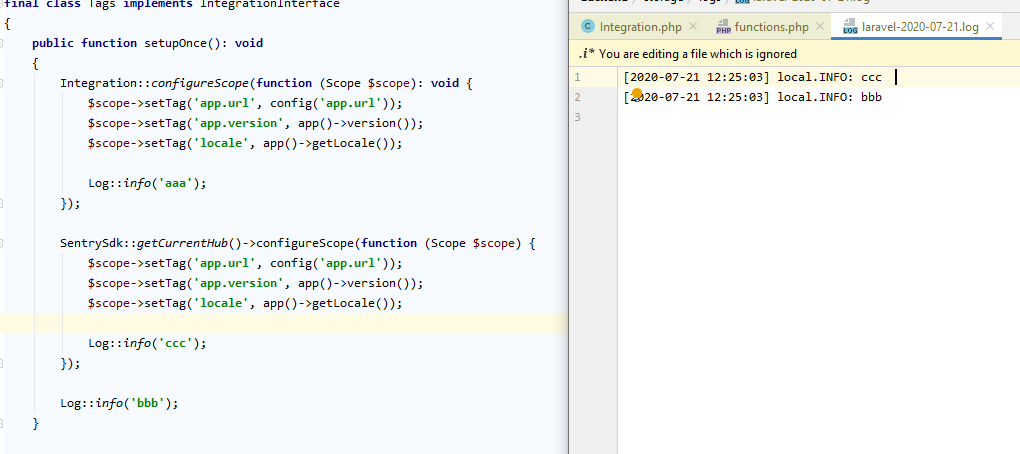
But if I set tags in the integration, then they are not attached to the request.
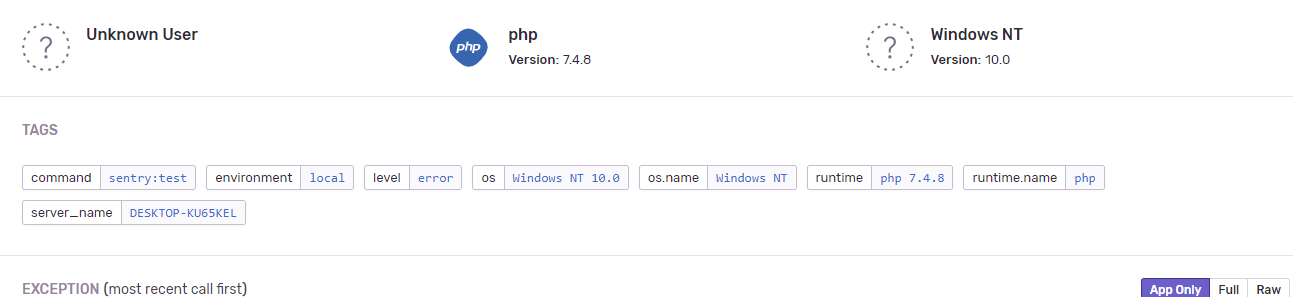
andrey-helldar
on 21 Jul 2020
But:

andrey-helldar
on 21 Jul 2020
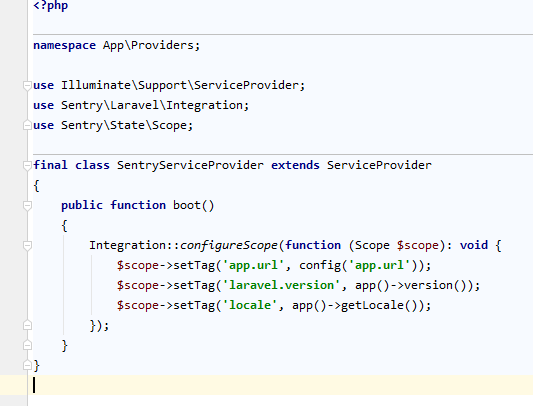
I found a solution - the provider created a service and showed all the necessary data in it.

👍
andrey-helldar
on 21 Jul 2020
Related issues
 carlosrgzm
·
7Comments
carlosrgzm
·
7Comments
 vladislavtkachenko
·
4Comments
vladislavtkachenko
·
4Comments
 yoyosan
·
5Comments
yoyosan
·
5Comments
 masoudjahromi
·
4Comments
masoudjahromi
·
4Comments
 joveice
·
8Comments
joveice
·
8Comments