Sendgrid-php: Unable to display Apple Mac Mail attachments inline
I am having problems displaying attachments to Mac Mail users correctly inline. SendGrid enforces providing a Content ID for attachments that are inline.
This error is returned if you do not supply a content_id for inline attachments.
The content_id parameter is required if disposition = 'inline'.
Normal inline presentation
Example raw message that display attachements inline correctly. No content ID provided.
`--Apple-Mail=_1FB2EB38-2B95-4A21-88BB-DC6245769700
Content-Disposition: inline;
filename=0880518.pdf
Content-Type: application/pdf;
x-unix-mode=0644;
name="0880518.pdf"
Content-Transfer-Encoding: base64
JVBERi0xLjUKJcfsj6IKNSAwIG9iago8PC9MZW5ndGggNiAwIFIvRmlsdGVyIC9GbGF0ZURlY29k...`
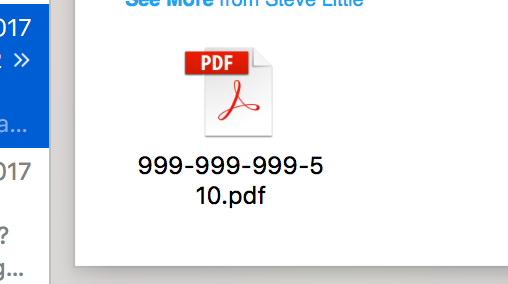
Attachments with SendGrid Content ID
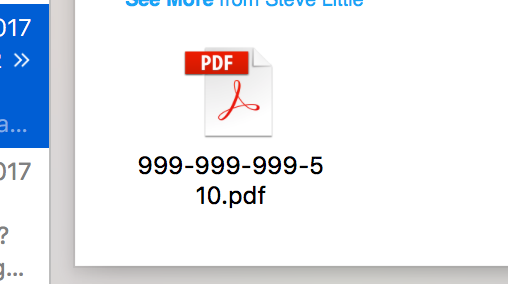
Example raw message from SendGrid with enforced content ID. Attachments are hidden from Apple Mac Mail users and they have to go to the paperclip to download.
`--3c509c1dc7ba3b392a6bff62bf8329240110cffb8b861a6f11c1f28c1c38
Content-Disposition: inline; filename="0880518.pdf"
Content-ID: \
Content-Type: application/pdf; name="0880518.pdf"
JVBERi0xLjUKJcfsj6IKNSAwIG9iago8PC9MZW5ndGggNiAwIFIvRmlsdGVyIC9GbGF0ZURlY29k...`

Also, 'Content-Disposition: Attachment' also has the same effect.
- sendgrid-php Version: 3.9.3
- PHP Version: 5.6.30
 craigalways
All 7 comments
Hi!
I am not from the SendGrid team but I will try to solve your problem! 👍
First of all: sendgrid-php version 3.9.3 doesn't seem to exist in this library. It seems you gave the server of the php-http-client 3.9.3. If you ar e not on the latest version you should update as this might just solve your problem. So now, assuming you are using the v3 API:
The SendGrid documentation states;
The content-disposition of the attachment specifying how you would like the attachment to be displayed. For example, "inline" results in the attached file being displayed automatically within the message while "attachment" results in the attached file requiring some action to be taken before it is displayed (e.g. opening or downloading the file). Defaults to "attachment". Can be either "attachment" or "inline".
This means you can use this for an image for example.
Let say you have an image and you make the content_id: logo_big then I imagine you can use the image inside the email body. Like so:
<img src="logo_big" />
As the docs state:
A unique id that you specify for the attachment. This is used when the disposition is set to "inline" and > the attachment is an image, allowing the file to be displayed within the body of your email. Ex:
<img src="cid:ii_139db99fdb5c3704"></img>
I don't know how to do this with PDF's though. This example might help or you could read the v3 documentation
 martijnmelchers
on 10 Apr 2018
martijnmelchers
on 10 Apr 2018
Hi @martijnmelchers, Thanks for taking a look.
The version number should be 6.0.0 sorry, which is using V3 API.
For images, this works great but this doesn't work for PDFs.
I have a support case open with SendGrid as it's a server response.
There might be a library workaround.
Thank,
Craig
craigalways
on 10 Apr 2018
Hello @craigalways,
To imbed a PDF inline, I believe the only option would be to convert it to an image.
With Best Regards,
Elmer
 thinkingserious
on 10 Apr 2018
thinkingserious
on 10 Apr 2018
Hi @thinkingserious, when I say inline I mean the term loosely. I just mean that the attachments are displayed like this in Mac Mail. I had a customer ring up saying the invoice wasn't attached.
Thanks for taking a look,
Regards,
Craig
craigalways
on 11 Apr 2018
Ok, my brain is starting to hurt now.
Adding this \ to the start of the HTML email body content fixes the issue to a certain degree but the attachments display open instead of icons.
Thanks for your help.
Regards,
Craig
craigalways
on 11 Apr 2018
@craigalways What exactly did you do so people who find this thread later know how to fix it!
Thanks!
martijnmelchers
on 11 Apr 2018
@martijnmelchers, sorry GitHub removed the HTML tag from my comment I have escaped the brackets now.
craigalways
on 11 Apr 2018
Related issues
 rsalunga29
·
4Comments
thinkingserious
·
3Comments
rsalunga29
·
4Comments
thinkingserious
·
3Comments
 atsareva
·
4Comments
atsareva
·
4Comments
 buddyy93
·
5Comments
buddyy93
·
5Comments
 elshafey
·
4Comments
elshafey
·
4Comments
Most helpful comment
@martijnmelchers, sorry GitHub removed the HTML tag from my comment I have escaped the brackets now.