Semgrep: Deleting notification not updating display AND semi-corrupting data
Describe the bug
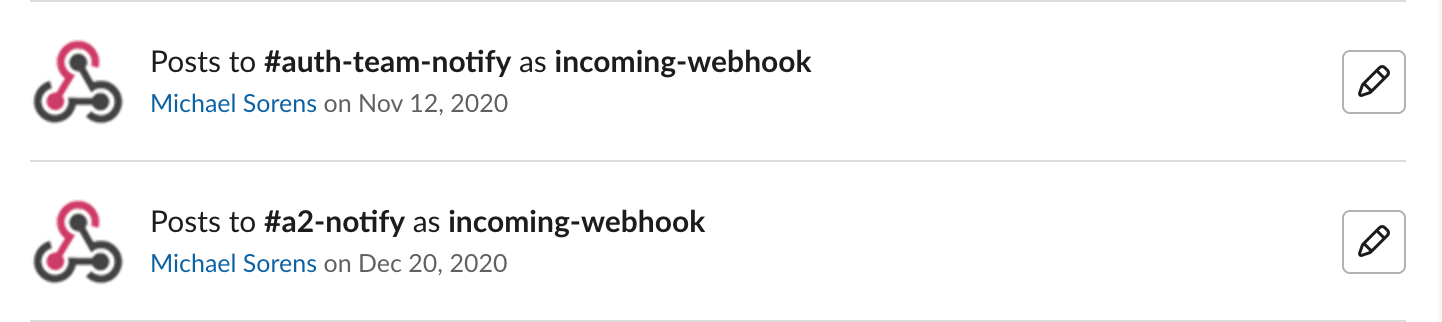
- Created webhook in https://chefio.slack.com / #auth-team-notify on November 12.
- Created webhook in https://chefio.slack.com / #a2-notify on December 20.
https://chefio.slack.com/apps/... then correctly showed these two:
In https://semgrep.dev/manage/notifications, I pressed Delete to remove the earlier notification.
=> First issue: Apparently nothing happened; both still showed.I then refreshed the page.
=> Second issue: the old notification went away, but the second notification appeared twice! (I blanked out for security reasons, but the two URLs are identical.)
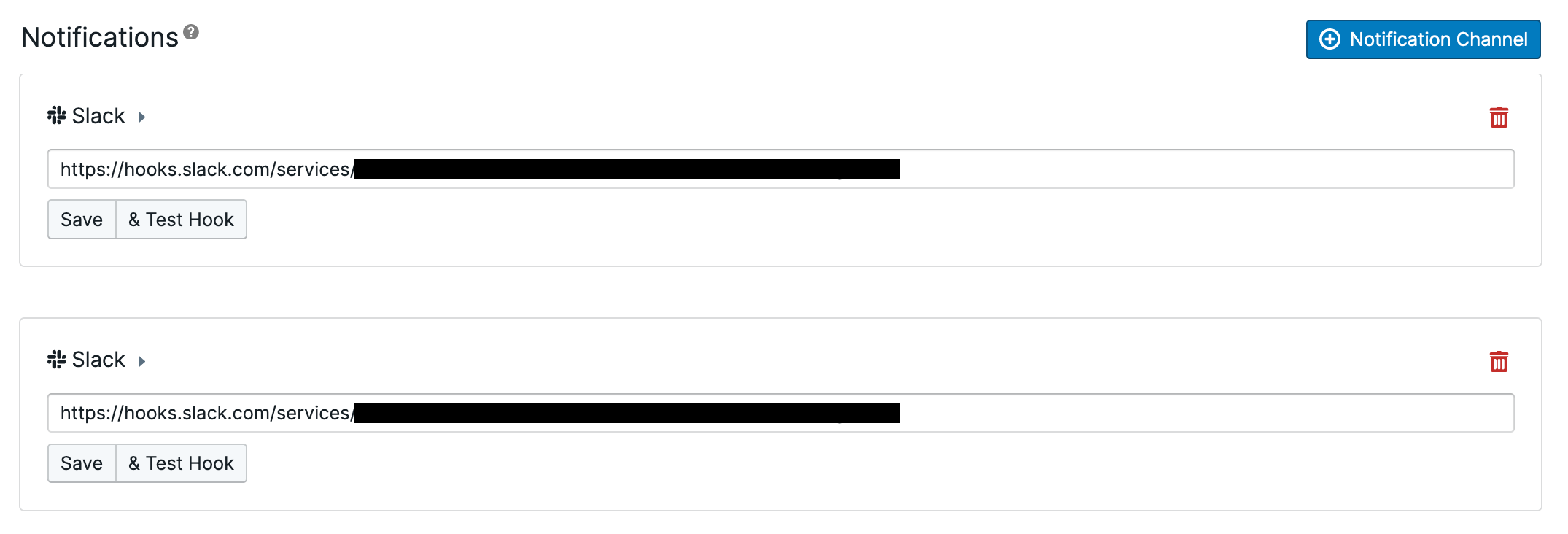
I then pressed Delete on one of them and this time the display updated itself, now showing just one.
To Reproduce
As above.
Expected behavior
Selected notification should have been correctly removed, and the screen updated to reflect this, in step 3.
Screenshots
As above.
What is the priority of the bug to you?
Is this a P0 (blocking your adoption of Semgrep or workflow), P1 (important to fix or quite annoying), P2 (regular bug that should get fixed)?
P2 regular -- not something I would need again in the near term.
Environment
??
 msorens
All 4 comments
Hi @msorens,
Interesting behavior - seems like there could be a race condition somewhere. Unfortunately I'm unable to reproduce.
Here are the exact steps I tried:
- Visit https://semgrep.dev/manage/notifications
- "+ Notification Channel" -> Slack -> paste valid Slack hook URL1 -> Save
- "+ Notification Channel" -> Slack -> paste valid, but different, Slack hook URL2 -> Save
- Delete URL2 -> successfully deleted action
- Delete URL1 -> successfully deleted action
I'm unable to reproduce the failed delete, or the duplicated URL. I also tried with URL1 == URL2, but still no luck. Are you still able to reproduce this behavior?
This sounds like it could be browser/OS dependent. Could you include your system information/versions?
 mschwager
on 22 Dec 2020
mschwager
on 22 Dec 2020
Just experimented a bit and I am seeing a new variation, 100% repeatable.
(This is more reliable data since I was paying close attention to my steps carefully this time.)
My system is a Mac running Mojave (10.14.6).
Same issues in Chrome [Version 87.0.4280.88 (Official Build) (x86_64)] and in Firefox [84.0.1 (64-bit)].
Today I started with my one good, working slack notification and never touched that one.
Steps:
- I added a new dummy slack notification, e.g., https://hooks.slack.com/services/foo/chrome01
- I then deleted the notification, it was removed from the page, but I did NOT receive a successful deletion notice.
- I refreshed the page and that notification was visible again. (Along with my one good one mentioned above.)
- Refreshing several times over a couple minutes and that supposedly deleted notification persisted.
- I deleted it again, it was removed from the page, and this time I DID receive a successful deletion notice. And it did NOT reappear upon refreshing.
This seems to be the crucial point:
To fail ("fail" being defined as (a) no deletion notice and (b) item returns upon refresh):
Create notification, NO refresh, then delete notification.
To succeed:
Create notification, do one or more refreshes, then delete notification.
msorens
on 23 Dec 2020
Ahh, thanks for the clarification, I'm able to reproduce now. This appears to be a bug in our state management between "Save" and "Delete" functionality. Since this is low priority, we'll hold off on a fix until after the new year :+1:
mschwager
on 23 Dec 2020
Hey @msorens,
A fix has been pushed. The cloud app will receive the fix next time we release, which should be in the next couple days :+1:
Thanks again for finding this!
mschwager
on 8 Jan 2021
Related issues
 ghbren
·
5Comments
ghbren
·
5Comments
 DrewDennison
·
4Comments
DrewDennison
·
4Comments
 ajinabraham
·
6Comments
ajinabraham
·
6Comments
 dev-zero
·
4Comments
msorens
·
4Comments
dev-zero
·
4Comments
msorens
·
4Comments