Semantic-ui: Modal close icon appears outside of modal bounds for widescreen monitor width
For widths greater than a certain breakpoint (it looks like widescreenMonitorWidth but I'm not totally sure), the close icon in a modal pops out of its containing modal. It looks fine at smaller widths, though.

Here's a test case: https://jsfiddle.net/wisew/etya3t25/1/
 mnquintana
All 8 comments
This is intentional, and prevents overlap with long titles
 jlukic
on 18 Aug 2015
jlukic
on 18 Aug 2015
@jlukic Thanks for the update! That makes sense, but I'm not sure if it looks intentional (it fits with the basic style modal, but it doesn't seem consistent with the placement of the icon at other viewport widths). Also, this isn't consistent with fullscreen modals - though it'd be more difficult, it would still be possible for header text to overlap with the close icon, but it's still displayed inside the modal.
mnquintana
on 18 Aug 2015
With 2.2.6 and IE 11 if the browser window is made smaller than the actual modal, the close icon disappears. Firefox seems ok. Also, I wish we had a (class) option to keep the X inside the modal header at all times for any modal type.
Example of the close icon issue:
Imgur
 kmd1970
on 7 Dec 2016
kmd1970
on 7 Dec 2016
This issue has been automatically marked as stale because it has not had recent activity. It will be closed in 30 days if no further activity occurs. Thank you for your contributions.
![stale[bot] picture](https://avatars.githubusercontent.com/in/1724?v=4&s=40) stale[bot]
on 23 Feb 2018
stale[bot]
on 23 Feb 2018
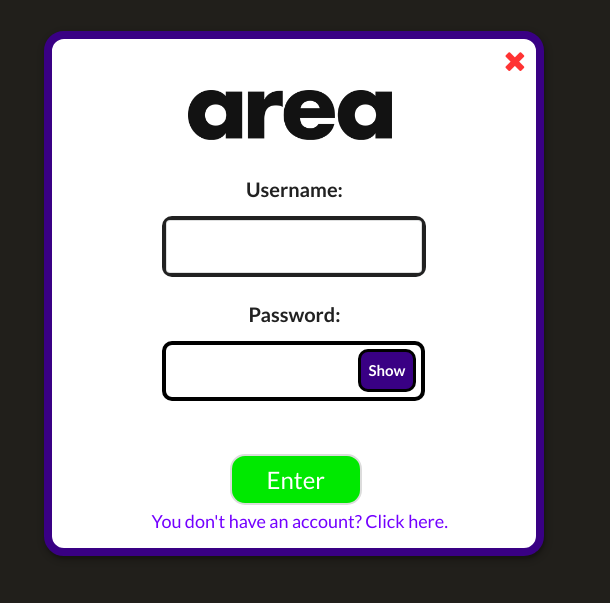
I found an easy (bit ugly) solution. It works like a charm. Modify as you wish.
Before:
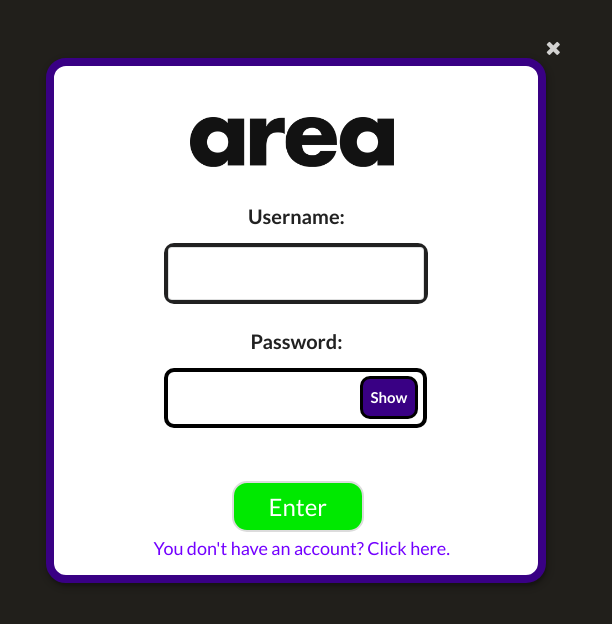
i.close.icon::before {
    cursor: pointer;
    position: absolute;
    font-size: 25px;
    color: red;
    left: -30px;
    top: 45px;
}
After:
 josemartindev
on 29 Jan 2019
josemartindev
on 29 Jan 2019
I prefer to leave my components with no inline style but if it works then that's great!
josemartindev
on 3 Jun 2019
When multiple/nested modals are used, they overlap over each other and close icon from one modal is placed near close icon of the other modal, so it's a total mess. Moreover, close icon of parent modal can be clicked by mistake.
 ethernidee
on 6 Dec 2019
ethernidee
on 6 Dec 2019
We prepared this in Fomantic-UI by https://github.com/fomantic/Fomantic-UI/pull/1215
If you add inside to the close icon , it behaves the desired way
See example here https://jsfiddle.net/m59p0wq1/
 lubber-de
on 11 Dec 2019
lubber-de
on 11 Dec 2019
Related issues
 zhaoyao91
·
3Comments
zhaoyao91
·
3Comments
 mixerp
·
3Comments
mixerp
·
3Comments
 ghost
·
3Comments
ghost
·
3Comments
 arj-196
·
3Comments
arj-196
·
3Comments
 iPaoo
·
3Comments
iPaoo
·
3Comments
Most helpful comment
We prepared this in Fomantic-UI by https://github.com/fomantic/Fomantic-UI/pull/1215
If you add
insideto theclose icon, it behaves the desired waySee example here https://jsfiddle.net/m59p0wq1/