Semantic-ui-react: fix(Dropdown): placeholder value changes on opening the dropdown without selecting a value
Steps to Reproduce
- open the dropdown
Expected
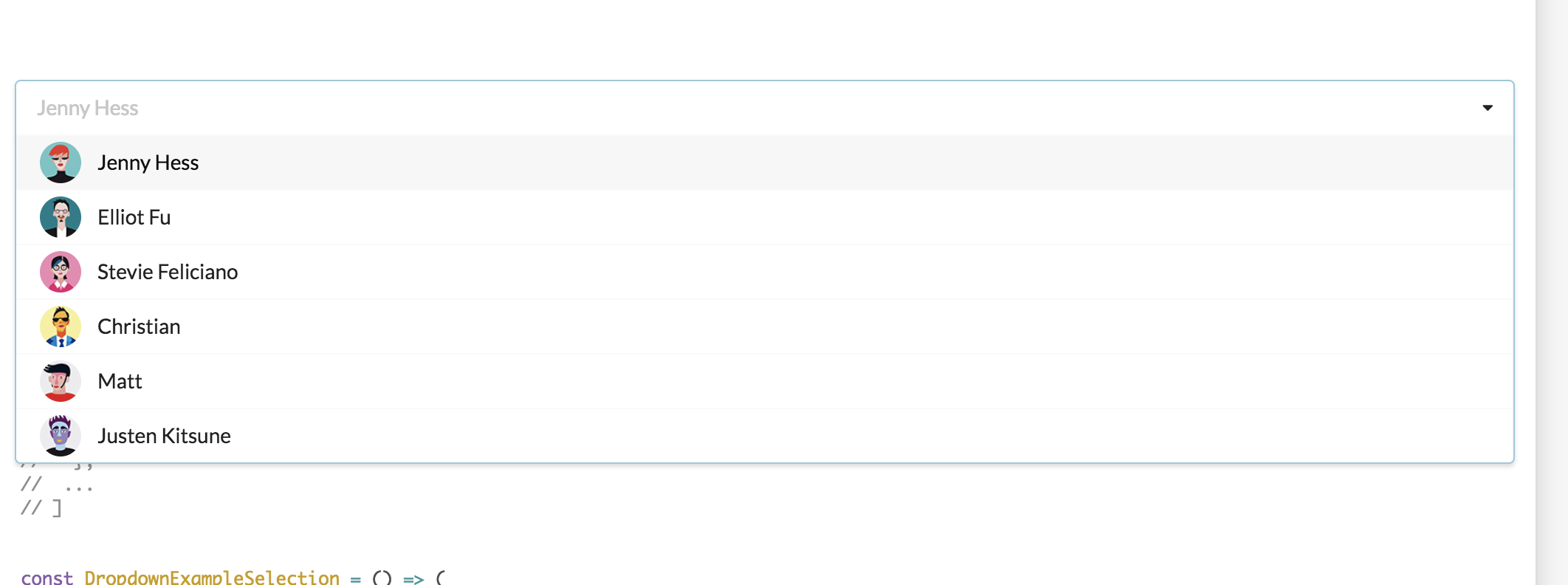
Place holder value should remain intact until a value is selected
Result
Placeholder value changes to first option.
Testcase
 meghnaraju
All 5 comments
👋 Thanks for opening your first issue here! If you're reporting a 🐞 bug, please make sure you've completed all the fields in the issue template so we can best help.
We get a lot of issues on this repo, so please be patient and we will get back to you as soon as we can.
![welcome[bot] picture](https://avatars0.githubusercontent.com/in/4141?v=4&s=40) welcome[bot]
on 11 Apr 2018
welcome[bot]
on 11 Apr 2018
I don't know if that case is a issue. Only happen when you have selection and it is not multiple or search. I solved that case to keep placeholder in this way.
<Dropdown
        selectOnBlur={false}
        onChange={this.handleChange}
        placeholder="Select State ..."
        selection
        options={options}
        text={value || "Select State ..."}
      />
it is only a example, you can manage in other way. You can check it from here. See codepen
 Xopsy
on 11 Apr 2018
Xopsy
on 11 Apr 2018
This is, in fact, the intended behavior of the Dropdown. See the original Dropdown here:
https://semantic-ui.com/modules/dropdown#search-selection
The placeholder is used to show a preview of the selected item's value or text attribute.
 levithomason
on 13 Apr 2018
levithomason
on 13 Apr 2018
@levithomason This is not happening on the link you shared, and the behavior is different if we check on React Semantic Dropdown and Semantic UI Dropdown.
On react the placeholder changes, on the other one not.
Also on react, if you open the dropdown and close it by clicking outside, without selecting any option, the first option will be automatically selected, which is pretty weird, given that if you open and click on the Dropdown itself (on the input field), then a value is not selected.
 reenan
on 15 Jun 2019
reenan
on 15 Jun 2019
This behavior is indeed weird, please reopen
 whitebyte
on 13 Apr 2020
whitebyte
on 13 Apr 2020
Related issues
 hankthewhale
·
3Comments
hankthewhale
·
3Comments
 mattmacpherson
·
3Comments
mattmacpherson
·
3Comments
 nolandg
·
3Comments
nolandg
·
3Comments
 laukaichung
·
3Comments
laukaichung
·
3Comments
 ryanpcmcquen
·
3Comments
ryanpcmcquen
·
3Comments
Most helpful comment
This behavior is indeed weird, please reopen