Selenium: Command line server for the IE driver has stopped working (upgrading to 3.6 from 3.4)
Meta -
OS:
Microsoft Windows 10 Pro 10.0.15063 build 15063
Selenium Version:
robotframework (3.0.2)
robotframework-ftplibrary (1.4)
robotframework-requests (0.4.7)
robotframework-selenium2library (1.8.0)
robotframework-seleniumlibrary (3.0.0b1)
robotframework-SikuliLibrary (0.1.5)
Browser:
Ie11
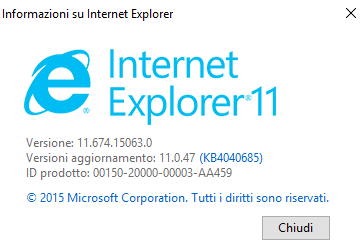
Browser Version:
Expected Behavior -
Browser should be opened
Actual Behavior -
Browser crash opening
Steps to reproduce -
Execute this Test
*** Settings ***
Library                  SeleniumLibrary     15    15

*** Test Cases ***
CrashTest
    Open Browser            https://www.google.com              ie
i used the last version of 32 bit driver (http://www.seleniumhq.org/download/) .

if i use the 3.4 version, it works

how i can give some log?
thanks.
 andreabisello
All 8 comments
@barancev where i can find crash log? i'm using selenium by robotframework, i tried to google about it, but i'm not able to find where logs are.
andreabisello
on 19 Oct 2017
@barancev on Robot Framework , IE crash only using the
Open Browser url ie
keyword.
i can split this operation with
Create Webdriver Ie
Go To url
it works.
i'm moving the issue on Seleniumlibrary
andreabisello
on 19 Oct 2017
This actually look like a Selenium or IEDriverServer.exe problem. When I have this code:
from selenium import webdriver


driver = webdriver.Ie()
driver.set_script_timeout(5.0)
driver.get('https://www.google.fi')
driver.quit()
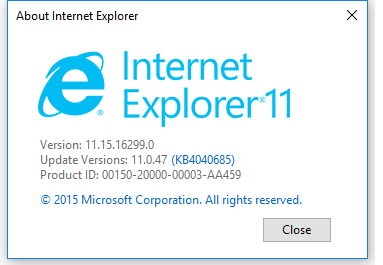
And I am using Windows 10 with this IE version:
 .
.
And I have Selenium 3.6.0 installed.
Then if have IEDriverServer.exe (32bit) 3.4.0 in the %PATH% then the above code works fine. But if I have IEDriverServer.exe (32bit) 3.5.0 or 3.6.0 in the %PATH% then I see this exception:
```
Traceback (most recent call last):
File "example.py", line 5, in
driver.set_script_timeout(5.0)
File "C:\Python27\lib\site-packages\selenium\webdriver\remote\webdriver.py", line 796, in set_script_timeout
'script': int(float(time_to_wait) * 1000)})
File "C:\Python27\lib\site-packages\selenium\webdriver\remote\webdriver.py", line 306, in execute
response = self.command_executor.execute(driver_command, params)
File "C:\Python27\lib\site-packages\selenium\webdriver\remote\remote_connection.py", line 464, in execute
return self._request(command_info[0], url, body=data)
File "C:\Python27\lib\site-packages\selenium\webdriver\remote\remote_connection.py", line 526, in _request
resp = opener.open(request, timeout=self._timeout)
File "C:\Python27\lib\urllib2.py", line 429, in open
response = self._open(req, data)
File "C:\Python27\lib\urllib2.py", line 447, in _open
'_open', req)
File "C:\Python27\lib\urllib2.py", line 407, in _call_chain
result = func(*args)
File "C:\Python27\lib\urllib2.py", line 1228, in http_open
return self.do_open(httplib.HTTPConnection, req)
File "C:\Python27\lib\urllib2.py", line 1201, in do_open
r = h.getresponse(buffering=True)
File "C:\Python27\lib\httplib.py", line 1136, in getresponse
response.begin()
File "C:\Python27\lib\httplib.py", line 453, in begin
version, status, reason = self._read_status()
File "C:\Python27\lib\httplib.py", line 409, in _read_status
line = self.fp.readline(_MAXLINE + 1)
File "C:\Python27\lib\socket.py", line 480, in readline
data = self._sock.recv(self._rbufsize)
socket.error: [Errno 10054] An existing connection was forcibly closed by the remote host
````
If I remove the line driver.set_script_timeout(5.0) then the above code works also fine with IEDriverServer.exe (32bit) 3.5.0 or 3.6.0.
Could the issue be reopened and investigated?
 aaltat
on 19 Oct 2017
aaltat
on 19 Oct 2017
Could the issue be reopened and investigated because the problem seems to be at the IEDriverServer.exe side.
aaltat
on 24 Oct 2017
I am dealing with "Command line server for the IE driver has stopped working" error on Microsoft Azure even on freshly installed instance. Any version of IEDriverServer.exe doesn't work. Try to use 32-bits version and not 64-bits. Be sure, you have not IEDriverServer.exe in different PATH.
 pavoltravnik
on 15 Feb 2018
pavoltravnik
on 15 Feb 2018
I'm still facing this issue. 32 bit IE driver doesn't work with 64 bit version on Windows 10 or Azure machine & Selenium C#. Can anyone help ?
 iPiyushPatel
on 2 May 2018
iPiyushPatel
on 2 May 2018
I have the same problem. Driver is most recent: IEDriverServer_Win32_3.11.1. I am using Windows 7 Enterprise (Version 6.1, Service Pack 1).
 cliffbdf
on 11 May 2018
cliffbdf
on 11 May 2018
To anyone saying, "I am having this problem too," there can be any number of things that can cause this issue ("Command line serverfor the IE driver has stopped working"). The root cause for the initial report has, in fact, been fixed. If you're receiving this error now, you'll need to file a new issue, and (_and this is absolutely critical_) you must include code that reproduces the issue. This particular issue will not be reopened.
 jimevans
on 11 May 2018
jimevans
on 11 May 2018
Related issues
 giacgbj
·
4Comments
giacgbj
·
4Comments
 gauntface
·
3Comments
gauntface
·
3Comments
 appunikki
·
3Comments
appunikki
·
3Comments
 VishnuAtDevopStation
·
3Comments
VishnuAtDevopStation
·
3Comments
 jasonfb
·
3Comments
jasonfb
·
3Comments
Most helpful comment
Could the issue be reopened and investigated because the problem seems to be at the IEDriverServer.exe side.