Selectize.js: Suggestions don't appear in dropdown, when loading from remote source
I configured a field like so:
$('#industry_include').selectize({
        delimiter: ',',
        valueField: 'value',
        labelField: 'name',
        options: [],
        persist: false,
        create: false,
        load: function(query, callback) {
            if (!query.length) return callback();
            $.ajax({
                url: '/sales/industry/search/' + query,
                error: function() {
                    callback();
                },
                success: function(res) {
                    callback(res);
                }
            });
        }
    });
However, though the query succeeds, no dropdown appears. If I mouse out, and then back in, the dropdown appears with the proper search results in it.
When the original search occurs, line 2110 in the standalone build,
self.hasOptions = results.items.length > 0 || has_create_option;
Returns that results.items.length is zero, though results were clearly returned.
 Saeven
All 15 comments
Can you give an excerpt of your data?
 brianreavis
on 27 Jan 2015
brianreavis
on 27 Jan 2015
I also have this issue, this is my code:
$('.select-repo').selectize({
valueField: 'code.value',
labelField: 'code.value',
searchField: 'code.value',
options: [],
create: false,
render: {
    option: function(item, escape) {
        // return  item;
        return '<div>' +
            '<span class="title">' +
                '<span class="name"><i class="icon ' + (item.code.value ? 'fork' : 'source') + '"></i>' + item + '</span>' +
                '<span class="by">' + item.code.value + '</span>' +
            '</span>' +
            '<span class="description">' + item.description.value + '</span>' +
            '<ul class="meta">' +
                (item.price.value ? '<li class="language">' + item.price.value + '</li>' : '') +
                '<li class="watchers"><span>' + item.code.value + '</span> watchers</li>' +
                '<li class="forks"><span>' + item.price.value + '</span> forks</li>' +
            '</ul>' +
        '</div>';
    }
},
// score: function(search) {
//     var score = this.getScoreFunction(search);
//     return function(item) {
//         return score(item) * (1 + Math.min(item.watchers / 100, 1));
//     };
// },
load: function(query, callback) {
    if (!query.length) return callback();
    // console.log(query);
    $.ajax({
        url: 'http://sonnenkraft/symphony/api/entries/ricambi/?auth-token=4b656dca&format=json&fields=code&filter[code]=regexp:' + encodeURIComponent(query),
        // url: 'https://api.github.com/legacy/repos/search/' + encodeURIComponent(query),
        type: 'GET',
        dataType: 'json',
        error: function() {
            callback();
        },
        success: function(res) {
            var theJson={};
            theJson=res;
            // callback(res.entry);
            // console.log(theJson);
            callback(theJson.response.entry.slice(0,4));
        }
    });
}
});
end these are the data that I retrieve via ajax:
{"response":{"section":{"_id":"21","_handle":"ricambi","value":"Ricambi"},"entry":[{"_id":"34433","_immagini":"1","_articoli":"0","code":{"_handle":"ft-111144","value":"FT-111144"}},{"_id":"34366","_immagini":"1","_articoli":"0","code":{"_handle":"941111","value":"941111"}},{"_id":"34365","_immagini":"1","_articoli":"0","code":{"_handle":"941110","value":"941110"}},{"_id":"34285","_immagini":"1","_articoli":"0","code":{"_handle":"850111","value":"850111"}},{"_id":"34252","_immagini":"1","_articoli":"0","code":{"_handle":"811115","value":"811115"}},{"_id":"34251","_immagini":"1","_articoli":"0","code":{"_handle":"811114","value":"811114"}},{"_id":"34250","_immagini":"1","_articoli":"0","code":{"_handle":"811113","value":"811113"}},{"_id":"34249","_immagini":"1","_articoli":"0","code":{"_handle":"811110","value":"811110"}},{"_id":"34248","_immagini":"1","_articoli":"0","code":{"_handle":"811108","value":"811108"}},{"_id":"34247","_immagini":"1","_articoli":"0","code":{"_handle":"811106","value":"811106"}},{"_id":"34246","_immagini":"1","_articoli":"0","code":{"_handle":"811105","value":"811105"}},{"_id":"34245","_immagini":"1","_articoli":"0","code":{"_handle":"811104","value":"811104"}},{"_id":"34184","_immagini":"1","_articoli":"0","code":{"_handle":"211107","value":"211107"}},{"_id":"34183","_immagini":"1","_articoli":"0","code":{"_handle":"211106","value":"211106"}},{"_id":"34182","_immagini":"1","_articoli":"0","code":{"_handle":"211105","value":"211105"}},{"_id":"34181","_immagini":"1","_articoli":"0","code":{"_handle":"211104","value":"211104"}},{"_id":"34180","_immagini":"1","_articoli":"0","code":{"_handle":"211103","value":"211103"}},{"_id":"34179","_immagini":"1","_articoli":"0","code":{"_handle":"211102","value":"211102"}},{"_id":"34178","_immagini":"1","_articoli":"0","code":{"_handle":"211101","value":"211101"}},{"_id":"34059","_immagini":"1","_articoli":"0","code":{"_handle":"182111","value":"182111"}}]}}
 DaveRev
on 27 Jan 2015
DaveRev
on 27 Jan 2015
@DaveRev In your case, selectize doesn't support accessing nested values with dot notation. You'll have to do something along the lines of this in your load callback:
callback(theJson.response.entry.slice(0,4).map(function(item) {
    return {
        _id: item._id,
        _immagini: item._immagini,
        _articoli: item._articoli,
        _handle: item.code._handle,
        value: item.code.value
    };
});
Thanks for the quick reply, it works, but I'm getting an issue when I select an item. The select tag don't get the value of the item that I choose, also changing the option of selectize like this:
valueField: 'value',
labelField: 'value',
searchField: 'value',
So when I submit the form, select hasn't got value. How can I solve this?
DaveRev
on 27 Jan 2015
Sorry, I found the issue, there was another instance of selectize working on the same select tag.
DaveRev
on 27 Jan 2015
@Saeven same problem here, same code
 patie
on 11 Feb 2015
patie
on 11 Feb 2015
Same issue, but here's a simplified example (no API required) —
$input.selectize({
    options: [],
    create: false,
    delimiter: ',',
    valueField: 'key',
    labelField: 'value',
    load: function (query, callback) {
        callback([
            {key: 1, value: 'One'},
            {key: 2, value: 'Two'},
            {key: 3, value: 'Three'},
            {key: 4, value: 'Four'},
            {key: 5, value: 'Five'},
        ]);
    }
});
To reproduce:
- Type something ("one" for example") into the input.
- _No results appear_
- Click out of / blur the input.
- Click back into the input.
- _Results now appear_.
Using v0.12.0
 donmccurdy
on 27 Feb 2015
donmccurdy
on 27 Feb 2015
Oh, shoot ok I found my problem (which might be the same as the OP). I just needed to specify a searchField option. Adding that fixes the example above.
donmccurdy
on 27 Feb 2015
@donmccurdy That is it. Thank you!
 mtangoo
on 3 Jun 2018
mtangoo
on 3 Jun 2018
Facing the same issue, replaced a new API but 100% the same format. The dropdown just wont bloody appear until i click outside and back into the dropdownlist again
 rainbowhat
on 6 Jun 2018
rainbowhat
on 6 Jun 2018
Have you specified searchField?
mtangoo
on 6 Jun 2018
✅ Work Well
for Ajax (remote data) , Json , Rails, item dropdown , Selectize Vs Select2 ?
Finally, job done and work fine with Select2 🤷🏽♂️
initial posthere
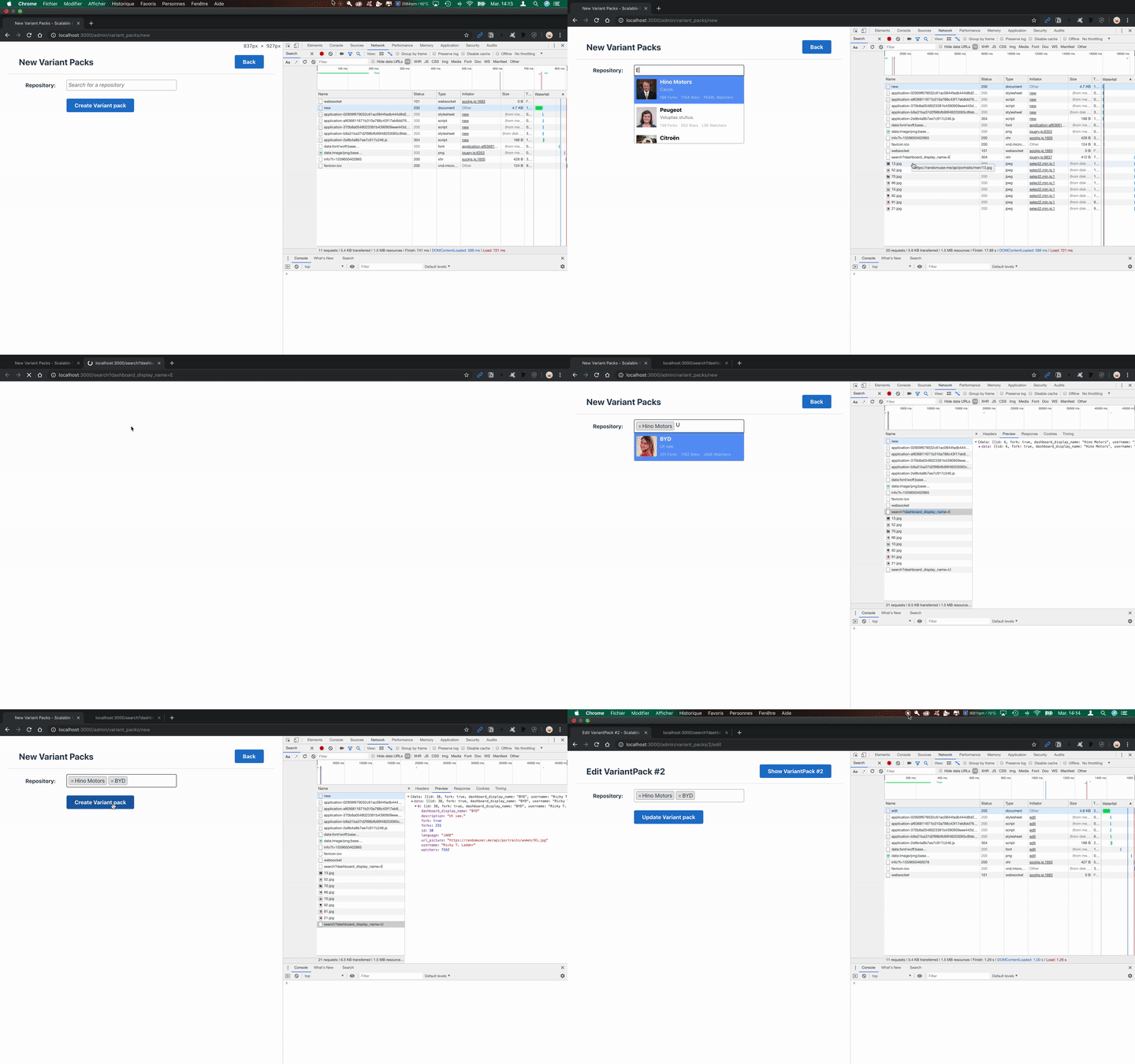
if need the access repo tell me bye
 v2lrf
on 4 Jun 2019
v2lrf
on 4 Jun 2019
As others have alluded to the issues lies with a poorly configured searchField parameter.
refreshOptions runs
var query             = $.trim(self.$control_input.val());
var results           = self.search(query);
So what happens is AJAX returns 10 results, self.search uses searchField and further filters the AJAX results. If searchField is misconfigured then nothing gets displayed. If you click out and refocus then it displays the AJAX results because no filtering took place.
Personally I wouldn't expect this extra filtering step; I'd just expect it to display the AJAX results.
 bytestream
on 15 Jul 2019
bytestream
on 15 Jul 2019
100% on the poorly configured searchField parameter. This took me a long time to figure out, because for my case I've got a search endpoint that searches by an internal product code, but then displays the product name in it's stead.
So, in effect, since the internal product code doesn't exist in the returned name text, it doesn't show anything because selectize is filtering again by the search param.
I ended up including the internal product code in the final text display and that served as a good workaround (product name (internal product code)). It seems like maybe a redundant level of filtering, as mentioned above...
 paperscissors
on 27 Aug 2019
paperscissors
on 27 Aug 2019
This issue is stale because it has been open 30 days with no activity. Remove stale label or comment or this will be closed in 5 days
![github-actions[bot] picture](https://avatars.githubusercontent.com/in/15368?v=4&s=40) github-actions[bot]
on 7 Jan 2021
github-actions[bot]
on 7 Jan 2021
Related issues
 mparthoens
·
4Comments
mparthoens
·
4Comments
 Davidslv
·
5Comments
Davidslv
·
5Comments
 jaideepYes
·
5Comments
jaideepYes
·
5Comments
 fadhilanugrah
·
4Comments
fadhilanugrah
·
4Comments
 daveedwards45
·
3Comments
daveedwards45
·
3Comments
Most helpful comment
Oh, shoot ok I found my problem (which might be the same as the OP). I just needed to specify a
searchFieldoption. Adding that fixes the example above.