Sdwebimage: Automatically managing HTTP headers (host, accept)
New Issue Checklist
- [ ] I have read and understood the CONTRIBUTING guide
- [ ] I have read the Documentation
- [x] I have searched for a similar issue in the project and found none
Issue Info
Info | Value |
-------------------------|-------------------------------------|
Platform Name | ios
Platform Version | 13.5
SDWebImage Version | 5.7.0
Integration Method | cocoapods
Xcode Version | Xcode 11.5
Repro rate | all the time (100%)
Issue Description and Steps
I'm coming here from downstream from react-native-fast-image, but this is a general question about SDWebImage.
I've learned that the host header must be manually specified for every image, otherwise some servers will return a 404 response.
I have searched the issues here and that is apparently required, but not really documented.
This becomes increasingly problematic when using an uri that returns a 302 redirect to another uri. If the first request is for a different domain than the second, it becomes increasingly difficult to handle what host headers need to be sent out. See: https://github.com/SDWebImage/SDWebImage/issues/2841
Especially for react-native-fast-image, users are pretty much out of luck. See https://github.com/DylanVann/react-native-fast-image/issues/242 or https://github.com/DylanVann/react-native-fast-image/issues/219 and various other unresolved issues of images not loading.
What I'm asking is, could there be some sort of option/flag that automatically manages headers, so that requests are sent out just as something like curl would send? That means host, accept, and maybe user-agent should be supplied automatically.
 andreialecu
All 11 comments
Upon further investigation here: https://github.com/SDWebImage/SDWebImage/blob/0f2818a6c1f7d9b764e09dc7181b926ced82f0d6/SDWebImage/Core/SDWebImageDownloader.m#L102-L121
It does seem like Accept and User-Agent are set, but I can't find anything relevant to Host.
andreialecu
on 4 Jun 2020
Seems the root case of your issue, is: iOS's network request system URLSession, does not automatically fill HTTP header Host filed.
I can try to quickly fix via automatically fill all the Host filed in request. Can this solve the issue ?
Or, any demo buggy image url which will cause confused when there are no Host filed ?
 dreampiggy
on 5 Jun 2020
dreampiggy
on 5 Jun 2020
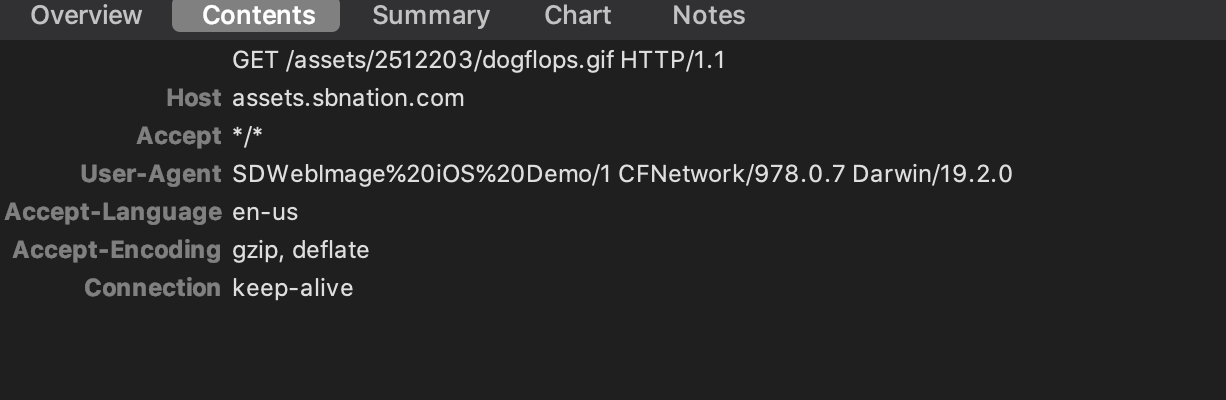
I found that URLSession do fill the Host filed for any request, even we don't specify it into NSURLRequest instance level.
Does this behavior changed by some configuration ? iOS firmware version ?
dreampiggy
on 5 Jun 2020
In my experience even using a simple url like https://www.google.com/images/branding/googlelogo/2x/googlelogo_color_272x92dp.png does not load anything unless Host: www.google.com is specified in the headers.
Not sure if something broke recently or not, I've just started using react-native-fast-image which in turn uses SDWebImage. Reference: https://github.com/DylanVann/react-native-fast-image/blob/master/ios/FastImage/FFFastImageView.m
2841 led me to believe this issue has been reported here before.
andreialecu
on 5 Jun 2020
Here's a breakpoint that shows a 404 error on the url above coming from SDWebImage.
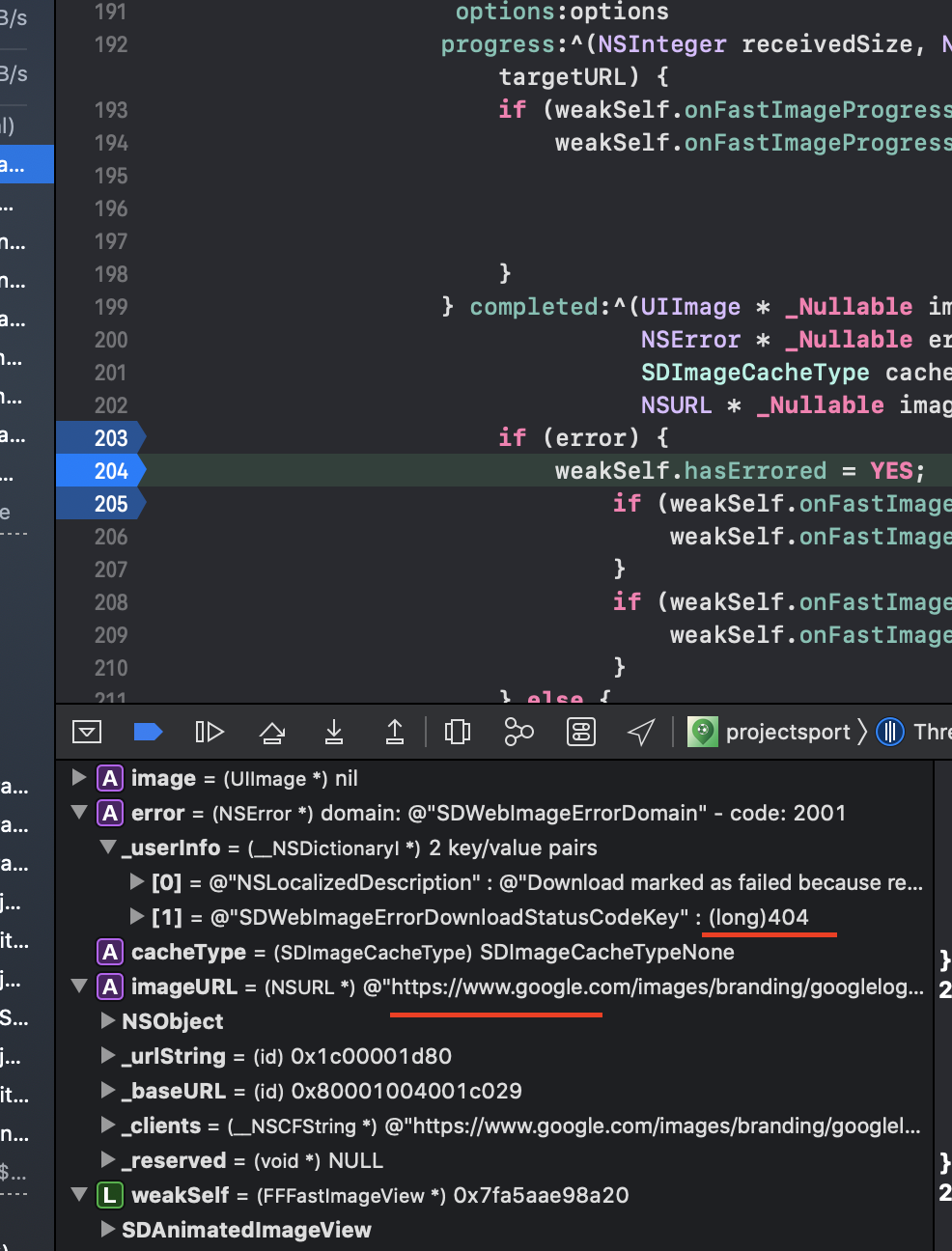
And here it is when { Host: "www.google.com" } is supplied:
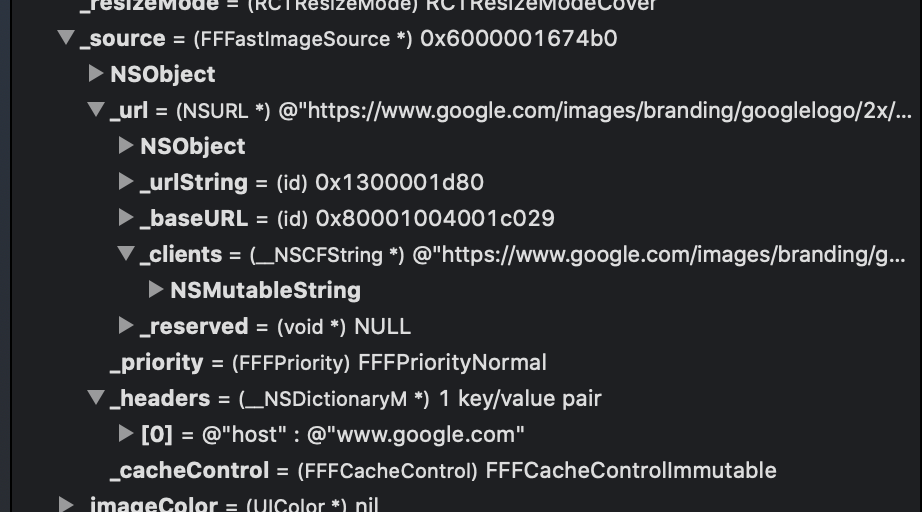
No 404 error here and the image loads.
andreialecu
on 5 Jun 2020
I was able to find out more about what is happening.
The app we're working on displays some images from a S3 bucket, and the images are private, so we sign requests and supply the signed headers directly as HTTP headers.
One of these headers added is a Host header.
It seems that the last set of headers are then used for every subsequent request, forever, even if no headers are specified in the request. Meaning that a wrong Host header is actually sent, instead of a null one.
It's possible the bug is somewhere around here and headers need to be cleared prior to starting a new download:
https://github.com/DylanVann/react-native-fast-image/blob/master/ios/FastImage/FFFastImageView.m#L145
Could you clarify how the list of headers would be cleared? I wasn't able to find a method to clear headers on SDWebImageDownloader, but I'm not familiar with Objective C.
andreialecu
on 5 Jun 2020
Seems the react-native-fast-image usage code is wrong.
We(SDWebImage iOS) already support the feature to Set Per-image-request level HTTP Header config (which is not possible in SDWebImage 4.x), but they still use the old API and no one create MR for this :(
Maybe I can create a MR ?....Lots of react-native-fast-image users does not know Objc. And its main maintainer seems not active recently. 🙃
The changed code may looks like this, really simple (less than 10 line MR):
// Set headers.
SDWebImageContext *context = @{SDWebImageContextDownloadRequestModifier: [SDWebImageDownloaderRequestModifier requestModifierWithHeaders: _source.headers]};
// blablabla
[self downloadImage:_source options:options context:context];
Creating MR...
dreampiggy
on 5 Jun 2020
That would be great, currently it's a serious security issue in react-native-fast-image because of this.
It will leak authorization headers to other servers. I have opened https://github.com/DylanVann/react-native-fast-image/issues/690
andreialecu
on 5 Jun 2020
Closing this in favor of the issue in the other repo. Thanks @dreampiggy !
andreialecu
on 5 Jun 2020
dreampiggy
on 5 Jun 2020
Related issues
 doingy
·
4Comments
doingy
·
4Comments
 Ricardo1980
·
6Comments
Ricardo1980
·
6Comments
 ericeddy
·
6Comments
ericeddy
·
6Comments
 floprr
·
4Comments
floprr
·
4Comments
 cyanzhong
·
5Comments
cyanzhong
·
5Comments
Most helpful comment
Seems the
react-native-fast-imageusage code is wrong.We(SDWebImage iOS) already support the feature to Set Per-image-request level HTTP Header config (which is not possible in SDWebImage 4.x), but they still use the old API and no one create MR for this :(
Maybe I can create a MR ?....Lots of react-native-fast-image users does not know Objc. And its main maintainer seems not active recently. 🙃
The changed code may looks like this, really simple (less than 10 line MR):