Sdk: Auto complete not working for extensions without 'this' keyword
Imagine i have a simple class like that:
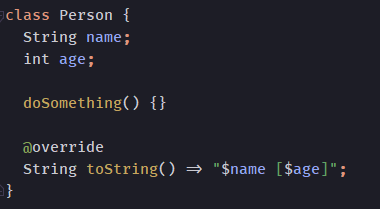
And an extension:
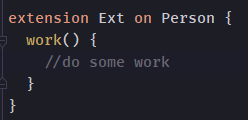
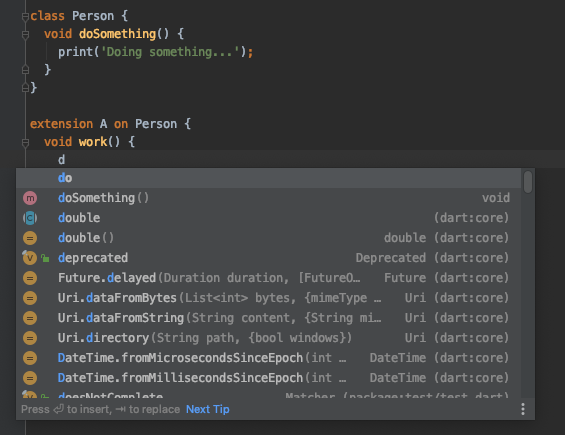
Now, I want to call the extesion method "work" inside my "doSomethingMethod". If I press ctrl + space, it shows no options for that method:
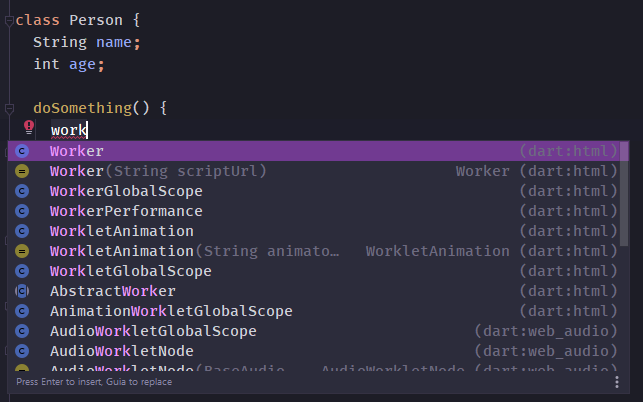
But if I add the this keyword, it shows up:
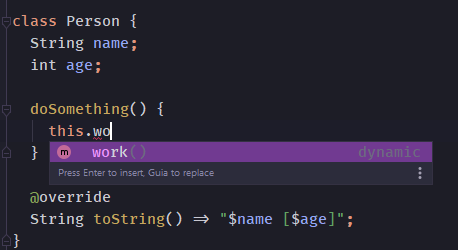
This problem also happens inside the extension body. It shows no methods from the base class when hitting ctrl + space:
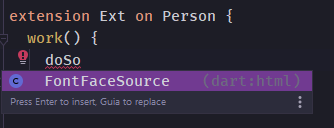
But works if I add the this:
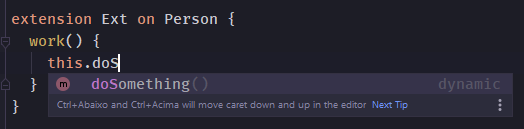
Obs: everything works like a charm for mixins. Only extensions has this problem.
 shinayser
All 8 comments
cc @pq @bwilkerson
 devoncarew
on 24 Oct 2019
devoncarew
on 24 Oct 2019
Maybe related to this:
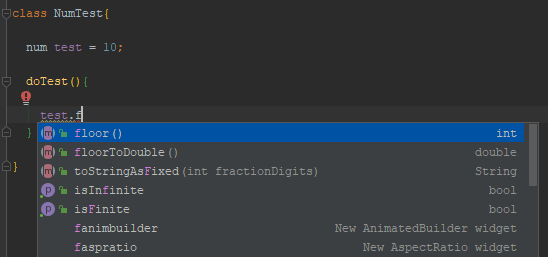
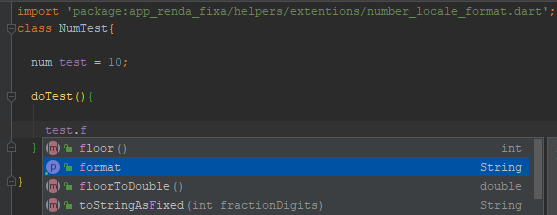
The auto complete also does not work unless you have already imported the extension on the file you are working:
Extension:

Trying to get the Android Studio to show the format function without importing the extension manually:
Android Studio showing the method, after importing it manually:
 VyMajoris
on 30 Oct 2019
VyMajoris
on 30 Oct 2019
I can confirm these observations. I always have to manually import the extension before it can be used. Without the autocomplete, extension methods are hard to use.
 kuhnroyal
on 10 Dec 2019
kuhnroyal
on 10 Dec 2019
Hey @pq, just want to point out that in my current dart DEV version (Dart VM version: 2.8.0-dev.8.0 (Thu Feb 6 15:47:55 2020 +0100) on "windows_x64") this is still not working for the case of auto completing inside the extension body:
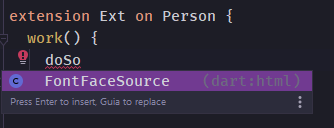
(it should suggest the doSomething from the class Person)
shinayser
on 6 Feb 2020
Hey, thanks! I'm guessing your repro looks something like:
lib/
  person.dart => defines Person
  ext.dart => defines Ext and imports Person
?
(I can confirm that's still broken 😬)
 pq
on 6 Feb 2020
pq
on 6 Feb 2020
Actually them both are on the same file. And my extension doesn't have name at all.
This is my pessoa.dart:
class Person implements Comparable<Person > {
  String username;
  String password;
  int age;

  Person(this.username, {this.age, this.password});

  void doSomething() {
    print('Doing something...');
  }

  @override
  String toString() => '$username [$password]';

  @override
  int compareTo(Person other) => username.compareTo(other.username);
}

extension on Person {
  void work() {
  doSome // << complete here
  }
}
Ok, fantastic. Thank you for the great repro!
pq
on 6 Feb 2020
 pq
on 6 Feb 2020
pq
on 6 Feb 2020
Related issues
 DartBot
·
3Comments
DartBot
·
3Comments
 bergwerf
·
3Comments
DartBot
·
3Comments
DartBot
·
3Comments
bergwerf
·
3Comments
DartBot
·
3Comments
DartBot
·
3Comments
 ranquild
·
3Comments
ranquild
·
3Comments
Most helpful comment
Progress:
https://dart-review.googlesource.com/c/sdk/+/134784
🚧