Scully: WSL gets stuck at running scully
🐞 Bug report
Description
Having issues probably because my WSL. I followed the instructions adding the Puppeteer and adding the settings into my scully config file.
🔬 Minimal Reproduction
- Create a project with ng new
- Add scully
- Add blog
ng g @scullyio/init:blog - Build and run scully
npm run build && npm run scully<= this is where it gets stuck
💻Your Environment
WSL 2 with Ubuntu 20
➜  blog-starter-kit git:(master) ✗ lsb_release -a
No LSB modules are available.
Distributor ID: Ubuntu
Description:    Ubuntu 20.04.1 LTS
Release:        20.04
Codename:       focal
Angular Version:
➜  blog-starter-kit git:(master) ✗ ng version

     _                      _                 ____ _     ___
    / \   _ __   __ _ _   _| | __ _ _ __     / ___| |   |_ _|
   / △ \ | '_ \ / _` | | | | |/ _` | '__|   | |   | |    | |
  / ___ \| | | | (_| | |_| | | (_| | |      | |___| |___ | |
 /_/   \_\_| |_|\__, |\__,_|_|\__,_|_|       \____|_____|___|
                |___/


Angular CLI: 11.0.5
Node: 14.15.3
OS: linux x64

Angular: 11.0.5
... animations, cli, common, compiler, compiler-cli, core, forms
... platform-browser, platform-browser-dynamic, router
Ivy Workspace: Yes

Package                         Version
---------------------------------------------------------
@angular-devkit/architect       0.1100.5
@angular-devkit/build-angular   0.1100.5
@angular-devkit/core            11.0.5
@angular-devkit/schematics      11.0.5
@schematics/angular             11.0.5
@schematics/update              0.1100.5
rxjs                            6.6.3
typescript                      4.0.5
Scully Version:
"@scullyio/init": "^1.0.1",
    "@scullyio/ng-lib": "^1.0.0",
    "@scullyio/scully": "^1.0.0",
🔥 Exception or Error
# Just stuck at this point...
➜  blog-starter-kit git:(master) ✗ npm run scully

> [email protected] scully /home/ruslan/learn/angular/scully-projects/blog-starter-kit
> scully

logging with severity "warning"

**********************************************************
**********************************************************
You are using "WSL" as a terminal, if you get an
error please read the pre-requisites for Microsoft WSL.
https://scully.io/docs/learn/getting-started/installation/
**********************************************************
**********************************************************

using plugins from folder "./scully"
 ☺   new Angular build imported
Background servers already running.
Finding all routes in application.

----------------------------------
Using stored unhandled routes!.
   To discover new routes in the angular app use "npm run scully -- --scanRoutes"
----------------------------------
Pull in data to create additional routes.
Route list created in files:
  "./src/assets/scully-routes.json",
  "/home/ruslan/learn/angular/scully-projects/blog-starter-kit/dist/static/assets/scully-routes.json",
  "/home/ruslan/learn/angular/scully-projects/blog-starter-kit/dist/blog-starter-kit/assets/scully-routes.json"

⠙ Creating Route List: 3/3
 ruslanguns
All 12 comments
@jorgeucano Can you take a look?
related: #1117 #892
@ruslanguns have you seen the WSL Pre-Requisites
 SanderElias
on 4 Jan 2021
SanderElias
on 4 Jan 2021
Yes, I did.
El lun., 4 ene. 2021 6:49, Sander Elias notifications@github.com escribió:
@jorgeucano https://github.com/jorgeucano Can you take a look?
related: #1117 https://github.com/scullyio/scully/issues/1117 #892
https://github.com/scullyio/scully/issues/892
@ruslanguns https://github.com/ruslanguns have you seen the WSL
Pre-Requisites
https://scully.io/docs/learn/getting-started/installation/—
You are receiving this because you were mentioned.
Reply to this email directly, view it on GitHub
https://github.com/scullyio/scully/issues/1190#issuecomment-753792076,
or unsubscribe
https://github.com/notifications/unsubscribe-auth/AEXDV6BPOWS2V5LU7UYRSULSYFQHJANCNFSM4VPWNTQA
.
ruslanguns
on 4 Jan 2021
@ruslanguns I tried and work for me, we need more info!
Can you share your project?
 jorgeucano
on 4 Jan 2021
jorgeucano
on 4 Jan 2021
So sorry for delay...
Repository link: https://github.com/ruslanguns/blog-starter-kit
BTW I created a video for you Jorge Cano in Spanish https://www.youtube.com/watch?v=BfLjWQkdBcQ
ruslanguns
on 11 Jan 2021
@ruslanguns @jorgeucano Is this still an issue?
SanderElias
on 15 Jan 2021
@SanderElias I recorded that video 4 days ago, I can retry this afternoon if you want, after upgrading everything out.
ruslanguns
on 15 Jan 2021
@ruslanguns let's await @jorgeucano's reaction. I know he has a _large_ workload ATM.
SanderElias
on 15 Jan 2021
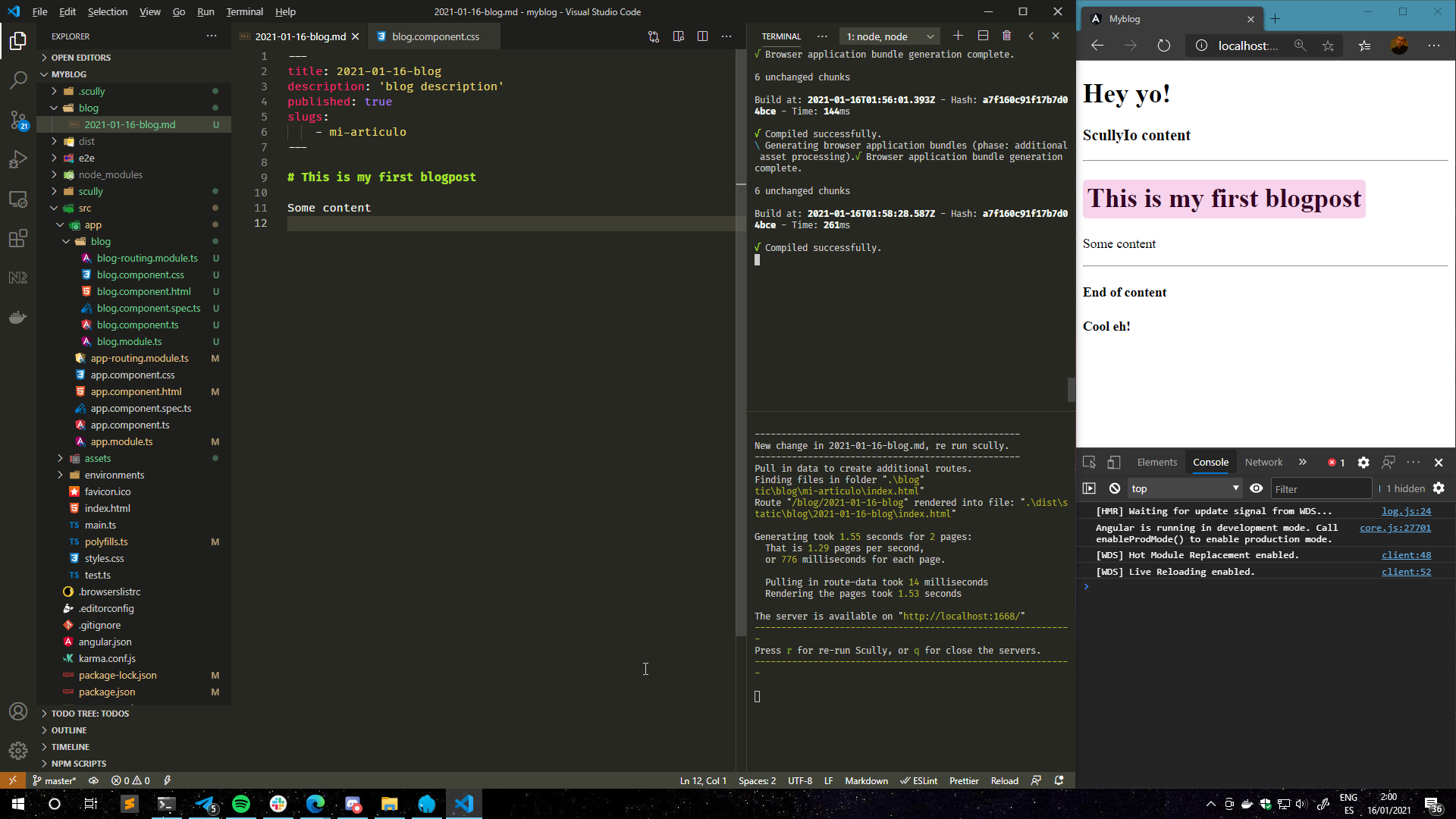
@SanderElias @jorgeucano On Windows side works smoothly, just with the downside of WSL
ruslanguns
on 16 Jan 2021
@ruslanguns Well, I work on Ubuntu (no WSL, I run it bare bones in my system) and I have no issue.
I know Jorge is using windows and is also using the WSL without issue.
As it is working on your computer when you are not using the WSL, it seems something in your WSL environment.
Probably it has something to do with setting up puppeteer and chromium in there.
Have a look at the puppeteer troubleshooting documentation
I will await your results, if there is anything we can do in Scully to fix this we would gladly do so.
SanderElias
on 16 Jan 2021
In my case I will switch over Windows to be able to work with Scully, eventually will retry from a clean environment (a fresh WSL) and will update this issue.
Thank you!
ruslanguns
on 16 Jan 2021
Ok, So, I'm going to close this issue for now. When you have new findings, let me know, and we will reopen the issue.
SanderElias
on 16 Jan 2021
Sure! Thanks 😊
El sáb., 16 ene. 2021 9:39, Sander Elias notifications@github.com
escribió:
Ok, So, I'm going to close this issue for now. When you have new findings,
let me know, and we will reopen the issue.—
You are receiving this because you were mentioned.
Reply to this email directly, view it on GitHub
https://github.com/scullyio/scully/issues/1190#issuecomment-761535014,
or unsubscribe
https://github.com/notifications/unsubscribe-auth/AEXDV6A6HSP77JW3RNJS2FDS2FNGPANCNFSM4VPWNTQA
.
ruslanguns
on 16 Jan 2021
Related issues
 Gyrosh
·
5Comments
Gyrosh
·
5Comments
 montella1507
·
5Comments
montella1507
·
5Comments
 BlindDespair
·
5Comments
jorgeucano
·
4Comments
BlindDespair
·
5Comments
jorgeucano
·
4Comments
 spencerb02
·
5Comments
spencerb02
·
5Comments