Scully: Scully build fails immediately in new project
🐞 Bug report
Description
I have built a fresh angular application and followed the scully docs on how to add scully and build a static site.
However when running npm run scully I get the following error
> scully

using plugins from folder "./scully"
Typescript error while compiling plugins. the error is:
error TS5042: Option 'project' cannot be mixed with source files on a command line.
💻Your Environment
Windows
💻Minimal reproduction steps
ng new my-app
cd ./my-app
ng add @scullyio/init
npm run build
npm run scully
Angular Version:
     _                      _                 ____ _     ___
    / \   _ __   __ _ _   _| | __ _ _ __     / ___| |   |_ _|
   / △ \ | '_ \ / _` | | | | |/ _` | '__|   | |   | |    | |
  / ___ \| | | | (_| | |_| | | (_| | |      | |___| |___ | |
 /_/   \_\_| |_|\__, |\__,_|_|\__,_|_|       \____|_____|___|
                |___/


Angular CLI: 10.1.3
Node: 12.18.3
OS: win32 x64

Angular: 10.1.3
... animations, cli, common, compiler, compiler-cli, core, forms
... platform-browser, platform-browser-dynamic, router
Ivy Workspace: Yes

Package                         Version
---------------------------------------------------------
@angular-devkit/architect       0.1001.3
@angular-devkit/build-angular   0.1001.3
@angular-devkit/core            10.1.3
@angular-devkit/schematics      10.1.3
@angular/language-service       10.1.4
@schematics/angular             10.1.3
@schematics/update              0.1001.3
rxjs                            6.6.3
typescript                      4.0.3
Scully Version:
    "@scullyio/init": "^1.0.1",
    "@scullyio/ng-lib": "^1.0.0",
    "@scullyio/scully": "^1.0.0",
🔥 Exception or Error
> scully

using plugins from folder "./scully"
Typescript error while compiling plugins. the error is:
error TS5042: Option 'project' cannot be mixed with source files on a command line.
 BoshJeckerleg
All 15 comments
@BoshJeckerleg I just test in my computer (Windows 10) And work perfect with the same angular node & scully version... Can you give me more info?
Windows Version:
Terminal:
 jorgeucano
on 1 Oct 2020
jorgeucano
on 1 Oct 2020
@jorgeucano Sure, appreciate it might be a hard one to solve as the error isn't too helpful. I've created a repo where I can replicate the error here https://github.com/BoshJeckerleg/scully-demo. It's just a boilerplate app.
BoshJeckerleg
on 1 Oct 2020
I test and work for me your project
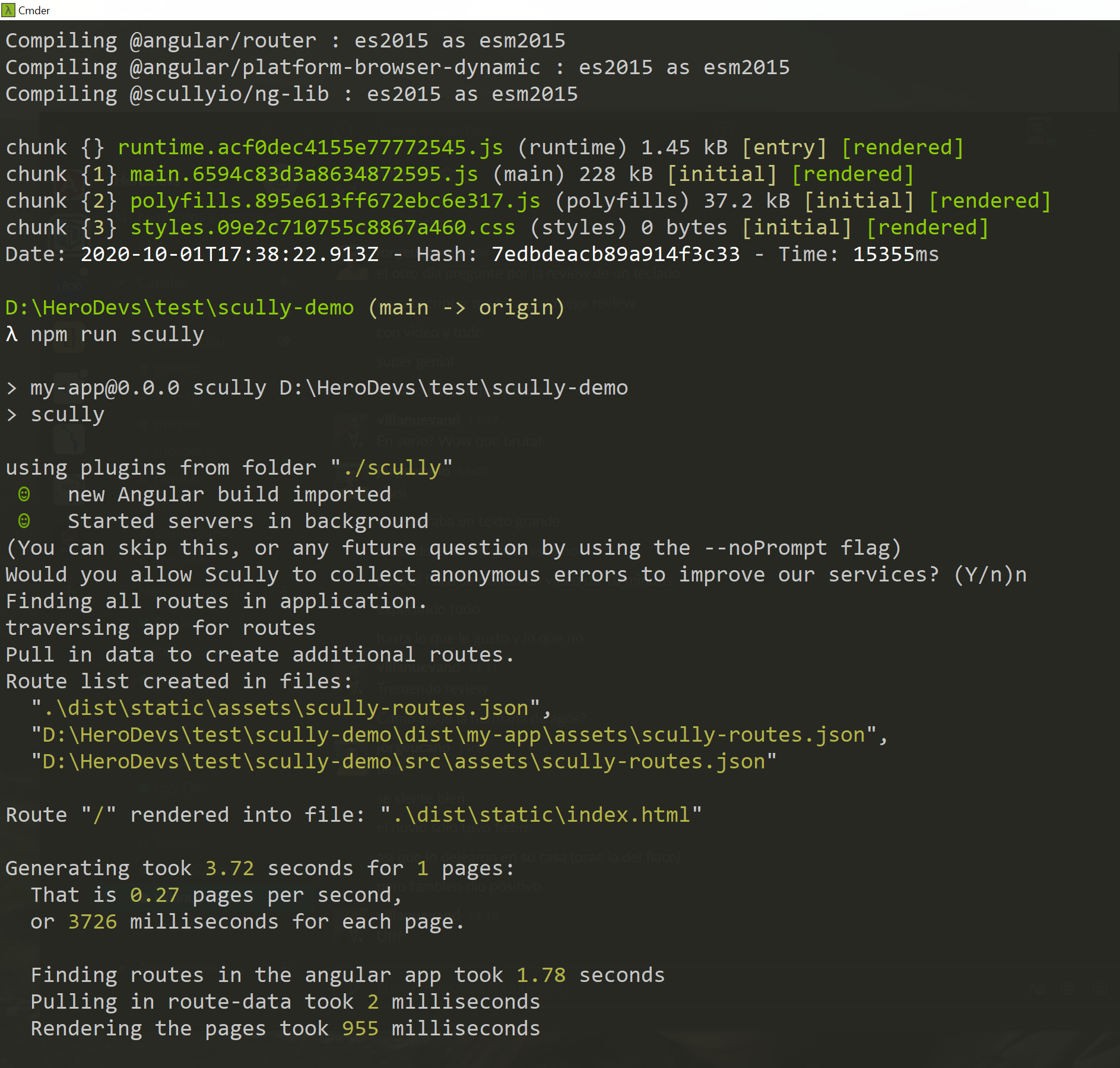
what terminal are you using?
jorgeucano
on 1 Oct 2020
@jorgeucano Interesting. I am using the integrated terminal in vscode so I guess powershell?
BoshJeckerleg
on 1 Oct 2020
We have a strange error with PowerShell sometimes due to a folder path issue, can you copy me the full path to be able to do a test?
Thank you!
jorgeucano
on 1 Oct 2020
@jorgeucano Cool, I was thinking that had something to do with it as when I cloned this to my desktop it works fine.
The folder path where it is broken is D:\Code\GitRed Maple\scully-demo
BoshJeckerleg
on 1 Oct 2020
@jorgeucano So I've got it working now.
Removing the whitespace in the folder path meant that the minimal reproduction that I sent you started working again.
I then moved onto the actual repo where I am trying to add Scully and tried again, this is in the same directory. I got a more helpful error message that scully couldn't find the angular project of name ... in angular.json.
In the Scully config, it had set the project name to something other than the default application name in angular.json causing it to break. I aligned these two and it works.
Thanks for your help.
BoshJeckerleg
on 1 Oct 2020
Thanks you for test all of this... We will work for this "path problem" with PowerShell
jorgeucano
on 1 Oct 2020
@jorgeucano No worries, thanks for Scully, it's really cool.
BoshJeckerleg
on 1 Oct 2020
@BoshJeckerleg your problem is: D:\Code\Git\Red Maple\scully-demo Powershell gets confused if you use upper-case nd more so if you use spaces.
Switch to cmd. or remove all spaces and uppercase ut of your path. This is a windows/PowerShell thing.
I'm still finalizing some code that will detect this and give an appropriate warning.
 SanderElias
on 5 Oct 2020
SanderElias
on 5 Oct 2020
@SanderElias That is what we figured out, but I agree, some error messaging would be helpful for others in future as I was completely stumped by this for a few hours.
BoshJeckerleg
on 5 Oct 2020
reopened to hook to fix
SanderElias
on 6 Oct 2020
Please note @SanderElias and/or @jorgeucano that this issue apparently is not related to Powershell: I'm having the same behavior with zsh (ohmyzsh) and with bash in elementaryOS 5.1 (Ubuntu 18 based):
If the project path has an space, Scully won't run. Or at least in my case? :thinking:
 AlexFBP
on 8 Oct 2020
AlexFBP
on 8 Oct 2020
@AlexFBP I'm on Ubuntu 20. Spaces in pathnames is an issue in _many_ tools.
What you are seeing is a similar yet different issue.
Perhaps just don't use spaces in path-names ;)
I took a quick look, and it seems to be something around typescript that goes haywire.
When you think this is important enough, please open a new ticket.
SanderElias
on 16 Oct 2020
Honestly this was the first time I had to move a whole project to another folder, just by having a space in the path...
However, yes, it doesn't matter so much after all. What I'm saying is that I don't think that it is directly related to Scully, but to one of its dependencies, as that error appears not only with Scully but in other places, projects where Typescript is used...
Needless to say I'm a newbie on Angular :sweat_smile: , I tried (not so much TBH) to seek a way to fix this (for me it has no sense that a whole project gets "killed" by just having space(s) in its path, like as I were using old development tools) but I "successfully failed" :sweat_smile:
AlexFBP
on 8 Dec 2020
Related issues
 xmlking
·
3Comments
xmlking
·
3Comments
 ghost
·
4Comments
ghost
·
4Comments
 spencerb02
·
3Comments
jorgeucano
·
4Comments
spencerb02
·
3Comments
jorgeucano
·
4Comments
 Splaktar
·
6Comments
Splaktar
·
6Comments