Screentogif: Suggestion for new recorder UI
Things that can be improved
The new record UI is cool and easy to use, no longer need to drag the window over and over to cover the area you want to record, very intuitive.
But there are still space to improve!
When you selected a region to record, you need to move your mouse a long way to click the small confirming icon in the center, every time. I think there's no need to do this.
Suggestion: smart confirm/reselect/cancel icon postion like what shown in the gif below, or double click to quick confirm region selection (you can quick cancel region selection by right click now, that's very cool)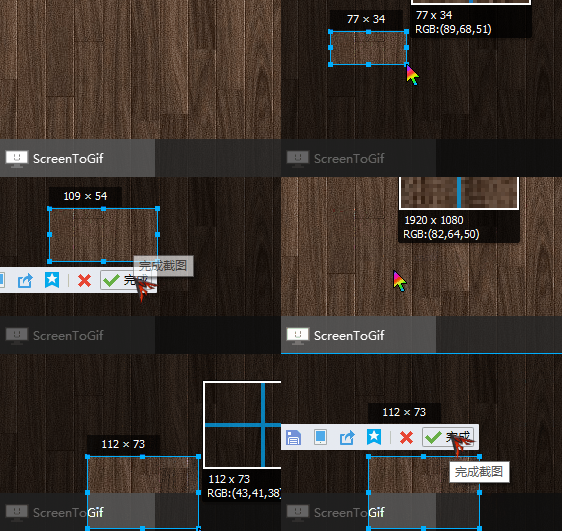
This is a screenshot application from Tencent TIM, it's very intuitive to use. Once you finished a region selection, the action bar appear in the button or the region (or top if not possible), moreover the confirm button (the green√) is extremely close to your cursor in most situation. Not to mention it even has a magnifier to help aligning in pixel precision, with RGB color display.With old UI, ctrl+N in editor will start a new recording, with default recorder window size & position. However new UI can't remember that, with every ctrl+N, you need to select the region again.
This makes same-position-recording nearly impossible as it's extremely difficult to recreate a region with exact same position and dimension for a human.
Besides, theRegionbutton in the toolbar is actually a 'drop menu', you need to click twice to really start selecting a region, not so convenient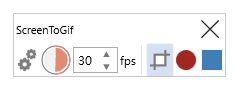
Suggestion:
- Region position & dimension is remembered when start a new recording, like before
- Click
Regionicon on toolbar start region selecting directly, add a drop arrow to access other functions (or show all icon on the toolbar if you're not adding more select methods
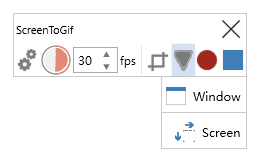
I know my drawing is awful lol
 byzod
byzod
All 9 comments
Was about to comment mostly the same things.
First and foremost I haven't commented here in awhile, ScreenToGif has been progressing well, congrats!
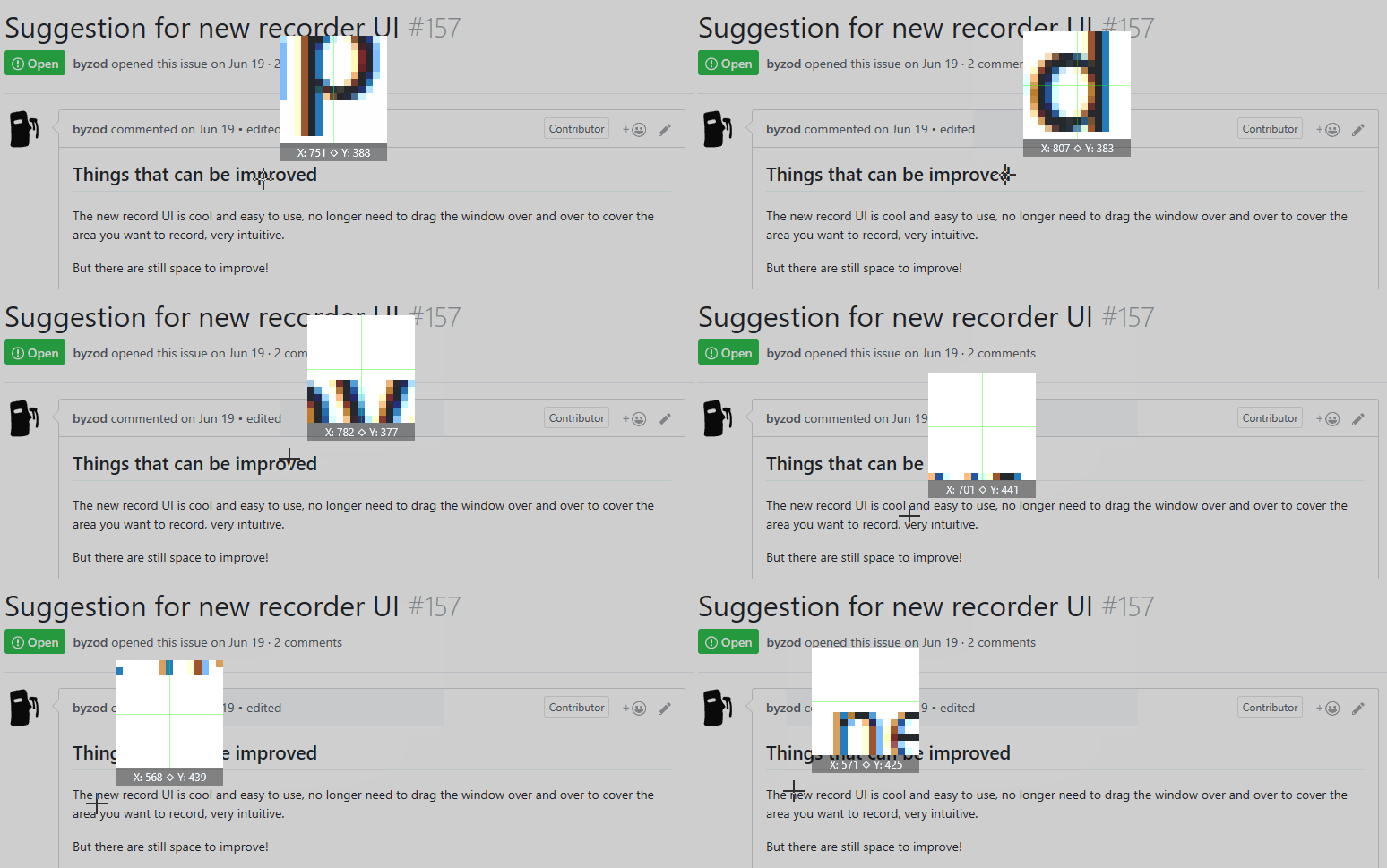
I'dd also suggest adding final size feedback while drawing the recording area, as illustrated in the above GIF, and if possible also keep the same dimension input fields in the recorder window to allow more precise value adjustment.
A quick way to toggle between the two without entering the preferences dialog would also be great, or if possible make both coexist in the same window, though I understand it may not be trivial to do.
One last quick suggestion. Make the Snapshot Mode entry in the menu either have a tick (✓) or different icon while active; or when active change menu entry to read Record Mode or Video Mode* or whatever the regular way is called instead, and change the camera icon to the regular "red circle" to better reflect what that menu entry will currently do.
Again thanks for this wonderful little application, and keep up the great work
 duarteframos
on 22 Jun 2017
duarteframos
on 22 Jun 2017
I have a commnet and suggestion:
Accessing settings is somewhat convoluted with this new UI and it could be more user friendly.
Please make the new UI at least carry all basic controls and consider making this more intuitive.
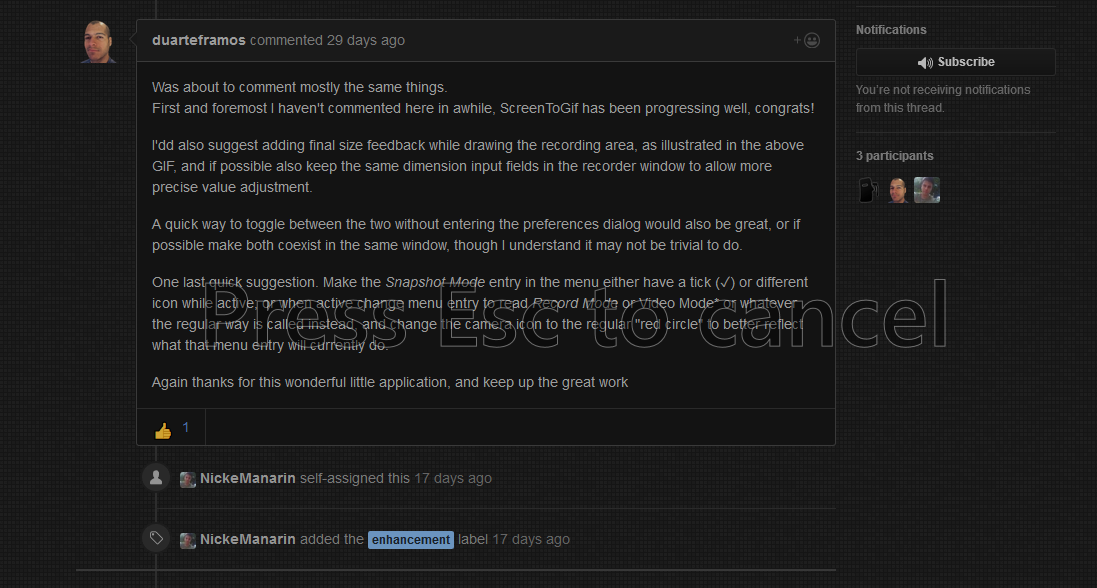
The text "Please press escape to cancel" over a dark interface its hard to see.
 positr0nic
on 22 Jul 2017
positr0nic
on 22 Jul 2017
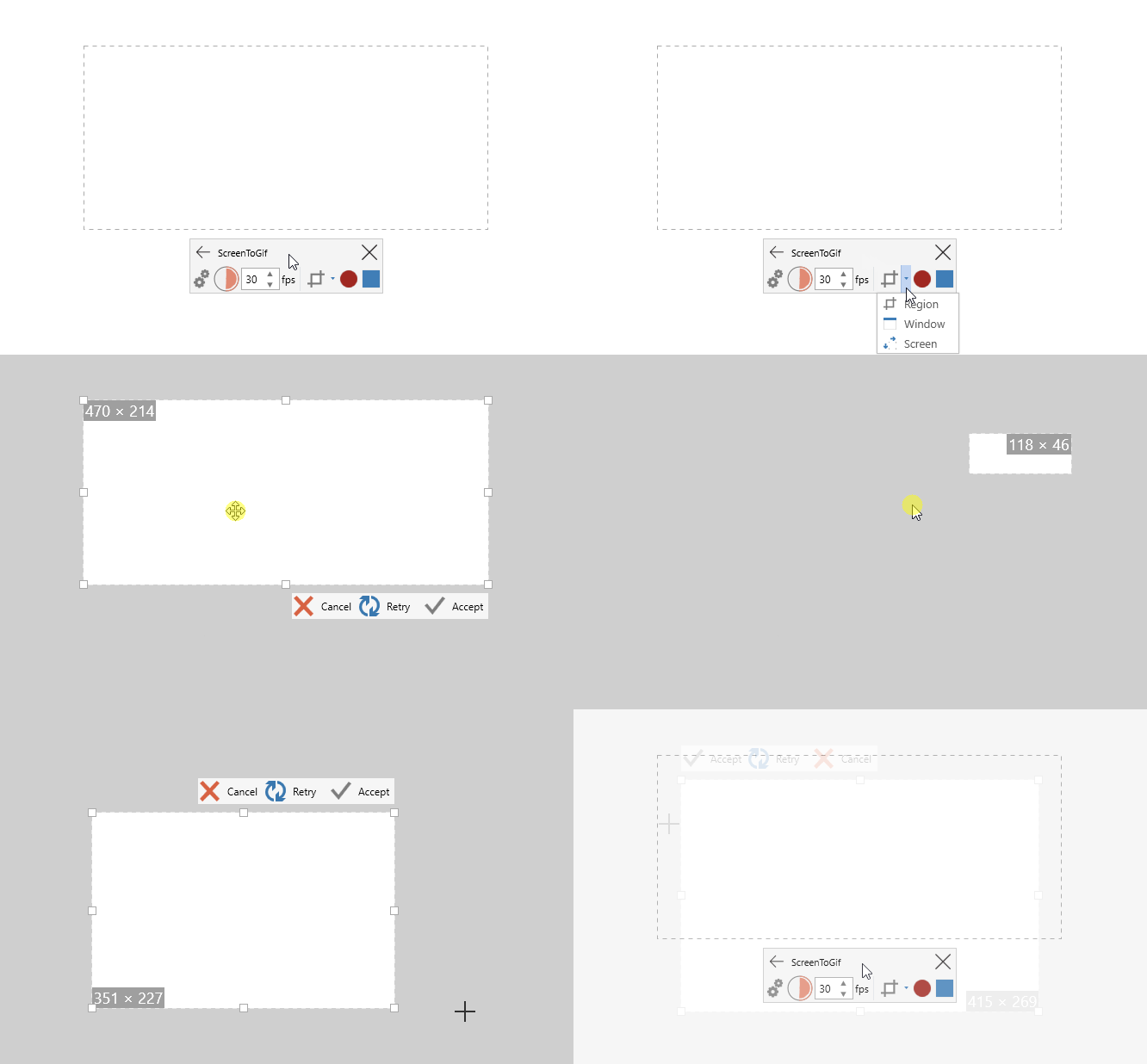
Sharing some progress... How about this?
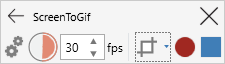
Btw, I still need to improve this window:
 NickeManarin
on 30 Sep 2017
NickeManarin
on 30 Sep 2017
Wow that is absolutely perfect, excellent work,
Last thing missing would be a "follow mouse cursor" option for the region mode
Looking forward to the next version, congrats on the progress! :)
duarteframos
on 30 Sep 2017
follow mouse cursor
I'm thinking about implementing this... I have some questions:
- This could be activated via a menu/button or maybe by holding a key?
- If activated by a menu/button, how could the user stop the recording? A key press would be needed, right?
NickeManarin
on 30 Sep 2017
Hum, good question! I'd go with the second option, via a hotkey press.
The "Follow Cursor" option could be available from that recording mode dropdown menu just like "Region" "Window" and "Screen". It would then behave similar to the region option, with a resizeable region, or pre-defined area.
Then a hot key to start/stop, and if possible always keep an additional "New Interface" floating window somewhere out of the way.
BTW that magnifier looks awesome for pixel perfect alignment ;)
duarteframos
on 30 Sep 2017
I just played with v2.10 (the new UI landed), it just works exactly as what I expected
The confirm/cancel buttons transform to a column when there's no enough space to place them under the region to provide quicker access, this is even more convenient than I thought :D
Well done!
byzod
on 21 Oct 2017
Hey, great software!
But I would really love to see the "Follow Cursor" option. Or did I just not find it?
 HansWaider
on 29 Nov 2018
HansWaider
on 29 Nov 2018
@HansWaider It's available in v2.19.
NickeManarin
on 18 Nov 2019
Related issues
 Kristinita
·
4Comments
Kristinita
·
4Comments
 spyoungtech
·
4Comments
Kristinita
·
4Comments
spyoungtech
·
4Comments
Kristinita
·
4Comments
 AdKiller
·
5Comments
AdKiller
·
5Comments
 EirikBirkeland
·
5Comments
EirikBirkeland
·
5Comments
Most helpful comment
Sharing some progress... How about this?
Btw, I still need to improve this window: