Scrcpy: Request: Custom keyboard mapping
Really want custom mapping keyboard controls. I have seen another post about this and someone said it would be too much work but the thread is closed. Keyboard mapping would be amazing :)
 SoliDxddd
All 30 comments
Ref: #149 #505
someone said it would be too much work but the thread is closed
Could you reference the thread?
 rom1v
on 11 Aug 2019
rom1v
on 11 Aug 2019
#149 I THOUGHT the bit that said closed meant it was closed... its another thread u linked under it.
How hard is it to make custom buttons like emulators? Because scrcpy would be better than any emulator if it had this mapping. Emulators run like trash compared.
SoliDxddd
on 11 Aug 2019
Is anyone still working on scrcpy? If so is this on the road map?
Or is there another program or a way to do this myself?
SoliDxddd
on 20 Aug 2019
Is anyone still working on scrcpy?
Yes, on my free time.
If so is this on the road map?
TBH, not really, unless someone wants to work on it (define how to configure key mapping and implement it…).
rom1v
on 20 Aug 2019
How the user would configure it: opens an overlay(i.e. steam overlay) and clicks where they want a button and assigns a letter to that button, making that letter click at that spot.
SoliDxddd
on 20 Aug 2019


These 2 images show an overlay of Nox Player, pretty much what i am talking about.
SoliDxddd
on 21 Aug 2019
hi , am working keyboard mapping for pubg , but i stuck at camera movement (mouse movement)
like ctrl+alt to hold and release the mouse
anyone plz help??
 Mehardeep
on 27 Aug 2019
Mehardeep
on 27 Aug 2019

On this image you can see the writing in the black box, this is what your talking about i am pretty sure. Pretty much i think it locks the mouse in that position and hides it so when you move the mouse only the screen moves and not the cursor. Message again with progress if you can.
SoliDxddd
on 28 Aug 2019
For my use case, that is controlling a racing game, I was able to workaround this using a bit of Python scripting (I used pynput as pyautogui and keyboard both require running as sudo under Linux).
#!/usr/bin/python2.7

from pynput.mouse import Button, Controller
from pynput.keyboard import Key, Listener

global MOUSE
MOUSE = Controller()

global LISTEN

global CENTER
global OFFSET
global LEFT
global RIGHT
global HEIGHT

# for scrcpy with -2M switch
#HEIGHT = 700 CENTER = 900 OFFSET = 500
# HEIGHT = 500 OFFSET 450 for 1024 -b 4M

# -m 768 -b 4M gives good enough quality while still working (-m 640 doesn't register clicks)
HEIGHT = 650
CENTER = 950
OFFSET = 300


LEFT  = CENTER - OFFSET
RIGHT = CENTER + OFFSET

def cust_click(x,y):
    MOUSE.position = (x,y)
    # MOUSE.click(Button.left)
    MOUSE.press(Button.left)

def space():
    cust_click(CENTER,HEIGHT+120) # 150 for -m 1024

def left():
    cust_click(LEFT, HEIGHT)

def right():
    cust_click(RIGHT, HEIGHT)

def on_press(key):
    #print('{0} pressed'.format(
    #    key))

    if key == Key.left:
        left()
    elif key == Key.right:
        right()
    elif key == Key.space:
        space()
    elif key == Key.tab:
        LISTEN.stop()


def on_release(key):
    #print('{0} release'.format(
    #    key))
    if key == Key.right or key == Key.left or key == Key.space:
        MOUSE.release(Button.left)
    # can't use esc because it is the phone 'back' hotkey, at least in snap version
    # if key == Key.esc:
    #     # Stop listener
    #     return False


# Collect events until released
with Listener(
        on_press=on_press,
        on_release=on_release) as LISTEN:
    LISTEN.join()
 Zireael07
on 30 Sep 2019
Zireael07
on 30 Sep 2019
Zireal please help me how can i use this code?
 anish0285
on 1 Oct 2019
anish0285
on 1 Oct 2019
@AnishKumar0285: You need pynput installed (pip install pynput) and you need to run the script while having the scrcpy open. You'll need to adjust the keys and positions for the game you want to control, obviously, as well as the scrcpy screen's size.
Zireael07
on 3 Oct 2019
@AnishKumar0285: You need pynput installed (pip install pynput) and you need to run the script while having the scrcpy open. You'll need to adjust the keys and positions for the game you want to control, obviously, as well as the scrcpy screen's size.
Hello but i have a question i use your script but how can i add new keys and the key when im playing a shot game thet hide the cursor for use only the movement of the mouse, Thanks
 sukisux
on 21 Oct 2019
sukisux
on 21 Oct 2019
Anyone knows how to add a keys like the a or s key on pynput?
sukisux
on 21 Oct 2019
I would also like to know how to properly change and add to this code. I am trying to make it for a shooter game (pubg mobile).
SoliDxddd
on 27 Oct 2019
Pynput has very good documentation, it should tell you everything you two want to know: https://pythonhosted.org/pynput/index.html
The mouse positions, as I said, have to be eyeballed.
Zireael07
on 27 Oct 2019
Fixed it in guiscrcpy, https://github.com/srevinsaju/guiscrcpy/blob/master/guiscrcpy/mapper.py
It is up on v2.0 pip3 install guiscrcpy
It uses pynput, but not as UI intuitive as nox
 srevinsaju
on 6 Nov 2019
srevinsaju
on 6 Nov 2019
Thanks, i will try this.
SoliDxddd
on 6 Nov 2019
I think, it will be better to have a file external yaml/json from the project (the project just give us an example for the format, like what guiscrcpy do for example) and externalize the work of input_manager.c to do the matching between the event and the correspond on SDL2 action.
 karousn
on 14 Mar 2020
karousn
on 14 Mar 2020
Yes @karousn, the only drawback for the guiscrcpy mapping is that it conflicts with the input of characters into a text box, using a mapper key such as Ctrl or Meta may enhance scrcpy 's mode of action. Guiscrcpy manually gives adb shell input and toggles the key position, which is slower than scrcpy's mastermind input method using a tunnel. Will try to implement that into guiscrcpy too :)
srevinsaju
on 14 Mar 2020
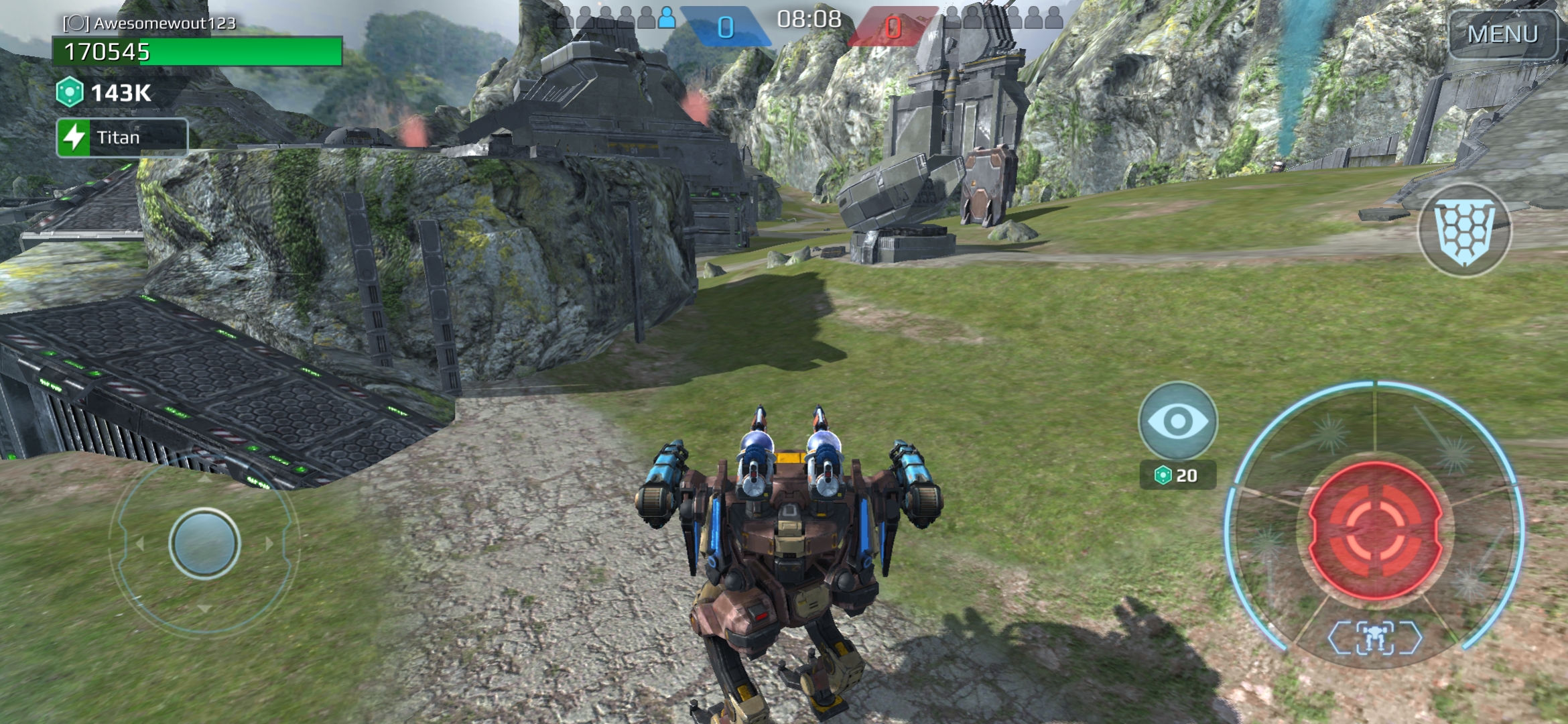
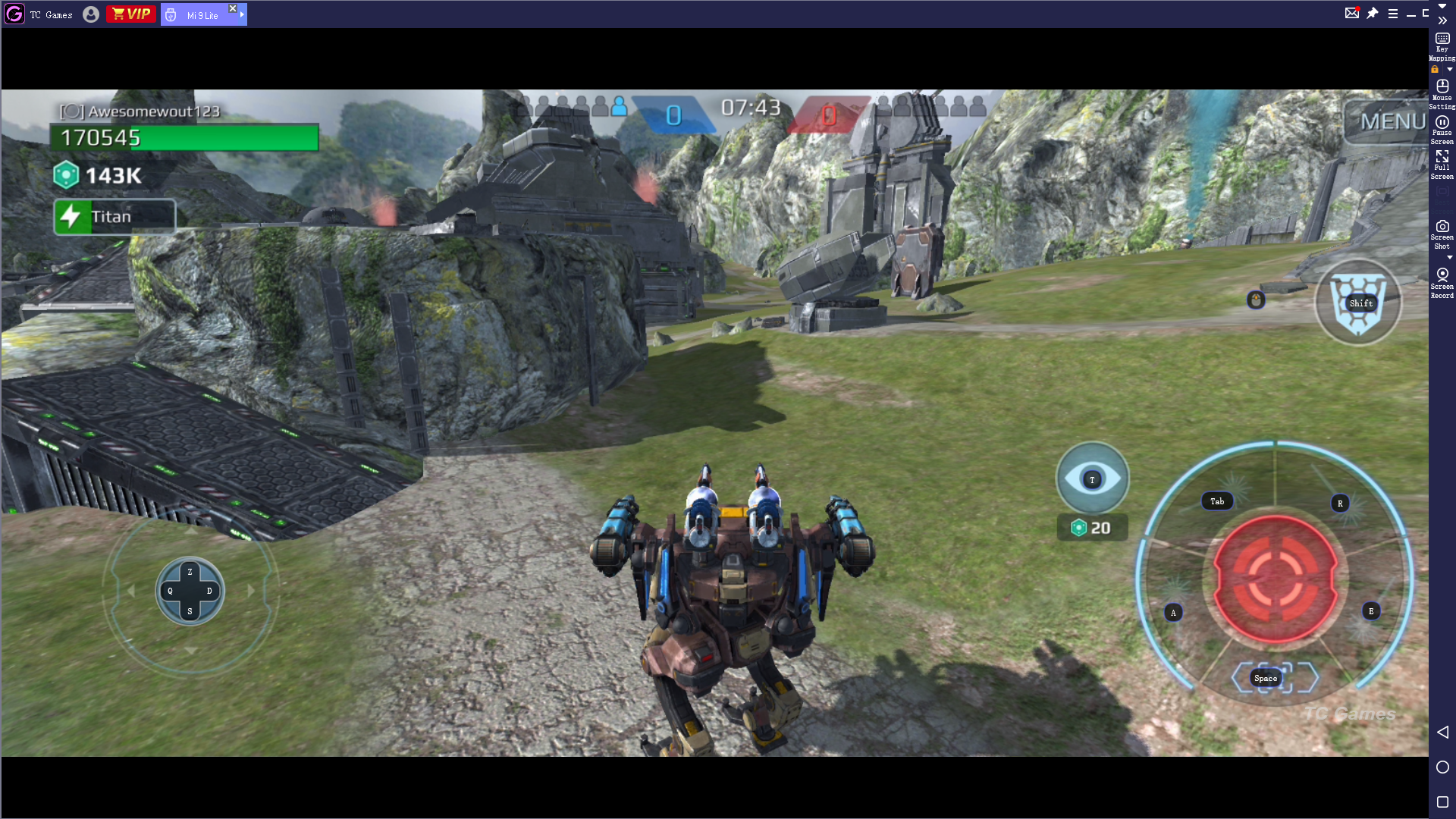
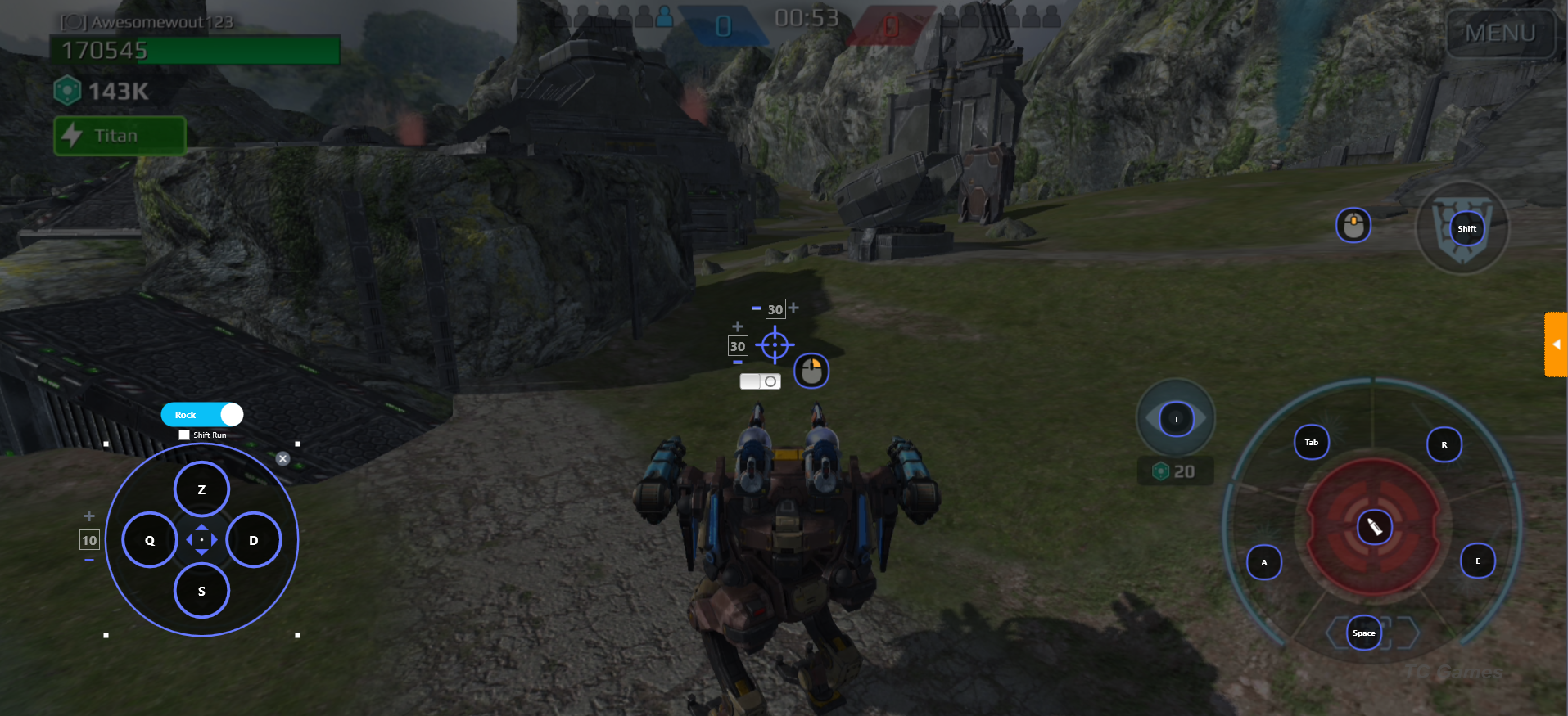
At this moment I use TC games.
It is way better than all other emulators like memu, nox, LD player because it has no adds and it's just a mirror program for your phone witch works best for me. It also has an easy way to keymap all the things you need (with the free version you can adjust the smoothnes and grapics perfectly).
 Awesomewout
on 27 Mar 2020
Awesomewout
on 27 Mar 2020
TC games is windows only, though.
Zireael07
on 27 Mar 2020
If you want an easy implementation, I have a suggestion. I will be really hard for the user to configure, but you can build upon it.
Simplest thing to do is use a config file, preferably json, in which you can map clicks and movements simulation. Why would this be hard? because you have to map the keys and movements using pixels for measurement.
Now if you want a hard implementation but easy for users to configure, here's what you need to do.
- create a GUI for the whole thing
- In the gui have a seperate tab for mapping
- In that tab user would take a screenshot (or live) of the situation which they want it for.
- Then map the keys according to the screenshot
- Launch scrcpy and press a special keystroke which would activate the mapping.
Just a suggestion.
this extends #1453
 maximousblk
on 29 May 2020
maximousblk
on 29 May 2020
I would like to add that an easy way to implement key mappings would be to use an AutoHotKey script. Make sure you run it as administrator so key inputs are not fed into scrcpy itself but actually fed into the script.
 vincentyliu2001
on 28 Jul 2020
vincentyliu2001
on 28 Jul 2020
Any way to key map?
 hugonh
on 17 Aug 2020
hugonh
on 17 Aug 2020
I would like to add that an easy way to implement key mappings would be to use an AutoHotKey script. Make sure you run it as administrator so key inputs are not fed into scrcpy itself but actually fed into the script.
can you help me with autohotkey as key mapper?
hugonh
on 18 Aug 2020
I would like to add that an easy way to implement key mappings would be to use an AutoHotKey script. Make sure you run it as administrator so key inputs are not fed into scrcpy itself but actually fed into the script.
can you help me with autohotkey as key mapper?
Autohotkey scripting language is relatively easy to pick up, especially for a simple script. Here is their guide that contains all the information you would ever need to make a script and explains things better than I ever could. https://www.autohotkey.com/docs/Tutorial.htm
vincentyliu2001
on 31 Aug 2020
Here is a simple proposal to fix both #712 and #1302 with a single --map option (not implemented yet):
scrcpy --map 'z=click:200:300,a=click:500:400,space=click:780:40,rclick=inject,mclick=back'
- pressing z will inject a left-click at x=200, y=300
- pressing a will inject a left-click at x=500, y=400
- pressing SPACE will inject a left-click at x=780, y=40
- right-click will be injected to the device (instead of pressing BACK)
- middle-click will inject BACK (default is HOME)
The coordinates are expressed in device screen resolution (so that they are independant of the --max-size option) in natural orientation (typically portrait for a phone, landscape for a tablet, like the --crop option).
What do you think? Do you see any problem with it?
rom1v
on 15 Sep 2020
Qtscrcpy does that well.
hugonh
on 15 Sep 2020
OK :+1: will read that: https://github.com/barry-ran/QtScrcpy/blob/master/docs/KeyMapDes.md
The coordinates are expressed in device screen resolution
In fact, they should be totally relative instead (between 0 and 1), so that they can be reused across devices.
rom1v
on 15 Sep 2020
Now I think that #1302 could be fixed quickly separately (--right-click=inject --middle-click=back for example).
rom1v
on 15 Sep 2020
Related issues
 singleNeuron
·
3Comments
singleNeuron
·
3Comments
 cordac1
·
4Comments
cordac1
·
4Comments
 behzadpooldar
·
4Comments
behzadpooldar
·
4Comments
 tonyyang924
·
4Comments
tonyyang924
·
4Comments
 cutoseo
·
4Comments
cutoseo
·
4Comments
Most helpful comment
Here is a simple proposal to fix both #712 and #1302 with a single
--mapoption (not implemented yet):The coordinates are expressed in device screen resolution (so that they are independant of the
--max-sizeoption) in natural orientation (typically portrait for a phone, landscape for a tablet, like the--cropoption).What do you think? Do you see any problem with it?