Scrcpy: Set initial resolution from 480x640
Hi, how can I set the initial texture resolution? It's setting to 480x640 and this is causing the layout to be a mess with a notification over the top of my password pattern, so I am unable to unlock the phone. I have tried -m -c -b parameters.
Thanks.
 ajsedwards
All 8 comments
Initially, it mirrors at the device definition.
You can limit the size with -m.
For example, if your device is 1920×1080, you can mirror at 1600×900 with:
scrcpy -m 1600
 rom1v
on 12 Mar 2019
rom1v
on 12 Mar 2019
Thanks for the quick reply! There is nothing I can do to get it to use more than 480x640 and it is showing a tiny area of my screen. I managed to get logged in by connecting over network because then the "select USB function" notification was not over the password pattern. After unlocking I then connected back with USB.
How can I change the device definition?

ajsedwards
on 12 Mar 2019
Is it a real device (or an emulator)?
The device _width_ and _height_ are retrieved here.
What is the result of:
adb shell wm size
It's a real phone, Samsung Galaxy Note 3. Running adb shell wm size returns "Physical size: 640x480". Can I override this somehow? The phone has a 1080x1920 display.
ajsedwards
on 12 Mar 2019
OK, so the device does not report correctly its size.
You an edit the source code to force your values here (or here if you just want to change the client).
rom1v
on 12 Mar 2019
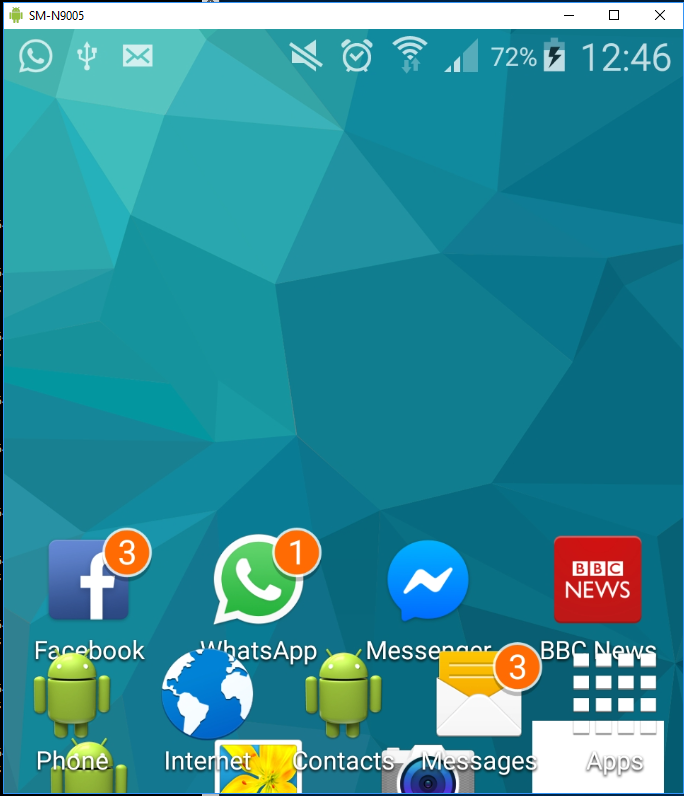
Thanks, I issued this to set the size:
adb shell wm size 1080x1920
However after doing that the screen is jumbled.
ajsedwards
on 12 Mar 2019
Resolved with:
adb shell size 1280x720
adb shell density 320
scrcpy
For some reason if I try to set size 1920x1080 then check what's set, it won't take 1920 and instead sets 1280x960 which isn't 16:9.
Well something seems screwed up with adb not getting the correct device profile. Thanks for the help!
ajsedwards
on 12 Mar 2019
Well something seems screwed up with adb not getting the correct device profile.
(it's not adb, it's in your device rom, adb just gives a shell to get access to the value)
rom1v
on 12 Mar 2019
Related issues
 mttmllns
·
3Comments
mttmllns
·
3Comments
 BloodPHamtOm
·
3Comments
BloodPHamtOm
·
3Comments
 udit7395
·
4Comments
udit7395
·
4Comments
 qymspace
·
3Comments
qymspace
·
3Comments
 SamuelBlickle
·
3Comments
SamuelBlickle
·
3Comments