Directing audio to the client would be pretty neat.
Currently you can accomplish the same thing by plugging a 3.5mm cable into the mic or line-in on the computer. Some manufacturers are dropping headphone ports though.
 benwa
benwa
All 207 comments
Adding this would really making streaming games would so much better. So far all the other existing solutions kinda suck.
 MrLint
on 14 Mar 2018
MrLint
on 14 Mar 2018
Is it even possible without a custom rom?
 AdoPi
on 14 Mar 2018
AdoPi
on 14 Mar 2018
As suggested by Juan, one possibility to investigate is using AOA.
I already implemented something using HID over AOA in the past (I even have a publicly available sample), it should be quite similar.
 rom1v
on 17 Mar 2018
rom1v
on 17 Mar 2018
I just implemented a PoC (separated of _scrcpy_) to enable audio forwarding from the device to the computer: aoa-audio.
On _Debian_ stable, it "works": the device sound is played on the computer.
This is quite manual though, and several issues must be solved before something similar could be implemented in _scrcpy_.
Any help is welcome :wink:
rom1v
on 17 Mar 2018
May it be possible to use AudioRecord api server side?
Problem is that AudioRecord requires an Activity context, I don't know if we can spawn one by using app_process.
AdoPi
on 17 Mar 2018
AudioRecord may only record input sources (like microphone), not the device audio output.
rom1v
on 17 Mar 2018
I may be wrong but here is an example of what I thought:
https://github.com/tzutalin/ReadPCMData/blob/master/src/com/da/readpcmtest/MainActivity.java
Sorry I should have added this on my previous comment.
AdoPi
on 17 Mar 2018
Oh, you're right, I missed the REMOTE_SUBMIX audio source.
rom1v
on 17 Mar 2018
Arf, just calling new AudioRecord(…) segfaults, probably because there is no Context (fault addr 0x0).
_Note that AudioRecord itself does not require a Context explicitly._
rom1v
on 17 Mar 2018
Yes... :(
That's why I was wondering if we could create one even if we are using app process.
Audio support is really tricky :/
AdoPi
on 17 Mar 2018
Even from an app, the source REMOTE_SUBMIX does not work:
AudioRecord: Could not get audio input for record source 8, sample rate 44100, format 0x1, channel mask 0xc, session 73, flags 0
(while it works with MIC for example).
rom1v
on 18 Mar 2018
Hi,
I would like to share with you my work-in-progress branch: audio. _This branch can be rebased/rewritten at any time._
I implemented it, and it works fine for me! :tada:
I would like early feedbacks so that any major issue can be fixed.
Requirements
- Linux (for now, I have problems to make it work on Windows and MacOS)
- a device supporting AOA2
- the device must be connected via USB (not
adb connect)
How to
Install libusb:
sudo apt install libusb-1.0-0 libusb-1.0-0-dev
Checkout the audio branch:
git fetch
git checkout origin/audio
Use a debug build to report problems:
meson d
ninja -C d
Run with audio forwarding enabled:
./run d --forward-audio
The audio should be forwarded.
When closed, the audio forwarding may not be totally disabled. It may require to restart the current audio track (in VLC for example). If it is not sufficient, unplug the device. At worst (but it should not be necessary), disable/enable USB debugging.
How it works
_Scrcpy_ connects to the device over USB to send AOA requests so that the computer becomes an "USB audio accessory" for the device.
This creates a new audio input source on the computer (which can be seen in PulseAudio for example).
_Scrcpy_ records this input source and immediately plays it to the default output source.
Thank you for your feedbacks.
rom1v
on 21 Mar 2018
In theory, it should now also work on Windows (in MSYS2/mingw64), with the libusb package:
pacman -S mingw-w64-x86_64-libusb
However, when it try to communicate to open the device over USB on Windows, libusb_open() returns -3, which is (according to libusb_strerror()):
Access denied (insufficient permissions)
I have no idea how to get the permissions granted. Any ideas?
rom1v
on 23 Mar 2018
On macOS you can install libusb with the following command: brew install libusb
On a MBP 15, macOS 10.13.3 it is not working.
I start the app while a podcast is playing on the device.
After the app starts I get some noise coming out from the computer's speakers, but nothing that I can recognise. At the same time the device's speakers stop emitting a sound.
After about 10 seconds, the scrcpy app stops itself and the podcast sound comes back on the device's speaker.
This behaviour is 100% reproducible on my side.
Here are the command line output:
2018-03-24 23:01:14.851 scrcpy[5291:36915] DEBUG: No serial provided, request it to the device
2018-03-24 23:01:14.865 scrcpy[5291:36915] DEBUG: Device serial is ENU7N15B03004574
2018-03-24 23:01:14.866 scrcpy[5291:36915] DEBUG: USB device with serial ENU7N15B03004574 found: 18d1:4ee7
2018-03-24 23:01:14.867 scrcpy[5291:36915] DEBUG: Device AOA version: 2
2018-03-24 23:01:14.867 scrcpy[5291:36915] INFO: Audio forwarding enabled
2018-03-24 23:01:14.883 scrcpy[5291:36915] INFO: Waiting 2s for USB reconfiguration...
2018-03-24 23:01:17.144 scrcpy[5291:36915] INFO: Selecting input audio source: Built-in Microphone
d/server/scrcpy-server.jar: 1 file pushed. 2.9 MB/s (23985 bytes in 0.008s)
2018-03-24 23:01:17.918 scrcpy[5291:36915] DEBUG: Starting decoder thread
2018-03-24 23:01:17.918 scrcpy[5291:36915] DEBUG: Starting controller thread
2018-03-24 23:01:18.845 scrcpy[5291:36915] INFO: OpenGL shaders: ENABLED
2018-03-24 23:01:18.845 scrcpy[5291:36915] INFO: Created renderer: opengl
2018-03-24 23:01:18.849 scrcpy[5291:36915] INFO: Initial texture: 1440x2560
2018-03-24 23:01:20.662 scrcpy[5291:36915] DEBUG: Unknown touch device id -841524992, cannot reset
2018-03-24 23:01:25.184 scrcpy[5291:37036] DEBUG: End of frames
2018-03-24 23:01:25.188 scrcpy[5291:36915] DEBUG: Video decoder stopped
2018-03-24 23:01:25.188 scrcpy[5291:36915] DEBUG: quit...
2018-03-24 23:01:25.200 scrcpy[5291:36915] DEBUG: Server terminated
2018-03-24 23:01:25.408 scrcpy[5291:36915] DEBUG: USB device with serial ENU7N15B03004574 found: 18d1:4ee7
2018-03-24 23:01:25.409 scrcpy[5291:36915] DEBUG: Device AOA version: 2
2018-03-24 23:01:25.409 scrcpy[5291:36915] INFO: Audio forwarding disabled
 eyal-lezmy
on 24 Mar 2018
eyal-lezmy
on 24 Mar 2018
Thank you for the test :+1:
Selecting input audio source: Built-in Microphone
It did not select the right input source, either because none were created, either because for now it just selects the last one, assuming it's the most recent (so it should probably be the input source from the device).
I'll check that. Thank you.
rom1v
on 25 Mar 2018
For your information I've done 2 tests one with a headset connected to the computer and another one without any headset plugged in.
Good luck
eyal-lezmy
on 25 Mar 2018
@eyal-lezmy I investigated on Mac, and it appears that enabling "audio accessory" on the device does not create a new audio input source on the computer.
So unfortunately, I think that the feature will be Linux-only…
I updated the branch to reject the input source if its name does not contain the device model (so that it does not open the built-in microphone for example).
rom1v
on 26 Mar 2018
Ok so heres a wholly stupid question. Would it work via the Linux environment in windows 10?
MrLint
on 26 Mar 2018
Would it work via the Linux environment in windows 10?
You tell me :wink:
rom1v
on 26 Mar 2018
What is the plan of merging this excellent feature into the main branch?
 yxtj
on 20 Jun 2018
yxtj
on 20 Jun 2018
Did you test it? Does it work correctly for you?
There are several problems:
- it's a bit hacky/fragile;
- it only works on Linux (but not necessarily a problem);
- if the computer consumes audio at a slightly different rate from the one it is produced by the device (which is not unlikely), the drift will increase and sound becomes very bad, and there is no mechanism to compensate.
So for now, I don't merge it.
Maybe I could, mentionning that it is very experimental...
rom1v
on 21 Jun 2018
Hi, thanks for the package! I've been enjoying it a lot
I wanted to test the audio forwarding feature out on my machines, but I cannot work out why the program is failing to start with the forward audio enabled.
On my Archlinux machine, I have both libusb and libusb-compat installed besides the dependencies already listed in the AUR package for scrcpy. The testing scrcpy pacakge was compiled with the pre-built server.jar. When attempting to start scrcpy audio forwarding with my Nokia6.1 (Android 8.1, July 1st 2018 patch), the program exits with the following error message:
DEBUG: Device AOA version: 2
INFO: Audio accessory enabled
INFO: Waiting 2s for USB reconfiguration...
DEBUG: Audio input #0: Built-in Audio Analog Stereo
DEBUG: setpriority() failed
DEBUG: Device model is: Nokia 6.1
ERROR: Cannot find the Android accessory audio input source
DEBUG: Disabling audio accessory...
DEBUG: USB device with serial PL2GAMR832306185 found: 18d1:2d05
DEBUG: Device AOA version: 2
Without the --forward-audio flag, the program runs fine.
 yimuchen
on 28 Jul 2018
yimuchen
on 28 Jul 2018
@yimuchen Could you test manually with pactl and ffplay:
$ pactl list short sources
0 alsa_output.pci-0000_00_05.0.analog-stereo.monitor module-alsa-card.c s16le 2ch 44100Hz SUSPENDED
1 alsa_input.pci-0000_00_05.0.analog-stereo module-alsa-card.c s16le 2ch 44100Hz SUSPENDED
$ ffplay -vn -f pulse -i alsa_input.usb-LGE_Nexus_5_05f5e60a0ae518e5-01.analog-stereo
@rom1v I'm a bit new to writing this sort of code, Can you help me with how I should get the string for my device, the alsa_input.usb-LGE_Nexus_5_05f5e60a0ae518e5-01.analog-stereo for my phone?
The output of pactl is:
0 alsa_output.pci-0000_00_1b.0.analog-stereo.monitor module-alsa-card.c s16le 2ch 48000Hz SUSPENDED
1 alsa_input.pci-0000_00_1b.0.analog-stereo module-alsa-card.c s16le 2ch 44100Hz SUSPENDED
On a side note, as a test, I edited the get_matching_audio_device in app/src/audio.c, so that the program uses the found Audio input #0: Built-in Audio Analog Stereo as the audio device, it seems to be able to pass the microphone input of my phone to my PC (I can hear myself talking to the phone from hy PC's headphone), but not the internal audio.
yimuchen
on 1 Aug 2018
Can you help me with how I should get the string for my device, the alsa_input.usb-LGE_Nexus_5_05f5e60a0ae518e5-01.analog-stereo for my phone?
Sorry, I copied incomplete instructions I kept in some textfile.
Instead, follow the steps I wrote in the README of aoa-audio.
rom1v
on 1 Aug 2018
@rom1v Thanks for instructions! I think the issue that I have is that the udev rules for my phone isn't available yet. The vendor/product ID under lsusb is constantly in flux, and changes everytime I run the ./audio package. I guess I'll try again when I find and updated udev rule : /
yimuchen
on 2 Aug 2018
@rom1v
First, I want to thank you for this awesome application.
It is exactly what I was looking for to mirror the screen of my Huawei Mediapad M5 on the PC and in very high quality.
Neither google cast nor miracast can keep up with the image quality
Better even as an airplay from the Ipad Air 2 to the PC.
I use it with adb over wlan with this cmd command:
scrcpy.exe -s 192.168.10.74:5555 -b 32M -m 1735
So far, I transmit the sound either via cable, which is awkward because the M5 has only a USB-C and no headphone jack, or I use bluetooth but that is not so clever.
Since I work exclusively with Windows and unfortunately with linux little on the hat, I would be glad to test the addressed by you "experimental audio inclusive version". With the knowledge that it does not work 100% yet and that there can be problems.
Thanks again for this great application.
Regards
Michael
 ml1969
on 2 Aug 2018
ml1969
on 2 Aug 2018
Since I work exclusively with Windows and unfortunately with linux little on the hat, I would be glad to test the addressed by you "experimental audio inclusive version". With the knowledge that it does not work 100% yet and that there can be problems.
On Windows, it does not work at all. And anyway, when it works, it's only over USB.
rom1v
on 2 Aug 2018
Hello rom1v,
thanks for reply, if I can help testing on windows I can use USB that will no problem.
What I would say is, that your great app works over WLAN better as the "big known players" and thats great..... RESPECT to your work !!!!!!!!!!!!!!!!!!!!!!!!!!!!!!!!!!!!!!!!!!!!
would it work in a VM???? Will adb work in a VM when USB is passed through??
I did not have any experience with adb on a linux system, I have some experience on Windows
I root Samsung S5 S6 S8, Nexus 6 and the tablet Nexus 7, also Huawei P10 but the mediapad its just new so I dont will do it 😂 all using adb and fastboot.
Michael
ml1969
on 3 Aug 2018
What I would say is, that your great app works over WLAN better as the "big known players" and thats great..... RESPECT to your work !!!!!!!!!!!!!!!!!!!!!!!!!!!!!!!!!!!!!!!!!!!!
Glad you like it :wink:
would it work in a VM???? Will adb work in a VM when USB is passed through??
I didn't try.
rom1v
on 3 Aug 2018
@rom1v
For your notice, I set up a VM using Virtual Box and a Ubuntu 18 image and it works.
I can mirror the screen from my tablet with forwarded USB to the VM.
The quality is not so good as on my real Win PC but I think this comes frome the USB.
Now I cloned the VM, so that I can try the audio stuff. 👍
Michael
ml1969
on 5 Aug 2018
Hello again,
First:
I have managed that the quality in the VM is quiet the same as on my real Windows PC. I have to enable USB-3.0 mode in the VM.
Second:
as you described I created a debug build.
If I run .\run d it works like the normal build with scrcpy,
but if I use the "-a" flag I got this error messages:
wot@wot-VirtualBox:~/scrcpy$ ./run d -s NNF6R18525002604 -m 600 -a
DEBUG: Enabling audio accessory...
DEBUG: USB: cannot open device 1d6b:0003 (Access denied (insufficient permissions))
DEBUG: USB device with serial NNF6R18525002604 found: 12d1:107e
DEBUG: Device AOA version: 2
INFO: Audio accessory enabled
INFO: Waiting 2s for USB reconfiguration...
DEBUG: Audio input #0: Eingebautes Tongerät Analog Stereo
DEBUG: setpriority() failed
error: device 'NNF6R18525002604' not found
ERROR: "getprop model" returned with value 1
ERROR: Cannot read Android device model
ERROR: Cannot find the Android accessory audio input source
DEBUG: Disabling audio accessory...
DEBUG: USB: cannot open device 1d6b:0003 (Access denied (insufficient permissions))
DEBUG: USB: cannot open device 80ee:0021 (Access denied (insufficient permissions))
DEBUG: USB: cannot open device 1d6b:0002 (Access denied (insufficient permissions))
ERROR: Cannot find USB device having serial NNF6R18525002604
WARN: Cannot disable audio forwarding
wot@wot-VirtualBox:~/scrcpy$
Where can I look into???
MIchael
ml1969
on 5 Aug 2018
@ml1969 you probably need to add the udev rules for Android device (just install the android-tools-adb package on Debian-based distribution).
rom1v
on 5 Aug 2018
After I executed the command "./audio 18d1 4ee1 1", can I get the PCM data from the usb handle?
 likezjuisee
on 25 Sep 2018
likezjuisee
on 25 Sep 2018
@likezjuisee no, it just adds a new input audio source on your computer, that you can play or record.
rom1v
on 25 Sep 2018
If I want to record the audio data from the android, could you give me some advice? The audio data's format is PCM?
likezjuisee
on 28 Sep 2018
After adding udev rules, I got this:
DEBUG: No serial provided, request it to the device
DEBUG: Device serial is ZY224P7LF8
DEBUG: Enabling audio accessory...
DEBUG: USB device with serial ZY224P7LF8 found: 18d1:2d01
DEBUG: Device AOA version: 2
INFO: Audio accessory enabled
INFO: Waiting 2s for USB reconfiguration...
DEBUG: Audio input #0: Built-in Audio Analog Stereo
DEBUG: setpriority() failed
DEBUG: Device model is: moto x4
ERROR: Cannot find the Android accessory audio input source
DEBUG: Disabling audio accessory...
DEBUG: USB device with serial ZY224P7LF8 found: 18d1:2d05
DEBUG: Device AOA version: 2
 nrfwmd
on 30 Sep 2018
nrfwmd
on 30 Sep 2018
If I want to record the audio data from the android, could you give me some advice? The audio data's format is PCM?
Once AOA audio is enabled, you have a new input source on your computer (e.g. in pulseaudio). You can then play or record it as any input source.
See
- https://github.com/rom1v/aoa-audio
- https://askubuntu.com/questions/834961/sox-and-rec-without-the-mic/835012#835012
You can probably record it with _audacity_ too.
rom1v
on 30 Sep 2018
@nrfwmd Yes, it does not work with all devices or all computers. That's why I did not merge this branch.
rom1v
on 30 Sep 2018
@rom1v will rooting my device help me with this?
nrfwmd
on 1 Oct 2018
I don't think so.
rom1v
on 1 Oct 2018
@rom1v I tried this on Xperia XA1 Ultra and it works(scrcpy with sound I mean). 👍
nrfwmd
on 1 Oct 2018
What I really think important for this function is to have a compiled Windows version. Even it only works for few models.
After I advertised this awesome tool to the Chinese community, especially the community of mobile game streamers, all them love it. And all of them asked how can they forward audio. Apparently, most common users are using Windows and this is not a unique phenomenon in some countries. It would be great if we can give them a touchable hope. In addition, spreading your company name to the millions of viewers of these streamers surely is a good and free adverting.
yxtj
on 1 Oct 2018
_(I have no idea how to make it work on Windows at all.)_
rom1v
on 1 Oct 2018
So question, if I run this app within an ubuntu VM on a windows host machine would it work O.o (all I want to do is watch this app that only streams to 'mobile devices')
 IdrisDose
on 3 Oct 2018
IdrisDose
on 3 Oct 2018
@IdrisDose See https://github.com/Genymobile/scrcpy/issues/14#issuecomment-410515037.
rom1v
on 3 Oct 2018
If I want to record the audio data from the android, could you give me some advice? The audio data's format is PCM?
Once AOA audio is enabled, you have a new input source on your computer (e.g. in pulseaudio). You can then play or record it as any input source.
See
- https://github.com/rom1v/aoa-audio
- https://askubuntu.com/questions/834961/sox-and-rec-without-the-mic/835012#835012
You can probably record it with _audacity_ too.
I will try, thanks.
likezjuisee
on 8 Oct 2018
I rebased the audio on the current master. There were conflicts and things to rewrite, the previous audio branch was written above v1.1. The old one is still available in audio_old.
Nothing changes in the audio forwarding implementation, but it is now implemented above the last version of _scrcpy_.
rom1v
on 21 Oct 2018
I exclusively use Gnu/Linux (Manjaro) as I hate windows.
Scrcpy is very good alternative to connect app on windows although it doesn't support audio forwarding like connect app so I use Bluetooth to forward my android audio
Would it be possible to use it via wireless display(cast)?
 librewish
on 18 Nov 2018
librewish
on 18 Nov 2018
Can you help me with how I should get the string for my device, the alsa_input.usb-LGE_Nexus_5_05f5e60a0ae518e5-01.analog-stereo for my phone?
Sorry, I copied incomplete instructions I kept in some textfile.
Instead, follow the steps I wrote in the README of aoa-audio.
Hmm, I've tested with ffplay and it works as expected. However I still get this error
❯ ./run d --forward-audio
d/server/scrcpy-server.jar: 1 file pushed. 3.4 MB/s (69550 bytes in 0.019s)
DEBUG: No serial provided, request it to the device
DEBUG: Device serial is 851QFDSF2259C
DEBUG: Enabling audio accessory...
DEBUG: USB: cannot open device 8087:8001 (Access denied (insufficient permissions))
DEBUG: USB: cannot open device 1d6b:0002 (Access denied (insufficient permissions))
DEBUG: USB: cannot open device 17ef:1012 (Access denied (insufficient permissions))
DEBUG: USB: cannot open device 1d6b:0003 (Access denied (insufficient permissions))
DEBUG: USB: cannot open device 04ca:703c (Access denied (insufficient permissions))
DEBUG: USB: cannot open device 8087:0a2a (Access denied (insufficient permissions))
DEBUG: USB: cannot open device 138a:0017 (Access denied (insufficient permissions))
DEBUG: USB device with serial 851QFDSF2259C found: 18d1:2d01
DEBUG: Device AOA version: 2
INFO: Audio accessory enabled
INFO: Waiting 2s for USB reconfiguration...
DEBUG: Audio input #0: Built-in Audio Analog Stereo
DEBUG: Audio input #1: SDM636-MTP _SN:95743F4E Analog Stereo
DEBUG: Device model is: MEIZU E3
ERROR: Cannot find the Android accessory audio input source
DEBUG: Disabling audio accessory...
DEBUG: USB device with serial 851QFDSF2259C found: 18d1:2d05
DEBUG: Device AOA version: 2
pacman -S android-udev is installed.
 amosbird
on 12 Jan 2019
amosbird
on 12 Jan 2019
Cannot find the Android accessory audio input source
The problem is that there is no link between the USB device and the input source created when we enable AOA. So it attempts to guess, based on the names.
Currently, it checks whether the audio device name contains the device model:
https://github.com/Genymobile/scrcpy/blob/fae8f353cecdfc364b128e12ab67922d373618b6/app/src/audio.c#L54-L62
It seems it is not the case for your device.
Could you add a debug log to print the name variable (the audio device name)?
rom1v
on 12 Jan 2019
DEBUG: Audio input #0: Built-in Audio Analog Stereo
DEBUG: Audio input #1: SDM636-MTP _SN:95743F4E Analog Stereo
DEBUG: Device model is: MEIZU E3
DEBUG: Device name is: SDM636-MTP _SN:95743F4E Analog Stereo
DEBUG: Device name is: Built-in Audio Analog Stereo
ERROR: Cannot find the Android accessory audio input source
DEBUG: Disabling audio accessory...
DEBUG: USB device with serial 851QFDSF2259C found: 18d1:2d05
DEBUG: Device AOA version: 2
btw, phone calls don't get forwarded when I was testing ffplay. Only music does.
amosbird
on 12 Jan 2019
OK, so the audio device name is SDM636-MTP _SN:95743F4E and the device model is MEIZU E3.
I don't know how we can match the audio device.
rom1v
on 12 Jan 2019
lemme try hard coding then
amosbird
on 12 Jan 2019
hmm, what the heck are these https://la.wentropy.com/GXbK
amosbird
on 12 Jan 2019
hmm, what the heck are these https://la.wentropy.com/GXbK
https://github.com/Genymobile/scrcpy/issues/17#issuecomment-371916622
rom1v
on 12 Jan 2019
That aur package doesn't help. Well it seems to be harmless errors though.
amosbird
on 12 Jan 2019
so, i did everything as per instruction bit i dont know why audio is still not coming.
Here's some of the details about it:-
vasu97@BlackPearl:~/scrcpy$ ./run d --forward-audio
[100%] /data/local/tmp/scrcpy-server.jar
DEBUG: No serial provided, request it to the device
DEBUG: Device serial is 307c9a4c
DEBUG: Enabling audio accessory...
DEBUG: USB: cannot open device 05c8:036e (Access denied (insufficient permissions))
DEBUG: USB: cannot open device 0bda:b001 (Access denied (insufficient permissions))
DEBUG: USB: cannot open device 8087:8000 (Access denied (insufficient permissions))
DEBUG: USB: cannot open device 1d6b:0002 (Access denied (insufficient permissions))
DEBUG: USB: cannot open device 1d6b:0003 (Access denied (insufficient permissions))
DEBUG: USB: cannot open device 1d57:ad04 (Access denied (insufficient permissions))
DEBUG: USB: cannot open device 1c4f:0002 (Access denied (insufficient permissions))
DEBUG: USB device with serial 307c9a4c found: 18d1:2d01
DEBUG: Device AOA version: 2
INFO: Audio accessory enabled
INFO: Waiting 2s for USB reconfiguration...
DEBUG: setpriority() failed
DEBUG: Audio input #0: Built-in Audio Analog Stereo
DEBUG: Audio input #1: OnePlus Analog Stereo
DEBUG: Device model is: ONEPLUS A5000
ERROR: Cannot find the Android accessory audio input source
DEBUG: Disabling audio accessory...
DEBUG: USB device with serial 307c9a4c found: 18d1:2d05
DEBUG: Device AOA version: 2
well this is it and i dont know whats wrong.
 vasu97
on 31 Jan 2019
vasu97
on 31 Jan 2019
@vasu97 See https://github.com/Genymobile/scrcpy/issues/14#issuecomment-453746741.
OnePlus Analog Stereo does not contain ONEPLUS A5000.
rom1v
on 31 Jan 2019
┌─[✗]─[novacore@parrot]─[~/Desktop/scrcpy]
└──╼ $sudo ./run d --forward-audio
d/server/scrcpy-server.jar: 1 file pushed. 2.4 MB/s (26987 bytes in 0.011s)
DEBUG: No serial provided, request it to the device
DEBUG: Device serial is fa41fce77d63
DEBUG: Enabling audio accessory...
DEBUG: USB: device 0cf3:e500 has no serial number available
DEBUG: USB: device 0438:7900 has no serial number available
DEBUG: USB device with serial fa41fce77d63 found: 18d1:2d05
DEBUG: Device AOA version: 2
INFO: Audio accessory enabled
INFO: Waiting 2s for USB reconfiguration...
DEBUG: Audio input #0: Built-in Audio Analog Stereo
DEBUG: Audio input #1: Android Analog Stereo
DEBUG: Device model is: havoc_land
ERROR: Cannot find the Android accessory audio input source
DEBUG: Disabling audio accessory...
DEBUG: USB: device 0cf3:e500 has no serial number available
DEBUG: USB: device 0438:7900 has no serial number available
DEBUG: USB device with serial fa41fce77d63 found: 18d1:2d05
DEBUG: Device AOA version: 2
DEBUG: Event controller stopped
DEVICE: REDMI 3S
device code: land
android 9
any suggestions for me?
 n0v4c0r3
on 14 Feb 2019
n0v4c0r3
on 14 Feb 2019
@n0v4c0r3 Same issue, see https://github.com/Genymobile/scrcpy/issues/14#issuecomment-453746741.
Instead of guessing the audio device from the name, we should list all audio devices first, enable AOA, then list all audio devices after, then take the diff.
rom1v
on 14 Feb 2019
Mine doesn't even seem to get that far (Oculus Go)
[parker@e55 scrcpy]$ ./run d -a
d/server/scrcpy-server.jar: 1 file pushed. 2.1 MB/s (19186 bytes in 0.009s)
INFO: Audio accessory enabled
INFO: Waiting 2s for USB reconfiguration...
ERROR: No audio input source found
Using the 1.5 server jar.
EDIT: Ok so I screwed up the last one
[parker@e55 scrcpy]$ ./run d --forward-audio
d/server/scrcpy-server.jar: 1 file pushed. 1.7 MB/s (19186 bytes in 0.011s)
DEBUG: No serial provided, request it to the device
DEBUG: Device serial is 1KWPH802328184
DEBUG: Enabling audio accessory...
DEBUG: USB: cannot open device 046d:c24c (Access denied (insufficient permissions))
DEBUG: USB: cannot open device 2516:0004 (Access denied (insufficient permissions))
DEBUG: USB: cannot open device 8087:0024 (Access denied (insufficient permissions))
DEBUG: USB: cannot open device 1d6b:0002 (Access denied (insufficient permissions))
DEBUG: USB: cannot open device 058f:6362 (Access denied (insufficient permissions))
DEBUG: USB device with serial 1KWPH802328184 found: 2833:0083
DEBUG: Device AOA version: 2
INFO: Audio accessory enabled
INFO: Waiting 2s for USB reconfiguration...
ERROR: No audio input source found
DEBUG: Disabling audio accessory...
DEBUG: USB device with serial 1KWPH802328184 found: 2833:0083
DEBUG: Device AOA version: 2
 parkerlreed
on 15 Feb 2019
parkerlreed
on 15 Feb 2019
Tried the standalone and the device never shows up
[parker@e55 aoa-audio]$ ./audio 2833 0083 1
Device 2833:0083 found. Opening...
Setting audio mode: 1
SUCCESS
[parker@e55 aoa-audio]$ pactl list short sources
0 alsa_output.pci-0000_01_00.1.hdmi-stereo-extra3.monitor module-alsa-card.c s16le 2ch 44100Hz SUSPENDED
Right after enabling aoa the MTP disconnects and reconnects
parkerlreed
on 15 Feb 2019
Please help me how to install aoa-audio step by step on windows 10 tq
 2ulkifli
on 4 Mar 2019
2ulkifli
on 4 Mar 2019
On macOS you can install libusb with the following command:
brew install libusbOn a MBP 15, macOS 10.13.3 it is not working.
I start the app while a podcast is playing on the device.
After the app starts I get some noise coming out from the computer's speakers, but nothing that I can recognise. At the same time the device's speakers stop emitting a sound.
After about 10 seconds, the scrcpy app stops itself and the podcast sound comes back on the device's speaker.
@eyal-lezmy What are the commands for forwarding audio to mac after installing libusb?
 duplex143
on 25 Apr 2019
duplex143
on 25 Apr 2019
On latest updated Debian Stretch with Samsung Galaxy S7 Edge no success like this:
./run d --forward-audio
d/server/scrcpy-server.jar: 1 file pushed. 3.5 MB/s (27439 bytes in 0.008s)
DEBUG: No serial provided, request it to the device
DEBUG: Device serial is ce0117115189590705
DEBUG: Enabling audio accessory...
DEBUG: USB device with serial ce0117115189590705 found: 04e8:6860
DEBUG: Device AOA version: 2
INFO: Audio accessory enabled
INFO: Waiting 2s for USB reconfiguration...
DEBUG: setpriority() failed
DEBUG: Audio input #0: Built-in Audio Analog Stereo
DEBUG: Audio input #1: SAMSUNG_Android Analog Stereo
error: insufficient permissions for device: verify udev rules.
See [http://developer.android.com/tools/device.html] for more information.
ERROR: "getprop model" returned with value 1
ERROR: Cannot read Android device model
ERROR: Cannot find the Android accessory audio input source
DEBUG: Disabling audio accessory...
DEBUG: USB: cannot open device 18d1:2d05 (Access denied (insufficient permissions))
DEBUG: USB: cannot open device 062a:4101 (Access denied (insufficient permissions))
DEBUG: USB: cannot open device 8087:0020 (Access denied (insufficient permissions))
DEBUG: USB: cannot open device 1d6b:0002 (Access denied (insufficient permissions))
DEBUG: USB: cannot open device 18a5:0243 (Access denied (insufficient permissions))
DEBUG: USB: cannot open device 1d6b:0003 (Access denied (insufficient permissions))
DEBUG: USB: cannot open device 1d6b:0002 (Access denied (insufficient permissions))
DEBUG: USB: cannot open device 8087:0020 (Access denied (insufficient permissions))
DEBUG: USB: cannot open device 1d6b:0002 (Access denied (insufficient permissions))
ERROR: Cannot find USB device having serial ce0117115189590705
WARN: Cannot disable audio forwarding
 codefolder
on 7 May 2019
codefolder
on 7 May 2019
On Pop!_OS 19.04
Device: Xiaomi Mi 9 Android Ver. 9
No success.
./run d --forward-audio
d/server/scrcpy-server.jar: 1 file pushed. 0.6 MB/s (19734 bytes in 0.032s)
INFO: Audio accessory enabled
INFO: Waiting 2s for USB reconfiguration...
error: device '66d13e79' not found
ERROR: "getprop model" returned with value 1
ERROR: Cannot read Android device model
ERROR: Cannot find the Android accessory audio input source
ERROR: Cannot find USB device having serial 66d13e79
WARN: Cannot disable audio forwarding
 cheemo
on 9 May 2019
cheemo
on 9 May 2019
Is it possible Android Q could make this easier/more reliable? https://developer.android.com/preview/features/playback-capture
 Ajedi32
on 20 May 2019
Ajedi32
on 20 May 2019
@Ajedi32 Ah great! To be investigated…
rom1v
on 20 May 2019
Not the best solution. But it works. If it can help .
( Nice about 0-5 m, max 10-15 meters)

 EloiStree
on 4 Jun 2019
EloiStree
on 4 Jun 2019
I assume the custom Bluetooth link is lower latency than normal?
Also can you explain the setup. I see the links in the other post but am not quite sure of what's going on.
parkerlreed
on 4 Jun 2019
i would like to fool shazam with sending audio from linux (mpv+pulseaudio) to android and discovering the song.
 257
on 11 Jun 2019
257
on 11 Jun 2019
@257 That would be completely the reverse. The current work is trying to get from the device to computer, not the other way around. You could at that point just play the music on the speakers and let the phone pick it up.
parkerlreed
on 11 Jun 2019
@parkerlreed right.
although speaker is not an option here. i'm listening to radio at work with my headphones.
it would be cool though if audio could be fed into android/shazam. any idea?
257
on 11 Jun 2019
@257 Is this an Internet radio station streaming on the computer? Most will also encode the stream with metadata.
Or if it's streaming, just load it on the phone directly.
parkerlreed
on 11 Jun 2019
@parkerlreed no, good old bbc music 6 i fetch with get_iplayer
257
on 11 Jun 2019
rom1v
on 20 Jun 2019
@rom1v Would it be possible to forward audio from voice call to the PC?
 trigsoft
on 24 Jun 2019
trigsoft
on 24 Jun 2019
I had a bit of a duh moment... I can use the Bluetooth on the computer to get the audio. USB would be ideal but Bluetooth actually works really well
parkerlreed
on 24 Jun 2019
What's the status of this for Windows? It would be great to capture audio from line-in / mic when recording video via scrcpy. At the moment if you want to stream Oculus Quest to a PC and record it then you'd have to run scrcpy and sound recorder at the same time
 punkoffice
on 18 Jul 2019
punkoffice
on 18 Jul 2019
Even from an app, the source
REMOTE_SUBMIXdoes not work:AudioRecord: Could not get audio input for record source 8, sample rate 44100, format 0x1, channel mask 0xc, session 73, flags 0(while it works with
MICfor example).
REMOTE_SUBMIX seems working as system apps only, maybe making a magisk module?
take a look: https://gitlab.com/vijai/screencam-magisk-module
 miaulightouch
on 21 Jul 2019
miaulightouch
on 21 Jul 2019
Tried running usbaudio in the linux subsystem for Windows. Couldn't get it running.
- meson is not in ubuntu trusty's package manager
- meson can be installed with python 3.5 (which must be installed from an external ppa)
python3.5 -m pip install --user meson - meson when run with
meson x --buildtype=releasewill complain that ninja is not found - you can download ninja and add it to /user/bin but meson will still complain that it cannot find ninja, running ninja will complain that it doesn't have root privileges
- running
sudo meson x --buildtype=releaseappears to no longer complain that it ninja is missing but sits stalled for an eternity and never actually completes
 Renari
on 17 Aug 2019
Renari
on 17 Aug 2019
Was able to get it running by downloading an older version of nijna (1.5.1 to be exact) the end result is:
[ERROR] Could not initialize AOA
Renari
on 17 Aug 2019
Android Q added an API to capture audio playback. I'm not familiar with the scrcpy codebase yet, but would it be possible to create a helper app that could record audio and stream that to the scrcpy desktop app?
 alexkibler
on 20 Aug 2019
alexkibler
on 20 Aug 2019
Android Q added an API to capture audio playback.
Yes :+1: (https://github.com/Genymobile/scrcpy/issues/14#issuecomment-494058394)
I'm not familiar with the scrcpy codebase yet
If you have an Android Q device and want to investigate, creating a "standalone Java app" (cf here) outside _scrcpy_ which captures audio packets (and just log them) would help a lot :+1:
I currently don't have time to investigate ~(and I don't have any Android Q device for the moment)~, but once the investigation part is done (with a PoC which receives the packets), I could probably work on the scrcpy-specific part.
rom1v
on 20 Aug 2019
That's a great idea! I'll give it a shot when I get a chance (someone will likely beat me to it) although I'm struggling to understand the playback capture docs. It almost looks like you can only capture audio from a specific app (as opposed to recording the entire system.) I'm going to do more research tonight
alexkibler
on 20 Aug 2019
Hi,
I would like to share with you my work-in-progress branch:
audio. _This branch can be rebased/rewritten at any time._I implemented it, and it works fine for me!
I would like early feedbacks so that any major issue can be fixed.
Requirements
- Linux (for now, I have problems to make it work on Windows and MacOS)
- a device supporting AOA2
- the device must be connected via USB (not
adb connect)How to
Install libusb:
sudo apt install libusb-1.0-0 libusb-1.0-0-devCheckout the
audiobranch:git fetch git checkout origin/audioUse a debug build to report problems:
meson d ninja -C dRun with audio forwarding enabled:
./run d --forward-audioThe audio should be forwarded.
When closed, the audio forwarding may not be totally disabled. It may require to restart the current audio track (in VLC for example). If it is not sufficient, unplug the device. At worst (but it should not be necessary), disable/enable USB debugging.
How it works
_Scrcpy_ connects to the device over USB to send AOA requests so that the computer becomes an "USB audio accessory" for the device.
This creates a new audio input source on the computer (which can be seen in PulseAudio for example).
_Scrcpy_ records this input source and immediately plays it to the default output source.
Thank you for your feedbacks.
For me it's not working, I'm using a Lenovo T430 I purchased on FB marketplace. The guy I bought It from refurbished it a bit, here are the spec's output from the terminal:hardwareinfo.html.txt
and here's the program output from the terminal:
big-dog-boy@ben:~$ sudo apt install libusb-1.0-0 libusb-1.0-0-dev
[sudo] password for big-dog-boy:
Sorry, try again.
[sudo] password for big-dog-boy:
Reading package lists... Done
Building dependency tree
Reading state information... Done
libusb-1.0-0 is already the newest version (2:1.0.22-2).
libusb-1.0-0 set to manually installed.
The following packages were automatically installed and are no longer required:
fonts-liberation2 fonts-opensymbol gstreamer1.0-gtk3 libabw-0.1-1
libboost-date-time1.67.0 libboost-filesystem1.67.0 libboost-iostreams1.67.0
libboost-locale1.67.0 libcdr-0.1-1 libclucene-contribs1v5 libclucene-core1v5
libcmis-0.5-5v5 libcolamd2 libe-book-0.1-1 libeot0 libepubgen-0.1-1
libetonyek-0.1-1 libexttextcat-2.0-0 libexttextcat-data libfreehand-0.1-1
libglew2.1 libgpgmepp6 liblangtag-common liblangtag1 libmessaging-menu0
libmhash2 libmspub-0.1-1 libmwaw-0.3-3 libmythes-1.2-0 libneon27-gnutls
libodfgen-0.1-1 liborcus-0.14-0 libpagemaker-0.0-0 libraptor2-0 librasqal3
librdf0 librevenge-0.0-0 libsdl2-image-2.0-0 libsuitesparseconfig5
libvisio-0.1-1 libwpd-0.10-10 libwpg-0.3-3 libwps-0.4-4 libxmlsec1
libxmlsec1-nss libyajl2 linux-headers-5.0.0-23
linux-headers-5.0.0-23-generic linux-image-5.0.0-23-generic
linux-modules-5.0.0-23-generic linux-modules-extra-5.0.0-23-generic lp-solve
uno-libs3 ure
Use 'sudo apt autoremove' to remove them.
The following NEW packages will be installed:
libusb-1.0-0-dev libusb-1.0-doc
0 upgraded, 2 newly installed, 0 to remove and 28 not upgraded.
Need to get 233 kB of archives.
After this operation, 1,793 kB of additional disk space will be used.
Get:1 http://us.archive.ubuntu.com/ubuntu disco/main amd64 libusb-1.0-0-dev amd64 2:1.0.22-2 [61.7 kB]
Get:2 http://us.archive.ubuntu.com/ubuntu disco/main amd64 libusb-1.0-doc all 2:1.0.22-2 [171 kB]
Fetched 233 kB in 1s (309 kB/s)
Selecting previously unselected package libusb-1.0-0-dev:amd64.
(Reading database ... 218828 files and directories currently installed.)
Preparing to unpack .../libusb-1.0-0-dev_2%3a1.0.22-2_amd64.deb ...
Unpacking libusb-1.0-0-dev:amd64 (2:1.0.22-2) ...
Selecting previously unselected package libusb-1.0-doc.
Preparing to unpack .../libusb-1.0-doc_2%3a1.0.22-2_all.deb ...
Unpacking libusb-1.0-doc (2:1.0.22-2) ...
Setting up libusb-1.0-doc (2:1.0.22-2) ...
Setting up libusb-1.0-0-dev:amd64 (2:1.0.22-2) ...
big-dog-boy@ben:~$ git fetch
Command 'git' not found, but can be installed with:
sudo apt install git
big-dog-boy@ben:~$ sudo apt install git
Reading package lists... Done
Building dependency tree
Reading state information... Done
The following packages were automatically installed and are no longer required:
fonts-liberation2 fonts-opensymbol gstreamer1.0-gtk3 libabw-0.1-1
libboost-date-time1.67.0 libboost-filesystem1.67.0 libboost-iostreams1.67.0
libboost-locale1.67.0 libcdr-0.1-1 libclucene-contribs1v5 libclucene-core1v5
libcmis-0.5-5v5 libcolamd2 libe-book-0.1-1 libeot0 libepubgen-0.1-1
libetonyek-0.1-1 libexttextcat-2.0-0 libexttextcat-data libfreehand-0.1-1
libglew2.1 libgpgmepp6 liblangtag-common liblangtag1 libmessaging-menu0
libmhash2 libmspub-0.1-1 libmwaw-0.3-3 libmythes-1.2-0 libneon27-gnutls
libodfgen-0.1-1 liborcus-0.14-0 libpagemaker-0.0-0 libraptor2-0 librasqal3
librdf0 librevenge-0.0-0 libsdl2-image-2.0-0 libsuitesparseconfig5
libvisio-0.1-1 libwpd-0.10-10 libwpg-0.3-3 libwps-0.4-4 libxmlsec1
libxmlsec1-nss libyajl2 linux-headers-5.0.0-23
linux-headers-5.0.0-23-generic linux-image-5.0.0-23-generic
linux-modules-5.0.0-23-generic linux-modules-extra-5.0.0-23-generic lp-solve
uno-libs3 ure
Use 'sudo apt autoremove' to remove them.
The following additional packages will be installed:
git-man liberror-perl
Suggested packages:
git-daemon-run | git-daemon-sysvinit git-doc git-el git-email git-gui gitk
gitweb git-cvs git-mediawiki git-svn
The following NEW packages will be installed:
git git-man liberror-perl
0 upgraded, 3 newly installed, 0 to remove and 28 not upgraded.
Need to get 4,969 kB of archives.
After this operation, 33.9 MB of additional disk space will be used.
Do you want to continue? [Y/n] y
Get:1 http://us.archive.ubuntu.com/ubuntu disco/main amd64 liberror-perl all 0.17027-2 [26.6 kB]
Get:2 http://us.archive.ubuntu.com/ubuntu disco/main amd64 git-man all 1:2.20.1-2ubuntu1 [835 kB]
Get:3 http://us.archive.ubuntu.com/ubuntu disco/main amd64 git amd64 1:2.20.1-2ubuntu1 [4,107 kB]
Fetched 4,969 kB in 9s (584 kB/s)
Selecting previously unselected package liberror-perl.
(Reading database ... 218911 files and directories currently installed.)
Preparing to unpack .../liberror-perl_0.17027-2_all.deb ...
Unpacking liberror-perl (0.17027-2) ...
Selecting previously unselected package git-man.
Preparing to unpack .../git-man_1%3a2.20.1-2ubuntu1_all.deb ...
Unpacking git-man (1:2.20.1-2ubuntu1) ...
Selecting previously unselected package git.
Preparing to unpack .../git_1%3a2.20.1-2ubuntu1_amd64.deb ...
Unpacking git (1:2.20.1-2ubuntu1) ...
Setting up liberror-perl (0.17027-2) ...
Setting up git-man (1:2.20.1-2ubuntu1) ...
Setting up git (1:2.20.1-2ubuntu1) ...
Processing triggers for man-db (2.8.5-2) ...
big-dog-boy@ben:~$ git fetch
fatal: not a git repository (or any of the parent directories): .git
big-dog-boy@ben:~$ git checkout origin/audio
fatal: not a git repository (or any of the parent directories): .git
 BigDogBoy
on 5 Sep 2019
BigDogBoy
on 5 Sep 2019
Sorry practically all the program output is striked through, I don't know what happened.
BigDogBoy
on 5 Sep 2019
It's ticks ` and not tildes ~
```
code block
```
parkerlreed
on 5 Sep 2019
@BigDogBoy The git commands must be run from the directory where you cloned _scrcpy_:
git clone https://github.com/Genymobile/scrcpy
cd scrcpy
Anyway, this branch is old. If you want to try this "hack", consider testing USBaudio instead.
rom1v
on 5 Sep 2019
Any news for Windows?
 PrincessAkira
on 6 Sep 2019
PrincessAkira
on 6 Sep 2019
yeah. windows? i think it would be able to work on WSL but it doesnt use adb (that i know of), or have any other server on the windows side of things to be able to access the device. unless we could give wsl direct usb access, we would need something on the windows side to relay.
 lividhen
on 10 Sep 2019
lividhen
on 10 Sep 2019
yeah. windows? i think it would be able to work on WSL but it doesnt use adb (that i know of), or have any other server on the windows side of things to be able to access the device. unless we could give wsl direct usb access, we would need something on the windows side to relay.
I tried on WSL I was able to compile the project but it wouldn't run. https://github.com/Genymobile/scrcpy/issues/14#issuecomment-522268600
Renari
on 10 Sep 2019
I tried on WSL I was able to compile the project but it wouldn't run. #14 (comment)
well it probably doesnt help that it cant access the device 😅
really, does anyone know how to do that, not just as a storage device? is that even possible? 🤔
lividhen
on 11 Sep 2019
I cant seem to even run ./run d alone (run scrcpy worked tho)
What i did: listed all devices, enable AOA to my phone then run .run d -a
Here is the result. DO u have any idea?
ichirou2910@IK-Inspiron-7559~/scrcpy> sudo ./run d -a
d/server/scrcpy-server.jar: 1 file pushed. 0.5 MB/s (22546 bytes in 0.040s)
DEBUG: No serial provided, request it to the device
DEBUG: Device serial is 5200f616b4c2257f
DEBUG: Enabling audio accessory...
DEBUG: USB: device 8087:0a2a has no serial number available
DEBUG: USB: device 1bcf:28b0 has no serial number available
DEBUG: USB device with serial 5200f616b4c2257f found: 18d1:2d05
DEBUG: Device AOA version: 2
INFO: Audio accessory enabled
INFO: Waiting 2s for USB reconfiguration...
[server] ERROR: Exception on thread Thread[main,5,main]
java.lang.IllegalArgumentException: Expecting 6 parameters
at com.genymobile.scrcpy.Server.createOptions(Server.java:71)
at com.genymobile.scrcpy.Server.main(Server.java:132)
at com.android.internal.os.RuntimeInit.nativeFinishInit(Native Method)
at com.android.internal.os.RuntimeInit.main(RuntimeInit.java:341)
DEBUG: Audio input #0: Built-in Audio Analog Stereo
DEBUG: Audio input #1: SAMSUNG_Android Analog Stereo
DEBUG: Device model is: SM-J730G
ERROR: Cannot find the Android accessory audio input source
DEBUG: Disabling audio accessory...
DEBUG: USB: device 8087:0a2a has no serial number available
DEBUG: USB: device 1bcf:28b0 has no serial number available
DEBUG: USB device with serial 5200f616b4c2257f found: 18d1:2d05
DEBUG: Device AOA version: 2
 ichirou2910
on 28 Sep 2019
ichirou2910
on 28 Sep 2019
https://www.incentivespro.com/downloads.html#usb-redirector-linux
GASP! Does anyone know how to get this to work on wsl? M' getting,
*** INSTALLATION FAILED!
??? Kernel sources or kernel headers directory not found. Please install the corresponding package first.
lividhen
on 8 Oct 2019
In theory, it should now also work on Windows (in MSYS2/mingw64), with the
libusbpackage:pacman -S mingw-w64-x86_64-libusbHowever, when it try to communicate to open the device over USB on Windows,
libusb_open()returns-3, which is (according tolibusb_strerror()):Access denied (insufficient permissions)I have no idea how to get the permissions granted. Any ideas?
Hi, I managed to enable audio accessory mode on Android by changing my phone's usb driver to libusbK using Zadig and your aoa-audio, new audio device appear, but i don't know what the next step is, because first, there is a problem with the audio device driver (showing warning sign that the device cannot start code:10) and second, i'm unable to make pulseaudio on windows to work and i don't know what program that have similar function as pulseaudio on windows.
 achmadyusuf28
on 11 Oct 2019
achmadyusuf28
on 11 Oct 2019
All this talk about 'on Windows'; if you can't get it to work on 1 OS, try another; we already know two things, that Android, is based on the Linux kernel, and, that there is already a working SCRCPY package for Ubuntu, and possibly many other Linux distribution's. Why not try to get audio working there, first?
Get Outlook for Androidhttps://aka.ms/ghei36
From: SkurredBear notifications@github.com
Sent: Friday, October 11, 2019, 3:09 PM
To: Genymobile/scrcpy
Cc: BigDogBoy; Mention
Subject: Re: [Genymobile/scrcpy] Forward audio (#14)
In theory, it should now also work on Windows (in MSYS2/mingw64), with the libusb package:
pacman -S mingw-w64-x86_64-libusb
However, when it try to communicate to open the device over USB on Windows, libusb_open() returns -3, which is (according to libusb_strerror()):
Access denied (insufficient permissions)
I have no idea how to get the permissions granted. Any ideas?
Hi, I managed to enable audio accessory mode on Android by changing my phone's usb driver to libusbK using Zadighttps://zadig.akeo.ie/ and your aoa-audiohttps://github.com/rom1v/aoa-audio, new audio device appear, but i don't know what the next step is, because first, there is a problem with the audio device driver (showing warning sign that the device cannot start code:10) and second, i'm unable to make pulseaudio on windowshttps://www.freedesktop.org/wiki/Software/PulseAudio/Ports/Windows/Support/ to work and i don't know what program that have similar function as pulseaudio on windows.
—
You are receiving this because you were mentioned.
Reply to this email directly, view it on GitHubhttps://github.com/Genymobile/scrcpy/issues/14?email_source=notifications&email_token=AMR5OROWJDUNCYQJBDDSGFLQODTSHA5CNFSM4EUSC3KKYY3PNVWWK3TUL52HS4DFVREXG43VMVBW63LNMVXHJKTDN5WW2ZLOORPWSZGOEBBHAGI#issuecomment-541224985, or unsubscribehttps://github.com/notifications/unsubscribe-auth/AMR5ORIGN76B3EI4ZVXWL7LQODTSHANCNFSM4EUSC3KA.
BigDogBoy
on 12 Oct 2019
I don't understand why scrcpy can't do this when Vysor Pro can. If it takes downloading an app to the device, then that'd be totally fine with me.
 KeronCyst
on 17 Oct 2019
KeronCyst
on 17 Oct 2019
Actually, with SCRCPY you kind of already do "download" an app to the device; except you don't; the app (via the magic that is ADB) is automatically pushed to your phone/tablet, and auto installed, without any user input.
Get Outlook for Androidhttps://aka.ms/ghei36
From: KeronCyst notifications@github.com
Sent: Wednesday, October 16, 2019, 4:32 PM
To: Genymobile/scrcpy
Cc: BigDogBoy; Mention
Subject: Re: [Genymobile/scrcpy] Forward audio (#14)
I don't understand why scrcpy can't do this when Vysor Prohttps://www.vysor.io can. If it takes downloading an app to the device, then that'd be totally fine with me.
—
You are receiving this because you were mentioned.
Reply to this email directly, view it on GitHubhttps://github.com/Genymobile/scrcpy/issues/14?email_source=notifications&email_token=AMR5ORPBDC7NRHP2TTSZKNLQO6I7NA5CNFSM4EUSC3KKYY3PNVWWK3TUL52HS4DFVREXG43VMVBW63LNMVXHJKTDN5WW2ZLOORPWSZGOEBOEMXA#issuecomment-542918236, or unsubscribehttps://github.com/notifications/unsubscribe-auth/AMR5OROUWVGUMLPJWGP6R4LQO6I7NANCNFSM4EUSC3KA.
BigDogBoy
on 17 Oct 2019
I don't understand why scrcpy can't do this when Vysor Pro can.
Does it? Audio forwarding is not listed in the Pro features on their page.
rom1v
on 17 Oct 2019
is there any prebuilt binary of audio branch for windows?
 djdisodo
on 17 Oct 2019
djdisodo
on 17 Oct 2019
- Don't try the
audiobranch anymore, it's based on an old version of _scrcpy_ and is not maintained. You can tryUSBAudioinstead. - AOA audio, the feature used by
USBaudio, is deprecated since Android 8.0, so consider the whole thing obsolete. - Neither the
audiobranch norUSBaudiomay work on Windows. Don't waste your time. - Now, we want to use the playback capture API introduced in Android 10, if possible. This needs to be investigated.
rom1v
on 17 Oct 2019
So basically audio forwarding is impossible now? Im using android 9. Maybe wait for A.10 then.
ichirou2910
on 17 Oct 2019
@rom1v so... is there no way to work on android 8,9?
djdisodo
on 18 Oct 2019
Is there any sort of plan in the relatively near future to implement audio again on Android 10?
 thebombzen
on 31 Oct 2019
thebombzen
on 31 Oct 2019
the device must be connected via USB (not adb connect)
So I guess this wouldn't work wirelessly using tcpip then? I spoke with you on Reddit a few months back when testing scrcpy to cast an Oculus Quest with the Raspberry Pi 3B+, but I couldn't get above 320x320 without serious lag. But now with a Raspberry Pi 4 with 4 GB's of RAM, the thing's pretty much flawless, maxing out at 8MB/s at full resolution before lagging, but if I set to -m 720, I can bump it well above -b 35M. Now I just need audio...I planned on using a $20 sound card I picked up, connecting a bluetooth receiver to the line-in, then playing over the desktop...somehow. If this feature doesn't work wirelessly, will it still pull the audio through the sound card? That would make playback over the desktop a lot easier.
 iamogopogo
on 5 Nov 2019
iamogopogo
on 5 Nov 2019
h264和FFmpeg已经把音频都发送出去了,自己编解码加上即可实现,做好音视频同步即可。
 linggongzhi
on 8 Nov 2019
linggongzhi
on 8 Nov 2019
scrcpy is working fine and i have installed usbaudio aslo both seems working fine but when using my 3.5 mm jack of my linux destro could not able to find the audio
usbaudio
amanjay@MarinerPC:~$ usbaudio
[INFO] Device: [18d1:2d05] 8e51ae0a
[INFO] Audio forwarding enabled
[INFO] Matching PulseAudio input source found: 4 (18d1:2d05) OnePlus_OnePlus_8e51ae0a
[INFO] Playing pulse://4
VLC media player 3.0.3 Vetinari (revision 3.0.3-1-0-gc2bb759264)
[000055d490bb2bc0] dummy interface: using the dummy interface module...
scrcpy
amanjay@MarinerPC:~$ scrcpy
INFO: scrcpy 1.10 https://github.com/Genymobile/scrcpy
[100%] /data/local/tmp/scrcpy-server.jar
INFO: Initial texture: 1080x1920
amanjay@MarinerPC:~$
please help @rom1v
 amanjaymariner
on 10 Nov 2019
amanjaymariner
on 10 Nov 2019
What is usbaudio? Is that a free service? A link would be very helpful 🙏
KeronCyst
on 10 Nov 2019
What is usbaudio? Is that a free service? A link would be very helpful 🙏
作者的个人blog,有他的各种项目:
https://blog.rom1v.com/2019/06/introducing-usbaudio/
linggongzhi
on 11 Nov 2019
Oh. Well, sadly, that one's too old for all Android 8.0+ devices:
_Note that AOA audio, the feature used by USBaudio, is deprecated since Android 8.0._
KeronCyst
on 11 Nov 2019
so USBaudio is not working for present updated android phones
is this correct
amanjaymariner
on 11 Nov 2019
I don't understand why scrcpy can't do this when Vysor Pro can.
Does it? Audio forwarding is not listed in the Pro features on their page.
Vysor support audio forward for a very long time.
I think it use android.permission.CAPTURE_AUDIO_OUTPUT and can be granted via pm.
 imReker
on 19 Nov 2019
imReker
on 19 Nov 2019
Vysor support audio forward for a very long time.
Even without a rooted device?
I think it use
android.permission.CAPTURE_AUDIO_OUTPUTand can be granted viapm.
This permission has protection level signature|privileged (source), and shell does not have this permission.
rom1v
on 19 Nov 2019
Vysor support audio forward for a very long time.
Even without a rooted device?
I think it use
android.permission.CAPTURE_AUDIO_OUTPUTand can be granted viapm.This permission has protection level
signature|privileged(source), andshelldoes not have this permission.
Sorry for the wrong information. I tried Vysor Pro's audio mirror, it tells me that Google Home is needed. Seems like it use audio cast and made a fake server on PC.
More info: https://github.com/koush/vysor.io/issues/354
imReker
on 19 Nov 2019
I basically not able to understand the issue i have installed both #scrcpy and #usbaudio correctly as per the instructions
the output from both are shown below:-
@rom1v Please explain this issue dude
scrcpy
INFO: scrcpy 1.10 https://github.com/Genymobile/scrcpy
- daemon not running. starting it now on port 5037 *
- daemon started successfully *
[100%] /data/local/tmp/scrcpy-server.jar
INFO: Initial texture: 1080x1920
usbaudio
[INFO] Device: [2a70:9011] 8e51ae0a
[INFO] Audio forwarding enabled
[INFO] Waiting for input source...
[INFO] Matching PulseAudio input source found: 2 (18d1:2d05) OnePlus_OnePlus_8e51ae0a
[INFO] Playing pulse://2
VLC media player 3.0.3 Vetinari (revision 3.0.3-1-0-gc2bb759264)
[000055b81b2cdc20] dummy interface: using the dummy interface module...
both r showing the above output scrcpy run fine i am love it beat games or movies works completely nice without lag only the audio suck please help me to fix this
Thanks in advance
@rom1v
amanjaymariner
on 19 Nov 2019
From Android Source
https://source.android.com/devices/audio/usb
 tony8077616
on 18 Dec 2019
tony8077616
on 18 Dec 2019
Vysor support audio forward for a very long time.
Even without a rooted device?
@rom1v
So you can get forward audio easy in rooted device?
i think you should add that forward audio feature temporarily on rooted device only, while waiting for forward audio can be use on nonrooted device
 duyy018
on 13 Jan 2020
duyy018
on 13 Jan 2020
if it's possible to get it on rooted device, I agree.
 JulyMorning
on 14 Jan 2020
JulyMorning
on 14 Jan 2020
hi, I'm still new to ubuntu and scrcpy but when I tried these two commands:
git fetch
git checkout origin/audio
it showed me that:
fatal: not a git repository (or any of the parent directories): .git
for both
I think I should add that I installed scrcpy using the "sudo apt install scrcpy command"
Please, I really need the audio
 SamuelDasaolu
on 14 Jan 2020
SamuelDasaolu
on 14 Jan 2020
@SamuelDasaolu , did you clone the repository previously? I.e. have you previously run git clone https://github.com/Genymobile/scrcpy.git? If not, you need to run it to clone the repo onto your machine. If yes, are you in the directory of the repo when you run fetch and checkout commands?
P.S. I don't know if it would conflict or not, but you may want to uninstall the copy that you previously apt installed, since you'll be building and running a branch version of scrcpy.
 LBensman
on 14 Jan 2020
LBensman
on 14 Jan 2020
Don't bother anymore, I have done it as stated here :
https://github.com/rom1v/usbaudio/blob/master/README.md#build, thanks
On Tue, Jan 14, 2020, 23:07 LBensman notifications@github.com wrote:
@SamuelDasaolu https://github.com/SamuelDasaolu , did you clone the
repository previously? I.e. have you previously run git clone
https://github.com/Genymobile/scrcpy.git? If not, you need to run it to
clone the repo onto your machine. If yes, are you in the directory of the
repo when you run fetch and checkout commands?P.S. I don't know if it would conflict or not, but you may want to
uninstall the copy that you previously apt installed, since you'll be
building and running a branch version of scrcpy.—
You are receiving this because you were mentioned.
Reply to this email directly, view it on GitHub
https://github.com/Genymobile/scrcpy/issues/14?email_source=notifications&email_token=AOI6Z7SLW4J5GKJKY35VX53Q5YZTLA5CNFSM4EUSC3KKYY3PNVWWK3TUL52HS4DFVREXG43VMVBW63LNMVXHJKTDN5WW2ZLOORPWSZGOEI6JVWI#issuecomment-574397145,
or unsubscribe
https://github.com/notifications/unsubscribe-auth/AOI6Z7QX244VW4GYN6CKPODQ5YZTLANCNFSM4EUSC3KA
.
SamuelDasaolu
on 15 Jan 2020
@LBensman Something is seriously wrong, I used usb audio by following the instructions on this
site: https://github.com/rom1v/usbaudio/blob/master/README.md#build
The usb audio worked but the problem is that scrcpy doesnt work anymore
This was the error:
INFO: scrcpy 1.12 https://github.com/Genymobile/scrcpy
- daemon not running; starting now at tcp:5037
ADB server didn't ACK
Full server startup log: /tmp/adb.1000.log
Server had pid: 13333
--- adb starting (pid 13333) ---
adb I 01-15 10:19:29 13333 13333 main.cpp:57] Android Debug Bridge version 1.0.39
adb I 01-15 10:19:29 13333 13333 main.cpp:57] Version 1:8.1.0+r23-5~18.04
adb I 01-15 10:19:29 13333 13333 main.cpp:57] Installed as /snap/scrcpy/204/usr/lib/android-sdk/platform-tools/adb
adb I 01-15 10:19:29 13333 13333 main.cpp:57]
error: cannot open transport registration socketpair: Permission denied
- failed to start daemon
adb: error: failed to get feature set: cannot connect to daemon
ERROR: "adb push" returned with value 1
i think i should add that I keep seeing this error message:
dpkg: error processing package cups (--configure):
dependency problems - leaving unconfigured
Errors were encountered while processing:
cups-daemon
cups-core-drivers
cups
SamuelDasaolu
on 15 Jan 2020
hi i am not someone who codes but i recently started using scrcpy to cast my screen to desktop and its working great so far. But i dont know how to stream audio from my phone to pc, I looked around google but i didnt find any solutions and even if i did find possibly, i was too dumb to realise how to do it.
Can please someone help me with this??
EDIT- i am on windows
 CruddyDrummer
on 15 Jan 2020
CruddyDrummer
on 15 Jan 2020
@SamuelDasaolu , I just started playing with usbaudio and have minimal experience with it. I haven't run into this issue (but I'm only at stage of pretty much just compiling it and tested usb interface activation on couple of devices, that's it), but take a look at this SO post with similar error, see if it helps?
LBensman
on 15 Jan 2020
@SamuelDasaolu , I just started playing with usbaudio and have minimal experience with it. I haven't run into this issue (but I'm only at stage of pretty much just compiling it and tested usb interface activation on couple of devices, that's it), but take a look at this SO post with similar error, see if it helps?
I had to reinstall ubuntu all over and then it worked flawlessly
SamuelDasaolu
on 17 Jan 2020
https://developer.android.com/guide/topics/media/playback-capture
The app must have the
RECORD_AUDIOpermission.
The shell does not have this permission :cry:
So it will require to install an apk. :disappointed:
rom1v
on 18 Jan 2020
I didn't mind installing some apk :)
duyy018
on 20 Jan 2020
I would gladly install an apk
 Rayn322
on 25 Jan 2020
Rayn322
on 25 Jan 2020
Me too! This is a really huge feature to have. I'd install three apps if that's what it'd take, haha.
KeronCyst
on 25 Jan 2020
I get around this by just plugging a 3.5mm cable into the aux in on my motherboard. It's not a perfect solution since I occasionally get noise in the line, although I can usually filter it out using OBS.
Renari
on 25 Jan 2020
Absolutely. Please make a companion APK
 Bluscream
on 31 Jan 2020
Bluscream
on 31 Jan 2020
+1 for the companion APK that'd be awesome!
 CorgJR
on 1 Feb 2020
CorgJR
on 1 Feb 2020
You guys should check WO mic - app for android and driver for windows/linux and works with all - USB, bluetooth, Wifi and Wifi Direct. It's not open source but may serve as a workaround till some open source solution is available.
I used it when I used to record video from laptop and phone as a mic. There is a slight lag in audio but it should not be a very big deal (depending on the situation).
Also, if that app works, there certainly is some way to accomplish.
So far I'm using scrcpy for screen mirroring and bluetooth for audio and the combination works flawlessly. :)
 tarun0
on 5 Feb 2020
tarun0
on 5 Feb 2020
@tarun0 It seems womic only allows you to select mics but not the system audio.
Renari
on 7 Feb 2020
no installing an apk! then scrcpy has no advantage than other Softwares since they all will install a junk apk/client to push ads, or as an app market.
 NewUserHa
on 7 Feb 2020
NewUserHa
on 7 Feb 2020
no installing an apk
they all will install a junk apk/client to push ads
This is just a technical constraint (push vs install). Such an apk would be installed locally (like gnirehtet does). No ads.
rom1v
on 7 Feb 2020
I know but just can't stand it somehow, maybe it makes me thought about android 2.1~4.
like scrcpy-server is ok. but an app stays on phone....
NewUserHa
on 7 Feb 2020
@NewUserHa are you silly? The APK would just be if you need audio. If you dont need that you use scrcpy normally without apk.
And if you want audio but don't want it to bundle an apk, you either live with it or come up with a magical non-apk solution somehow.
Btw, who said the apk has to stay on your phone? The apk could get installed by scrcpy through ADB and instructed to self-uninstall when the connection is closed
Bluscream
on 7 Feb 2020
no installing an apk! then scrcpy has no advantage than other Softwares since they all will install a junk apk/client to push ads, or as an app market.
Srsly? Since when is an apk meant to have ads? It's just unreasonable.
ichirou2910
on 7 Feb 2020
@Bluscream have you used android 2? do you know the android situation and what the point is?
like the screen mirror function in android, which can direct audio directly. I can't say but it's also an option.
adb uninstalling the apk when scrcpy closes may be a choice, of course.
but why don't you try to think and started gratuitously to blame and just know to say make an apk without thinking what it needs to maintain another new apk that needs to install on various devices for a current project and may encounter new issues to enhance that apk and attack others who raised a new different opinion?
NewUserHa
on 7 Feb 2020
didn't say it has ads. only said that other same kind software has ads and it's so common and usual. the users probably dislike let communicate between pc and apks in some way because it's powerful and some insecure.
and it increases the user's worry.
NewUserHa
on 7 Feb 2020
@Renari With system audio, I think you mean any audio playing on the phone. Well, it does forward everything. The catch is that it'll only work if the phone speakers are able to catch the sound. If the phone's volume is set to lowest and the laptop/connected system's volume is increased. It'd work okayish. I've tried that. Select Play in speaker option in the system-side app's (WO mic client) Options tab.
I accept that it's not an ideal solution, though. Also, I don't think this issue is the right place to talk about a third-party app. :P
tarun0
on 9 Feb 2020
I've had a solution that worked right away without any further installations (though I might have had something compatible for it before trying this, no idea).
I'm not sure has worked for anyone else thus far without any direct tinkering of their own:
- Connected phone to Laptop via USB (for scrcpy).
- Connected phone to Laptop via Bluetooth.
- Once paired, bluez reported a new source detected.
- Plugged headset into Laptop 3.5mm jack.
- Simultaneous audio from both devices.
I discovered it by mistake so I'm not sure why it works, and I haven't taken any calls while using it yet. If anyone else has success with this setup too I'd be interested to know. Latency seems minimal, if ever noticeable at all.
 Arlevate
on 28 Feb 2020
Arlevate
on 28 Feb 2020
@Etavelra This seems to only work with hardware support for it via A2DP on both the phone and the computer.
 DeedleFake
on 28 Feb 2020
DeedleFake
on 28 Feb 2020
@rom1v https://github.com/OpenKinect/libfreenect2/issues/870 and https://github.com/qzind/qz-print/issues/181 both have potential fixes for the "insufficient privileges" error.
 Zero3K
on 1 Mar 2020
Zero3K
on 1 Mar 2020
@Etavelra, this also is not very practical if you have more than a couple device to manage or work with like that. Once you have more than a few, BT stack can have troubles supporting the number of devices, as well as potential bandwidth issues.
LBensman
on 2 Mar 2020
I am using windows (desktop-no bluetooth) ,i tried every method - plugging into 3.5mm cable aux (lot of noise when connected with usb for scrcpy ok only when nothing connected via usb ) and wo mic-( i couldn't connect both scrcpy and wo muc at the same time one will disconnect when other open also playing on both android and speakers at same time with different latency was really irritating)
 lonewolf1321
on 1 Apr 2020
lonewolf1321
on 1 Apr 2020
@Renari With system audio, I think you mean any audio playing on the phone. Well, it does forward everything. The catch is that it'll only work if the phone speakers are able to catch the sound. If the phone's volume is set to lowest and the laptop/connected system's volume is increased. It'd work okayish. I've tried that. Select
Play in speakeroption in the system-side app's (WO mic client) Options tab.I accept that it's not an ideal solution, though. Also, I don't think this issue is the right place to talk about a third-party app. :P
Is there a way to run both apps scrcpy and wu mic simultaneously through usb in my case every time one will disconnect
lonewolf1321
on 1 Apr 2020
I took few hours to write a quick-and-dirty PoC of the Playback capture API from Android Q, but I failed to avoid a SecurityException so far: https://github.com/rom1v/qaudio (read the README)
java.lang.SecurityException: Media projections require a foreground service of type ServiceInfo.FOREGROUND_SERVICE_TYPE_MEDIA_PROJECTION
I'll investigate when I have some time, but if you find the problem, your help is welcome :wink:
rom1v
on 4 Apr 2020
Dear Sir, if you can solve the problem of the Windows screen and audio input at the same time, I don't mind if you bundle the installation of other programs. Perhaps you can add an instruction to automatically or optionally uninstall when the program ends. If you can fix the audio problem, scrcpy will be perfect for Android screencasting, as good as iTools.Please allow me to give you this opinion, thank you.
 MaKangtai
on 4 Apr 2020
MaKangtai
on 4 Apr 2020
I took few hours to write a quick-and-dirty PoC
mind dropping me a APK here? maybe it's a device/version related issue.
Someone indicated that it might work on SDK 28
Bluscream
on 5 Apr 2020
Could not find matching PulseAudio input source" pls help
lonewolf1321
on 11 Apr 2020
maybe it's possible to use HFP for Linux as a solution?
 Ddorda
on 13 Apr 2020
Ddorda
on 13 Apr 2020
@lonewolf1321 Use Blueman in Linux to use your system as speaker for your Bluetooth device (here, your phone).
And regarding using Wo Mic along with scrcpy, I don't think it's feasible. Maybe when both things are done from the same app (scrcpy), it can be done? @rom1v You'd be better person to comment.
As the last resort, buy a wifi adapter and use that (Wifi or Wifi direct) to use Womic if you really have to.
tarun0
on 14 Apr 2020
Hey guys.
I want to stream my mobile game with sound into my PC OBS.
The problem is using apps like Vysor or Apowermirror can't get the sound to transfer.
I tried with an app called Screen Stream Mirroring but I can only get the external mic to work. the other option just doesn't work.
I have a Mi9 phone. It only has a USB-C port.
If I get a USB-C to USB-C+3.5mm Jack Converter, would that solve my problem? Will I be able to transfer my game stream footage to my pc and sound at the same time?
 Bahal
on 16 Apr 2020
Bahal
on 16 Apr 2020
Hey guys.
I want to stream my mobile game with sound into my PC OBS.
The problem is using apps like Vysor or Apowermirror can't get the sound to transfer.
I tried with an app called Screen Stream Mirroring but I can only get the external mic to work. the other option just doesn't work.
I have a Mi9 phone. It only has a USB-C port.
If I get a USB-C to USB-C+3.5mm Jack Converter, would that solve my problem? Will I be able to transfer my game stream footage to my pc and sound at the same time?
If you're using a desktop computer instead of a laptop, simply buy a public to public audio cable to access the rear audio interface for audio input. If you're using a laptop like I am, there's no other way to pass in audio for now.
MaKangtai
on 16 Apr 2020
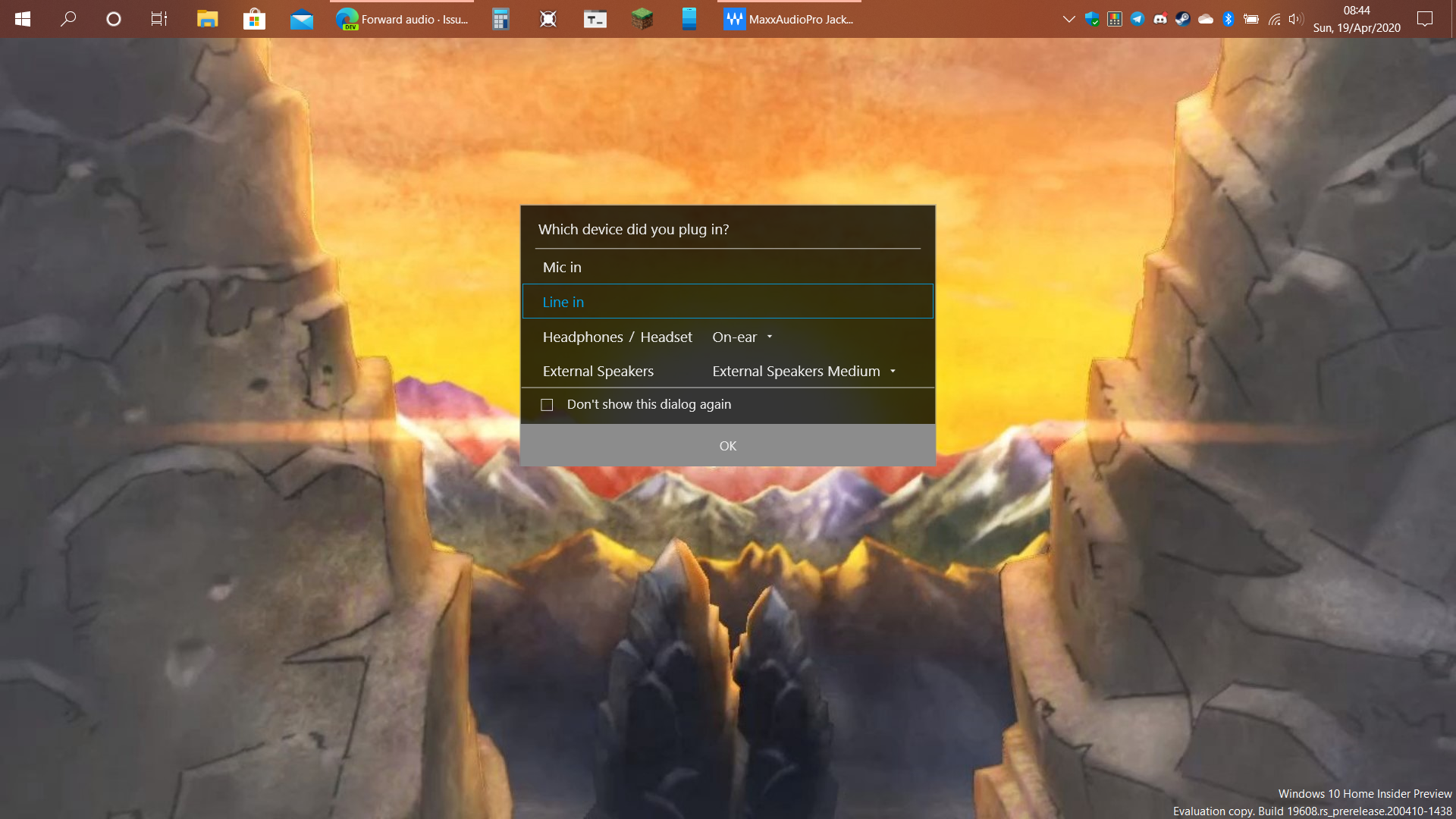
I'm on a laptop and I have a way to pass audio, heck I even used the line in option for my 3DS, Switch Lite and Lg Stylo 4 before. It helps the port is used for all sorts of audio stuff
 RealRexen
on 19 Apr 2020
RealRexen
on 19 Apr 2020
I'm on a laptop and I have a way to pass audio, heck I even used the line in option for my 3DS, Switch Lite and Lg Stylo 4 before. It helps the port is used for all sorts of audio stuff
How do you do that? Does your laptop support Line in option?
Bahal
on 19 Apr 2020
Hey guys.
I want to stream my mobile game with sound into my PC OBS.
The problem is using apps like Vysor or Apowermirror can't get the sound to transfer.
I tried with an app called Screen Stream Mirroring but I can only get the external mic to work. the other option just doesn't work.
I have a Mi9 phone. It only has a USB-C port.
If I get a USB-C to USB-C+3.5mm Jack Converter, would that solve my problem? Will I be able to transfer my game stream footage to my pc and sound at the same time?If you're using a desktop computer instead of a laptop, simply buy a public to public audio cable to access the rear audio interface for audio input. If you're using a laptop like I am, there's no other way to pass in audio for now.
Can't I buy an external USB sound card with blue port?
Bahal
on 19 Apr 2020
I'm on a laptop and I have a way to pass audio, heck I even used the line in option for my 3DS, Switch Lite and Lg Stylo 4 before. It helps the port is used for all sorts of audio stuffHow do you do that? Does your laptop support Line in option?
Its mostly a driver support that reroutes audio based on the option picked, so If I plug in headphones the software tells Windows that headphones were plug it but if I chose the Line In option then it tells Windows a Line In device was plug in. I do have to set the option to "listen to this device" in the Line In Options for it to work, my devices just see the Line in Option as being plug in to Headphones as I used the Aux cable that came with my Bluetooth headphones.
RealRexen
on 19 Apr 2020
Hey guys.
I want to stream my mobile game with sound into my PC OBS.
The problem is using apps like Vysor or Apowermirror can't get the sound to transfer.
I tried with an app called Screen Stream Mirroring but I can only get the external mic to work. the other option just doesn't work.
I have a Mi9 phone. It only has a USB-C port.
If I get a USB-C to USB-C+3.5mm Jack Converter, would that solve my problem? Will I be able to transfer my game stream footage to my pc and sound at the same time?If you're using a desktop computer instead of a laptop, simply buy a public to public audio cable to access the rear audio interface for audio input. If you're using a laptop like I am, there's no other way to pass in audio for now.
Can't I buy an external USB sound card with blue port?
Maybe it can work,but the method I provide is tested.So, you can try the alternative.
MaKangtai
on 19 Apr 2020
Your provided method doesn't work on laptop. U said it. My Laptop doesn't have Blue port. That's why I wanna buy an external sound card. Will it work?
Bahal
on 19 Apr 2020
I'm on a laptop and I have a way to pass audio, heck I even used the line in option for my 3DS, Switch Lite and Lg Stylo 4 before. It helps the port is used for all sorts of audio stuffHow do you do that? Does your laptop support Line in option?
Its mostly a driver support that reroutes audio based on the option picked, so If I plug in headphones the software tells Windows that headphones were plug it but if I chose the Line In option then it tells Windows a Line In device was plug in. I do have to set the option to "listen to this device" in the Line In Options for it to work, my devices just see the Line in Option as being plug in to Headphones as I used the Aux cable that came with my Bluetooth headphones.
I searched the app that said that message. It's a Dell Laptop app. Probably this function is just for your laptop brand.
Bahal
on 19 Apr 2020
Your provided method doesn't work on laptop. U said it. My Laptop doesn't have Blue port. That's why I wanna buy an external sound card. Will it work?
External/USB sound card sounds more promising. I had used that to connect my guitar using that. It should most probably work with your phone by using an AUX and inserting it to mic port of sound card and selecting 'Listen to this device' in sound device (mic) settings.
Nowadays laptops don't come with line in option hence, using aux directly won't work.
tarun0
on 19 Apr 2020
I took few hours to write a quick-and-dirty PoC of the Playback capture API from Android Q, but I failed to avoid a
SecurityExceptionso far: https://github.com/rom1v/qaudio (read the README)java.lang.SecurityException: Media projections require a foreground service of type ServiceInfo.FOREGROUND_SERVICE_TYPE_MEDIA_PROJECTIONI'll investigate when I have some time, but if you find the problem, your help is welcome 😉
When you call startForeground the id can't be 0.
 diegolopd97
on 28 Apr 2020
diegolopd97
on 28 Apr 2020
You can refer to HuaWei multi screen collaboration, they have solved this problem.
 ghost
on 29 Apr 2020
ghost
on 29 Apr 2020
You can refer to HuaWei multi screen collaboration, they have solved this problem.
Just now, I tried Huawei multi screen collaboration, without audio.
MaKangtai
on 29 Apr 2020
You can refer to HuaWei multi screen collaboration, they have solved this problem.
Just now, I tried Huawei multi screen collaboration, without audio.
Fake news! Huawei multi screen collaboration can play audio by PC.
ghost
on 29 Apr 2020
It didn't work for me either with my Huawei Honor 7A
Bluscream
on 29 Apr 2020
You can refer to HuaWei multi screen collaboration, they have solved this problem.
Just now, I tried Huawei multi screen collaboration, without audio.
Fake news! Huawei multi screen collaboration can play audio by PC.
But it does not forward audio on my Huawei mate 30 5G.What's the reason?
MaKangtai
on 30 Apr 2020
I found a simple solution for Samsung phones. If you use Samsung Dex you can route your audio through USB-C. Once Dex is open and running, minimise it. You can now use scrcpy with audio 😉
 ruairidh74
on 1 May 2020
ruairidh74
on 1 May 2020
i am using oneplus 7 i want audio forwording for it. please give any solution if available.
 sanydube
on 8 May 2020
sanydube
on 8 May 2020
i am using oneplus 7 i want audio forwording for it. please give any solution if available.
https://www.amazon.com/AmazonBasics-Stereo-Audio-Cable-Meters/dp/B00NO73MUQ/
Renari
on 8 May 2020
Ok so heres a wholly stupid question. Would it work via the Linux environment in windows 10?
I'm not nearly as techy, but, from what I can tell it should work with (Windows Subsystem for Linux) WSL 2, as, with it, the ([Windows] New Technology File System) NTFS, and Linux Kenel, and Linux file system are practically integerated.
BigDogBoy
on 9 May 2020
You can refer to HuaWei multi screen collaboration, they have solved this problem.
I just wanted to cleear up all the lingering question/concerns; I just looked (HuaWei multi screen collaboration) it up on google, and found, that there are a baffling number of requirements; basically, it wouldnt work for me, nor practically anyone who doesn't have a Huawei phone, and even then, they have to have at least EMUI 10.0/Magic UI 3.0 or later.
BigDogBoy
on 9 May 2020
i am using oneplus 7 i want audio forwording for it. please give any solution if available.
https://www.amazon.com/AmazonBasics-Stereo-Audio-Cable-Meters/dp/B00NO73MUQ/
OnePlus 7 don't have audio jack
sanydube
on 9 May 2020
i am using oneplus 7 i want audio forwording for it. please give any solution if available.
amazon.com/AmazonBasics-Stereo-Audio-Cable-Meters/dp/B00NO73MUQ
OnePlus 7 don't have audio jack
You can also use a Bluetooth dongle.
Ok so heres a wholly stupid question. Would it work via the Linux environment in windows 10?
I'm not nearly as techy, but, from what I can tell it should work with (Windows Subsystem for Linux) WSL 2, as, with it, the ([Windows] New Technology File System) NTFS, and Linux Kenel, and Linux file system are practically integerated.
It does not, check here: https://github.com/Genymobile/scrcpy/issues/14#issuecomment-522268600
Renari
on 10 May 2020
i am using oneplus 7 i want audio forwording for it. please give any solution if available.
amazon.com/AmazonBasics-Stereo-Audio-Cable-Meters/dp/B00NO73MUQ
OnePlus 7 don't have audio jack
You can also use a Bluetooth dongle.
Ok so heres a wholly stupid question. Would it work via the Linux environment in windows 10?
I'm not nearly as techy, but, from what I can tell it should work with (Windows Subsystem for Linux) WSL 2, as, with it, the ([Windows] New Technology File System) NTFS, and Linux Kenel, and Linux file system are practically integerated.
It does not, check here: #14 (comment)
I am searching for it from last 3 months
I didn't find any app or anything which forword audio using usb or bluetooth or wifi.
If you know helpe
sanydube
on 10 May 2020
This thread has people using bluetooth to listen to audio on a bluetooth headset. You should be able to mimic this using a dongle.
Renari
on 10 May 2020
Is there any chance that this feature is coming to mac and windows as well?
 kdankert
on 11 May 2020
kdankert
on 11 May 2020
looks like this work fine for android 8 but not android 9
(usbaudio solution)
 barfin
on 29 May 2020
barfin
on 29 May 2020
@rom1v did you give up?
Bluscream
on 29 May 2020
usbaudio solution
@barfin Can you specify which usbaudio solution are you referring to here? It's become a long thread; so difficult to spot.
tarun0
on 29 May 2020
usbaudio solution
@barfin Can you specify which usbaudio solution are you referring to here? It's become a long thread; so difficult to spot.
this one right here
https://github.com/rom1v/usbaudio
but a temporary solution I'm using right has nothing to do with adb, scrcpy,etc
I use Bluetooth to mirror audio from my android device to linux
barfin
on 29 May 2020
@Bluscream
@rom1v did you give up?
I abandon usbaudio, because AOA is obsolete since Android 8.
However, I plan to implement audio forwarding via the Playback Capture API. See https://github.com/Genymobile/scrcpy/issues/1407#issuecomment-630306104
But I work on this project (scrcpy) on my free time (which is, basically, my sleep time), and there are always other things to do. I wish I had more time to work on this. But I will do it.
rom1v
on 29 May 2020
but a temporary solution I'm using right has nothing to do with adb, scrcpy,etc
I use Bluetooth to mirror audio from my android device to linux
Do you notice any lag?
Because when I connect scrcpy via wifi and stream audio via BT USB dongle, the mirror is stutter.
But if I connect scrcpy via USB cable the screen mirrored normally.
It just like scrcpy and bluetooth is fight for bandwidth or something :laughing:
 rizaumami
on 29 May 2020
rizaumami
on 29 May 2020
for now i use scrpy for display, and vysor for sound, it must be on same wifi. work fine for recording. its kinda laggy for live streaming because using same wifi for upload and playing game simultaneously. using Xiaomi A2 (no jack audio port :( )
duyy018
on 29 May 2020
and vysor for sound
Does Vysor transmit the device sound, or just records the microphone?
rom1v
on 29 May 2020
but a temporary solution I'm using right has nothing to do with adb, scrcpy,etc
I use Bluetooth to mirror audio from my android device to linuxDo you notice any lag?
Because when I connect scrcpy via wifi and stream audio via BT USB dongle, the mirror is stutter.
But if I connect scrcpy via USB cable the screen mirrored normally.
It just like scrcpy and bluetooth is fight for bandwidth or something laughing
yes it has input lag but it's better than nothing
barfin
on 30 May 2020
People are starting to look for other solutions and abandon scrcpy
https://youtu.be/0WbRIWfaClE -> https://youtu.be/s_0t593Ql1w
Bluscream
on 30 May 2020
and vysor for sound
Does Vysor transmit the device sound, or just records the microphone?
Vysor, with the recent update now transmits sound internally. It wasn't able to do this back then. Well it does, but on very limited devices.
 gdmtplays
on 30 May 2020
gdmtplays
on 30 May 2020
for now i use scrpy for display, and vysor for sound, it must be on same wifi. work fine for recording. its kinda laggy for live streaming because using same wifi for upload and playing game simultaneously. using Xiaomi A2 (no jack audio port :( )
Is scrcpy faster in terms of screen mirror compared to vysor? The latest update made in possible to record/transmit internal audio. I haven't tried doing just audio on vysor. Not even sure thats possible but if it is, would like to know how.
gdmtplays
on 30 May 2020
anyone found an audio solution for galaxy note 10+ when has no earphone jack?
 srjbs11
on 4 Jun 2020
srjbs11
on 4 Jun 2020
I implemented a separate tool (it's a PoC, but it works) to forward audio for Android 10:
rom1v
on 9 Jun 2020
I implemented a separate tool (it's a PoC, but it works) to forward audio for Android 10:
* https://blog.rom1v.com/2020/06/audio-forwarding-on-android-10/

* https://github.com/rom1v/sndcpy
is there any solution for android 9? usbaudio is too old for android 9 and sndcpy is too new
nothing works on it
barfin
on 10 Jun 2020
I implemented a separate tool (it's a PoC, but it works) to forward audio for Android 10:
* https://blog.rom1v.com/2020/06/audio-forwarding-on-android-10/

* https://github.com/rom1v/sndcpy
is there any solution for android 9? usbaudio is too old for android 9 and sndcpy is too new
nothing works on it
hello ... I followed your guide but when I click send on the cmd after authorizing from the phone, I am waiting for connection I start any game and the audio is heard only on the mobile phone .. you have some solution to recommend
i am using windows 10 pc and samsung s9 phone with android 10
 Fabiok89
on 11 Jun 2020
Fabiok89
on 11 Jun 2020
so i implemented this and made changes in the sndcpy.bat file
i replaces the %VLC% line with this because my vlc media wont show after executing
vlc --demux rawaud --play-and-exit tcp://localhost:%SNDCPY_PORT%
so now my vlc opens up and playlist has the item tcp://localhost:2800
but i cannot hear any audio..
please help
i am using windows os and my phone has android 10
 akashsawale49
on 23 Jun 2020
akashsawale49
on 23 Jun 2020
I use the Bluetooth Audio Receiver app from the microsoft store to forward my phone audio to PC thanks to the new Windows 10 May 2020 Update (2004). You need a bluetooth adapter and a playback device that supports A2DP SINK for this to work.
To make this possible you just need to pair your device with your PC and connect it using the app. I tested it and it works really well. Here's the link to the app if you're interested.
https://www.microsoft.com/en-us/p/bluetooth-audio-receiver/9n9wclwdqs5j
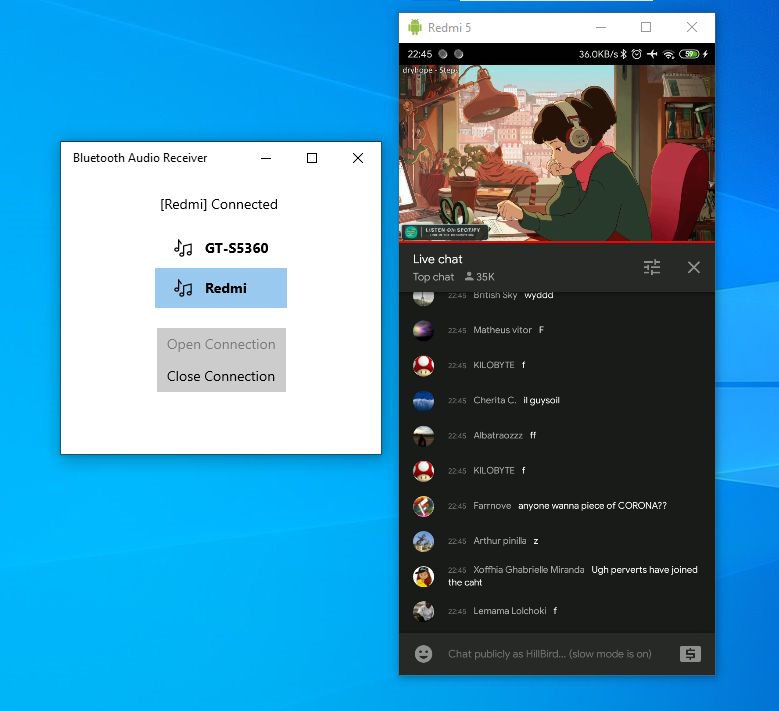
 HilbertPurba
on 26 Jun 2020
HilbertPurba
on 26 Jun 2020
@HillBird this is great. Can I know which Bluetooth adapter you are using? it should be 5.0?
srjbs11
on 26 Jun 2020
@HillBird this is great. Can I know which Bluetooth adapter you are using? it should be 5.0?
As long as you have a bluetooth feature available on your pc, you could give it a shot :)
Remember you need the latest update of Windows 10 (2004) to work.
HilbertPurba
on 27 Jun 2020
@HillBird Thank you! It works. Earlier I was getting audio with noise and crackles. I just turned off the WiFi and problem gone. I think there is some interference on WiFi and Bluetooth channels as both use 2.4GHz frequency. Any thoughts on this?
 dheerendramehar
on 14 Jul 2020
dheerendramehar
on 14 Jul 2020
@HillBird Thank you! It works. Earlier I was getting audio with noise and crackles. I just turned off the WiFi and problem gone. I think there is some interference on WiFi and Bluetooth channels as both use 2.4GHz frequency. Any thoughts on this?
Yeah when I play games on my phone, the noise sounds a little bit delayed and crackled too.
HilbertPurba
on 21 Jul 2020
These are all workarounds which don't solve the issue at hand
Bluscream
on 21 Jul 2020
Actually it worked on my redmi note 8, windows 10 2004, using bluetooth audio receiver app!
 hugonh
on 14 Sep 2020
hugonh
on 14 Sep 2020
Related issues
 jonnybrooks
·
3Comments
jonnybrooks
·
3Comments
 cordac1
·
4Comments
cordac1
·
4Comments
 targor
·
3Comments
targor
·
3Comments
 udit7395
·
4Comments
udit7395
·
4Comments
 behzadpooldar
·
4Comments
behzadpooldar
·
4Comments
Most helpful comment
Hi,
I would like to share with you my work-in-progress branch:
audio. _This branch can be rebased/rewritten at any time._I implemented it, and it works fine for me! :tada:
I would like early feedbacks so that any major issue can be fixed.
Requirements
adb connect)How to
Install libusb:
Checkout the
audiobranch:Use a debug build to report problems:
Run with audio forwarding enabled:
The audio should be forwarded.
When closed, the audio forwarding may not be totally disabled. It may require to restart the current audio track (in VLC for example). If it is not sufficient, unplug the device. At worst (but it should not be necessary), disable/enable USB debugging.
How it works
_Scrcpy_ connects to the device over USB to send AOA requests so that the computer becomes an "USB audio accessory" for the device.
This creates a new audio input source on the computer (which can be seen in PulseAudio for example).
_Scrcpy_ records this input source and immediately plays it to the default output source.
Thank you for your feedbacks.