Scratch-vm: Clicking X to delete item from list inconsistently broken
Expected Behavior
Clicking X button next to item 1 deletes item 1
Actual Behavior
Clicking X button next to item 1 deletes item 2. This behavior seems to be limited to item 1, and only happens upon initial click of X. (next click will delete the proper item)
Steps to Reproduce
Click X button next to item 1
 ZenithRogue
All 8 comments
 Kenny2github
on 17 May 2018
Kenny2github
on 17 May 2018
@Kenny2github I made a project to demonstrate
Click into the bubble with Thing1 to edit, and click the X next to it to delete. This will delete Thing2
ZenithRogue
on 17 May 2018
I just got on my desktop, and this seems to be running just fine [Windows NT 10.0, Chrome 66.0.3359.170, Flash 29.0 (release 0)]
The bug is appearing on [ChromeOS 10452.74.0, Chrome 66.0.3359.137, Flash 29.0 (release 0)]
ZenithRogue
on 18 May 2018
Hmm. I'm not able to repro this either (using your demo project). Could you share a video or GIF?
 thisandagain
on 21 May 2018
thisandagain
on 21 May 2018
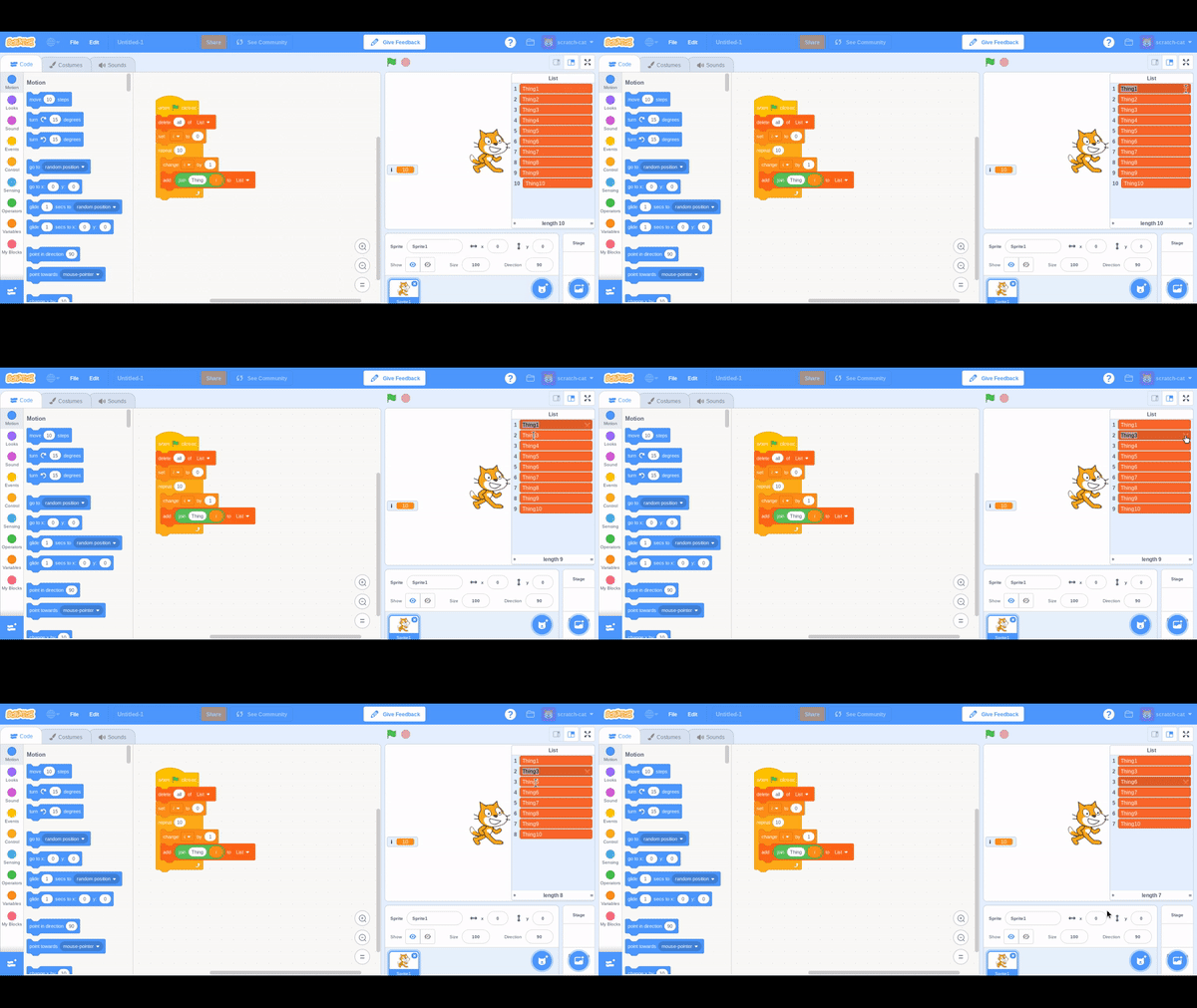
This glitch is very inconsistent, and I can't seem to figure out why. It can also occur on other items as I have just found.
Here is the GIF you requested (recorded on chromebook):
ZenithRogue
on 21 May 2018
I just found an easy way to replicate this, and a possible cause:
It appears to be an issue with the state of the mouse cursor (not exactly sure why this would be the case, but it is). This confirms that this is an overarching issue rather than isolated to the chromebook. Normally, this doesn't seem to appear if using a standard mouse
This was done using my wacom intous tablet on my windows desktop:
- I selected the item I wished to delete (this highlighted the text)
I tapped escape (to stop the pen and touch selection mode) //this shouldn't normally be needed- I moved the pen over to the x button and tapped, this deleted the item directly below
ZenithRogue
on 21 May 2018
I can reproduce this on Windows 10, Chrome 66 - with a touchscreen. It looks like the touch event is handled strangely. See below:
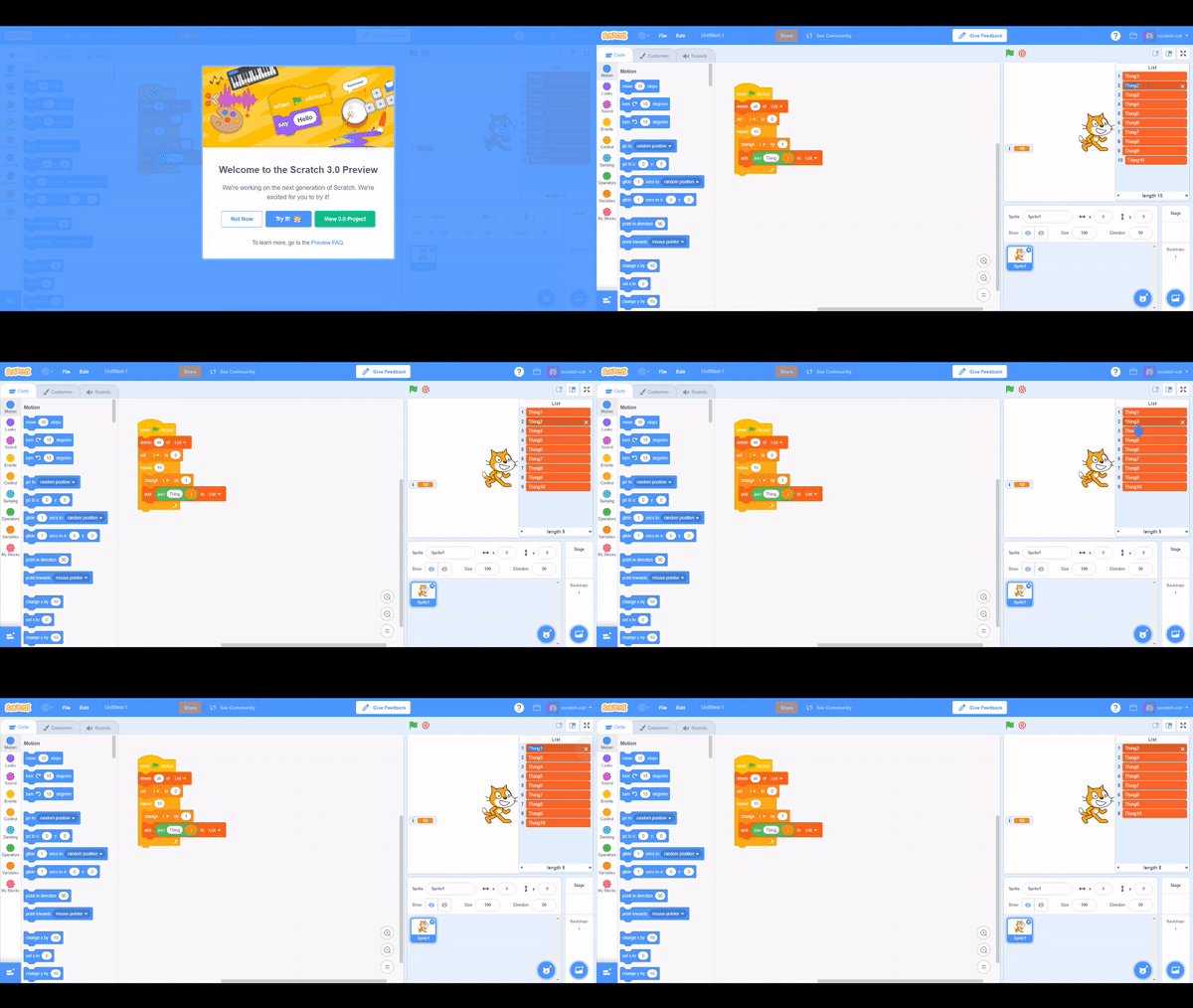
I also noticed that this only seems to be a rendering error. Once you click back into the list item again (i.e. refocus it) the item contents changes to what the contents should be. It just looks like tapping the X doesn't refocus the list item the way clicking it does.
Kenny2github
on 22 May 2018
Wonderful! Thanks for all the detail @NitroCipher and @Kenny2github. 👍
thisandagain
on 22 May 2018
Related issues
 cwillisf
·
4Comments
cwillisf
·
4Comments
 Micircle
·
5Comments
Micircle
·
5Comments
 towerofnix
·
3Comments
towerofnix
·
3Comments
 CatsAreFluffy
·
6Comments
CatsAreFluffy
·
6Comments
 jwzimmer
·
3Comments
jwzimmer
·
3Comments
Most helpful comment
Wonderful! Thanks for all the detail @NitroCipher and @Kenny2github. 👍