Scratch-blocks: glowStack() causes executing stack to hide until glow is removed, on iOS/Android
Expected Behavior
The executing script should have a yellow outline.
Actual Behavior
The executing script disappears.
Steps to Reproduce
We have observed this behavior on iOS and Android for scripts small and large, but in my reproducible case here, this behavior occurs for a very large script in the iOS simulator.
- Open the vertical playground in iOS simulator (I've tried iOS 9.3 and iOS 10.0. I believe it also repros on iOS 10.3. Perhaps also iOS 11).
- Paste this xml in the text box for importing:
xml_for_long_script.txt - Import the script by tapping "Import from XML"
- Tap the green flag block, which is the first block of the long script
- Tap "Stack glow last clicked block" button
Note: If you remove the last block at the very bottom of the stack and then repeat steps 4 and 5, the script will not disappear, but notice that the glow outside is not yellow but instead is the color of the blocks it surrounds (as you can see if you page down through the stack).
Operating System and Browser
Xcode iOS simulator 9.3 and 10.0 on macOS 10.11.6
 msintov
All 19 comments
Is the system under serious memory pressure when this happens?
 rachel-fenichel
on 31 Oct 2017
rachel-fenichel
on 31 Oct 2017
@rachel-fenichel No, I don't believe this is a memory issue. For the reproducible steps listed above, the bug can happen even if the simulator was just booted, and my guess is that those steps don't take a lot of memory. Note that if the svg attribute to create the gaussian blur is not applied, then the script does not disappear.
msintov
on 31 Oct 2017
I can reproduce this bug under chrome58, but works fine on chrom63. Looks like browser depends.
 xmeow
on 20 Dec 2017
xmeow
on 20 Dec 2017
Yikes, large stacks cause some seriously strange behaviors
- Confirmed the "disappear on stack glow" with the very large stack on iOS 11 iPad Air simulator
- Confirm the "stack glow changes color" if you scroll down the page. Here is a screenshot. Scrolled halfway down, you can see where it goes from yellow to the color of the block
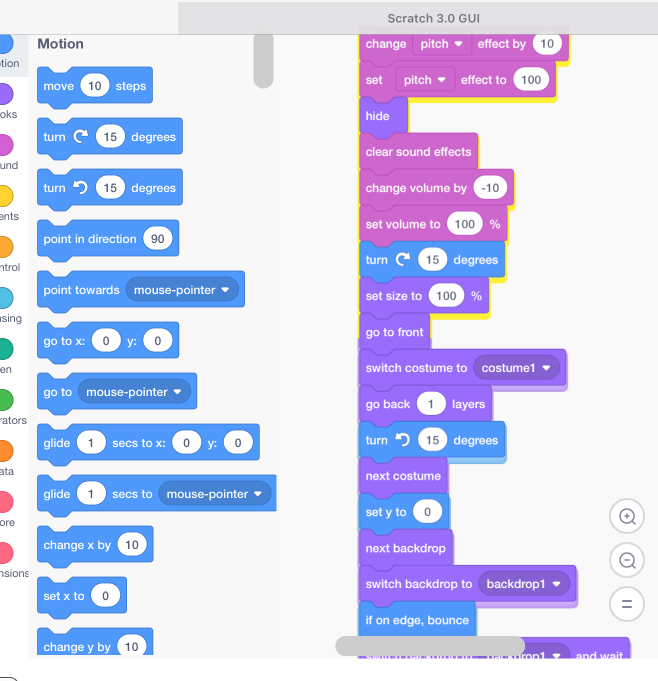
- Also, the dragging shadow gets super strange with large stacks of blocks.
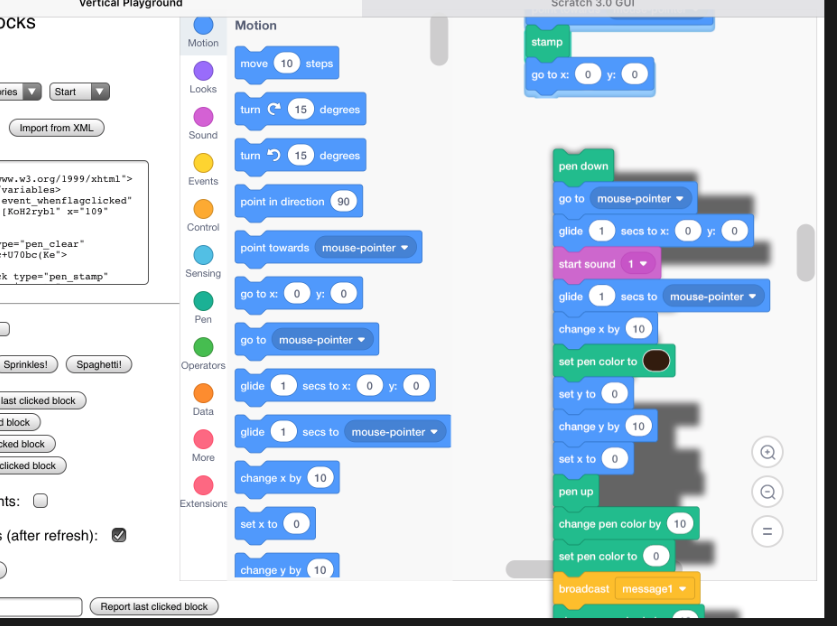
Maybe we need to use a simpler SVG filter for mobile browsers? Unfortunately this only seems to happen on large stacks...
 paulkaplan
on 20 Dec 2017
paulkaplan
on 20 Dec 2017
Oh also I can replicate this on desktop Safari 11 on OS 12.6 (Sierra). So strike this being a "mobile browser thing", I'm seeing it as just a "safari" thing. And @xmeow I wasn't able to replicate this on old versions of Chrome on Mac, were you on android? Can you post screenshots?
paulkaplan
on 20 Dec 2017
I work in a electron binding of version 1.7.10 (chrome 58)
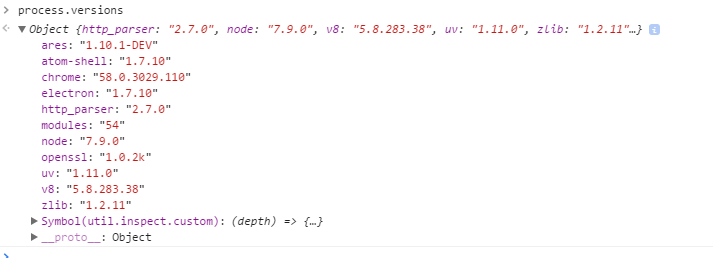
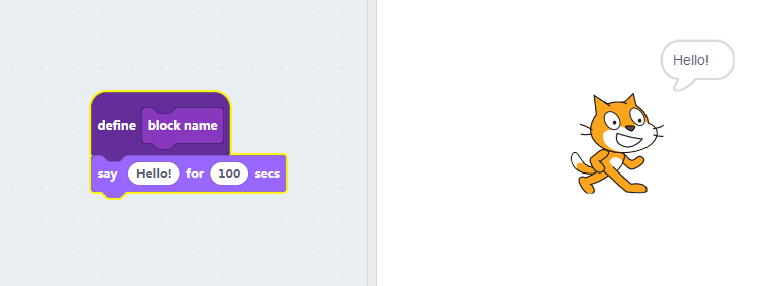
And this only happens once custom procedure used.
Try to make a custom procedure block and execute(or apply blocklyStackGlowFilter), and it will disappear.
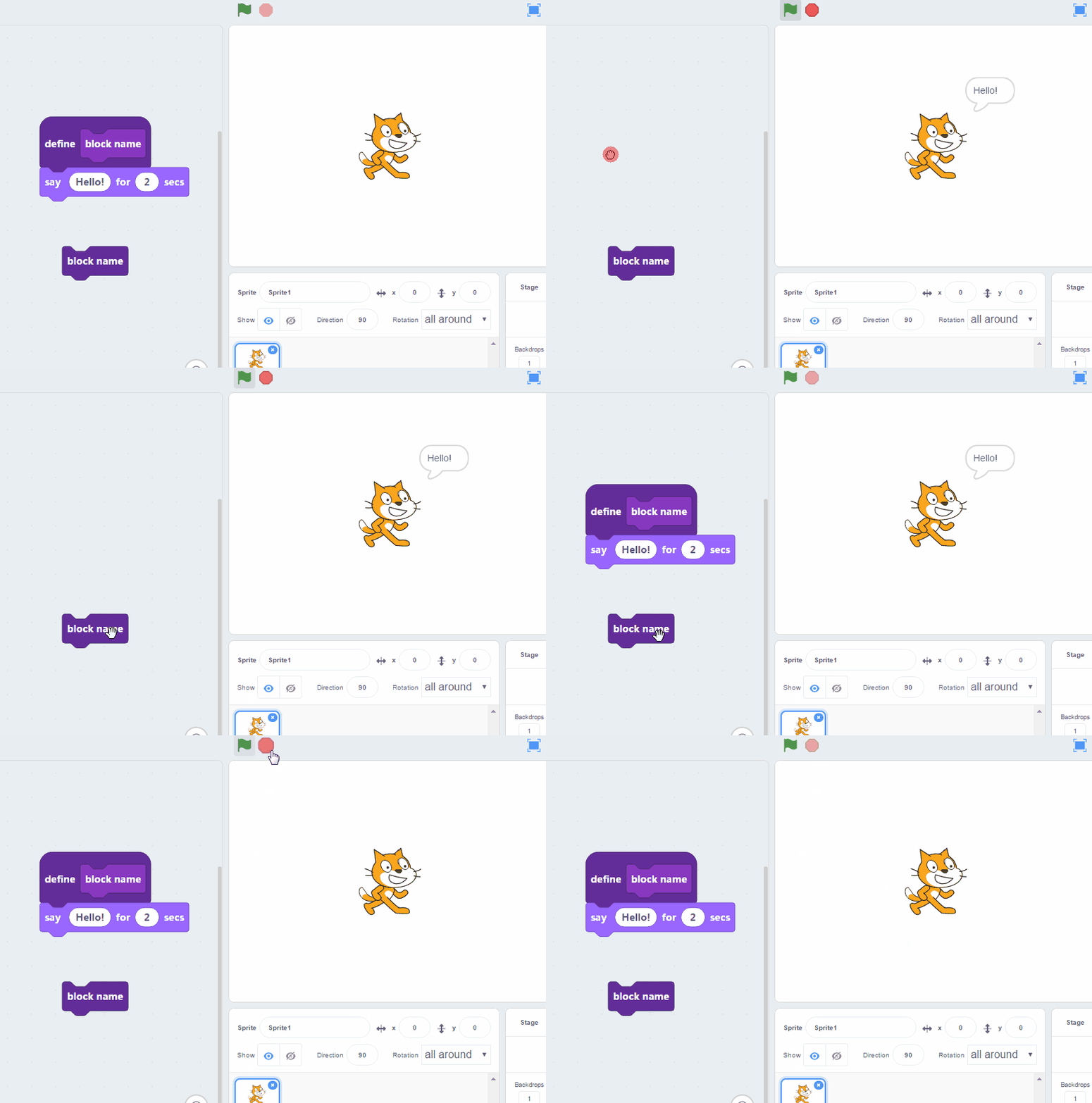
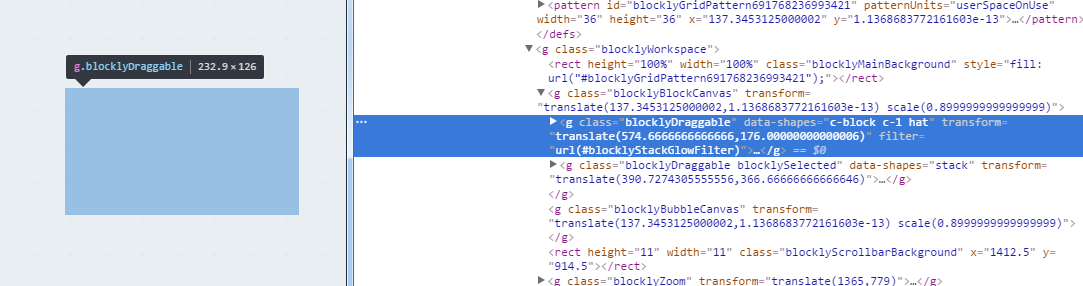
But everything works fine if I move to chrome63.
xmeow
on 21 Dec 2017
So I think I have isolated the root cause of this. It appears that with very tall SVG elements, safari's SVG feGaussianBlur shrinks the source element. You can see this by manually removing everything after the gaussian blur from the stack glow filter.
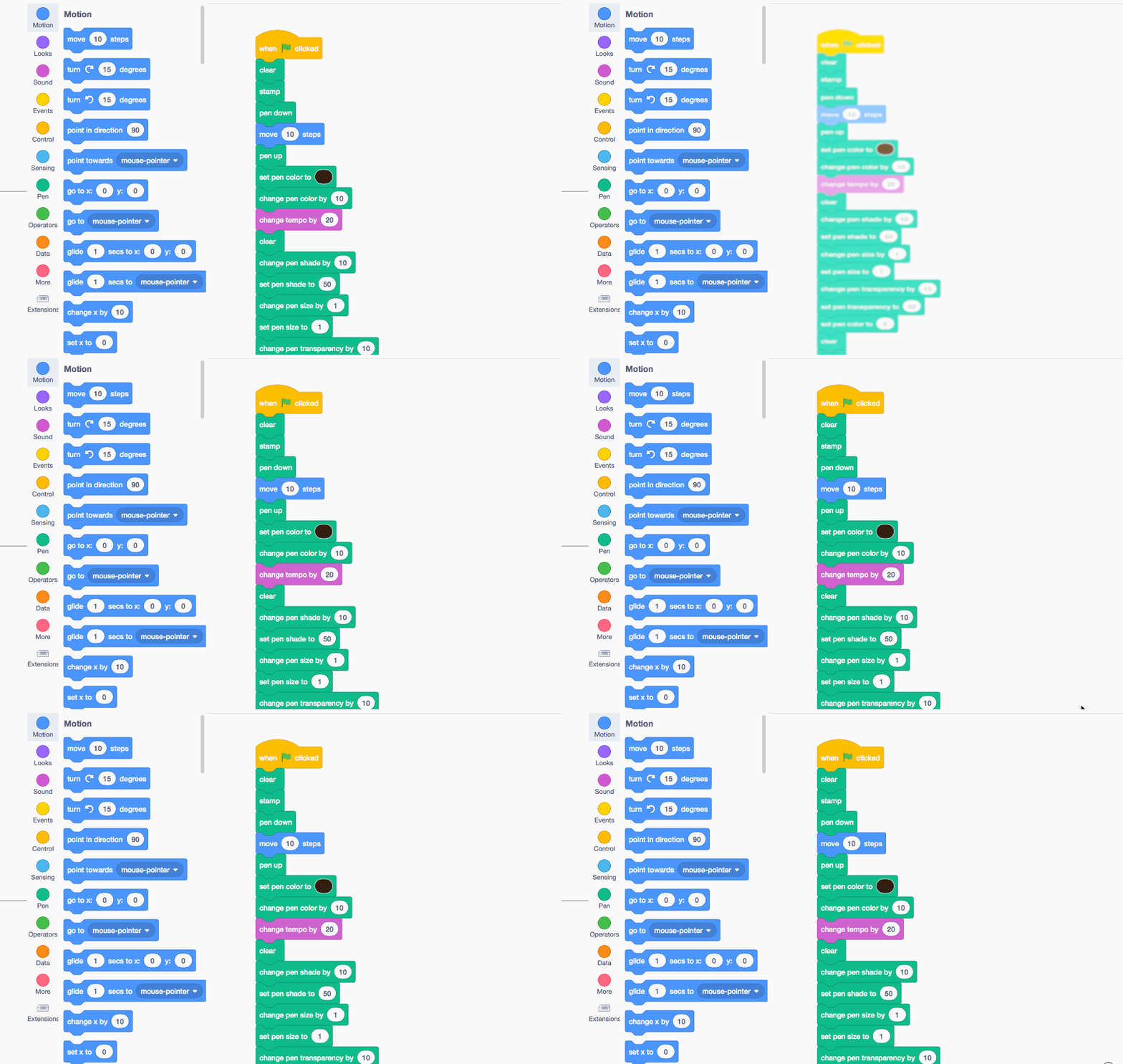
The stack glow is a composite of multiple filters, and because the blur part is shrunk vertically, it causes the "change" from yellow to block color shadow when you scroll down.
Furthermore, at tall enough heights, the result of the blur disappears entirely, which because of the way the final composite is done, causes nothing to show up at all.
I created a JSfiddle with a simplified filter showing the different behaviors:
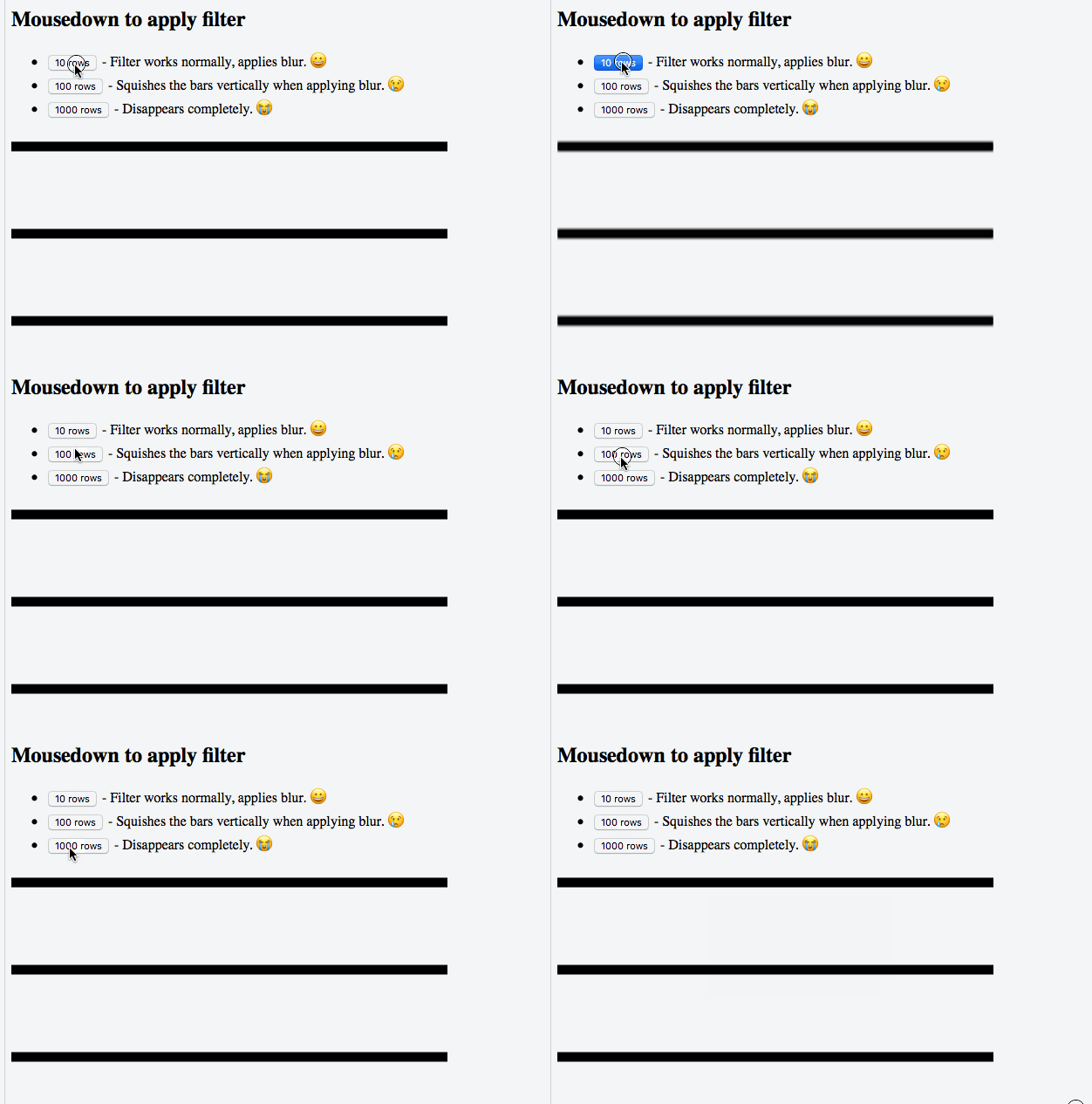
https://jsfiddle.net/mc7qpsvw/9/
@xmeow is it possible to try that jsfiddle in the old version of chrome as well, to confirm it is the same issue?
paulkaplan
on 21 Dec 2017
Also pinging @tmickel since it appears you were the original author of these lines, you might find this interesting.
paulkaplan
on 21 Dec 2017
@rachel-fenichel @thisandagain one option would be to not apply the glow filter for stacks above a certain size / for certain browsers. For example, in https://github.com/LLK/scratch-blocks/blob/develop/core/block_svg.js#L226-L232 we could check the BBox height of the svg against some constant we determine through experimentation. We might want to try this approach because gaussian blurs on giant SVG elements can be a huge performance hit, even if they do render correctly.
Another way would be to change the glow to something that doesn't break, or if it isn't the same, provide some kind of graceful fallback in the event of a large stack. However, I tried the other related SVG filters (feMorphology + dilate, for example) and they suffer from the same scaling problem. Anyone have other ideas for implementing that kind of blur?
paulkaplan
on 21 Dec 2017
I wonder if we removed the blur and simply did a "hard" drop shadow on some platforms and/or instances if the performance and rendering issues could be relieved somewhat.
 thisandagain
on 21 Dec 2017
thisandagain
on 21 Dec 2017
There's a definite trade-off here between how nice things look and how fast they move. I'm personally in favor of going to simpler filters/blurs to improve performance.
If we can find a good heuristic to use, I'm also fine with degrading the appearance on specific platforms.
I don't have numbers on the performance implications of these filters, so that might be a good place to start.
rachel-fenichel
on 21 Dec 2017
/cc @carljbowman ^^
thisandagain
on 21 Dec 2017
On the Cozmo project, we found that both large and small stacks would sometimes disappear when executed due to the glow. So from that experience, I think the solution should be to change the effect for all stacks, not just large ones.
msintov
on 21 Dec 2017
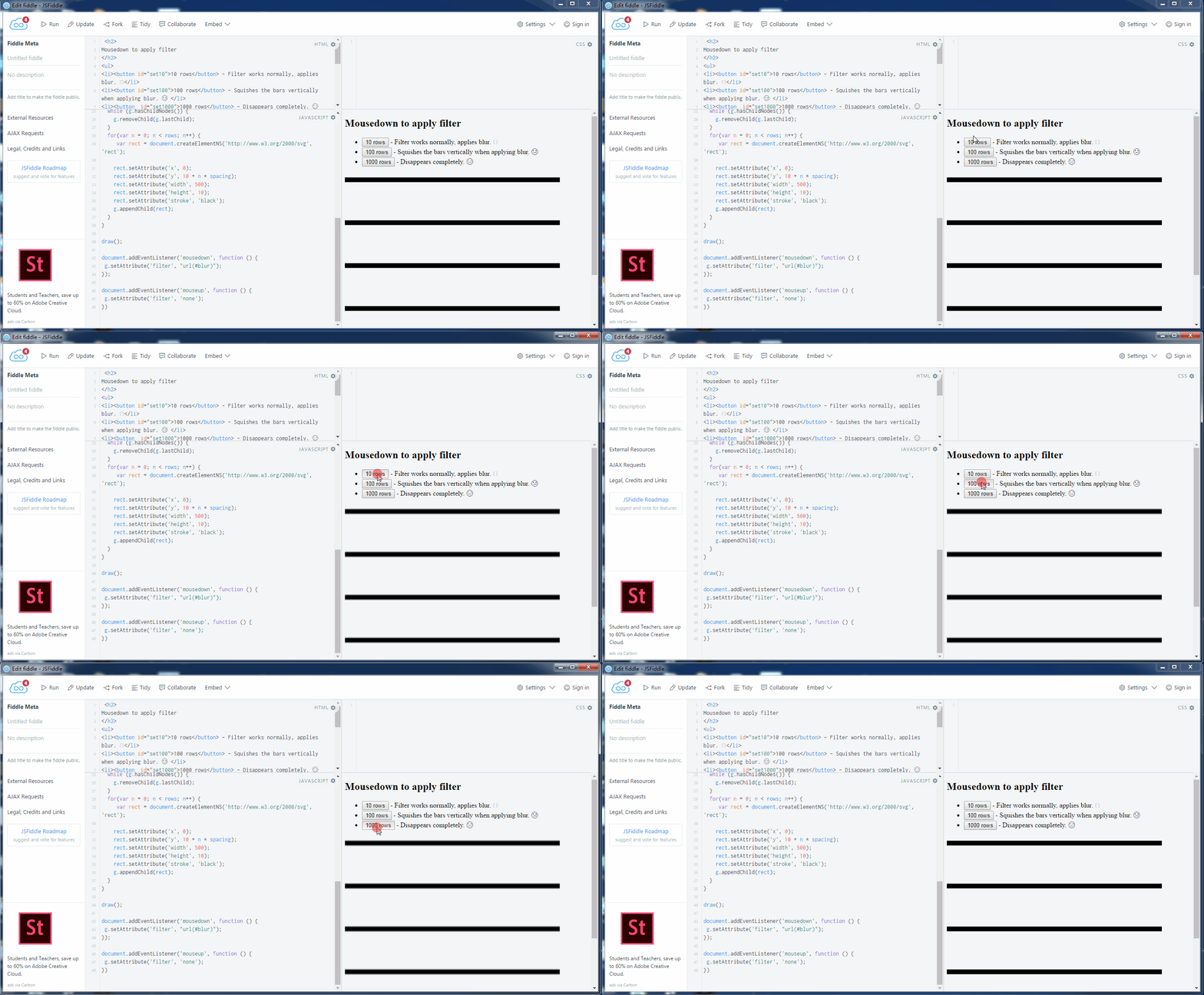
@paulkaplan your jsfiddle works fine in electron 1.7.10~
xmeow
on 22 Dec 2017
Can recreate in iOS 11 Chrome 63
 kyleplo
on 23 Jan 2018
kyleplo
on 23 Jan 2018
@paulkaplan With the recent stack glow fixes, I am curious if this issue is fixed? Thanks!
msintov
on 1 Jun 2018
@msintov It should be, but we'll need to do a little more testing on Safari to confirm.
thisandagain
on 1 Jun 2018
Our team still reproduces this problem, both on iOS 11 iPads as well as on an iOS 10 simulator, with code from tip.
msintov
on 24 Aug 2018
I ran into this today on an iPad Pro with iOS 13. I was in Bouncy Heroes, a relatively large project. I was editing a very long block stack, then switched to full screen stage, ran the project, and exited full screen. The block stack had disappeared.
 benjiwheeler
on 28 May 2020
benjiwheeler
on 28 May 2020
Related issues
rachel-fenichel
·
4Comments
 gengshenghong
·
3Comments
gengshenghong
·
3Comments
 tmickel
·
3Comments
tmickel
·
6Comments
tmickel
·
3Comments
tmickel
·
6Comments
 bfunc
·
5Comments
bfunc
·
5Comments