Scratch-blocks: What should happen when a drum/ sound is played for 0 beats?
Expected Behavior
I'm not sure what the expected behaviour is. I see two questions here about what the behaviour should be:
- If you clear out the value from the beats part of the block, should it be filled in with whatever the default is when the value has been deleted? (This question has come up with other blocks as well.)
- Right now, the behaviour for no value & value of 0 is the same
- What does it mean to play something for 0 beats?
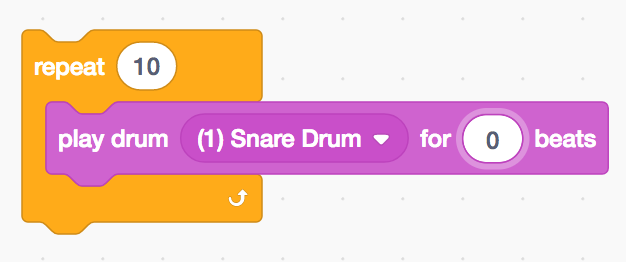
- Right now when used in a repeat block, it seems to re-start the sound repeatedly with a very small break in between, but I could see that being confusing (aren't we really playing the sound for something like 0.0001 beats?).
- I might expect no sound to play at all... but maybe that is more confusing, because you expect the play sound block to play a sound...?
- When the drum is played for 0 beats as a standalone block, then it sounds the same no matter what beat value you provide
- The stack highlighting that tells you how long the block is active is the only indication that the number of beats has an impact on the block (it stays highlighted longer for e.g. 2 beats than for 0 beats, when it briefly flashes).
- I think this could be confusing (for the same reason as previously mentioned) since if 0 beats = 0 seconds I might not expect to see the block highlighted at all, but on the other hand then I have no way of knowing if my click worked to start the block - maybe it should highlight but not play any sound?
Actual Behavior
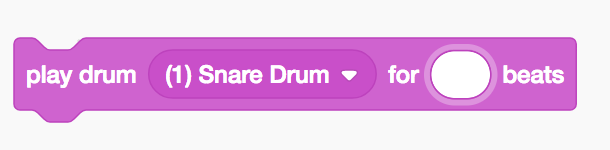
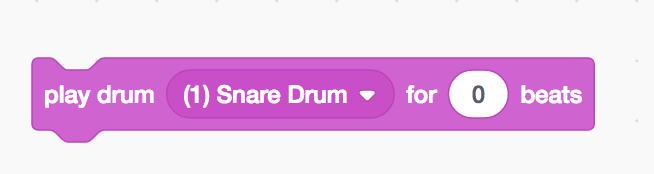
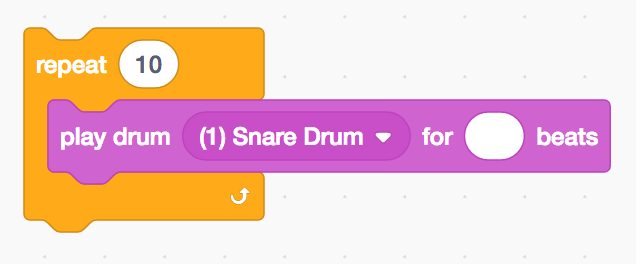
Playing for 0 beats = playing for (blank) beats. When not in a stack, clicking the block to play for 0 beats causing the block to highlight for a small amount of time and to play the drum sound for the entire length of the sound (same as 1, 2 beats). When in a repeat loop, clicking the stack to play for 0 beats causes the sound to restart after a small amount of time (similar to when it was briefly highlighted).
We did observe some users finding this behaviour confusing during the the Extension Categories External Playtest (8/3/17); they asked, "why does it sound like that?", when they had cleared the value from the play sound block within a repeat loop and executed the stack (as in the repro steps below).
Steps to Reproduce
Assemble the stacks below and click them to execute them.
Operating System and Browser
_Mac OS 10.11.6 (15G1421), Chrome Version 60.0.3112.78 (Official Build) (64-bit)_
 jwzimmer
All 5 comments
There is an inconsistency between the logic for playing a drum and for playing a note.

For some reason, the code defaults to playing the entire drum sample regardless of the amount of seconds (not the case in the play note function).
I can work on this if we want to make this change (playing nothing when beat = 0).
 christan1029
on 7 Aug 2017
christan1029
on 7 Aug 2017
That seems like the correct functionality to me -- a note on an instrument plays for a specific duration, but a real drum doesn't play for a duration, it just makes a specific sound.
 mrjacobbloom
on 7 Aug 2017
mrjacobbloom
on 7 Aug 2017
Yes, so one possible solution would be to make an exception when the beat value is equal to 0.
christan1029
on 8 Aug 2017
@ericrosenbaum would you mind weighing in on this?
 thisandagain
on 10 Aug 2017
thisandagain
on 10 Aug 2017
The current timing behavior of the "play drum" block in 3.0 matches the behavior in 2.0, as far as I know. As was mentioned above, it always plays the full length of the drum sample (which generally makes sense, for drum sounds), but the block waits for a duration in beats, defaulting to zero if no value is set.
It's helpful for us to see that kids may be confused by the timing behavior. We're considering some ways to mitigate this problem that don't involve changing the blocks. One idea is to include the "play note" and "play drum" blocks in an extension that comes with its own on-boarding material that helps kids understand things like duration in beats.
Also, it's worth noting that using "play drum for 0 beats" is a bit like using the "play sound" block instead of "play sound until done." It's a useful trick for situations where you want your stack to continue immediately, such as "when key pressed / play drum" (which will not trigger a second time immediately, unless you use zero beats). I can see the logic in the idea of not playing the sound if the duration is set to zero beats, but it could break compatibility with some existing projects.
 ericrosenbaum
on 10 Aug 2017
ericrosenbaum
on 10 Aug 2017
Related issues
thisandagain
·
6Comments
 rachel-fenichel
·
4Comments
rachel-fenichel
·
4Comments
 cwillisf
·
4Comments
cwillisf
·
4Comments
 tmickel
·
3Comments
tmickel
·
3Comments
 gengshenghong
·
3Comments
gengshenghong
·
3Comments