Scoop: multithreaded robocopy call doesn't release a directory after moving
I have tried to update godot to 3.0.3 but end up with an error.
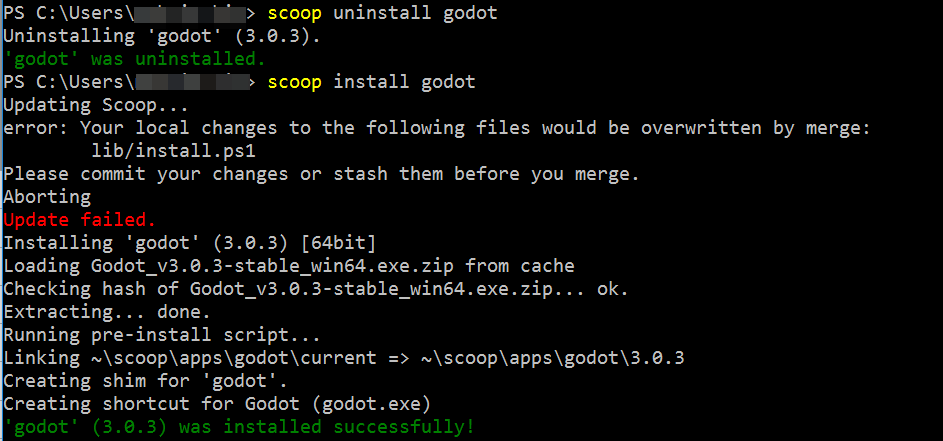
Then I uninstalled it and tried to install again:

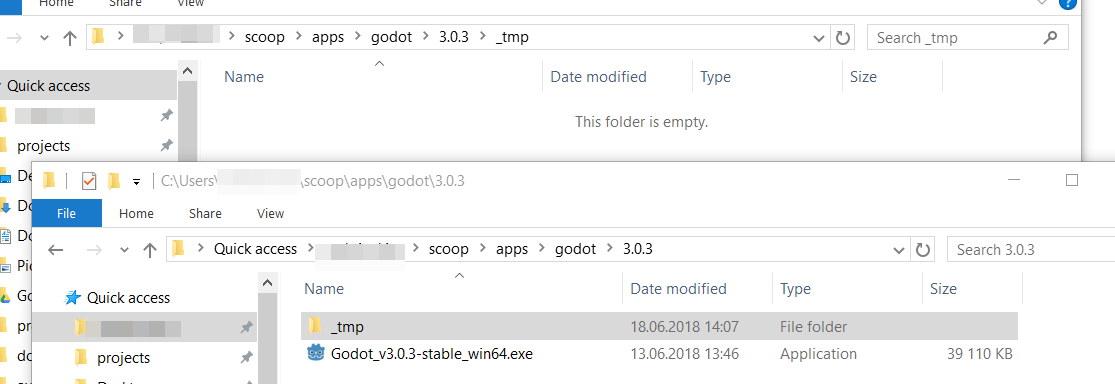
The path exists and I have access to it. Also the binary is there too:

 habamax
All 27 comments
Maybe your anti virus software is locking the file.
 r15ch13
on 14 Jun 2018
r15ch13
on 14 Jun 2018
It doesn't lock anything else.
And the file itself is OK -- I can run it. _tmp folder is empty and I can remove it manually.
habamax
on 14 Jun 2018
Maybe it’s due to the space in the username?
 rasa
on 14 Jun 2018
rasa
on 14 Jun 2018
Maybe it’s due to the space in the username?
No. I don't have spaces there. And I have a lot of programs installed using scoop, including previous godot version.
habamax
on 14 Jun 2018
Try turning off your anti-virus and try again?
rasa
on 14 Jun 2018
Try turning off your anti-virus and try again?
Done. The same error. And it would be very strange if it would work anyways. I already have godot binary downloaded by scoop. And this binary is actual runnuble executable. And it is okay with antivirus.
habamax
on 15 Jun 2018
Can you try to run it again with the recent changes from #2260 and post the output?
Something has to lock this file. (I just used the godot installation to test a new feature by installing it 100 times today without a problem)
r15ch13
on 15 Jun 2018
I am not sure how to do it properly...
With scoop update, scoop uninstall godot, scoop install godot I got the same error.
Something has to lock this file. (I just used the godot installation to test a new feature by installing it 100 times today without a problem)
When you uninstall godot -- there is no file and there is no _tmp folder (and no godot folder).
Antivirus is off but it was on for all the previous godot versions -- so I doubt it is the case.
habamax
on 18 Jun 2018
scoop uninstall godot
scoop cache rm godot
scoop install godot
Post output.
r15ch13
on 18 Jun 2018

habamax
on 18 Jun 2018
Are you using an HDD or an SSD?
Can you try replacing Remove-Item -r -force "$dir\_tmp" -ea stop with Remove-Item -r -force "$dir\_tmp" -ea SilentlyContinue on line 376 in install.ps1 and try again?
You need to edit this file %USERPROFILE%\scoop\apps\scoop\current\lib\install.ps1
After testing it you can reset it by running git reset --hard inside %USERPROFILE%\scoop\apps\scoop\current
I really don't know how to reproduce this...
r15ch13
on 18 Jun 2018
Are you using an HDD or an SSD?
SDD
Can you try replacing Remove-Item -r -force "$dir_tmp" -ea stop with Remove-Item -r -force "$dir_tmp" -ea SilentlyContinue on line 376 in install.ps1 and try again?
Yep, with that change it works!
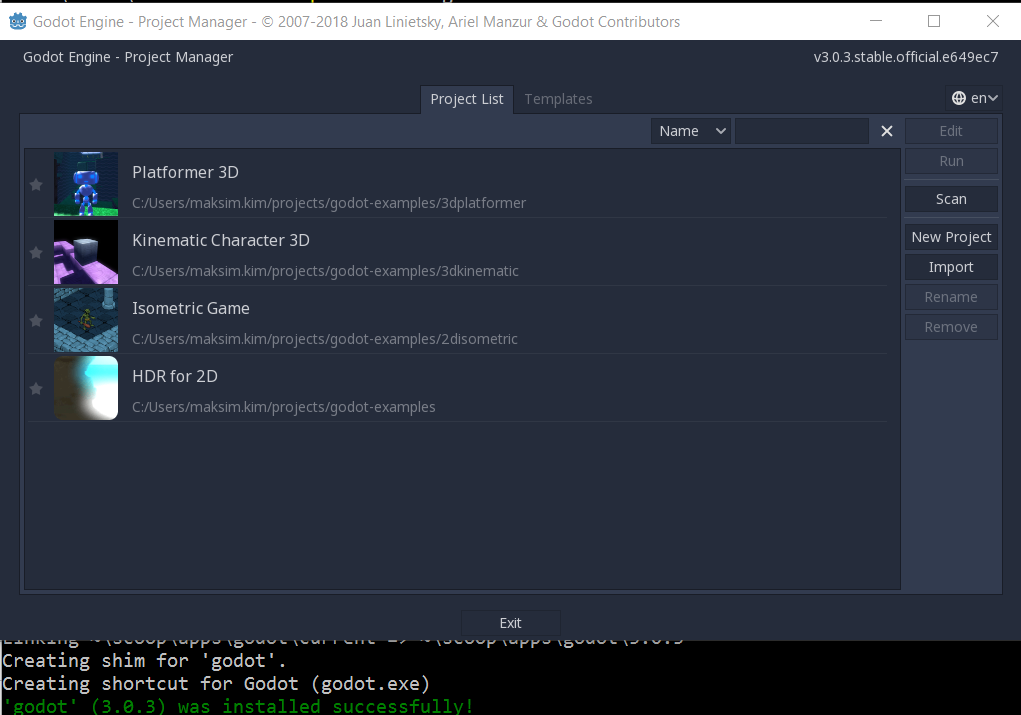
PS
_tmp folder is not deleted :( but for me it is a minor problem, I can remove it manually.
habamax
on 18 Jun 2018
If I change the line to
Remove-Item -r "$dir\_tmp" -ea stop
then I get an error:
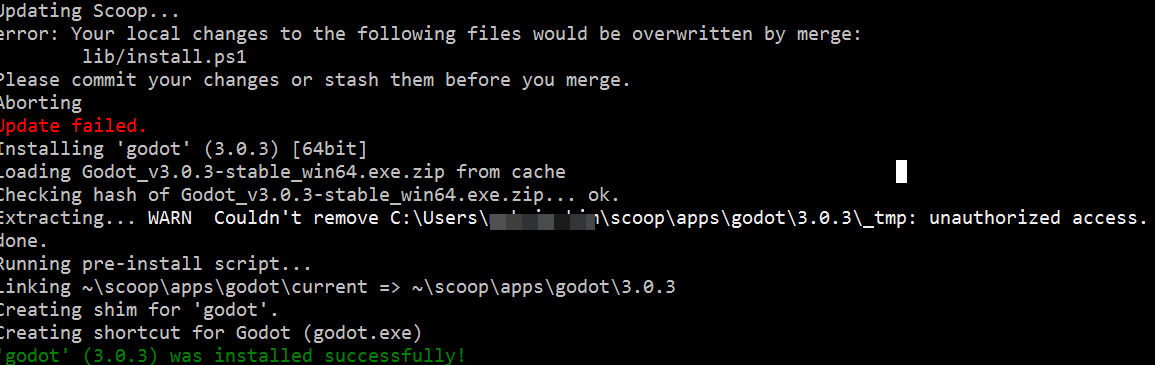
There is an issue with Force described here: https://social.technet.microsoft.com/Forums/windows/en-US/98b70109-7f41-4f66-8fe8-d7e241ad5453/removeitem-force-fails-with-quotaccess-deniedquot-not-without-force?forum=winserverpowershell
PS, I have tried it with powershell run as Administrator -- the same thing, access denied.
habamax
on 18 Jun 2018
Well...
If I remove -r flag (Recursive) from from Remove-Item then scoop asks for a deletion:
Remove-Item -force "$dir\_tmp" -ea stop
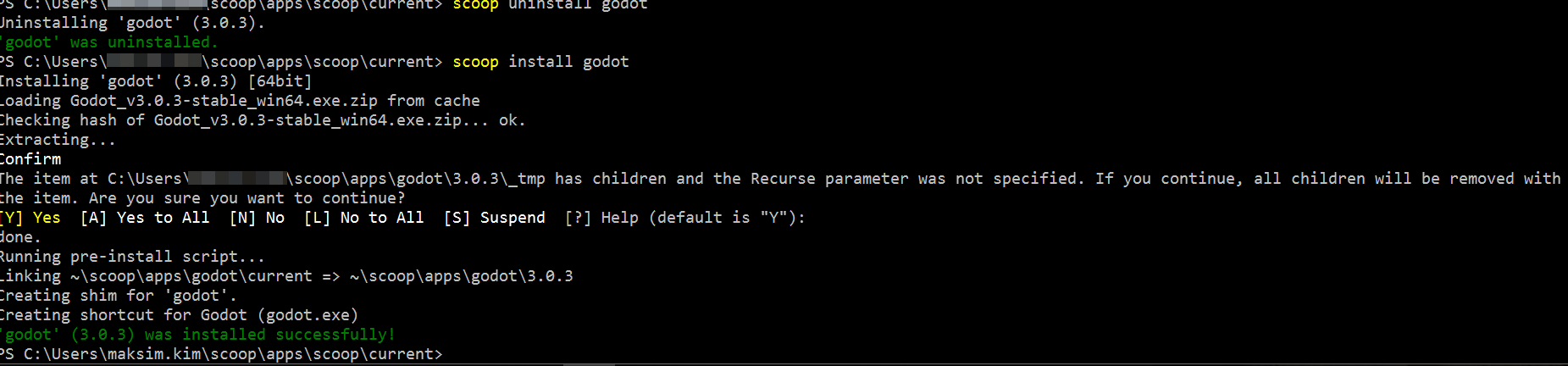
And If I press Y then it works.
It looks like after movedir, powershell still thinks that _tmp has some files -- which is not true
habamax
on 18 Jun 2018
LOL.
With this small code change to install.ps1 godot is successfully installed on my machine:
if(test-path "$dir\_tmp") { # might have been moved by movedir
try {
sleep 1
Remove-Item -r -force "$dir\_tmp" -ea stop
} catch [system.io.pathtoolongexception] {
& "$env:COMSPEC" /c "rmdir /s /q $dir\_tmp"
} catch [system.unauthorizedaccessexception] {
warn "Couldn't remove $dir\_tmp: unauthorized access."
}
}
check sleep 1 command. It kind of let powershell finish movedir command :)
habamax
on 18 Jun 2018
Okay, there is a "problem" with Powershell not waiting for robocopy to finish
So I come up with the following "fix" to it:
core.ps1
function movedir($from, $to) {
$from = $from.trimend('\')
$to = $to.trimend('\')
# $out = robocopy "$from" "$to" /e /move
Start-Process robocopy -ArgumentList "$from $to /e /move /njh /njs /nfl /ndl" -Wait -NoNewWindow
if($lastexitcode -ge 8) {
throw "Could not find '$(fname $from)'! (error $lastexitcode)"
}
}
Not sure if the lastexitcode check is valid here with my changes.
habamax
on 18 Jun 2018
@habamax
Can you test the following code? It will now show the robocopy output when an error occurs and the exit code check should work. Apparently, Start-Process doesn't allow redirecting output to a variable, only to textfiles, so I used System.Diagnostics.Process.
function movedir($from, $to) {
$from = $from.trimend('\')
$to = $to.trimend('\')
$proc = New-Object System.Diagnostics.Process
$proc.StartInfo.FileName = 'robocopy.exe'
$proc.StartInfo.Arguments = "$from $to /e /move"
$proc.StartInfo.RedirectStandardOutput = $true
$proc.StartInfo.RedirectStandardError = $true
$proc.StartInfo.UseShellExecute = $false
$proc.StartInfo.WindowStyle = [System.Diagnostics.ProcessWindowStyle]::Hidden
$proc.Start()
$out = $proc.StandardOutput.ReadToEnd()
$proc.WaitForExit()
if($proc.ExitCode -ge 8) {
debug $out
throw "Could not find '$(fname $from)'! (error $($proc.ExitCode))"
}
}
Tried it -- the same error

habamax
on 27 Jun 2018
Again if I add sleep(1) to your code, like:
function movedir($from, $to) {
$from = $from.trimend('\')
$to = $to.trimend('\')
$proc = New-Object System.Diagnostics.Process
$proc.StartInfo.FileName = 'robocopy.exe'
$proc.StartInfo.Arguments = "$from $to /e /move"
$proc.StartInfo.RedirectStandardOutput = $true
$proc.StartInfo.RedirectStandardError = $true
$proc.StartInfo.UseShellExecute = $false
$proc.StartInfo.WindowStyle = [System.Diagnostics.ProcessWindowStyle]::Hidden
$proc.Start()
$out = $proc.StandardOutput.ReadToEnd()
$proc.WaitForExit()
sleep(1)
if($proc.ExitCode -ge 8) {
debug $out
throw "Could not find '$(fname $from)'! (error $($proc.ExitCode))"
}
}
Then it works. Looks like robocopy reports "exit" before it actually releases all file/folder handlers.
habamax
on 27 Jun 2018
Wow, okay so it bybasses WaitForExit() somehow ...
r15ch13
on 27 Jun 2018
That’s by design. If you want it to actually wait, you gotta call the WaitForExitPrettyPlease() function.
rasa
on 27 Jun 2018
Now I got the same error with pandoc :(

habamax
on 28 Jun 2018
I have found out that robocopy is multithreaded with default threads == 8.
So just in case, I have added /MT:1 switch to make robocopy single threaded:
$out = robocopy "$from" "$to" /e /move /MT:1
and it works for me. No errors...
habamax
on 28 Jun 2018
@habamax Cool!
So robocopy reports exitcode 0, but is still waiting for its threads. Interesting!
Could you try this variant? It will try to sleep for 100ms up to 1s if the directory is still there or break.
function movedir($from, $to) {
    $from = $from.trimend('\')
    $to = $to.trimend('\')

    $proc = New-Object System.Diagnostics.Process
    $proc.StartInfo.FileName = 'robocopy.exe'
    $proc.StartInfo.Arguments = "$from $to /e /move"
    $proc.StartInfo.RedirectStandardOutput = $true
    $proc.StartInfo.RedirectStandardError = $true
    $proc.StartInfo.UseShellExecute = $false
    $proc.StartInfo.WindowStyle = [System.Diagnostics.ProcessWindowStyle]::Hidden
    $proc.Start()
    $out = $proc.StandardOutput.ReadToEnd()
    $proc.WaitForExit()

    if($proc.ExitCode -ge 8) {
        debug $out
        throw "Could not find '$(fname $from)'! (error $($proc.ExitCode))"
    }

    1..10 | ForEach-Object {
        if (!(Test-Path $from)) {
            break
        }
        Start-Sleep -Milliseconds 100
    }
}
I think we shouldn't disabling multithreading by default. Maybe adding a config value could be a solution.
r15ch13
on 5 Jul 2018
It works.
habamax
on 9 Jul 2018
Yes! Finally 😁
r15ch13
on 9 Jul 2018
Fixed another bug that I introduced with this fix. https://github.com/lukesampson/scoop/commit/0b13f37bc1443f59dd5194dc13ae66f2a849774e
Can you check if it still works for you? 😄
r15ch13
on 10 Jul 2018
Related issues
 SlvrEagle23
·
3Comments
SlvrEagle23
·
3Comments
 jpoehls
·
3Comments
jpoehls
·
3Comments
 mpro7
·
3Comments
mpro7
·
3Comments
 ShivanshuKantPrasad
·
3Comments
ShivanshuKantPrasad
·
3Comments
 quantuumsnot
·
3Comments
quantuumsnot
·
3Comments
Most helpful comment
@habamax Cool!
So robocopy reports exitcode 0, but is still waiting for its threads. Interesting!
Could you try this variant? It will try to sleep for 100ms up to 1s if the directory is still there or break.
I think we shouldn't disabling multithreading by default. Maybe adding a config value could be a solution.