scoop update crashed git and not a git repo errors
i cannot update scoop today and i think that maybe something broken because of my files. after fresh install problem still exist! git is working fine in another folders.
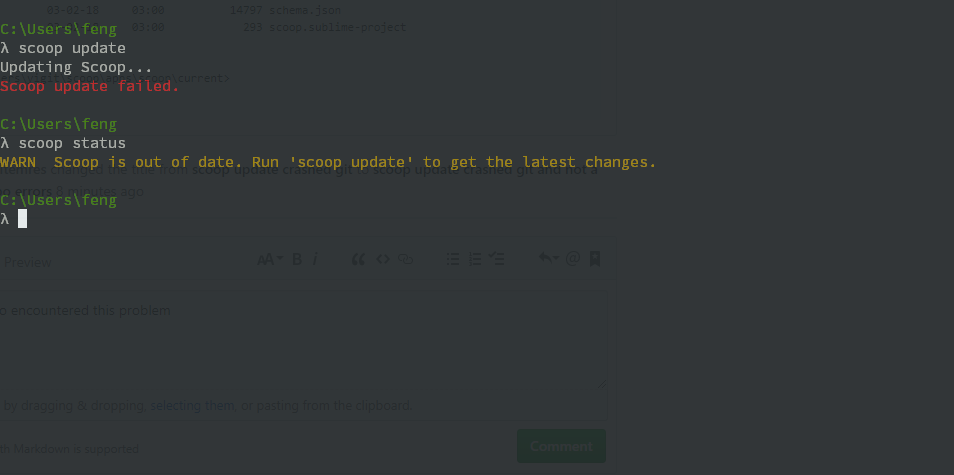
PS C:\Users\yigit\scoop\apps\scoop\current> scoop status
WARN  Scoop is out of date. Run 'scoop update' to get the latest changes.
PS C:\Users\yigit\scoop\apps\scoop\current> scoop update
Updating Scoop...
Scoop update failed.
PS C:\Users\yigit\scoop\apps\scoop\current> #git for windows crashed while trying to update scoop
PS C:\Users\yigit\scoop\apps\scoop\current> git status
fatal: Not a git repository (or any of the parent directories): .git
PS C:\Users\yigit\scoop\apps\scoop\current> ls


    Directory: C:\Users\yigit\scoop\apps\scoop\current


Mode                LastWriteTime         Length Name
----                -------------         ------ ----
d-----         03-02-18     14:53                bin
d-----         03-02-18     14:53                bucket
d-----         03-02-18     14:53                lib
d-----         03-02-18     14:53                libexec
d-----         03-02-18     14:53                supporting
d-----         03-02-18     14:53                test
-a----         03-02-18     03:00            459 .editorconfig
-a----         03-02-18     03:00            123 .gitattributes
-a----         03-02-18     03:00             87 .gitignore
-a----         03-02-18     03:00            589 appveyor.yml
-a----         03-02-18     03:00            459 buckets.json
-a----         03-02-18     03:00           1235 LICENSE
-a----         03-02-18     03:00           2879 README.md
-a----         03-02-18     03:00          14797 schema.json
-a----         03-02-18     03:00            293 scoop.sublime-project


PS C:\Users\yigit\scoop\apps\scoop\current>
 yigitemres
All 16 comments
Today I also encountered this problem after I update git.
I do not know if this error was caused by git or scoop.
But yesterday there is no such problem.

translate: Git for Windows has stopped working
 lfkid
on 3 Feb 2018
lfkid
on 3 Feb 2018
@lfkid can you go to "~\scoop\apps\scoop\current" folder and type "git status"?
yigitemres
on 3 Feb 2018
I also have this problem.
git --version
git version 2.16.1.windows.2
If I do a git pull in the scoop repository then git crashes.
 oltolm
on 3 Feb 2018
oltolm
on 3 Feb 2018
@yigitemres thanks for the reply.
yeah, this is the result:

lfkid
on 3 Feb 2018
@oltolm can you go to "~scoop\appsscoop\current" folder and type "git status", too?
yigitemres
on 3 Feb 2018
@lfkid our problems and possibly @oltolm problems are identical. something broken in current scoop build.
yigitemres
on 3 Feb 2018
git status
On branch master
Your branch is up to date with 'origin/master'.
nothing to commit, working tree clean
@oltolm thats interesting. mine git status says "its not git repo". another weird thing is that when i trying to pull/fetch upstream local scoop fork, git also crashed.
yigitemres
on 3 Feb 2018
May be it was git bug. I try to run git manually (not install from scoop) and get same error. Roll back to 2.16.1.windows.1 version seems work for me.
 haunt98
on 3 Feb 2018
haunt98
on 3 Feb 2018
@SummerSad cant rollback either inside scoop. you maybe right about git problem but im tested already. my own repos for dotfiles works like a charm under [email protected].
PS C:\Users\yigit\Desktop> scoop install [email protected]
Scoop uses Git to update itself. Run 'scoop install git' and try again.
WARN Given version (2.16.1.windows.1) does not match manifest (2.16.1.windows.2)
WARN Attempting to generate manifest for 'git' (2.16.1.windows.1)
Autoupdating git
Downloading PortableGit-$matchShort-32-bit.7z.exe to compute hashes!
The request was aborted: The connection was closed unexpectedly.
URL https://github.com/git-for-windows/git/releases/download/v$matchVersion/PortableGit-$matchShort-32-bit.7z.exe#/dl.7z is not valid
Could not find hash!
Could not install [email protected]
What I did:
Download 2.16.1.w.1 manually from here: https://github.com/git-for-windows/git/releases (Direct Link for x64: click
Extract it, copy and overwrite the content to: C:\Users\USER\scoop\apps\git\2.16.1.windows.2
Reopened Powershell (not sure if needed, did it just in case)
PS C:\Users\foobar> git --version
git version 2.16.1.windows.1
Not sure if it will throw out errors when updating, but I guess a simple re-install of git when its updated will do.
 kvnklk
on 4 Feb 2018
kvnklk
on 4 Feb 2018
This is definitely a problem with git (git-remote-https.exe)
I downgraded it to version 2.16.1.windows.1 and locked the auto-update. Try reinstalling it.
Edit:
If your GIT installation is already broken follow these steps to install GIT temporarily, then update scoop and reinstall GIT as a normal/upgradable version.
> scoop uninstall git
> scoop install https://raw.githubusercontent.com/lukesampson/scoop/master/bucket/git.json
> scoop update
> scoop uninstall git
> scoop install git
 r15ch13
on 4 Feb 2018
r15ch13
on 4 Feb 2018
@r15ch13 thank you. can you downgrade git-with-openssh repo too?
yigitemres
on 4 Feb 2018
@yigitemres done 😁
r15ch13
on 4 Feb 2018
@r15ch13 when i ever want something from you, i feel very ashamed because i cant help this wonderful project as much as you guys do. thank you! 🥇
yigitemres
on 4 Feb 2018
Fixed with https://github.com/lukesampson/scoop/pull/2007 and https://github.com/lukesampson/scoop/pull/2008
r15ch13
on 7 Feb 2018
Related issues
 vpratfr
·
3Comments
vpratfr
·
3Comments
 eBaeza
·
3Comments
eBaeza
·
3Comments
 SlvrEagle23
·
3Comments
SlvrEagle23
·
3Comments
 thorstenkampe
·
3Comments
thorstenkampe
·
3Comments
 klauern
·
3Comments
klauern
·
3Comments
Most helpful comment
This is definitely a problem with git (
git-remote-https.exe)I downgraded it to version
2.16.1.windows.1and locked the auto-update. Try reinstalling it.Edit:
If your GIT installation is already broken follow these steps to install GIT temporarily, then update scoop and reinstall GIT as a normal/upgradable version.