Scoop: 7zip - Installation doesn't include explorer addons
When using scoop to install 7zip, the explorer addons (Right Click - 7-zip menu) isn't installed.
When using the 7-zip installer or MSI package from the 7-zip site, the explorer addons are installed. Not sure if this is a bug or intended but I've personally become dependent on the 7-zip menu because it's so much faster than using Windows's built in compressed file handling.
 jwhipp
All 9 comments
Scoop just extracts the MSI package, instead of executing it. Therefore the context menu doesn't get created.
You can however open the 7-Zip File Manager, go to Extras > Options > 7-Zip. There you can configure the context menu elements. (If it doesn't work, try running 7zFM as admin)
 r15ch13
on 20 Jan 2018
r15ch13
on 20 Jan 2018
Please note that the option is now under Tools > Options > 7-Zip (tested with 7zip 18.05).
 nirvdrum
on 4 Dec 2018
nirvdrum
on 4 Dec 2018
While this is true, the idea would be to have the installation do it or at least pop out the registry line to apply like it does with some other packages.
Also, admin access is required for this to work. I ran 7zFM as admin then followed the steps.
jwhipp
on 4 Dec 2018
Agreed. I just came across this issue while searching for an automated way of doing it with scoop. While running through the manual steps above, I found the menu item had changed. It'd be great if I didn't have to do that at all. But at least this search result ranks highly.
nirvdrum
on 4 Dec 2018
Here is the optimal experience in my opinion:
- $ scoop install 7zip => installs 7-Zip, registers 7-Zip as default Windows decompression app, adds 7-Zip right click context menu option
- Download a zip file via browser => download is displayed near bottom of browser
- Left-click file download => launches 7-Zip, creates new folder in download directory with same name as zip file (sans .zip extension), extracts to this new folder, opens this new folder (so I can then double click the .exe installer)
 wackydude
on 21 Jul 2019
wackydude
on 21 Jul 2019
If anyone feels up to setting up the .reg, you can copy the scoop changes from https://github.com/ScoopInstaller/Main/pull/846/files
To figure out the .reg, I'd recommend just setting up the context menu with 7z, exporting it from regedit, and inserting the variable names.
 idbrii
on 19 Mar 2020
idbrii
on 19 Mar 2020
Solution above does not work for me even when starting 7zip as admin:

Worth to note my 7-zip was installed as a dependency of git e.g. scoop install git
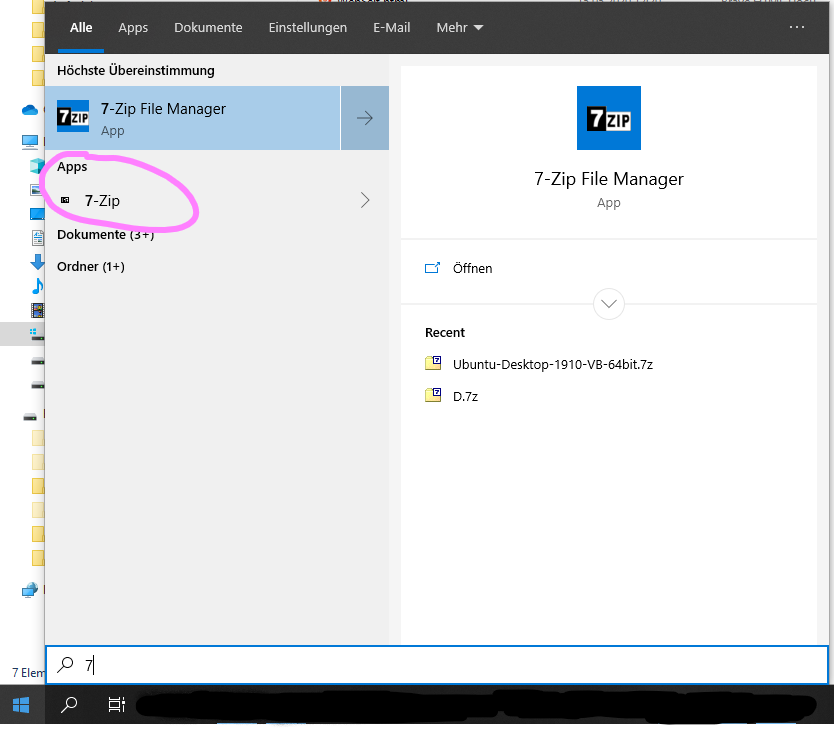
⚠️ EDIT: turned out I had an additional 7-zip App already installed (from Microsoft Store). I was able to activate context menu through the settings of that App running it as admin. It would be great if scoop install git had detected that App instead of installing another one.
 wlad
on 15 May 2020
wlad
on 15 May 2020
This issue belongs in the Main bucket. Unfortunately, we cannot move this issue on this end, so it is being closed.
If this is still an issue, please create a new issue in the Main bucket via https://github.com/ScoopInstaller/Main/issues/new?body=Moved+from+https%3A%2F%2Fgithub.com%2Flukesampson%2Fscoop%2Fissues%2F1962
 rasa
on 21 Oct 2020
rasa
on 21 Oct 2020
Equivalent issue was opened in Main: ScoopInstaller/Main#813
idbrii
on 11 Dec 2020
Related issues
 nitrocode
·
3Comments
nitrocode
·
3Comments
 SlvrEagle23
·
3Comments
SlvrEagle23
·
3Comments
 Arnavion
·
3Comments
Arnavion
·
3Comments
 yetangye
·
3Comments
yetangye
·
3Comments
 muhlpachr
·
3Comments
muhlpachr
·
3Comments
Most helpful comment
Scoop just extracts the MSI package, instead of executing it. Therefore the context menu doesn't get created.
You can however open the 7-Zip File Manager, go to
Extras>Options>7-Zip. There you can configure the context menu elements. (If it doesn't work, try running 7zFM as admin)