Sceneform-android-sdk: fbx animation bug
All 20 comments

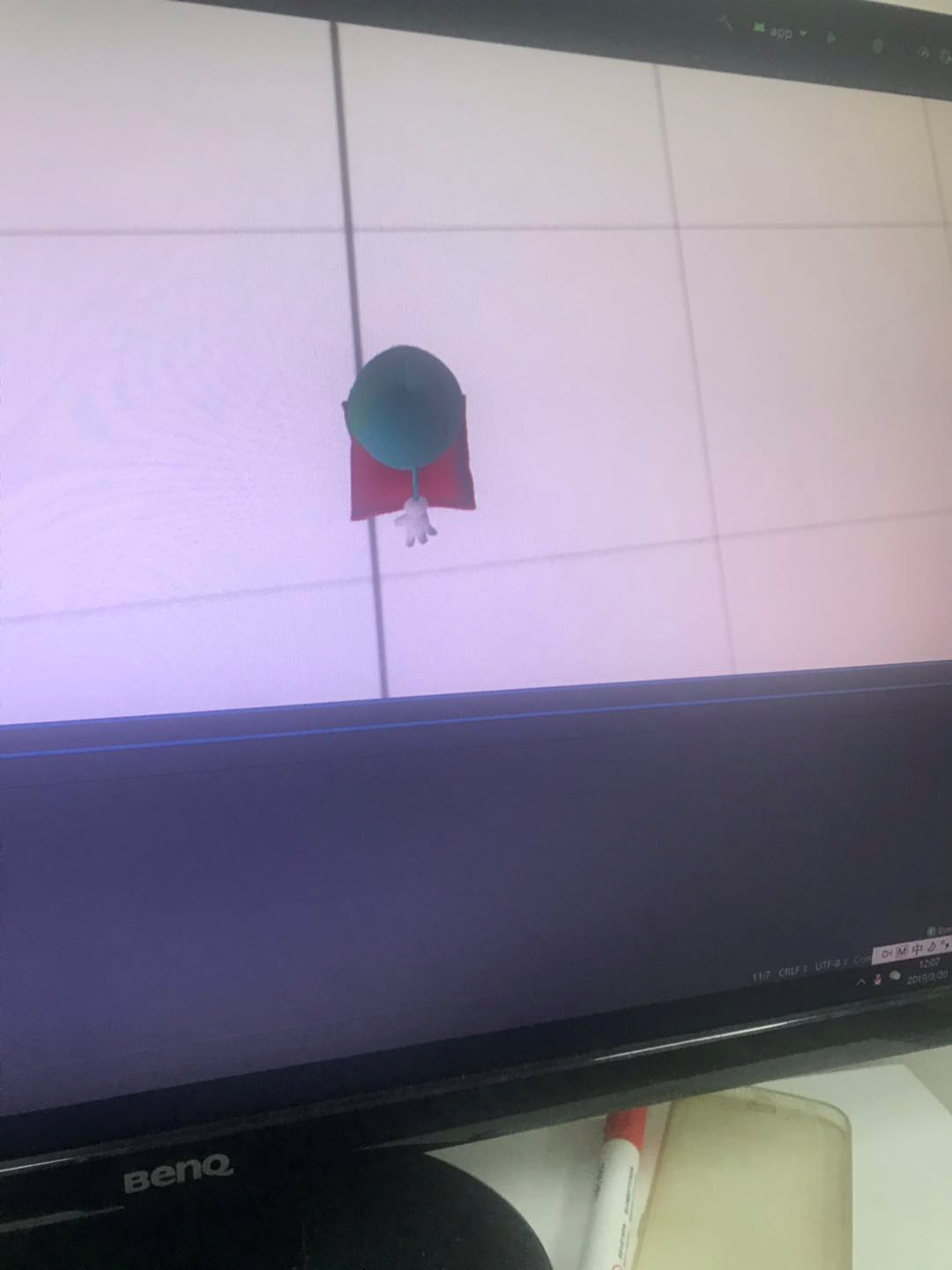
The model is strange and far away
 wkl-coder
on 20 Mar 2019
wkl-coder
on 20 Mar 2019
@tpsiaki
wkl-coder
on 20 Mar 2019
Closing as this issue is missing key information to help us reproduce it.
- Android Studio version
- Sceneform version
- Device manufacturer, model, and O/S
- ARCore APK installed version:
On Windows, use:adb shell pm dump com.google.ar.core | findstr /i "packages: versionName"
On macOS, use:adb shell pm dump com.google.ar.core | egrep -i versionName\|packages: - Output of
adb shell pm path com.google.ar.core - Output of
adb shell getprop ro.build.fingerprint - Specific error message or problem encountered
 fredsa
on 28 Mar 2019
fredsa
on 28 Mar 2019
Hi everybody:
This same issue is happening to me.
I have a scene with two non-animated cubes with a series of other primitives moving around then.
When I start the animation (animated FBX) one of the cubes disappear. Of course, same scene is shown w/o problem in 3d viewer tools.
My info is:
- Android Studio 3.4.1
- Sceneform 1.9
- Device: Samsung Galaxy Tab S4
- ARCore APK installed version: 1.9.190422066
- adb shell pm path com.google.ar.core shows: package:/data/app/com.google.ar.core-UoGDdLIBWa56K4CEvkWrUg==/base.apk
- adb shell getprop ro.build.fingerprint shows: samsung/gts4lwifixx/gts4lwifi:9/PPR1.180610.011/T830XXU2BSD1:user/release-keys
Any help or advice with this?
 vortice3D
on 19 Jun 2019
vortice3D
on 19 Jun 2019
same issue
Android Studio 3.4.1
Build #AI-183.6156.11.34.5522156, built on May 2, 2019
JRE: 1.8.0_152-release-1343-b01 amd64
JVM: OpenJDK 64-Bit Server VM by JetBrains s.r.o
Windows 10 10.0
Issue: the model disappears when i try to run animation.
Device: S9
 aurangzaibumer777
on 12 Jul 2019
aurangzaibumer777
on 12 Jul 2019
Hi there:
In my case it was due to a non-set-to-zero rotation in one of the parent-child hierarchy of the 3d model.
Alias-Wavefront Maya seems to let some nodes with subtle cuasi-zero orientations that drives Sceneform crazy in the moment it traverses all the hierarchy in order to animate the whole scene.
Solved problem!
vortice3D
on 14 Jul 2019
Hi there:
In my case it was due to a non-set-to-zero rotation in one of the parent-child hierarchy of the 3d model.
Alias-Wavefront Maya seems to let some nodes with subtle cuasi-zero orientations that drives Sceneform crazy in the moment it traverse all the hierarchy in order to animate the whole scene.
Solved problem!
can you be more specific about the issue you solved earlier.
I've had tons of fbx tried on it but nothing worked out. I'm stuck for the last 5 days and it's been a real pain.
aurangzaibumer777
on 14 Jul 2019
As said we're using Maya as our 3D authoring tool.
Are you using that sw too?
vortice3D
on 14 Jul 2019
Yes using the same software but any guide what needs to be checked first? Like a checklist that sums up things to get the animation running.
aurangzaibumer777
on 14 Jul 2019
Hi there, Aurangzaib:
After talking with the 3D artist, for a more detailed info, he says me that the problem comes with the existence of non-zero values in the pivots space attributes of some of the scene transform nodes:
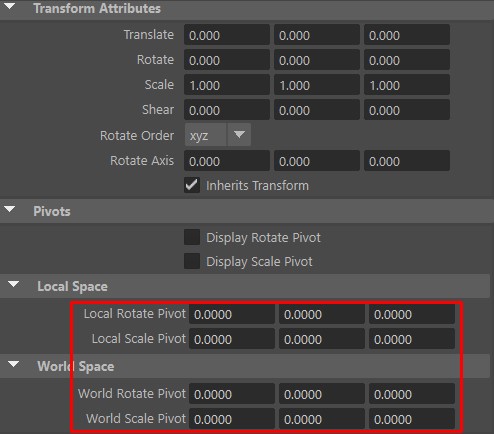
That pivot values, more specifically the ones about local-space are tweaked by the tool with each UI manipulation of the nodes.
As a solution you need to have them set to zero (as shown in the previously attached image). Please note that this must be done in a per-node basis, I mean "node by node" (not shortcut here).
Best regards.
vortice3D
on 15 Jul 2019
Hi there, Aurangzaib:
After talking with the 3D artist, for a more detailed info, he says me that the problem comes with the existence of non-zero values in the pivots space attributes of some of the scene transform nodes:
That pivot values, more specifically the ones about local-space are tweaked by the tool with each UI manipulation of the nodes.
As a solution you need to have them set to zero (as shown in the previously attached image). Please note that this must be done in a per-node basis, I mean "node by node" (not shortcut here).
Best regards.
Thanks, i got the animation working but now facing a different issue, if i open the fbx on windows 10 viewer, it shows exactly the same as it was exported from 3D software (Maya 2017) but when i rendered it on arcore - android, it gives me weird result in-terms of quality
https://drive.google.com/file/d/1T9X1ZxsjtXTxHCddBFoVUODCKdRPMD3s/view?usp=sharing
I've uploaded the video of how it is rendered on mobile. Specifically the shoulder cloth and face
can you please help on this? link has both the FBX model and the video that i captured on.
Thanks
aurangzaibumer777
on 2 Aug 2019
Hi Aurangzaib:
I apologize for the inconvenience. but, sadly, my _3D Arts_ colleague is at the moment on his summer holiday until the last week of this month.
As soon as he's here again I'll let him know about your question.
Best regards.
vortice3D
on 5 Aug 2019
Hi Aurangzaib:
I apologize for the inconvenience. but, sadly, my _3D Arts_ colleague is at the moment on his summer holiday until the last week of this month.
As soon as he's here again I'll let him know about your question.
Best regards.
any updates now?
Thanks
aurangzaibumer777
on 15 Aug 2019
bump
aurangzaibumer777
on 21 Aug 2019
Hi there!
I don´t know if you're already solved the "quality problems" you mentioned in your post.
Anyway, what do you mean with "problems"? Are they the geometry ripples in the neck and eyebrowns of the male model?
Best regards.
vortice3D
on 26 Aug 2019
haven't resolved the issue
have you checked the video? the quality of the model is the problem
if we open the fbx on windows 3D Viewer, it renders fine but on arcore android, it renders bad.
aurangzaibumer777
on 26 Aug 2019
Yes, my colleague just opened the video and FBX file, on both Maya and Autodesk FBX Viewer, and it is shown OK as you say.
Said this, sadly it's probably a Sceneform engine problem. I regret that we cannot offer you any help with this.
Best regards.
vortice3D
on 26 Aug 2019
yes it is showing fine on maya and windows 3D viewer as per said earlier but not on scene-form.
aurangzaibumer777
on 26 Aug 2019
Well, maybe you must open a new issue about this in a more general (not only Android-bound) Sceneform forum.
Sceneform issues seems to be hard to solve with the aid of the (still small) community.
Good luck with it!
vortice3D
on 26 Aug 2019
Well, maybe you must open a new issue about this in a more general (not only Android-bound) Sceneform forum.
Sceneform issues seems to be hard to solve with the aid of the (still small) community.
Good luck with it!
Yeah, i already opened a new issue, been four weeks but no reply
https://github.com/google-ar/sceneform-android-sdk/issues/808
Let's hope google start taking AR more seriously soon enough
aurangzaibumer777
on 27 Aug 2019
Related issues
 terezo
·
3Comments
terezo
·
3Comments
 JessHolle
·
3Comments
JessHolle
·
3Comments
 tigran-babajanyan
·
3Comments
tigran-babajanyan
·
3Comments
 KamikX
·
4Comments
KamikX
·
4Comments
 chiaolinghong3d
·
3Comments
chiaolinghong3d
·
3Comments