Sanity: Various dragging issues in portable text
There's a number of inconsistent behaviours when dragging block elements in the Portable Text Editor. I've opted to combine them into a single issue to reduce noise since they're all quite similar.
By 'block elements', I'm referring to custom objects or images defined within a portable text array.
1. Unable to add manual line-breaks between the first and second block element
Reproduction
- Populate a portable text field that leads with a block element
- Select the first block element and press enter
Expected behavior
- A manual line break appears between the first and second element
Actual behavior
- A line break appears above the first element
Screenshots
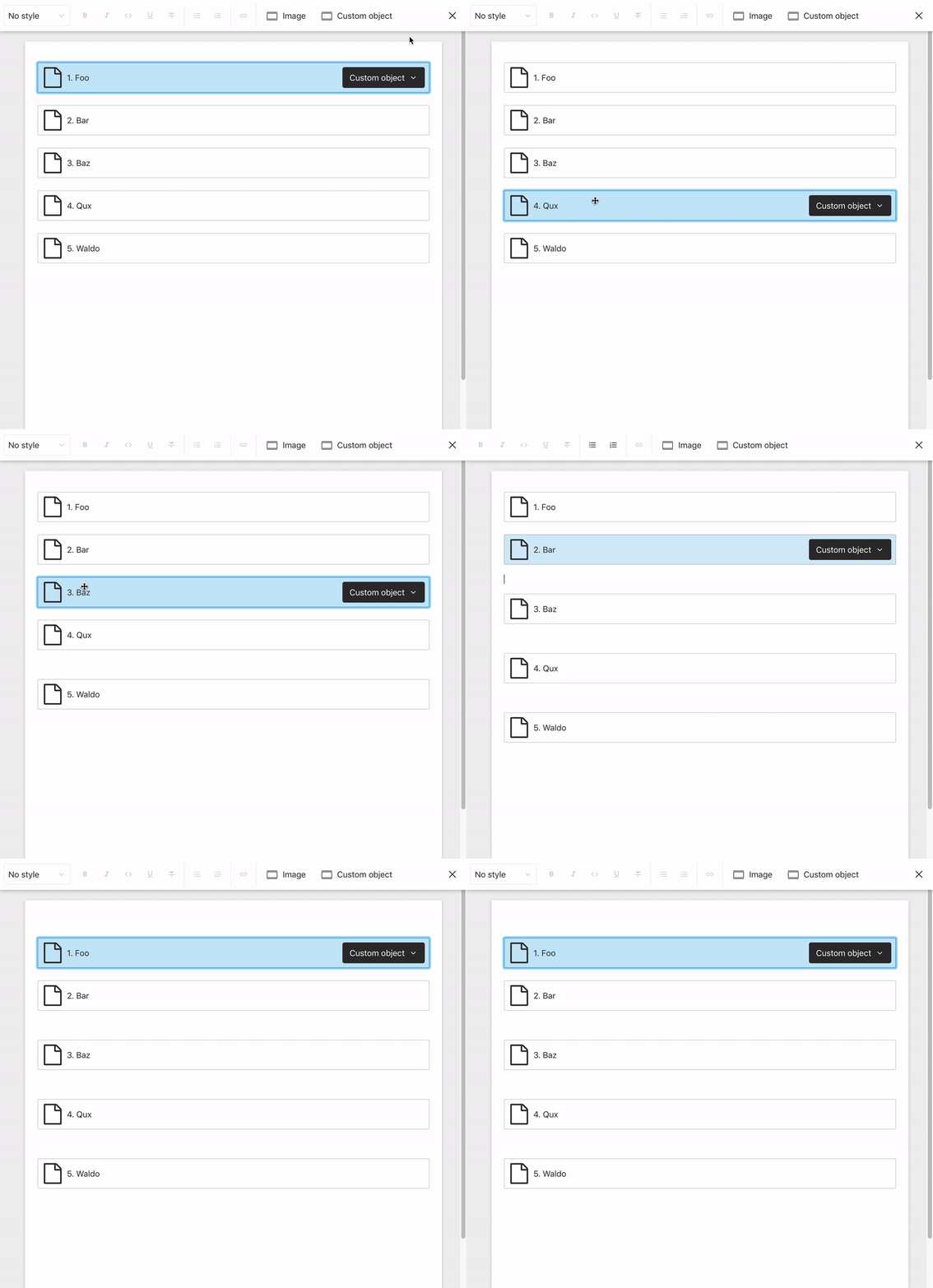
Note that this doesn't occur if there's preceding text before the first element:
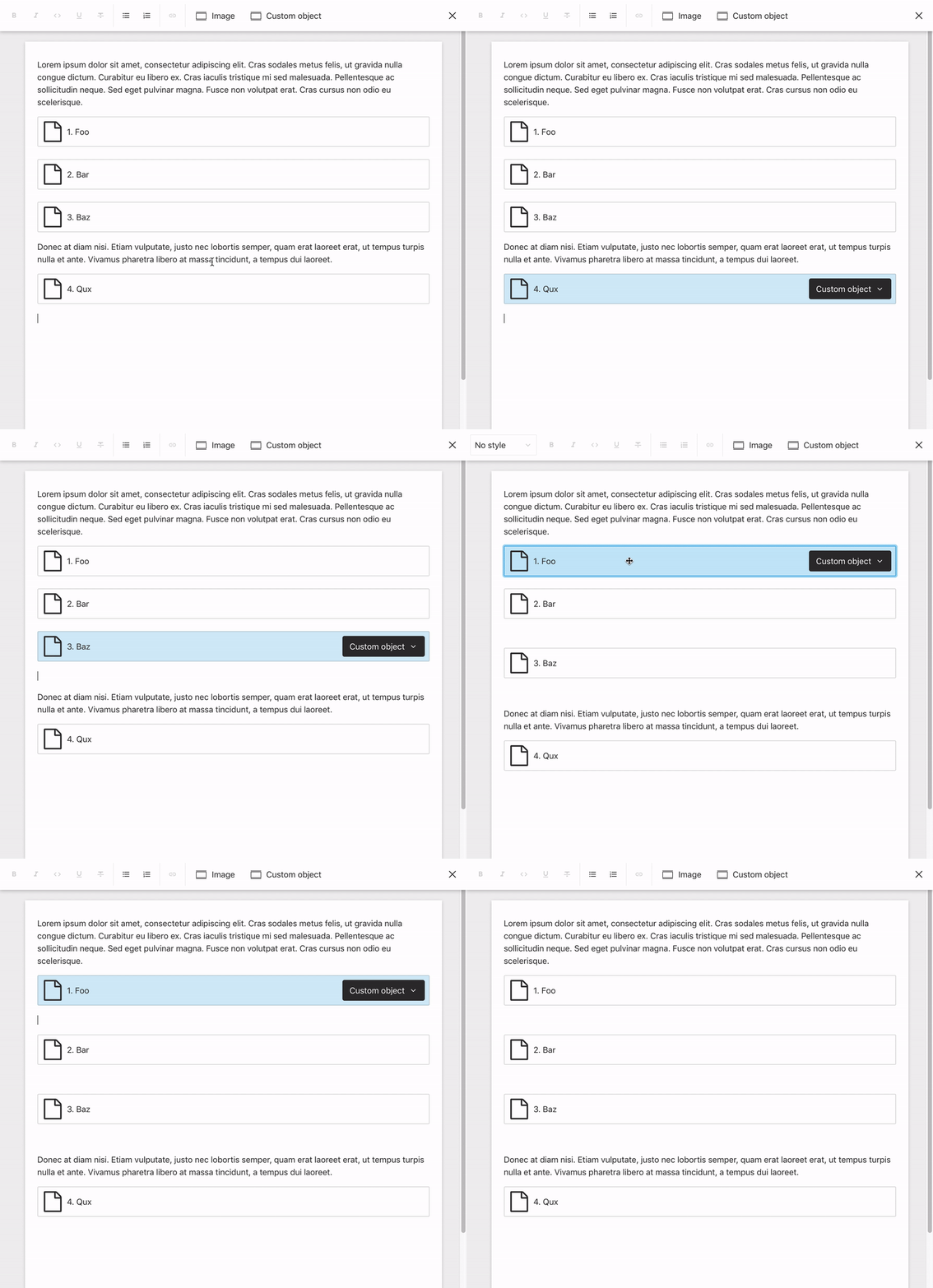
2. Dragging / re-ordering block elements appears to be off by 1 (when the target destination is between two block elements)
Reproduction
- Drag a block element in-between two other block elements
Expected behavior
- The element appears in-between both block elements
Actual behavior
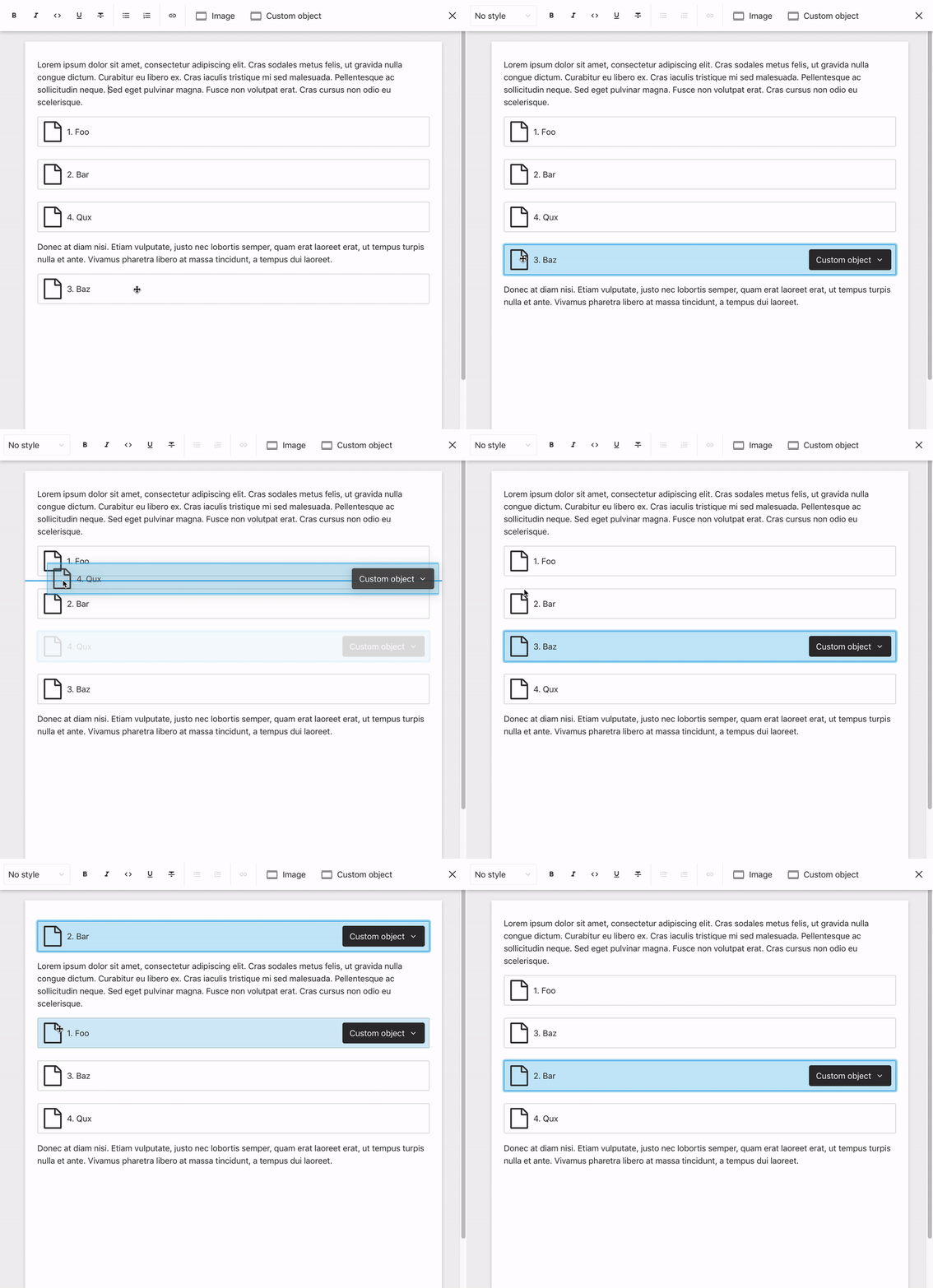
- The element is positioned one item after where it should be (which in some instances, is its original position - resulting in no change)
Screenshots
Note that elements are positioned correctly when the destination is adjacent to text:
Worth mentioning that when the destination is between a block element and empty linebreak, the element will be repositioned but also off by one:
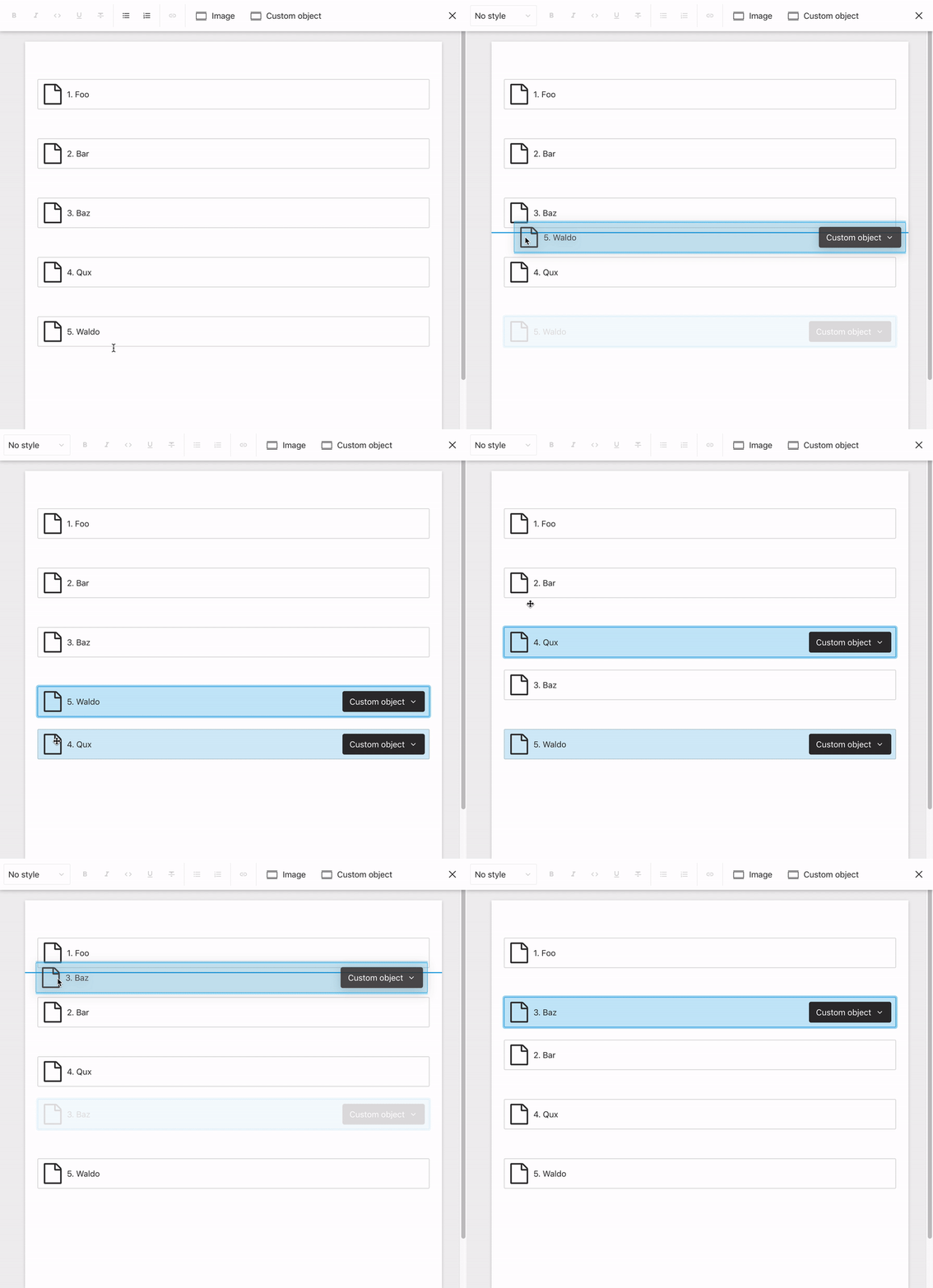
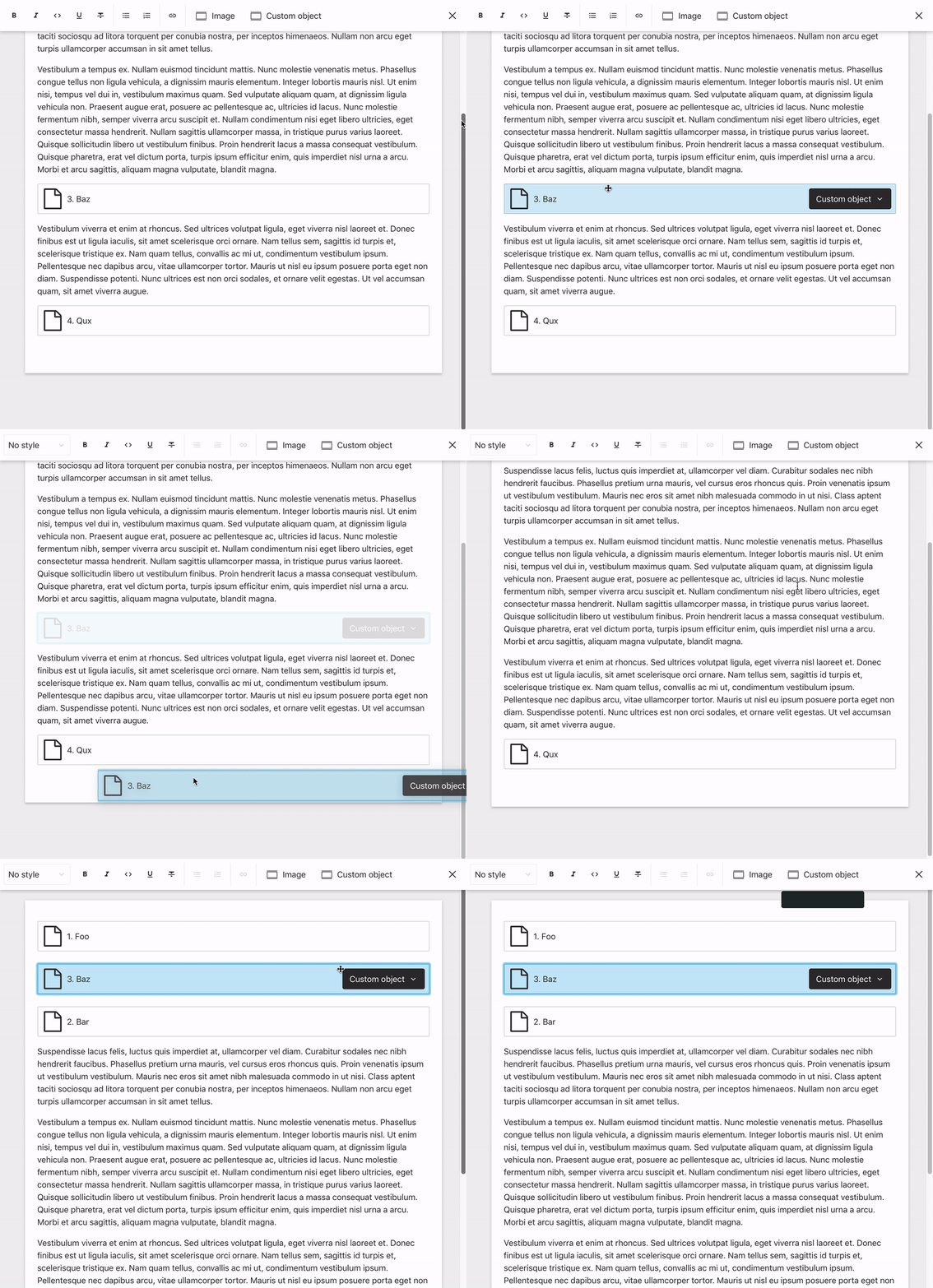
3. It's not possible to drag a block element to the end of portable text if there isn't trailing text / line break.
Reproduction
- Drag a block element to the end of the portable text, after another block element
Expected behavior
- The element appears at the end
Actual behavior
You're simply unable to place a block element at the end - no target line will appear until you drag further down the page, after which it'll select the second position in the document for some reason.
This can be especially disorienting if you have a long article and can't see the target destination - users then release their cursor and the block element disappears up the page and out of view. Even more pronounced when users are dragging large images / block elements in a long portable text field.
Screenshots
4. It's not possible to drag an element and scroll up simultaneously in full-screen mode.
Reproduction
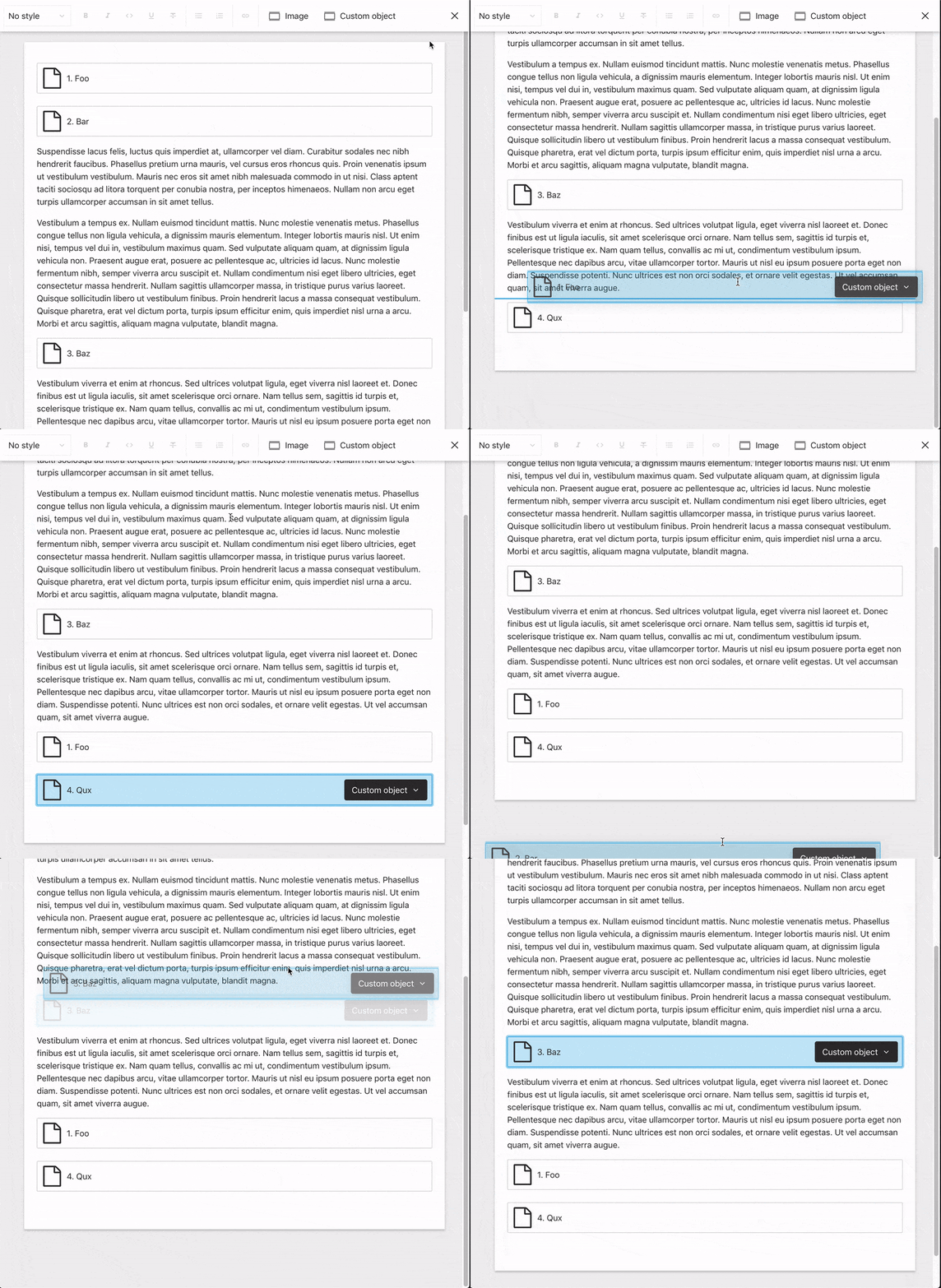
- In full screen mode, drag a block element near the top of the screen to try scroll up
Expected behavior
- The portable text field scrolls up whilst you continue to drag the element
Actual behavior
- The portable text field stays in place
Screenshots
The below above also demonstrates me deleting the full-screen header in dev tools and doing so resolves the issue, so possibly linked.
Which versions of Sanity are you using?
@sanity/cli             0.142.2 (up to date)
@sanity/base            0.142.2 (up to date)
@sanity/components      0.142.2 (up to date)
@sanity/core            0.142.2 (up to date)
@sanity/default-layout  0.142.2 (up to date)
@sanity/default-login   0.142.1 (up to date)
@sanity/desk-tool       0.142.2 (up to date)
What operating system are you using?
OS X 10.14.6
Which versions of Node.js / npm are you running?
6.9.0
v10.16.0
 robinpyon
All 6 comments
Thanks for this detailed report @robinpyon :heart: There's definitively some room from improvement here. We'll take a closer look at it!
 kmelve
on 5 Sep 2019
kmelve
on 5 Sep 2019
Hi @robinpyon, thanks for the detailed report! We have fixed all the drag and drop issues, and they will be included in the next release.
When it comes to the enter-key behaviour on a topmost block object (non-text), that is by design, so it is possible to put some text above it. This is because we don't have a concept of the cursor being before or after a block object, it's just _on_. The alternative would be to insert the text block below as usual, but then you'd have to drag the block object down afterwards. One could however discuss which is the less painful solution/design.
 skogsmaskin
on 6 Sep 2019
skogsmaskin
on 6 Sep 2019
Amazing – thank you!
Re: enter-key behaviour on a topmost block object – I would argue that keeping that behaviour consistent (having the text / cursor below the block) makes more sense, even if it is slightly more work for the user to add text above if that's what they desire. (Interesting to see how other editors deal with this – in dropbox paper, you simply can't add text above a topmost block element, you have to manually drag it down)
Compared to the dragging issues, this isn't really a big deal – though I'd be curious to know others' perspective on this!
robinpyon
on 6 Sep 2019
Compared to the dragging issues, this isn't really a big deal – though I'd be curious to know others' perspective on this!
Yeah, me too! This is a matter of design more I guess. I must admit I agree to consistency, though I was the one that implemented the "inconsistency" :) @mariuslundgard, @kristofferj what do you think?
skogsmaskin
on 9 Sep 2019
I agree that when a block is selected, the new line should always appear after. If you want a line on the first line (before the block), the most intuitive action would be to arrow up or click the white space over the block (so its is not selected), and press enter. The cursor could show before the block if it is necessary.
 kristofferj
on 9 Sep 2019
kristofferj
on 9 Sep 2019
I'm closing this now, as the drag/drop bugs are taken care of in the latest release. I'll make an own internal issue for the design of the enter behaviour on the topmost void block.
skogsmaskin
on 18 Sep 2019
Related issues
 chanp-ark
·
3Comments
chanp-ark
·
3Comments
 hdoro
·
3Comments
hdoro
·
3Comments
 Svish
·
3Comments
Svish
·
3Comments
 mrkolby
·
4Comments
mrkolby
·
4Comments
 readeral
·
4Comments
readeral
·
4Comments
Most helpful comment
I'm closing this now, as the drag/drop bugs are taken care of in the latest release. I'll make an own internal issue for the design of the enter behaviour on the topmost void block.