Salesforcedx-vscode: Adopt Prettier as Default Formatter for Salesforce Delopment
Is your feature request related to a problem?
Today, there is no standard for source formatting in the Salesforce community. Every developer and team uses their own format. This makes the adoption of source driven development more difficult and makes enabling a development best practice something that has to be done manually instead of something you get by default.
Describe the solution you'd like
With Prettier 1.15 HTML support will be included in prettier. The prettier HTML formatter will also work perfectly for Aura. Additionally, Apex Prettier is coming along well and should be ready sometime in the next few months.
Using a clear standard across all Salesforce development will have the following benefits:
- All Salesforce projects will have consistent formatting making it easier for developers to move between and understand other projects.
- Prettier makes source control better. It avoids common issues with source tracking like extra line inserts or formatting differences between authors that make the true diff of changes hard to read.
The one drawback I see to this is that some developers will want to have control over their code format to customize it to their exact preferences. I believe that any developer who wants to go down this route can still easily do so by disabling prettier - which will be trivial.
In addition to supporting prettier through the command line, VS Code has an excellent prettier extension that we could include in the Salesforce Extension Pack.
Lastly, prettier can be added to the web tooling to make it easy for developers on web clients to use consistent formatting. This makes merging changes made through tools like DevConole much easier to merged with local source.
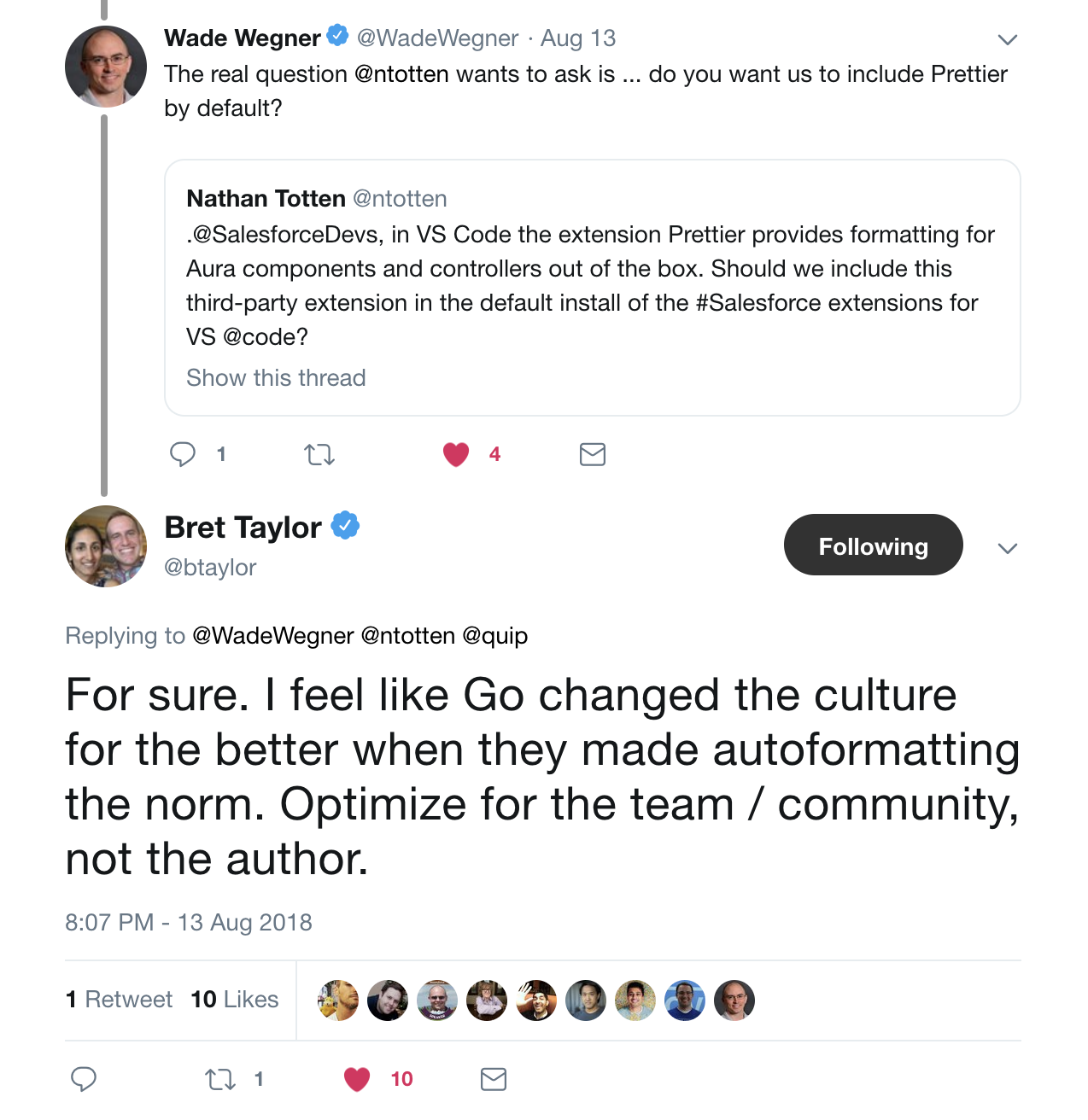
And for fun:
 ntotten
All 9 comments


ntotten
on 29 Oct 2018
If we use prettier, it would support the config file for pettier if teams wanted to change some aspects about the way it formats.
Just drop the config in the project and start changing settings you don’t like and check it into your repository.
Also teams could use a pre hook for check in which allows developers to write it they way they want, but then gets formatted only when they commit. I think there are a ton of options!
 brandonmikeska
on 29 Oct 2018
brandonmikeska
on 29 Oct 2018
Hi @ntotten - can I request you to consider using Beautify instead. Prettier has 4M downloads, supports JS, TS, and CSS. Beautify has 6M downloads (50% more), supports JS, CSS, JSON, Sass, and HTML. It does not seem to support Typescript, which I'm guessing has led you to use Prettier for your internal tooling. But we've had great success with Beautify and have included it in the Appirio Extension Pack used by about 1,000 Salesforce developers. It allows for a .jsbeautifyrc config file for project-specific customizations. It's support for HTML may make it easier to extend to VisualForce at some point.
And certainly everyone will be grateful if Apex auto-formatting is created at some point.
 abd3
on 30 Oct 2018
abd3
on 30 Oct 2018
I did a bit more research, and concluded that I like the idea of bundling one or the other of those tools, especially in light of work being done on an Apex formatter.
VS Code uses js-beautify (beautifier) internally.
Beautify has more VS Code downloads than Prettier, but Prettier is more popular on NPM. I did some reading about both, and there seem to be pros and cons with either, but the whole idea is generally a good one. Prettier has a more limited set of configuration options, but explains that's by design.
abd3
on 30 Oct 2018
@abd3 Thanks for the feedback. The two big drivers are 1) the work being done to support prettier apex (nothing like this exists for other formatters to my knowledge) and 2) the limited configuration. IMO, the limited configuration is actually a benefit to the community as it means that there is consistency across teams, projects, and companies. That being said, it will be very simple to not use prettier and replace it with your own so if your team/company wants to use something else it will be able to do so.
ntotten
on 30 Oct 2018
Speaking of limited configuration 😉 Here's something that I'd like to get some opinions on:
Right now I'm setting the default indentation for prettier-plugin-apex to 4 spaces with a printWidth of 100. IMO this is the path of least resistance for orgs adopting the library - a lot of Apex tooling uses 4 spaces by default, and this config will generate the least amount of diffs for VCS.
Possible downsides: prettier defaults to 2 spaces for JS so this might lead to a bit of an inconsistent behavior for end users. Also, @ntotten does white spaces count against the total number of characters for an org? If it does I might change the default back to 2.
 dangmai
on 30 Oct 2018
dangmai
on 30 Oct 2018
In my experience adopting prettier on a large code base is kind of a big deal but it's one commit and then you're done.
The diff will be significant even if you use 4 spaces in a hope to match the existing source imo.
My two cents are, I'd bite the bullet and vote for 2 spaces to match the JS default and have everything look the same once you have adopted.
 mtetlow
on 30 Oct 2018
mtetlow
on 30 Oct 2018
I'd agree, stick with defaults and let people change a single setting.
@dangmai I am told by the Apex team that whitespace does not count.
ntotten
on 30 Oct 2018
This is done, Prettier now support LWC and Aura as well as standard files like js, css. The new project template includes prettier config. Apex via a community plugin: https://forcedotcom.github.io/salesforcedx-vscode/articles/getting-started/prettier
ntotten
on 5 Apr 2019
Related issues
 randi274
·
3Comments
randi274
·
3Comments
 StanZha
·
4Comments
StanZha
·
4Comments
 quangxvu
·
5Comments
quangxvu
·
5Comments
 SalesforceBobLightning
·
5Comments
SalesforceBobLightning
·
5Comments
 sc5148
·
4Comments
sc5148
·
4Comments
Most helpful comment
I'd agree, stick with defaults and let people change a single setting.
@dangmai I am told by the Apex team that whitespace does not count.