Salesforcedx-vscode: lightning:stuff tags not highlighted in .cmp viles
Summary
opening a lightning component since last Thursday, none of the the non-html tags are highlighted anymore
Steps To Reproduce:
- Find a repo that has a lightning component with markup, or create one
- Open in vscode.
Expected result
syntax highlighting on LC.cmp
Actual result
no highlitghting
Additional information
VS Code Version: 1.26.1
SFDX CLI Version: sfdx-cli/6.29.0-0a2482692c (darwin-x64) node-v8.9.4
OS and version: macos 10.13.6
Internal Work Numer: W-5421880
 mshanemc
All 13 comments
@mshanemc - Did you mean to include a _different_ screenshot?
 vazexqi
on 21 Aug 2018
vazexqi
on 21 Aug 2018
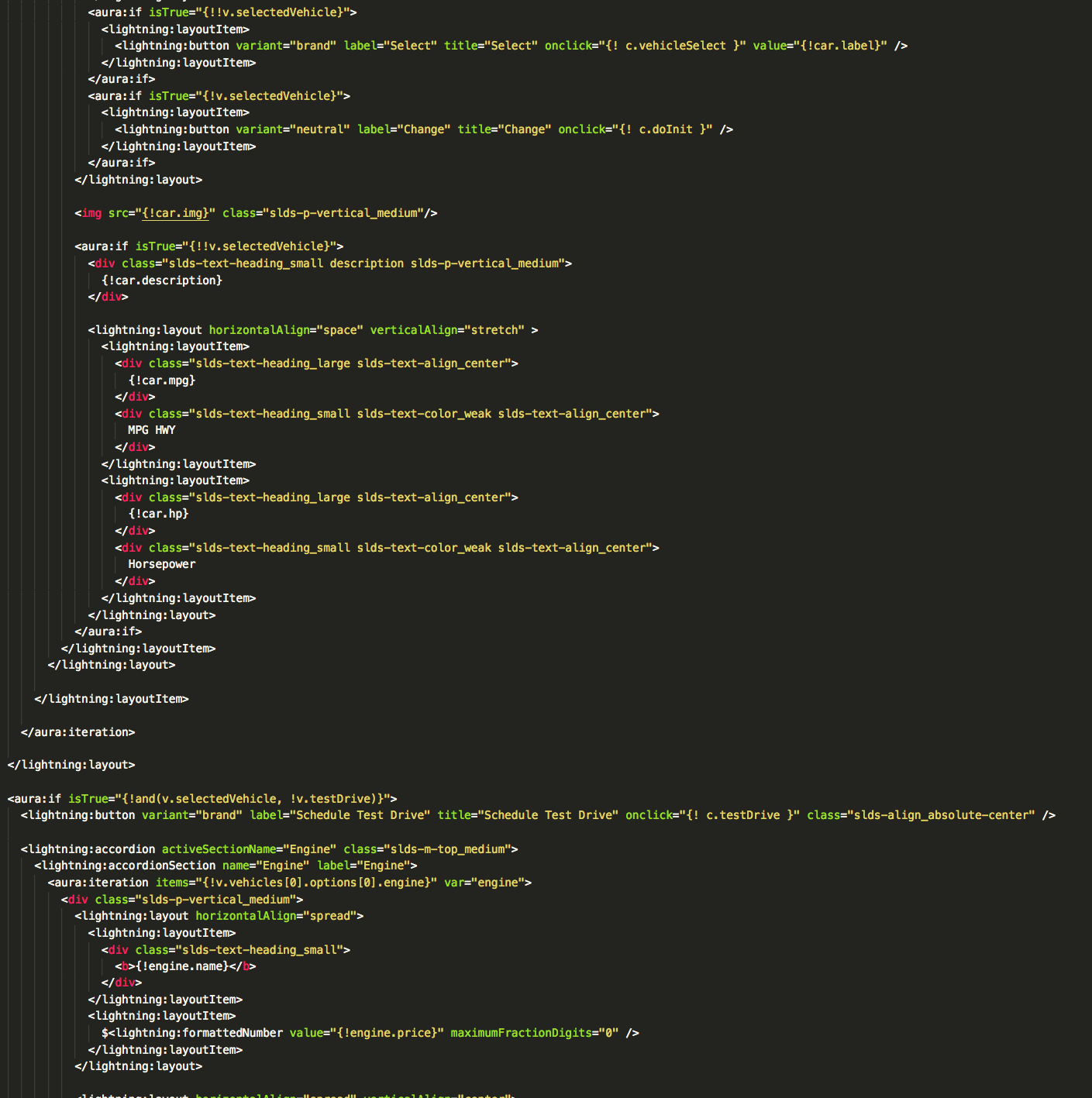
yep, sorry about that.
mshanemc
on 21 Aug 2018
@mshanemc As a workaround, add the following snippet to your user settings in VS Code. That fixes the highlighting issue.
"files.associations": { "*.cmp": "visualforce" }
 daeschwed
on 29 Aug 2018
daeschwed
on 29 Aug 2018
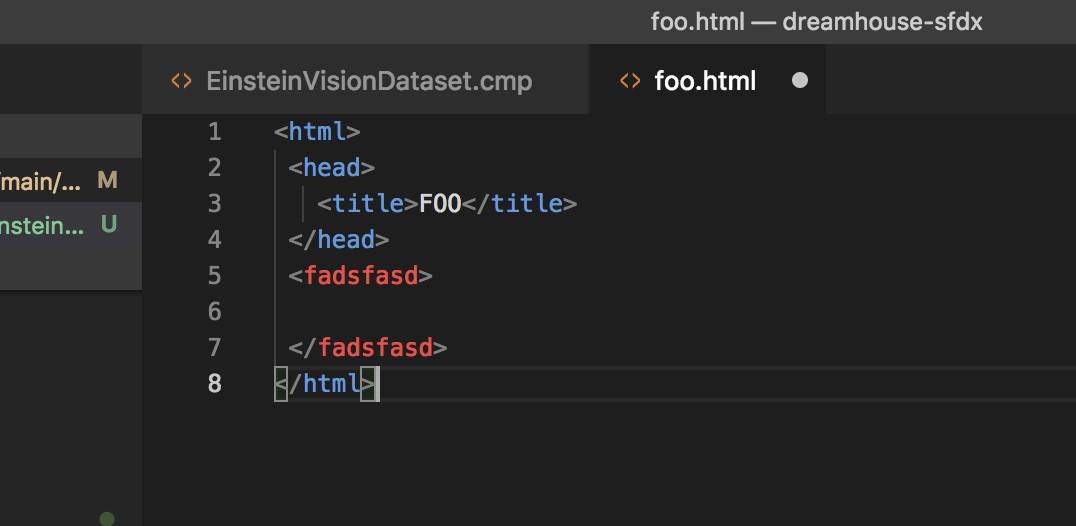
I am seeing a similar result, the tags show up red for me, which I believe is because they are undefined.
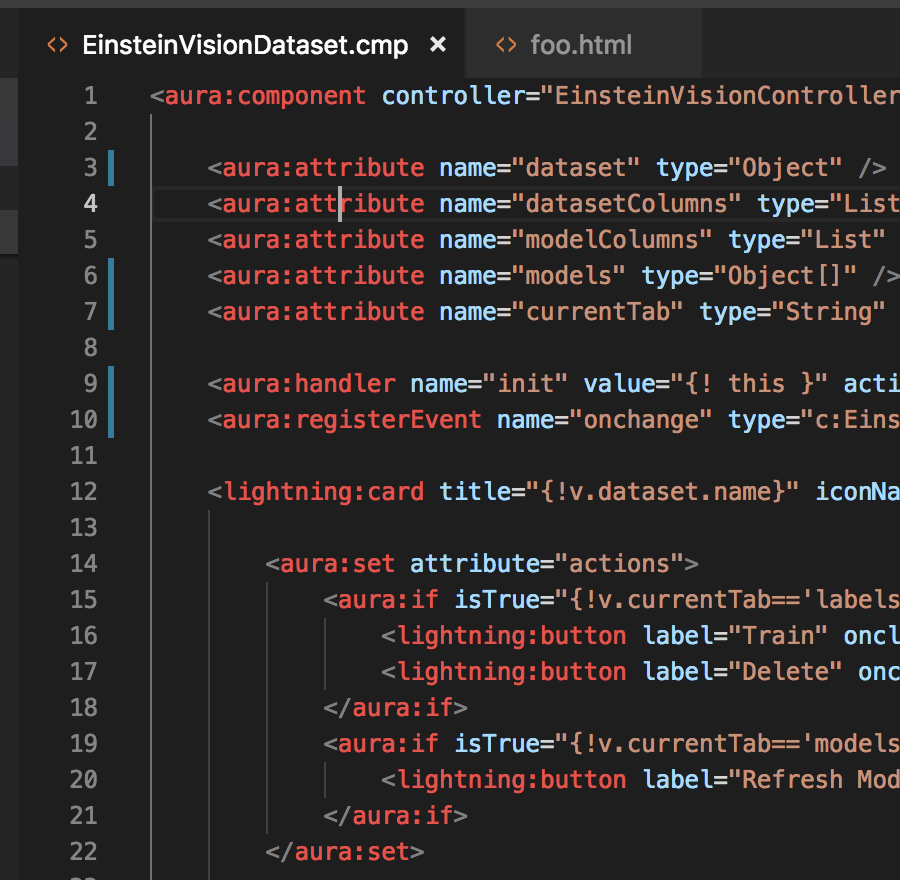
In HTML the tags show up blue and invalid tags show up red.
 ntotten
on 5 Sep 2018
ntotten
on 5 Sep 2018
It looks Microsoft updated the grammar for HTML to be much more specific - it now lists valid HTML elements and attributes. Thus breaking our use of it. https://github.com/Microsoft/vscode/commit/404e737560657bf3936b204c64d313abdba3d2e3
To fix this we will need to create our own grammar.
ntotten
on 5 Sep 2018
534 might actually be related to this. If they did change the grammar, then it seems that marking <namespace:tagname> could cause a spike if the entire line is now errorneous.... 🤔
vazexqi
on 5 Sep 2018
@ntotten The fix suggested to force the file association of *.cmp to "visualforce" has worked for me and gotten rid of the red https://github.com/forcedotcom/salesforcedx-vscode/issues/573#issuecomment-416990920
 erocheleau
on 7 Sep 2018
erocheleau
on 7 Sep 2018
@lcampos This might be a good short term fix ^. The visualforce language is using an older version of the HTML grammar & language server from before it was broken for foo:baz elements.
ntotten
on 7 Sep 2018
I don't know if VSCode has gotten better at letting you "extend" grammar and languages.
Last time I tried it was not possible so you had to re-do everything which was a pain especially for adding stuff to let's say HTML.
erocheleau
on 7 Sep 2018
Yeah, it is unfortunately not possible for the HTML language. We had to fork the HTML language server for Visualforce. We will likely have to do the same for aura to fix this problem.
ntotten
on 7 Sep 2018
@ntotten unfortunately that short fix ("files.associations": { "*.cmp": "visualforce" }) results in losing autocompletion and other language server capabilities.
 lcampos
on 7 Sep 2018
lcampos
on 7 Sep 2018
@lcampos I was merely suggesting that as a "workaround" rather than an actual fix.
I was not aware it would break things, too.
Thanks for the update.
daeschwed
on 8 Sep 2018
Will go out in the release this Thursday.
ntotten
on 17 Sep 2018
Related issues
 ddodson3
·
6Comments
ddodson3
·
6Comments
 celador
·
4Comments
celador
·
4Comments
 SalesforceBobLightning
·
5Comments
SalesforceBobLightning
·
5Comments
 quangxvu
·
5Comments
quangxvu
·
5Comments
 frackham
·
6Comments
frackham
·
6Comments
Most helpful comment
Yeah, it is unfortunately not possible for the HTML language. We had to fork the HTML language server for Visualforce. We will likely have to do the same for aura to fix this problem.
Reference: https://github.com/Microsoft/vscode/issues/2784