Saleor: npm run build-assets not working
When i try to run "npm run build-assets" command, the output freezes on the warning
"DEPRECATION WARNING on line 4, column 8 of stdin:
Including .css files with @import is non-standard behaviour which will be removed in future versions of LibSass.
Use a custom importer to maintain this behaviour. Check your implementations documentation on how to create a custom importer" and i'm stuck on this step so the build doesn't finish.

Someone knows how to fix this error?
 hasher-hasher
All 19 comments
It's just a warning, I doubt if that's an issue directly. What are your Node and npm versions
 Pacu2
on 10 Sep 2018
Pacu2
on 10 Sep 2018
Node 10.10.0 and npm 6.4.1. But the problem is that the build don't finish. Stop at the last line and i wait hours and nothing
hasher-hasher
on 10 Sep 2018
If you hit CTRL+C, what does it show? Maybe the error stack would be helpful to see where it's hanging/ stuck.
 NyanKiyoshi
on 11 Sep 2018
NyanKiyoshi
on 11 Sep 2018
It could be memory related, current Webpack config can easily peak at 1.5GB.
 patrys
on 11 Sep 2018
patrys
on 11 Sep 2018
@NyanKiyoshi Just stop the process. Nothing but this.
hasher-hasher
on 11 Sep 2018
@patrys I will try to see the memory. I don't now if it have something with it, but i'm running on a Linux subsystem for windows. I will check the memory issue
hasher-hasher
on 11 Sep 2018
It seems to be a problem with Linux Subsystem for Windows. I had to change the environment to windows to work properly. Closing the issue.
hasher-hasher
on 12 Sep 2018
2018-10-24T14_39_02_266Z-debug.log
It`s not memory problem! See the error messages:
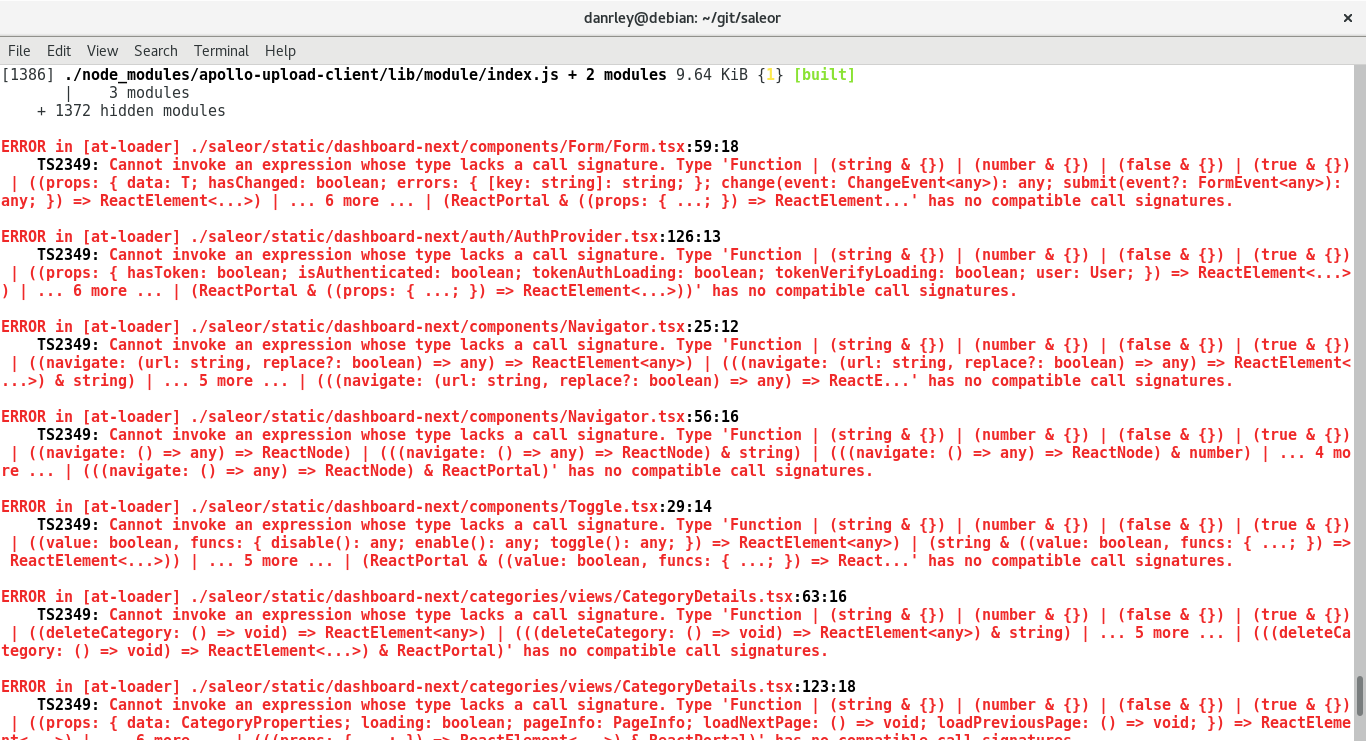
TS2349: Cannot invoke an expression whose type lacks a call signature. .... has no compatible call signatures.
All the error messages has that sentence. Do I have to change the code ?
 danrleywillyan
on 24 Oct 2018
danrleywillyan
on 24 Oct 2018
I noticed this error recently, too.
Are you using VS code? I noticed this after I updated to VS code's September release. I think their in-built Typescript support is causing it.
 the-bionic
on 24 Oct 2018
the-bionic
on 24 Oct 2018
Also, I think your issue is unrelated to the original issue. You probably updated your tslint or Typescript -- it is not in sync with the saleor's.
the-bionic
on 24 Oct 2018
ihe same problem ... this problem still continue
i have Linux Mint 19
npm run build-assets
[email protected] build-assets /home/honza/projects/saleor/saleor
webpack -p
sh: 1: webpack: not found
npm ERR! Linux 4.15.0-43-generic
npm ERR! argv "/usr/bin/node" "/usr/bin/npm" "run" "build-assets"
npm ERR! node v8.10.0
npm ERR! npm v3.5.2
npm ERR! file sh
npm ERR! code ELIFECYCLE
npm ERR! errno ENOENT
npm ERR! syscall spawn
npm ERR! [email protected] build-assets: webpack -p
npm ERR! spawn ENOENT
npm ERR! Failed at the [email protected] build-assets script 'webpack -p'.
npm ERR! Make sure you have the latest version of node.js and npm installed.
npm ERR! If you do, this is most likely a problem with the saleor package,
npm ERR! not with npm itself.
npm ERR! Tell the author that this fails on your system:
npm ERR! webpack -p
npm ERR! You can get information on how to open an issue for this project with:
npm ERR! npm bugs saleor
npm ERR! Or if that isn't available, you can get their info via:
npm ERR! npm owner ls saleor
npm ERR! There is likely additional logging output above.
npm ERR! Please include the following file with any support request:
npm ERR! /home/honza/projects/saleor/saleor/npm-debug.log
error log>
0 info it worked if it ends with ok
1 verbose cli [ '/usr/bin/node', '/usr/bin/npm', 'run', 'build-assets' ]
2 info using [email protected]
3 info using [email protected]
4 verbose run-script [ 'prebuild-assets', 'build-assets', 'postbuild-assets' ]
5 info lifecycle [email protected]~prebuild-assets: [email protected]
6 silly lifecycle [email protected]~prebuild-assets: no script for prebuild-assets, continuing
7 info lifecycle [email protected]~build-assets: [email protected]
8 verbose lifecycle [email protected]~build-assets: unsafe-perm in lifecycle true
9 verbose lifecycle [email protected]~build-assets: PATH: /usr/share/npm/bin/node-gyp-bin:/home/honza/projects/saleor/saleor/node_modules/.bin:/usr/local/sbin:/usr/local/bin:/usr/sbin:/usr/bin:/sbin:/bin:/snap/bin
10 verbose lifecycle [email protected]~build-assets: CWD: /home/honza/projects/saleor/saleor
11 silly lifecycle [email protected]~build-assets: Args: [ '-c', 'webpack -p' ]
12 info lifecycle [email protected]~build-assets: Failed to exec build-assets script
13 verbose stack Error: [email protected] build-assets: webpack -p
13 verbose stack spawn ENOENT
13 verbose stack at ChildProcess.
13 verbose stack at emitTwo (events.js:126:13)
13 verbose stack at ChildProcess.emit (events.js:214:7)
13 verbose stack at maybeClose (internal/child_process.js:925:16)
13 verbose stack at Process.ChildProcess._handle.onexit (internal/child_process.js:209:5)
14 verbose pkgid [email protected]
15 verbose cwd /home/honza/projects/saleor/saleor
16 error Linux 4.15.0-43-generic
17 error argv "/usr/bin/node" "/usr/bin/npm" "run" "build-assets"
18 error node v8.10.0
19 error npm v3.5.2
20 error file sh
21 error code ELIFECYCLE
22 error errno ENOENT
23 error syscall spawn
24 error [email protected] build-assets: webpack -p
24 error spawn ENOENT
25 error Failed at the [email protected] build-assets script 'webpack -p'.
25 error Make sure you have the latest version of node.js and npm installed.
25 error If you do, this is most likely a problem with the saleor package,
25 error not with npm itself.
25 error Tell the author that this fails on your system:
25 error webpack -p
25 error You can get information on how to open an issue for this project with:
25 error npm bugs saleor
25 error Or if that isn't available, you can get their info via:
25 error npm owner ls saleor
25 error There is likely additional logging output above.
26 verbose exit [ 1, true ]
 JPilarr
on 5 Feb 2019
JPilarr
on 5 Feb 2019
Have you checked your webpack installation? It's up to date? Last version of npm/Nodejs?
hasher-hasher
on 5 Feb 2019
Hi,
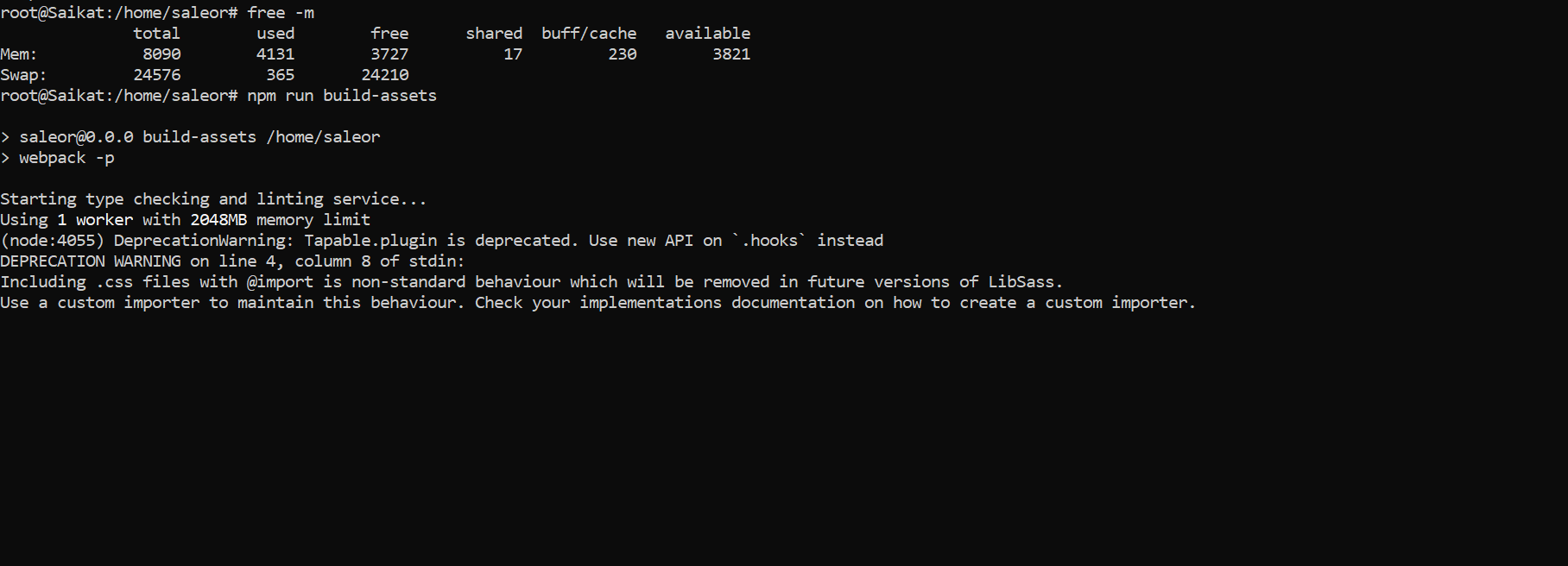
Whenever I run the command npm run build-assests ; i get following output, It nevers ends after running for hours; I have been trying for days now. Its so diffcult to get saleor up and running.
_**root@Saikat:/home/saleor# npm run build-assets

> [email protected] build-assets /home/saleor
> webpack -p

Starting type checking and linting service...
Using 1 worker with 2048MB memory limit
(node:4055) DeprecationWarning: Tapable.plugin is deprecated. Use new API on `.hooks` instead
DEPRECATION WARNING on line 4, column 8 of stdin:
Including .css files with @import is non-standard behaviour which will be removed in future versions of LibSass.
Use a custom importer to maintain this behaviour. Check your implementations documentation on how to create a custom importer.**_
Screenshot
 saik999
on 28 Mar 2019
saik999
on 28 Mar 2019
@Pacu2 Hi, same issue here, I have a server with 1GB memory and 4GB swap, it doesn't work without any errors.
 elsagong
on 10 May 2019
elsagong
on 10 May 2019
@elsagong It's a bad idea to build assets on your production server. Use another machine or a laptop and only upload resulting files (what Django collects during collectstatic).
patrys
on 10 May 2019
@patrys Got it, thank you so much.
elsagong
on 10 May 2019
still a problem on win10
 clashthe
on 6 Feb 2020
clashthe
on 6 Feb 2020
I get a differrent error, whe running $npm run build-assets:
(env) quantpips@instance-saleor:~/saleor$ npm run build-assets
npm ERR! missing script: build-assets
npm ERR!
npm ERR! Did you mean one of these?
npm ERR!     build-schema
npm ERR!     build-emails
I doesn´t find it, and this is the package.json:
{
  "name": "saleor",
  "version": "0.0.0",
  "repository": {
    "type": "git",
    "url": "git://github.com/mirumee/saleor.git"
  },
  "author": "Mirumee Software",
  "license": "BSD-3-Clause",
  "bugs": {
    "url": "https://github.com/mirumee/saleor/issues"
  },
  "homepage": "http://getsaleor.com/",
  "dependencies": {},
  "devDependencies": {
    "mjml": "^4.6.2"
  },
  "scripts": {
    "build-schema": "python manage.py get_graphql_schema > saleor/graphql/schema.graphql",
    "heroku-postbuild": "npm run build-emails",
    "build-emails": "mjml --config.beautify false -l skip \"templates/templated_email/source/*.mjml\" -o templates/templated_email/compiled"
  }
}
Am I missing something?
Im following the installation docs for linux, Step #9
 aquaerius
on 25 Apr 2020
aquaerius
on 25 Apr 2020
@aquaerius Please see this comment in another issue.
 maarcingebala
on 27 Apr 2020
maarcingebala
on 27 Apr 2020
Related issues
Pacu2
·
4Comments
 ghost
·
4Comments
ghost
·
4Comments
 jujes
·
4Comments
jujes
·
4Comments
 flaviocolonna
·
3Comments
flaviocolonna
·
3Comments
 maltitco
·
3Comments
maltitco
·
3Comments
Most helpful comment
@elsagong It's a bad idea to build assets on your production server. Use another machine or a laptop and only upload resulting files (what Django collects during
collectstatic).