Sagemaker-python-sdk: Processing job: Cannot specify s3 uri as code location
According to the docs, one can specify either S3 URI or a local path as code location while running processing jobs with SageMaker:
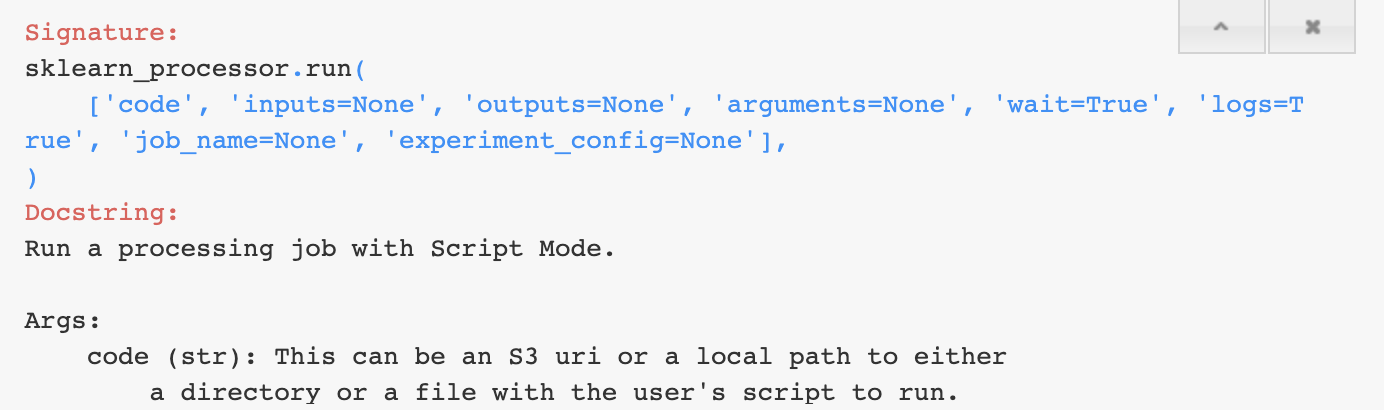
This seems not to be the case.
When you specify the s3 path, SageMaker Python SDK still tries to create a default S3 bucket and upload the code to it.
I dug into the code base and can see that there is no check if the given path is an S3 path or not and default behavior is always to expect a local path.
https://github.com/aws/sagemaker-python-sdk/blob/master/src/sagemaker/processing.py#L373
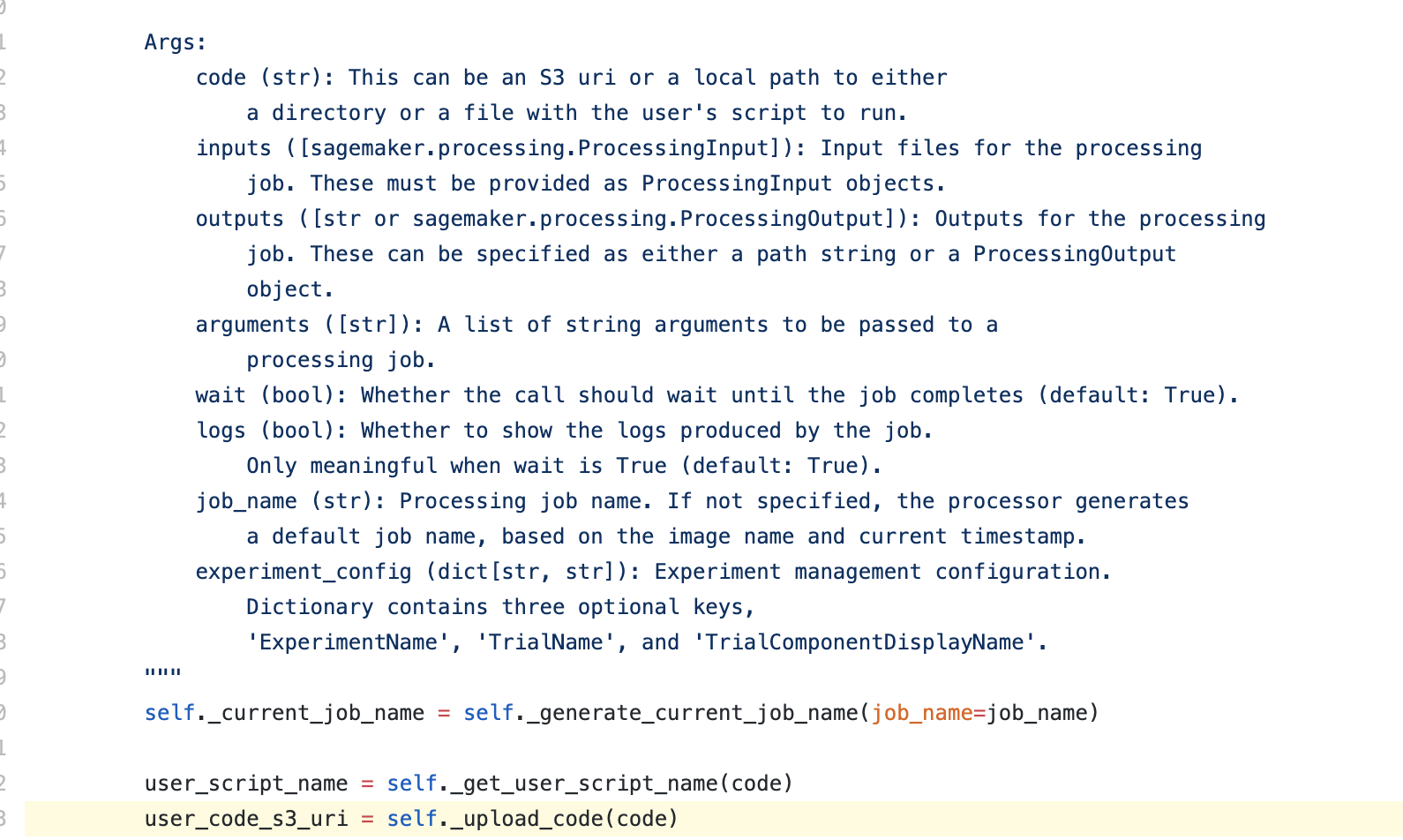

Expected behavior:
Allow S3 paths as a code location as stated in the docs.
 elvinx
All 4 comments
Hi @elvinx, thanks for bringing this to our attention. We'll address this and release a fix as soon as we're able.
 ajaykarpur
on 12 Dec 2019
ajaykarpur
on 12 Dec 2019
Thanks for reporting this @elvinx .
I sent a pull request with the fix and tests: https://github.com/aws/sagemaker-python-sdk/pull/1167
 andremoeller
on 13 Dec 2019
andremoeller
on 13 Dec 2019
@andremoeller Thank you!
elvinx
on 13 Dec 2019
Hey @elvinx ,
This fix has been released: https://github.com/aws/sagemaker-python-sdk/releases/tag/v1.47.0
You can install this newest release into a notebook instance by:
- Running
!pip install -U --user sagemaker - Restarting the kernel.
I'm closing this issue. Please feel free to reach out or reopen this if you run into issues. Thanks!
andremoeller
on 13 Dec 2019
Related issues
 sylvainrobbiano
·
3Comments
sylvainrobbiano
·
3Comments
 zjost
·
3Comments
zjost
·
3Comments
 gautiese
·
4Comments
gautiese
·
4Comments
 cgarciae
·
5Comments
cgarciae
·
5Comments
 atibaup
·
3Comments
atibaup
·
3Comments
Most helpful comment
Hey @elvinx ,
This fix has been released: https://github.com/aws/sagemaker-python-sdk/releases/tag/v1.47.0
You can install this newest release into a notebook instance by:
!pip install -U --user sagemakerI'm closing this issue. Please feel free to reach out or reopen this if you run into issues. Thanks!