Sagemaker-python-sdk: Cannot pull algorithm container
Hey there,
I'm attempting to run a custom SageMaker job that I'm creating programmatically through this library using the Session.train method. All validation passes, the job is created, and my channel data is pulled from S3 (judging by how long it takes ~ 40 minutes). At this point I get the following error that I've been unable to diagnose:
Failed Reason: ClientError: Cannot pull algorithm container. Either the image does not exist or its permissions are incorrect.
Addressing each of these issues
- I've verified that my image uri leads to a proper ECS repo and looks like
"1234567890.dkr.ecr.us-east-1.amazonaws.com/sage". - The execution role I created to run the job has the policies
AmazonSageMakerFullAccess,AmazonEC2ContainerRegistryFullAccess, and an additional custom policy to limit the S3 access to my training bucket.
What am I missing here? Is there another policy I need to add to the IAM role? Happy to provide any other relevant details.
 jpredham
All 10 comments
Hello,
Thanks for trying out SageMaker!
Your execution roles looks correct. There are a few possibilities for these errors.
- The most likely reason for this failure is that the ECR image may be bigger than the allocated disk space on the training instance, so please try running this on an instance with more disk space. This can be specified within the resource_config's VolumeSizeInGB key that is passed into Sesson.train method. I apologize for the non indicative failure message, and recognize this as a bug that will be addressed.
- For more on the VolumneSizeInGB: https://docs.aws.amazon.com/sagemaker/latest/dg/API_ResourceConfig.html#SageMaker-Type-ResourceConfig-VolumeSizeInGB
- An ECR image from a different AWS account's ECS repo is being attempted to be pulled without the proper repository permissions set.
- For more information on ECR repository permissions: https://docs.aws.amazon.com/AmazonECR/latest/userguide/set-repository-policy.html
If none of these help, please open a technical support request through: https://aws.amazon.com/contact-us/
Please let me know if there is anything else I can assist with.
 ChoiByungWook
on 26 Jan 2018
ChoiByungWook
on 26 Jan 2018
Thank you so much for your help @ChoiByungWook!
I was able to get my Sagemaker job working successfully - the issue stemmed from at least one (and potentially more) changes that I made. Listed below in case others encounter this.
- The image I was using for the job specified its base image as another custom image that I had pushed to ECR. The syntax for this was
FROM 1234567890.dkr.ecr.us-east-1.amazonaws.com/core. Even though this is valid docker syntax and worked locally, it did not work in when executing in the sagemaker context. Changing to simplyFROM coreworked. - Not positive this was part of the issue, but I did change the way I specified my training image in the call to create the job (
Session.train) from1234567890.dkr.ecr.us-east-1.amazonaws.com/sageto1234567890.dkr.ecr.us-east-1.amazonaws.com/sage:latest(appending the tag at the end). - I also added the
AmazonEC2ContainerServiceFullAccesspolicy to my execution role, although I'm somewhat doubtful this was my holdup.
Finally, some feedback on the way that this failed: Even though the error message for this was somewhat ambiguous, the real challenge was that it took roughly 40 minutes for the error to be thrown after the job was created. Now that I have the job running properly (with noop training code) it takes just 7 minutes to complete. I'm guessing the remaining 30 minutes were spent looking for a container that it ultimately would not be able to locate? Whatever the reason, if it was possible to set that timeout much, much lower it would speed up the iteration time for those that encounter this error in the future.
Thanks again 🙏
jpredham
on 26 Jan 2018
Hey,
I've run into the same issue as @jpredham but I haven't been able to resolve it in the same way; creating the training job fails after an about an hour with the following error: ClientError: Cannot pull algorithm container. Either the image does not exist or its permissions are incorrect.
I think I have all the permissions set correctly, the only thing that keeps bothering me is that the container I am trying to pull is about 5.8GB, but the readily available storage on the instance is 5gb, although I did mount an EFS as well as giving a training volume 80gb of additional space.
Support has been contacted but no response has been received; any input would be appreciated.
 KonstantineMushegian-TRI
on 30 May 2018
KonstantineMushegian-TRI
on 30 May 2018
@KonstantineMushegian-TRI - any luck with solving it?
 mlazarew
on 27 Jun 2018
mlazarew
on 27 Jun 2018
@mlazarew I got a response from the AWS support team; first of all make sure all your permissions and etc. are in check.
My issue turned out to be that my Docker image (compressed) was over 5GB in size; according to support currently there is no way to tell SageMaker to download the Docker image anywhere but the root directory, i.e. you can't put it into the mounted EFS.
I solved my issue by removing any and all clutter from the Docker image, which let me get it under 5GB compressed.
KonstantineMushegian-TRI
on 27 Jun 2018
I have the same problem but I have no memory or permissions problems.
The problem only appears when my sagemaker tensorflow estimator py_version is set to 'py3'.
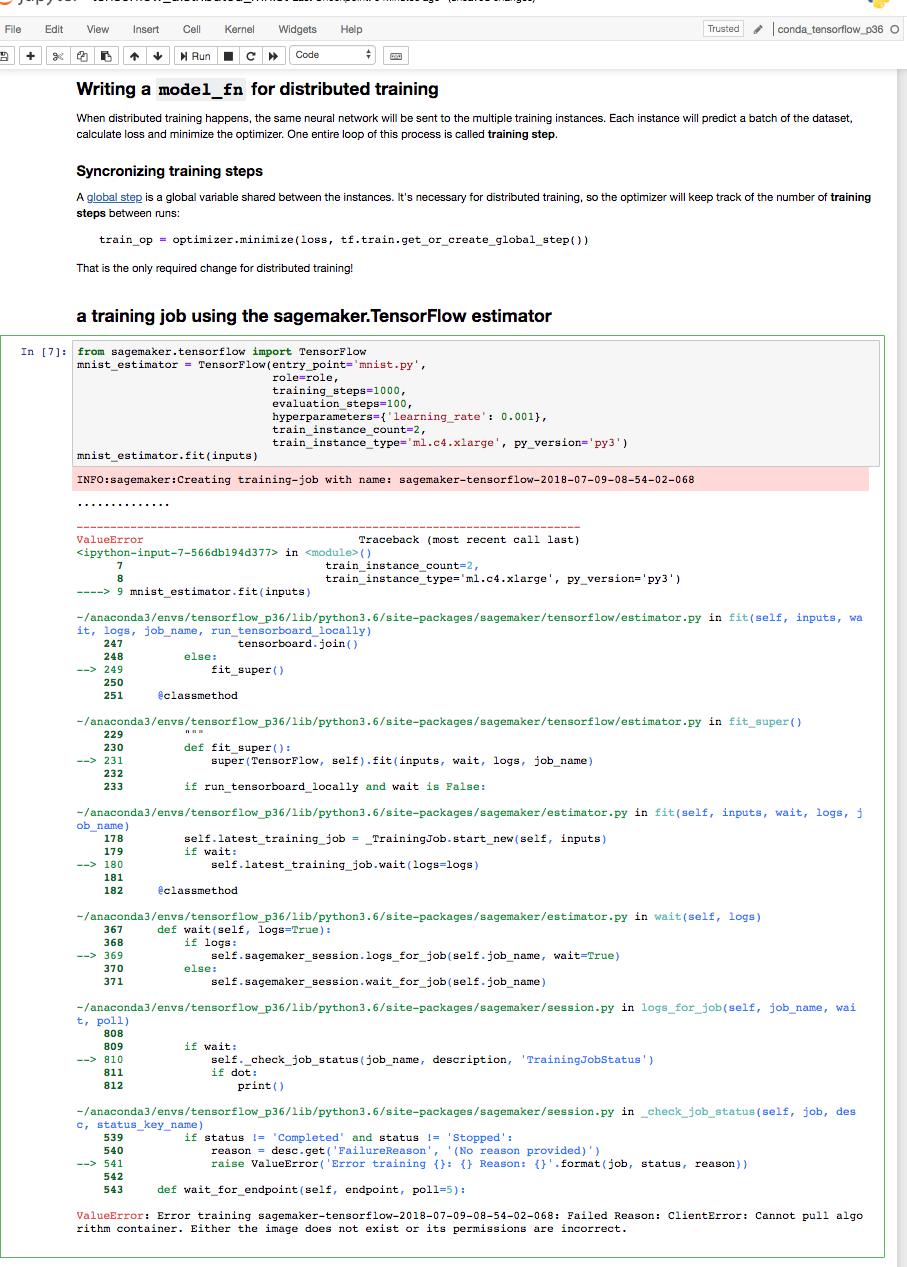
vs
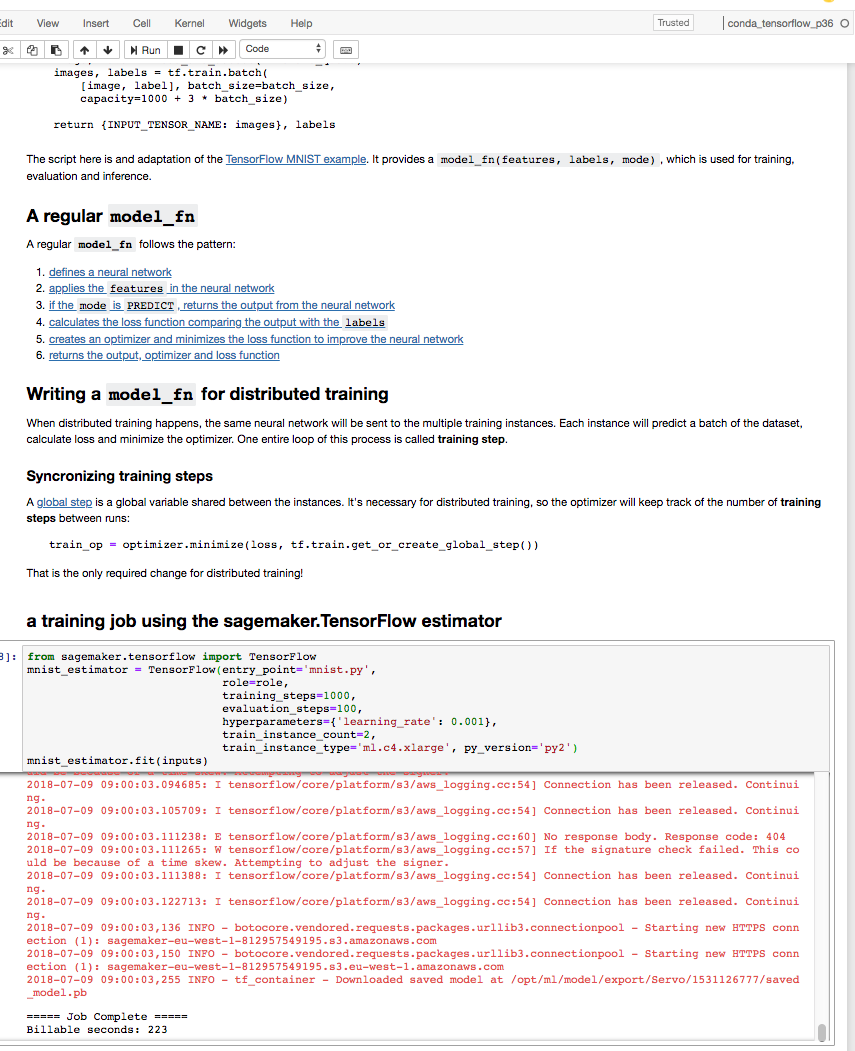
Does somebody knows what is happening ?
 edmondjak
on 9 Jul 2018
edmondjak
on 9 Jul 2018
Hi @edmondjak
Python3 is not supported by our Tensorflow images. We have an open issue here: https://github.com/aws/sagemaker-python-sdk/issues/19
Please use py2 for Tensorflow.
 iquintero
on 9 Jul 2018
iquintero
on 9 Jul 2018
Hi @ChoiByungWook
I have the same issue but I neither use tensorflow nor I have any policy related issues.
I build the image from scratch without using any outside images. The docker image size is about 500MB which is well below the 5GB available.
Do you have any idea what could be the problem?
Error message below:
```INFO:sagemaker:Creating training-job with name: gbc-2018-09-04-15-22-56-472
...............
..
ValueErrorTraceback (most recent call last)
8 sagemaker_session=sess)
9
---> 10 tree.fit(data_location)
/home/ec2-user/anaconda3/envs/python2/lib/python2.7/site-packages/sagemaker/estimator.pyc in fit(self, inputs, wait, logs, job_name)
188 self.latest_training_job = _TrainingJob.start_new(self, inputs)
189 if wait:
--> 190 self.latest_training_job.wait(logs=logs)
191
192 @classmethod
/home/ec2-user/anaconda3/envs/python2/lib/python2.7/site-packages/sagemaker/estimator.pyc in wait(self, logs)
416 def wait(self, logs=True):
417 if logs:
--> 418 self.sagemaker_session.logs_for_job(self.job_name, wait=True)
419 else:
420 self.sagemaker_session.wait_for_job(self.job_name)
/home/ec2-user/anaconda3/envs/python2/lib/python2.7/site-packages/sagemaker/session.pyc in logs_for_job(self, job_name, wait, poll)
907
908 if wait:
--> 909 self._check_job_status(job_name, description, 'TrainingJobStatus')
910 if dot:
911 print()
/home/ec2-user/anaconda3/envs/python2/lib/python2.7/site-packages/sagemaker/session.pyc in _check_job_status(self, job, desc, status_key_name)
626 if status != 'Completed' and status != 'Stopped':
627 reason = desc.get('FailureReason', '(No reason provided)')
--> 628 raise ValueError('Error training {}: {} Reason: {}'.format(job, status, reason))
629
630 def wait_for_endpoint(self, endpoint, poll=5):
ValueError: Error training gbc-2018-09-04-15-22-56-472: Failed Reason: ClientError: Cannot pull algorithm container. Either the image does not exist or its permissions are incorrect.```
Please let me know if you need more information.
 varshithr
on 4 Sep 2018
varshithr
on 4 Sep 2018
For anyone else who ends up here, it was the way I was specifying containers that lead to this error for me. I was defining containers like this:
containers = { "us-east-1": '683313688378.dkr.ecr.us-east-1.amazonaws.com/xgboost:latest',
                "us-west-1": '746614075791.dkr.ecr.us-west-1.amazonaws.com/xgboost:latest',
                "us-west-2": '246618743249.dkr.ecr.us-west-2.amazonaws.com/xgboost:latest',
                "us-east-2": '257758044811.dkr.ecr.us-east-2.amazonaws.com/xgboost:latest'}
Note: Yes I am aware that for xgb it said don't use "latest", but I also got the error during specification of xgb using above dictionary syntax.
I had to get the image uri like this instead:
from sagemaker.amazon.amazon_estimator import get_image_uri

region = boto3.Session().region_name
print(region) # us-east-1
container = get_image_uri(region, 'xgboost', '1.0-1')

estimator = sagemaker.estimator.Estimator(container,
                                         role,
                                         train_instance_count=1,
                                         train_instance_type='ml.p2.xlarge',
                                         output_path=s3_model_output_location,
                                         sagemaker_session=sess,
                                         base_job_name='NAME_YOU_WANT')
 kevinkurek
on 25 Aug 2020
kevinkurek
on 25 Aug 2020
Just modified @kevinkurek 's solution for the latest Sagemaker versions. This works for Sagemaker versions >=2.
```from sagemaker.amazon.amazon_estimator import image_uris
my_region = boto3.session.Session().region_name
container = image_uris.retrieve('xgboost', my_region, '1.0-1')
xgb = sagemaker.estimator.Estimator(container,
role,
instance_count = 1,
instance_type = 'ml.m4.xlarge',
output_path = 's3://{}/{}/output'.format(bucket_name, prefix),
sagemaker_session = sess,
base_job_name = 'first-job')
 blessy-hebzeba
on 22 May 2021
blessy-hebzeba
on 22 May 2021
Related issues
 jguo16
·
3Comments
jguo16
·
3Comments
 aarsanjani
·
4Comments
aarsanjani
·
4Comments
 gautiese
·
4Comments
gautiese
·
4Comments
 athewsey
·
4Comments
athewsey
·
4Comments
 sylvainrobbiano
·
3Comments
sylvainrobbiano
·
3Comments
Most helpful comment
I have the same problem but I have no memory or permissions problems.


The problem only appears when my sagemaker tensorflow estimator py_version is set to 'py3'.
vs
Does somebody knows what is happening ?