Rxswift: [Xcode 11.3.1] "Could not find module 'RxSwift' for target 'arm64-apple-ios';"
My iOS App Project was no ploblem with RxSwift for 2~3 month untill today's morning,
but My Project have broken since I excuted carthage update once...
I spent half of day, but It haven't solved.
Process & Error
carthage update RxSwift --platform iOS
↓
:warning: "Incompatible Swift version - framework was built with 5.0.1 (swiftlang-1001.0.82.4 clang-1001.0.46.5) and the local version is 5.1.3 (swiftlang-1100.0.282.1 clang-1100.0.33.15)."
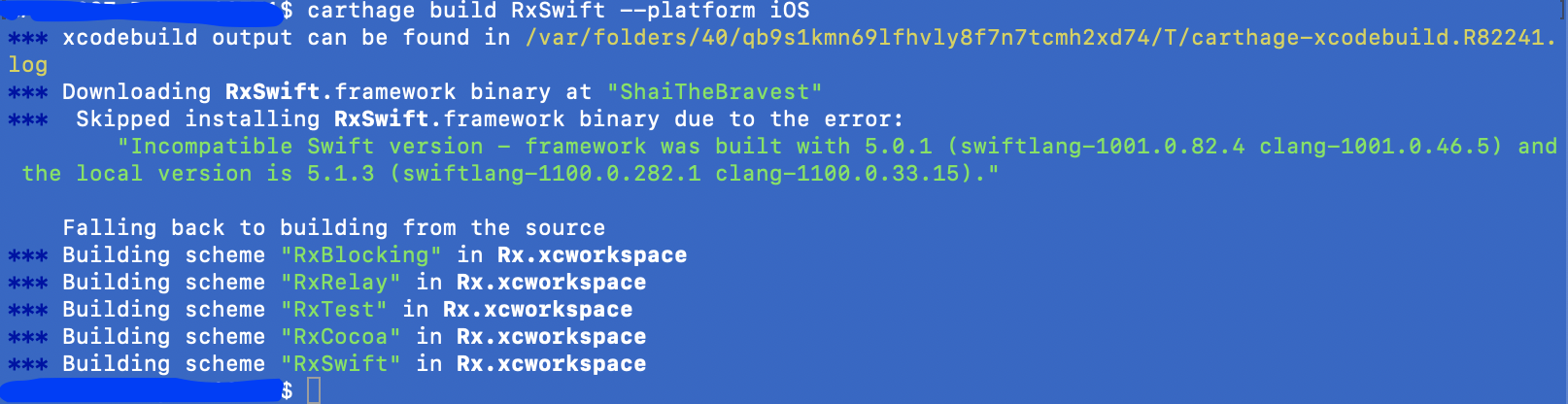
Falling back to building from the source
↓
✔ Carthage Build is finished.
↓
Build Error on Xcode Project.
❌ Could not find module 'RxSwift' for target 'arm64-apple-ios'; found: i386, i386-apple-watchos-simulator, arm64_32-apple-watchos, armv7k, armv7k-apple-watchos, arm, arm64_32

Expected outcome:
No Problem of Xcode Build.
What actually happens:
:warning: "Incompatible Swift version - framework was built with 5.0.1 (swiftlang-1001.0.82.4 clang-1001.0.46.5) and the local version is 5.1.3 (swiftlang-1100.0.282.1 clang-1100.0.33.15)."
❌ Could not find module 'RxSwift' for target 'arm64-apple-ios'; found: i386, i386-apple-watchos-simulator, arm64_32-apple-watchos, armv7k, armv7k-apple-watchos, arm, arm64_32
Information
RxSwift/RxCocoa/RxBlocking/RxTest version/commit
5.0.1
Platform/Environment
- [x] iOS
- [ ] macOS
- [ ] tvOS
- [ ] watchOS
- [ ] playgrounds
Xcode version:
Version 11.3.1 (11C504)
I have multiple versions of Xcode installed:
(so we can know if this is a potential cause of your issue)
- [ ] yes (which ones)
- [x] no
Level of RxSwift knowledge:
(this is so we can understand your level of knowledge
and formulate the response in an appropriate manner)
- [ ] just starting
- [ ] I have a small code base
- [x] I have a significant code base
 takuoka
All 6 comments
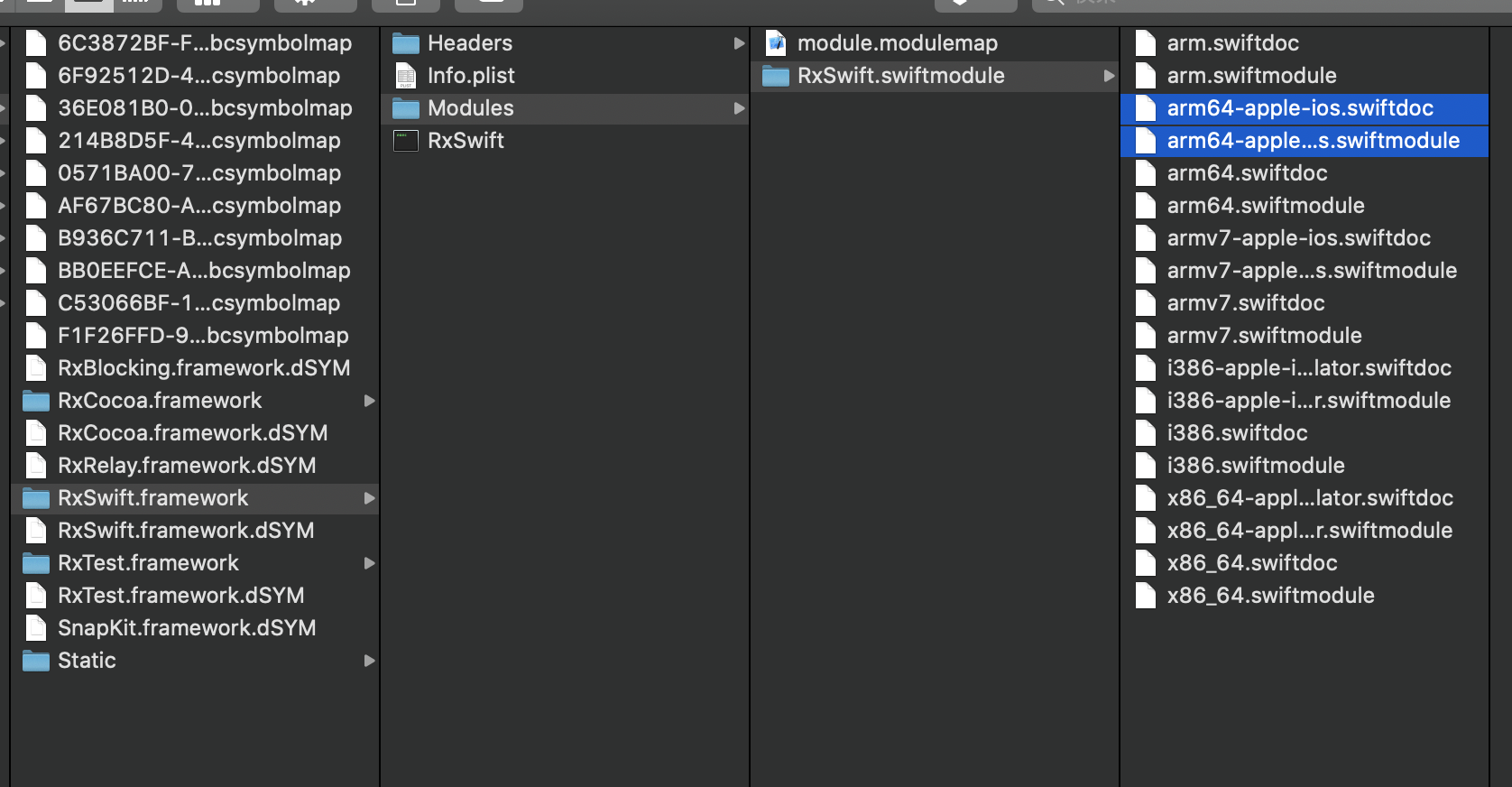
And I confirmed 'arm64-apple-ios' module of RxSwift.
takuoka
on 24 Feb 2020
Hey - I don't know enough about Carthage and this doesn't seem to happen to me. Can you attach a project reproducing the issue?
If you have a PR to solve this, I'd be happy to accept as well.
 freak4pc
on 24 Feb 2020
freak4pc
on 24 Feb 2020
This is sample project to reproduce the issue.
https://github.com/entotsu/Sample
takuoka
on 25 Feb 2020
Your project has a bunch of non-compiling dependency and Realm code, so I can't do much with it. Here's a test I made with Carthage based on the instructions in the Carthage project, including a test target, and everything seems fine:
Please test and let me know.
freak4pc
on 27 Feb 2020
@freak4pc Thank you.
I made a simple project of RxSwift with Carthage, and It's no problem too. 👌
takuoka
on 27 Feb 2020
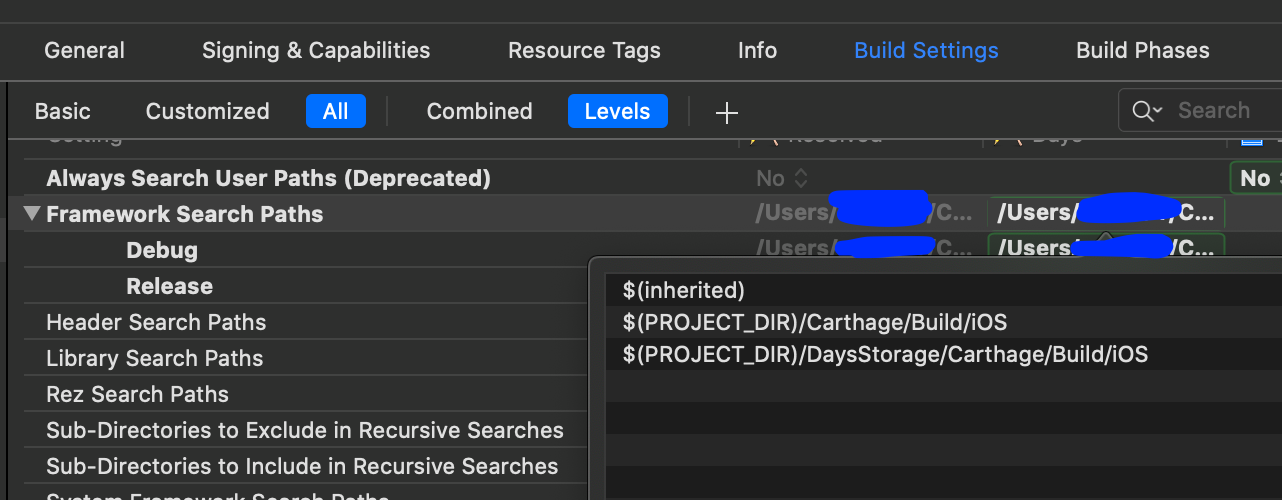
I found the reason of this problem.
I don't know why but Framework Search Path had WatchOS's path.
I removed it, and build error was solved! 👌
takuoka
on 27 Feb 2020
Related issues
 RafaelPlantard
·
3Comments
RafaelPlantard
·
3Comments
 gaudecker
·
3Comments
gaudecker
·
3Comments
 retsohuang
·
3Comments
retsohuang
·
3Comments
 angerman
·
3Comments
angerman
·
3Comments
 jeremiegirault
·
3Comments
jeremiegirault
·
3Comments
Most helpful comment
I found the reason of this problem.

I don't know why but
Framework Search Pathhad WatchOS's path.I removed it, and build error was solved! 👌